NX Productions v1.0
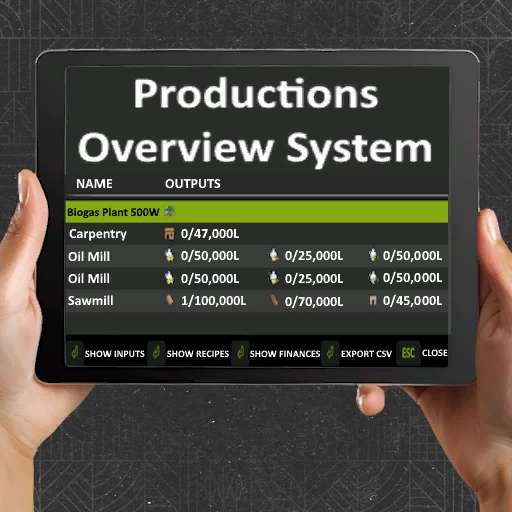
NX Productions v1.0
A production management mod for Farming Simulator 25 that provides an overview of all your production facilities with automatic management capabilities.
Key Features
Production Overview: View all productions with fill levels, capacities, monthly income and processing type.
Toggle Views: Switch between inputs, outputs, and recipes
Financial Tracking: See monthly revenue, costs, and net profit for each production
Auto-Management: Automatically activate/deactivate productions based on input availability and output capacity
CSV Export: Export all production data for external analysis
Multi-Language Support: Available in 12 languages
Processing Type: See if the production supports Serial (S) or Parallel (P) processing. When the production supports Parallel processing, for every tick the server does, every active recipe advances. When the production only supports serial processing, for every tick the server does, only ONE recipe advances in turn.
Usage:
Press Right Shift + P to open the production overview.
Settings Menu
Access settings via ESC → Settings → Game Settings → NX Productions
Automatic Productions:
Automatically manages your production facilities:
Enabled: Productions activate when inputs are available and deactivate when outputs reach 95% capacity
Disabled: Manual control only (default)
This setting checks run every 5 seconds and only affect productions with configured recipes. Changes are synchronized across all players in multiplayer.
Author: NXModdingFS