Mod Manager V1.3


Mod Manager V1.3


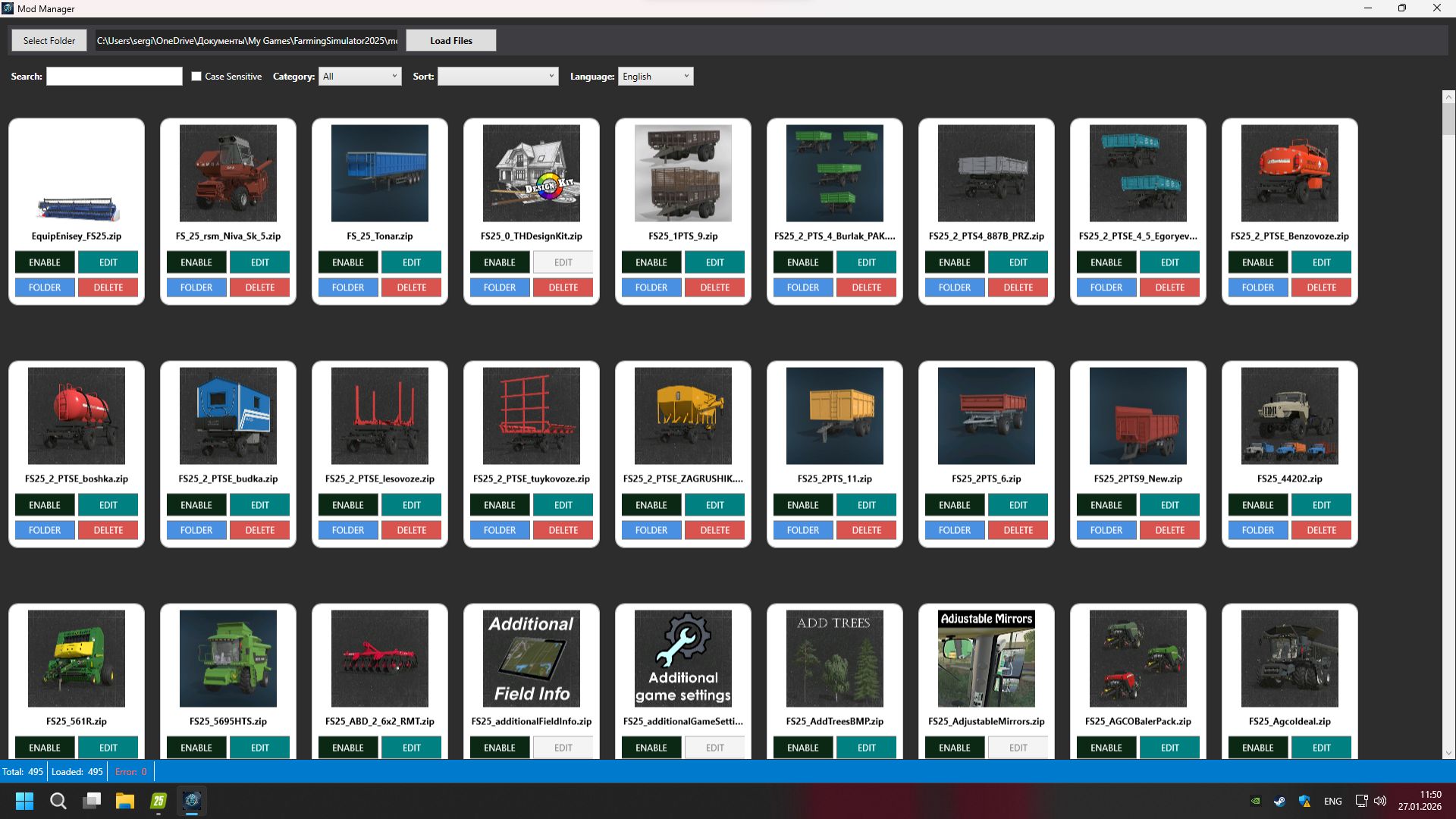
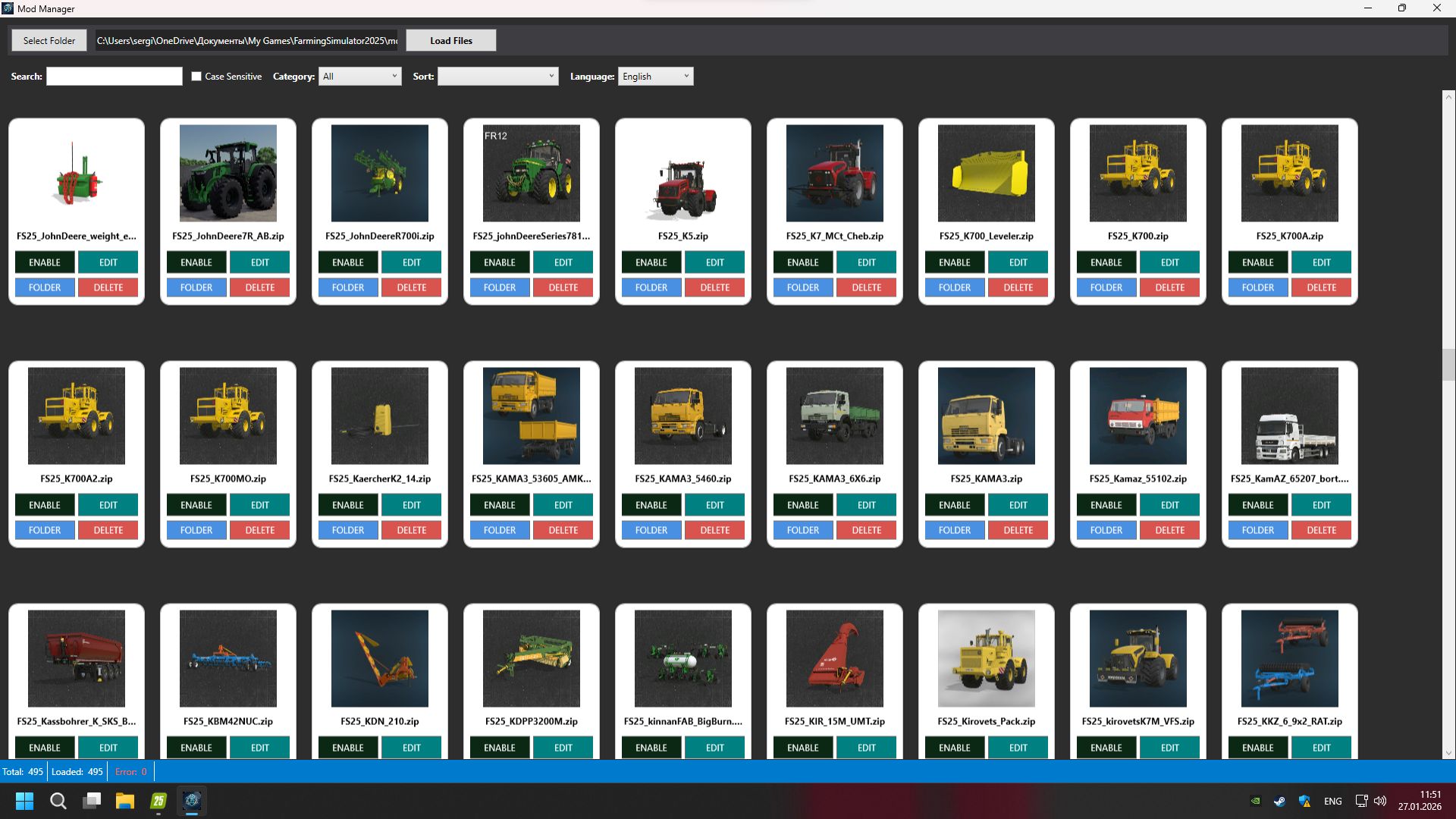
Mod Mod Manager 1.3 is a program for managing and editing mods for Farming Simulator 25 v1.3 for Farming Simulator 2025 (v15.0.1)
The program automatically checks the mods folder and identifies erroneous or conflicting mods. Detected problematic mods can be disabled or completely removed, which helps to avoid errors, crashes and problems when starting the game.

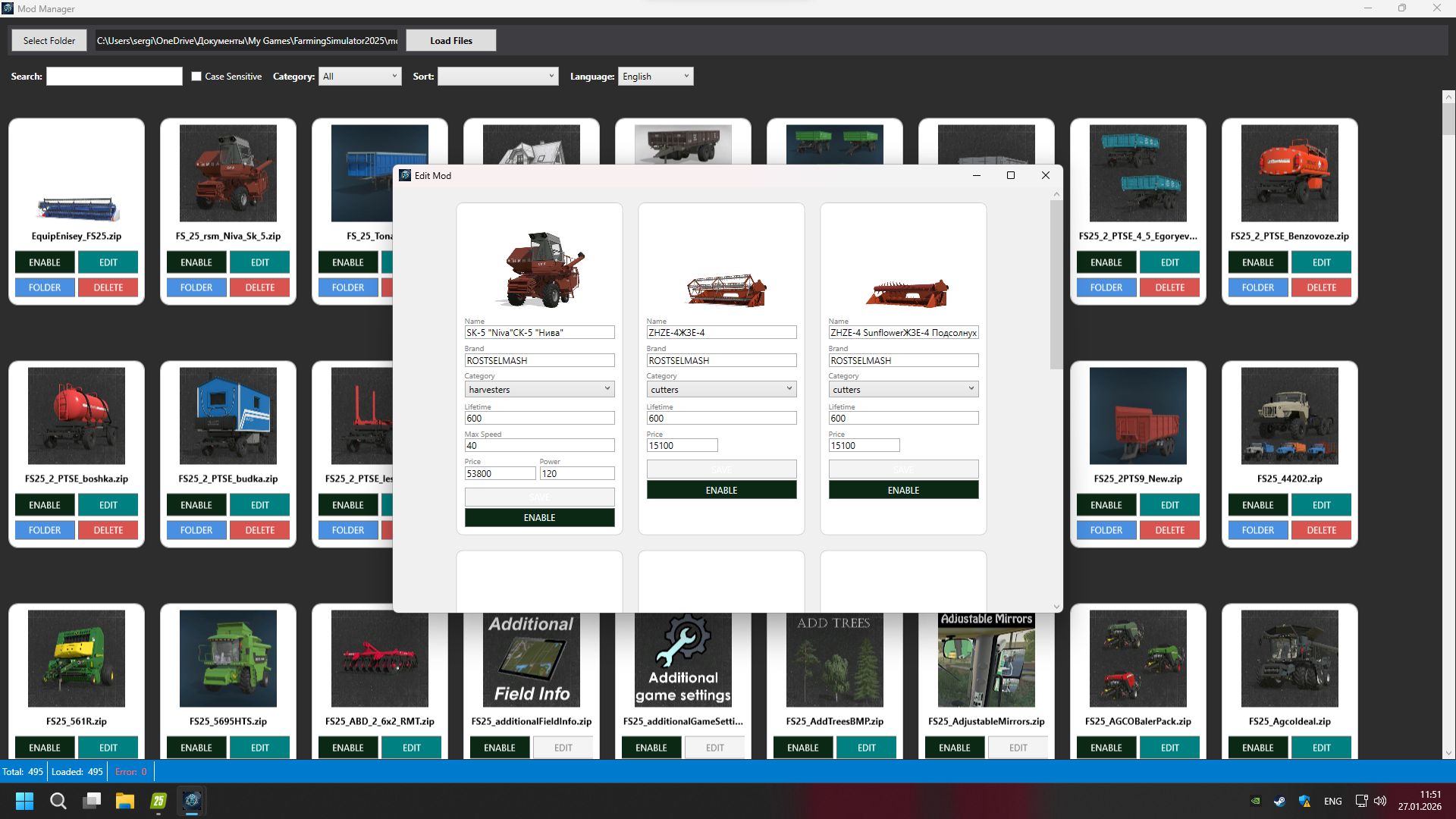
Mod Manager 1.3 also allows you to edit the parameters of the mods themselves, including:
tractor power
price of equipment
fee per day
and other gaming characteristics
This makes it possible to flexibly customize mods to suit your needs without manually editing files.

Installation and launch
Download the archive with the program.
Unpack the archive into any convenient folder.
Run the program as a normal application.

In Windows 11, when a warning appears about an unknown file format, allow execution.
In the upper corner of the program, select the path to the folder with Farming Simulator 25 mods.
Click the “Create List” button to analyze and display all mods.
Mod Manager 1.3 is a convenient tool for controlling, editing and optimizing mods in Farming Simulator 25


Author: farmtechgame

Report bugs in the comments and help modders improve this mod. Always check the comments, you can find a solution.


Helpful Information: How to install FS25 mods | FS25 System Requiremnts | FS25 Modding Tutorial | Giants Editor for FS25 | How to Convert mods | FS25 Cheats

More Misc mods


About Farming Simulator 25 mods
Farming Simulator 25 supports game modding for PC, Xbox, or PS5. FS25 Mod may change your game from small to complete changes. You can create a Farming Simulator 25 mod file and share it with our community. When is a good time to try Farming Simulator 25 mods? We recommend playing a game with these FS25 mods after you finish the Farming Simulator 25 starting pack and are bored with the game basics. So it's time to try new machines, such as harvesters or tractors, which are not included in the basic game version.
As you already know, Farming Simulator 25 developers support mods installation, which will add more vehicles or lands to your game. Check our Best FS25 mods lists for PC, Mac, PS5 or Xbox Series. Just follow these simple steps: choose the LS25 mods category, download the mod for the Farming Simulator 2025 version, and install it into the mod folder. Remember, all Farming Simulator 25 Mods are free, and download as many as you want with no limits. We want to create one of the biggest Farming Simulator 25 Community and invite you to share FS25 mods with everyone.

Leave a Reply

Do you need help or to say thanks to the mod author? Just leave a comment below!