GE10 Script – Animal NavMesh Gen. (Prefab) V1.0
GE10 Script – Animal NavMesh Gen. (Prefab) V1.0
Animal NavMesh Generator
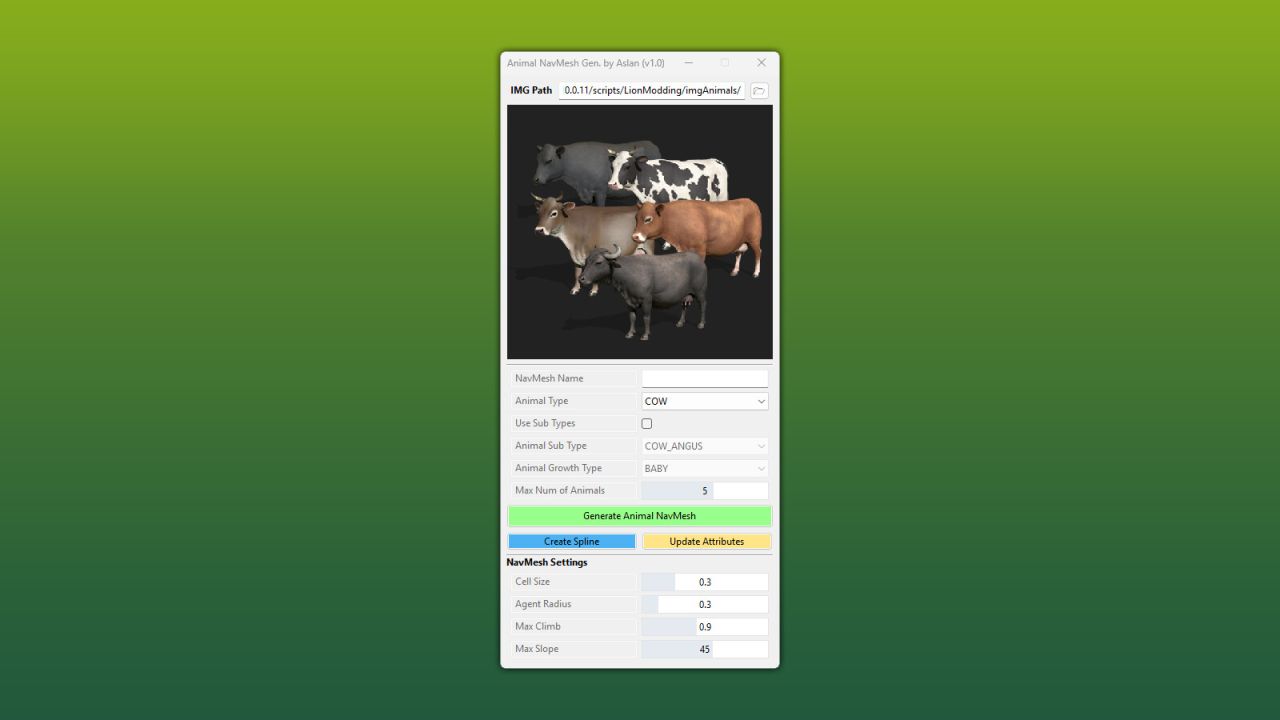
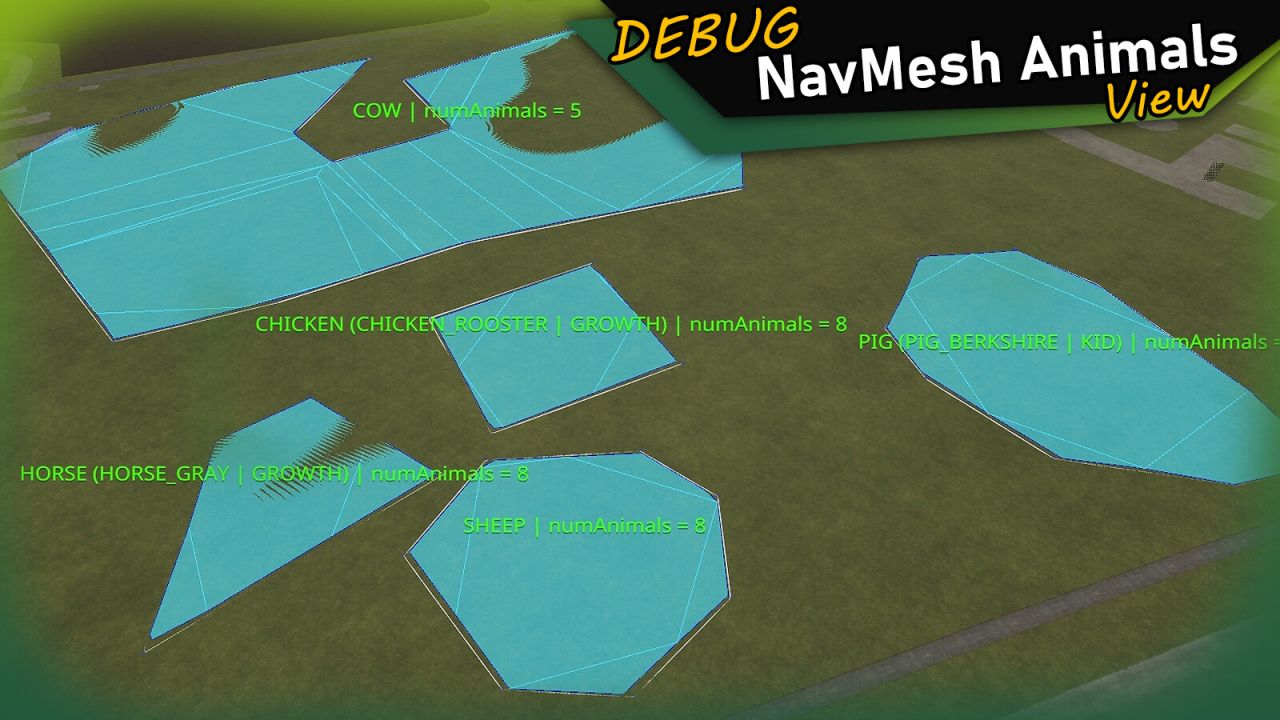
This script for the GIANTS Editor allows you to quickly and easily create navigation meshes for decorative pastures. The tool generates a NavMesh directly from a selected spline and automatically assigns the required attributes for the selected animal type.
All standard animal types from Farming Simulator are supported, including subtypes and growth stages. In addition, the script displays helpful debug information directly in the editor viewport.
Installation:
1. Navigate to the installation directory of the GIANTS Editor (e.g. “C:/Program Files/GIANTS Software/GIANTS_Editor_10.X.X/”).
2. Copy the file “AnimalNavMeshGenerator.lua” and the folder “imgAnimals” from the prefab into the GIANTS Editor script folder.
3. Restart the GIANTS Editor. The script will then be available via the menu bar under “Scripts”.
Author: Aslan