Shop Mod Labels – New And Updated V1.1


Shop Mod Labels – New And Updated V1.1
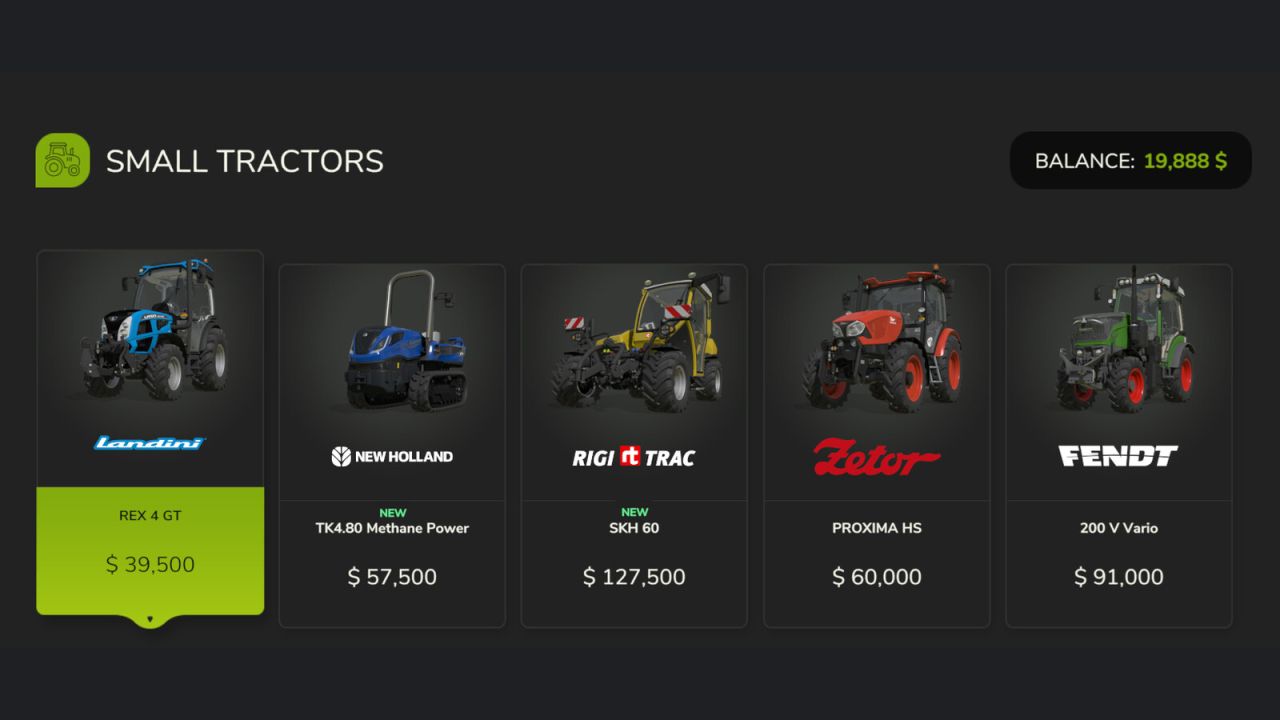
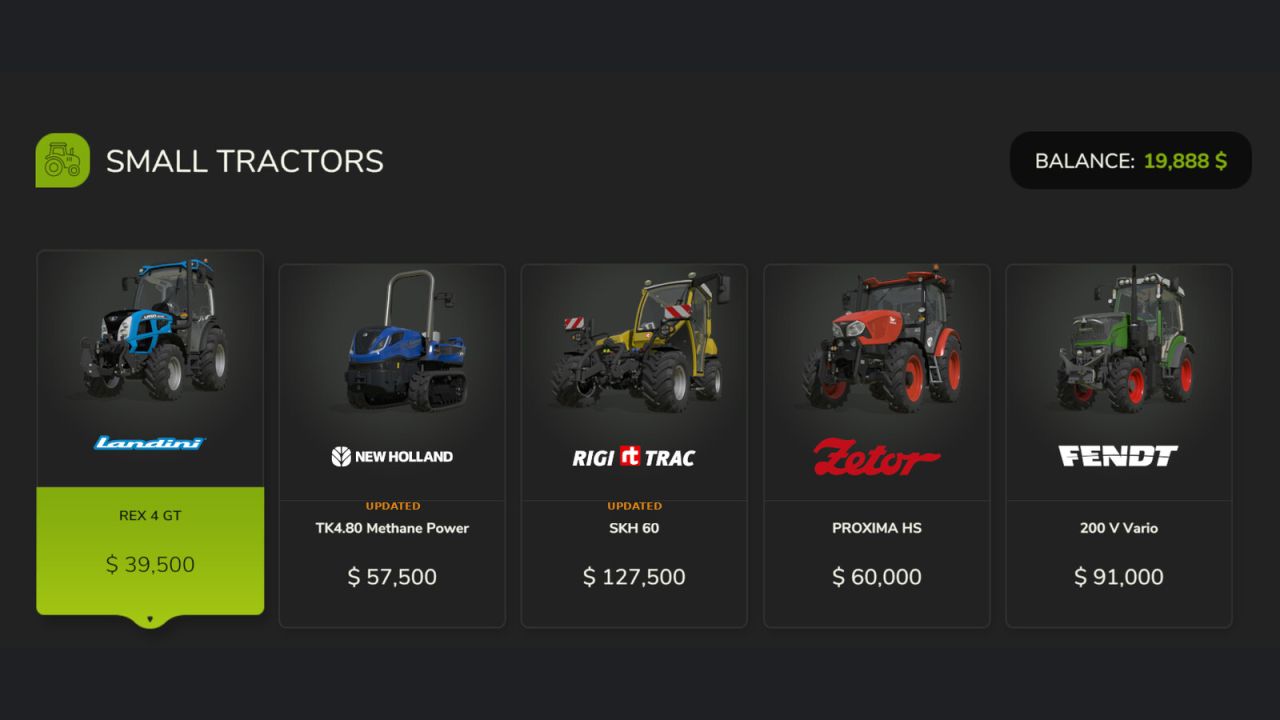
Displays a coloured ribbon label on shop item tiles to help you keep track of what is new or updated in your mod collection.
A green NEW label appears on any mod you have not seen before in the shop. An orange UPDATED label appears when a mod’s version number increases. Both labels are shown for 14 days before fading away automatically.
Note: UPDATED only appears if the mod version increases after your first run of the game with this mod installed.

GENERAL SETTINGS
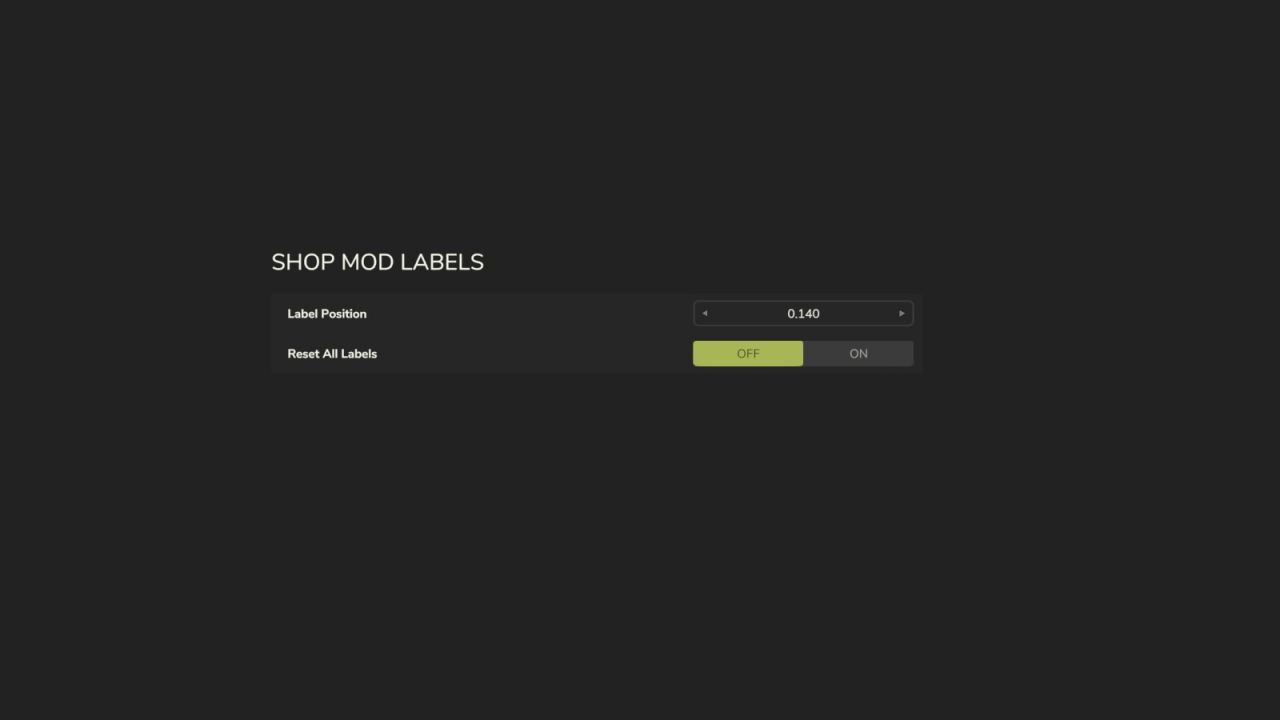
A dedicated section is added to the General Settings menu with two options:\
– Label Position: A stepper control (◄ value ►) lets you fine-tune the vertical position of the labels on shop tiles. The starting position is automatically chosen based on your screen resolution — standard 16:9, widescreen, and ultrawide 21:9 displays are all detected at startup.
– Reset All Labels: Clears the history of all seen and updated mods, so every item in the shop will show as NEW again. Useful after a fresh start or a large mod list change.

Settings are saved and persist between play sessions.

V1.1.0.0
– Added Label Position stepper in General Settings (â—„ value â–º)
– Automatic aspect ratio detection at startup: 16:9, widescreen, and ultrawide 21:9
– Label position is user-configurable and persists between sessions
– Fixed ghost label issue when changing position
– Reset All Labels option in General Settings


Author: JonoChromatic

Report bugs in the comments and help modders improve this mod. Always check the comments, you can find a solution.


Helpful Information: How to install FS25 mods | FS25 System Requiremnts | FS25 Modding Tutorial | Giants Editor for FS25 | How to Convert mods | FS25 Cheats

More Misc mods


About Farming Simulator 25 mods
Farming Simulator 25 supports game modding for PC, Xbox, or PS5. FS25 Mod may change your game from small to complete changes. You can create a Farming Simulator 25 mod file and share it with our community. When is a good time to try Farming Simulator 25 mods? We recommend playing a game with these FS25 mods after you finish the Farming Simulator 25 starting pack and are bored with the game basics. So it's time to try new machines, such as harvesters or tractors, which are not included in the basic game version.
As you already know, Farming Simulator 25 developers support mods installation, which will add more vehicles or lands to your game. Check our Best FS25 mods lists for PC, Mac, PS5 or Xbox Series. Just follow these simple steps: choose the LS25 mods category, download the mod for the Farming Simulator 2025 version, and install it into the mod folder. Remember, all Farming Simulator 25 Mods are free, and download as many as you want with no limits. We want to create one of the biggest Farming Simulator 25 Community and invite you to share FS25 mods with everyone.

Leave a Reply

Do you need help or to say thanks to the mod author? Just leave a comment below!