Field Point Generator V1.0
Field Point Generator V1.0
Field Point Generator adds automatic field outline generation for AutoDrive.
On supported saves, the mod can generate field outline loops based on the map’s field shapes. This saves a lot of time compared with creating outlines manually, especially on larger maps.
How it works
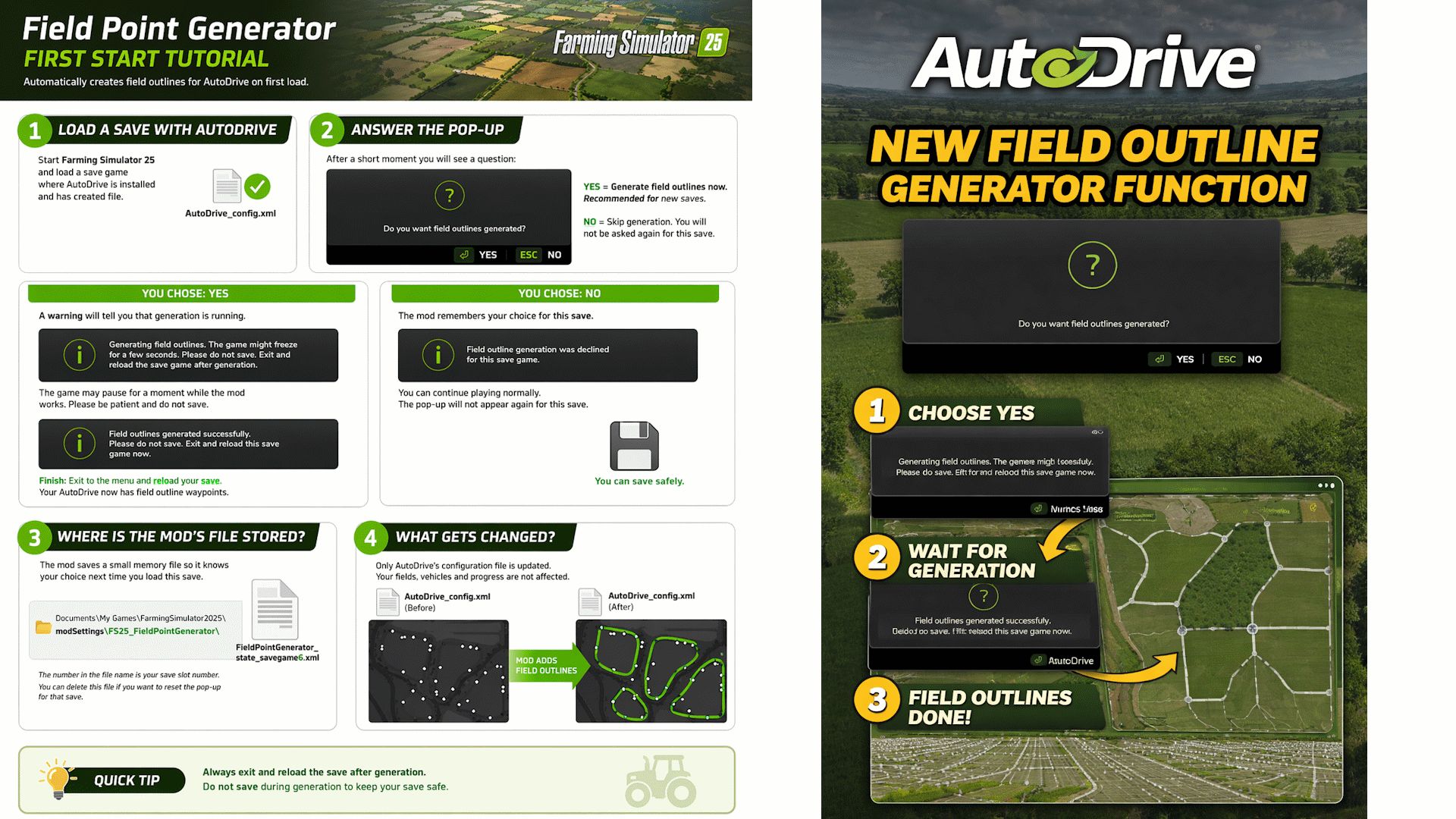
Load a save game where AutoDrive is already installed and has created its config file.
After a short moment, a pop-up will appear asking:
Do you want field outlines generated?
If you choose Yes, the mod will start generating field outlines for the save. The game may freeze for a few seconds while this happens. This is normal.
When generation is finished, you will get a success message.
Important:
Do not save during generation.
After generation is complete, exit and reload the save game.
If you choose No, the mod will remember that choice for that save and will not ask again.
What gets changed
The mod only updates AutoDrive_config.xml to add field outline waypoints.
It does not change:
your fields
your vehicles
your money
your farm progress
Stored settings
The mod saves a small state file so it remembers whether you accepted or declined generation for each save.
Location:
Documents/My Games/FarmingSimulator2025/modSettings/FS25_FieldPointGenerator/
If you want to reset the pop-up for a save, delete the matching state file from that folder.
Recommended use
This mod is designed to save time when setting up AutoDrive field outlines. It is especially useful on new saves, but it can also be used on existing saves if you want to add generated outlines.
If a map has broken or unusual field data, some fields may not generate perfectly.
Quick tutorial
Load a save with AutoDrive installed.
Wait for the pop-up.
Choose Yes to generate outlines, or No to skip.
If you choose Yes, wait until the generation finishes.
Do not save during generation.
Exit and reload the save game.
Your AutoDrive field outlines are ready.
Notes
The first generation may take a few seconds, depending on map size and number of fields.
If you already have manual outlines on a save, be careful when choosing to generate new ones.
Author: 83Bit