Move Placeables Advanced V2.1
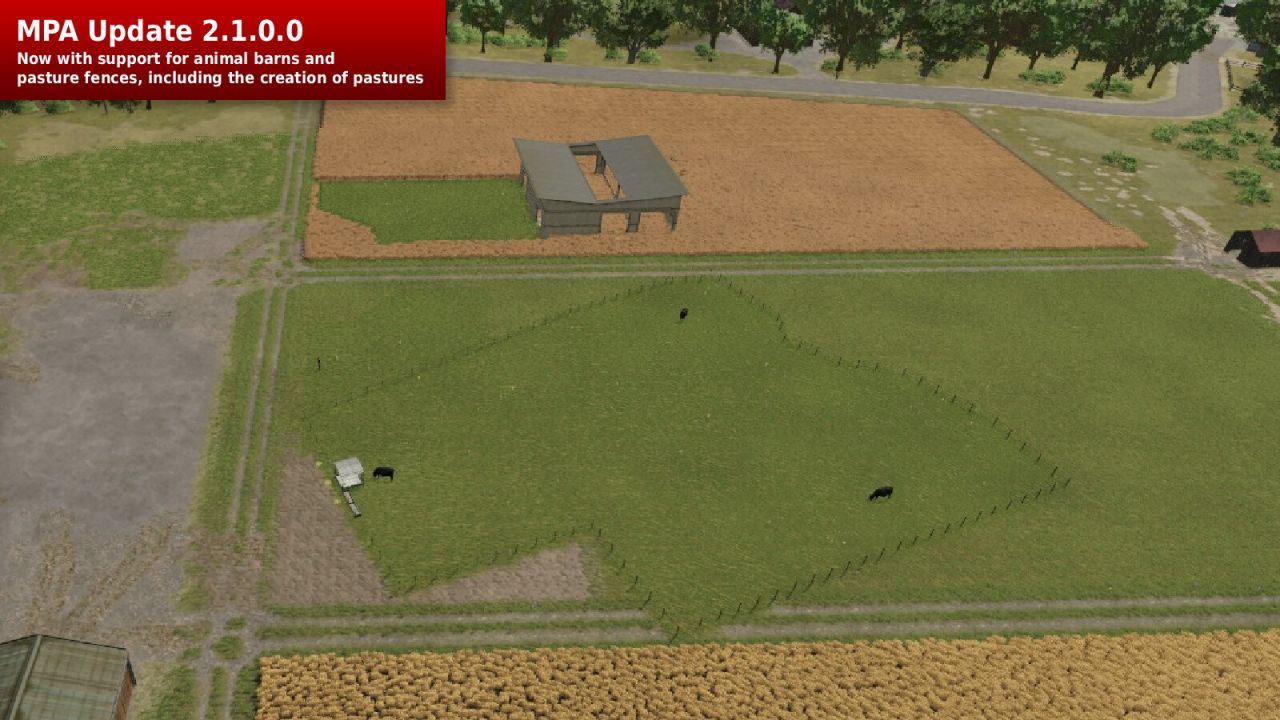
Move Placeables Advanced V2.1
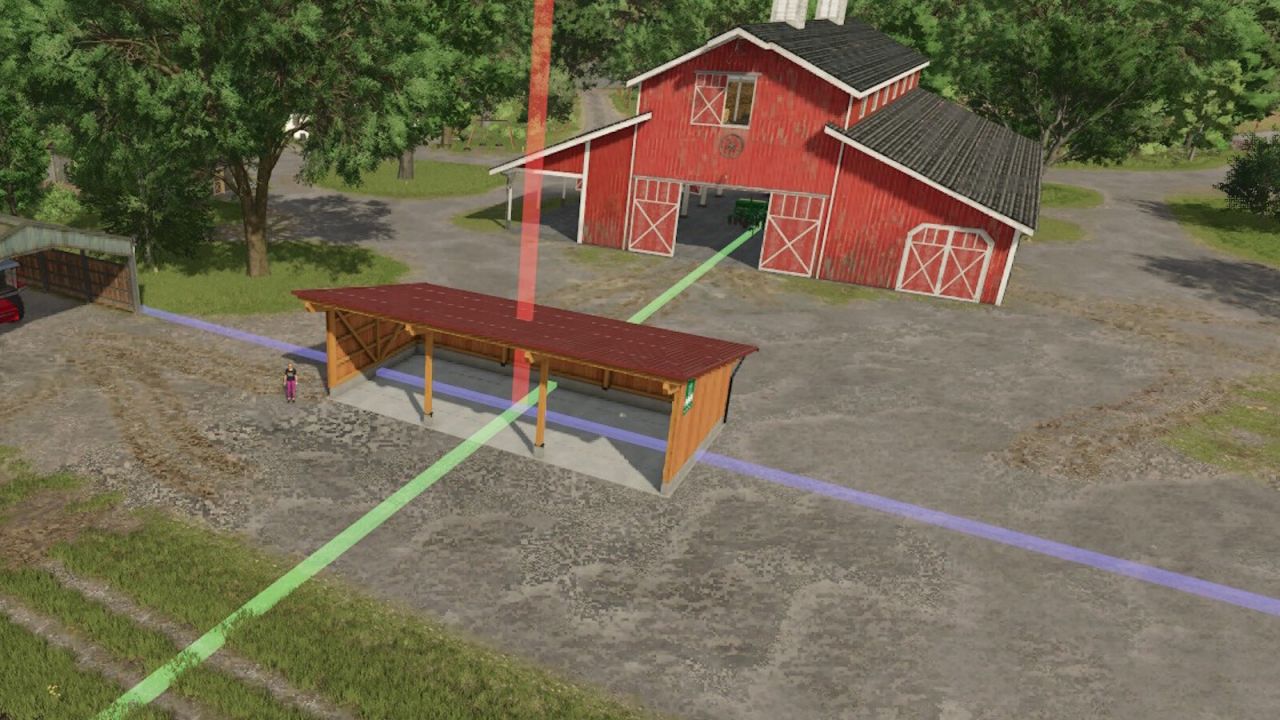
This mod allows you to reposition placed objects. It supports movement along all three axes (X, Y, Z) as well as rotation around all three axes.
Usage:
– Open the tree menu (default: Shift+P)
– Click on the placed object
– Select the Move button
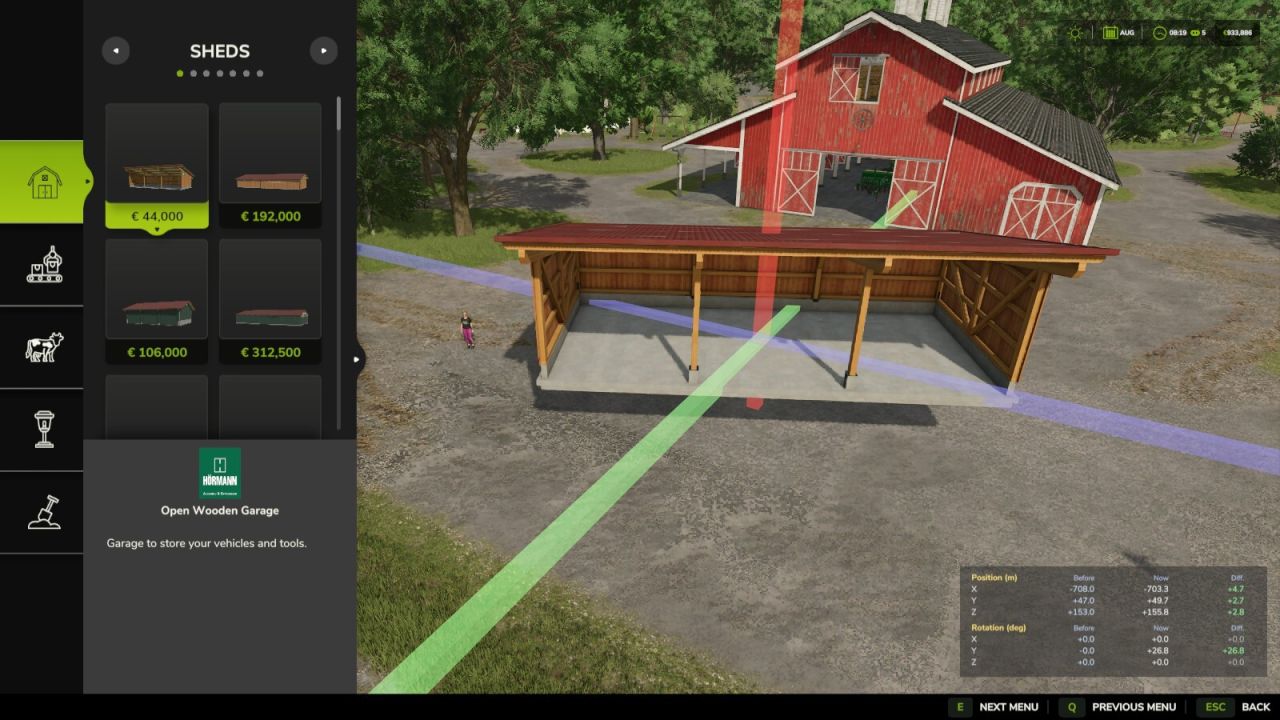
– Left-click on one of the 3 displayed axes (green, blue, red) and move the mouse => Move the object along the selected axis
– Right-click on one of the 3 axes and move the mouse => Change the object’s rotation on that axis
– Confirm the change by clicking on the placeable object again or by pressing the Escape key; a final confirmation prompt will appear
– During editing, you can also reject or undo the change by pressing Escape
– When moving silos, barns, and production facilities, the hotspots on the map are also adjusted
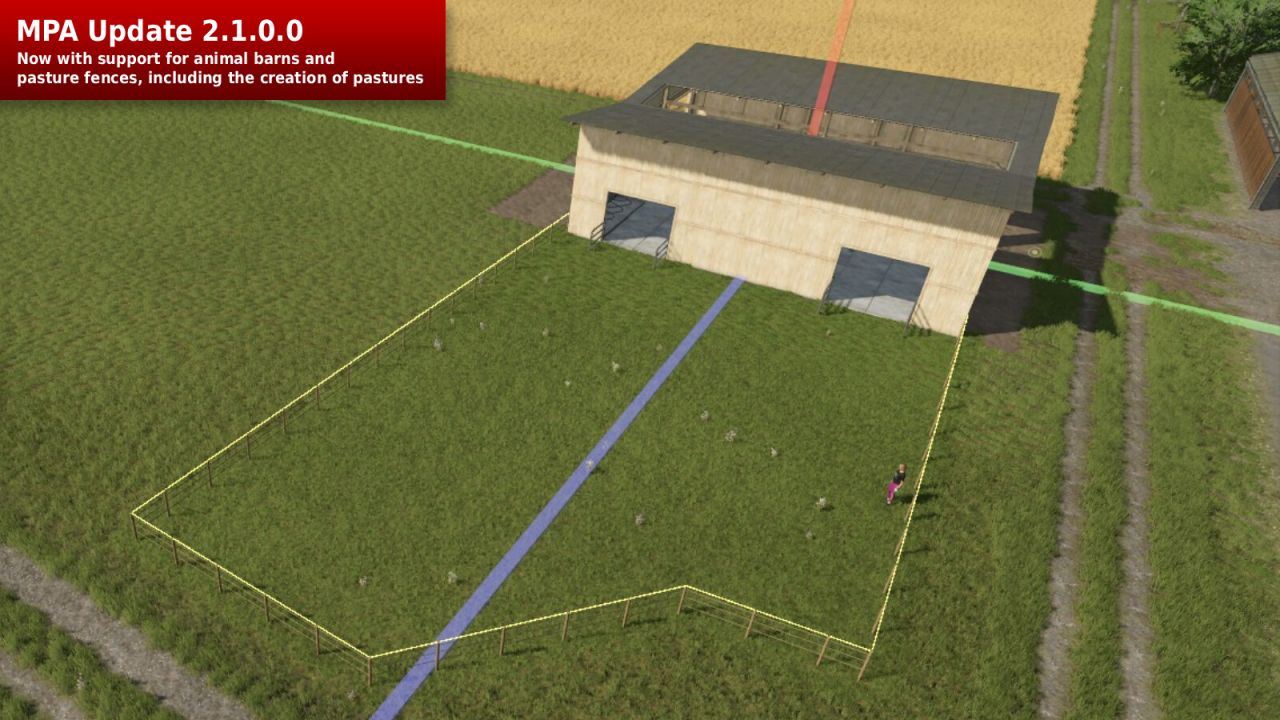
– Moving animal barns also moves the fence, indicated by a yellow line during the move
– Animal barn fences adjust to the ground level when repositioned
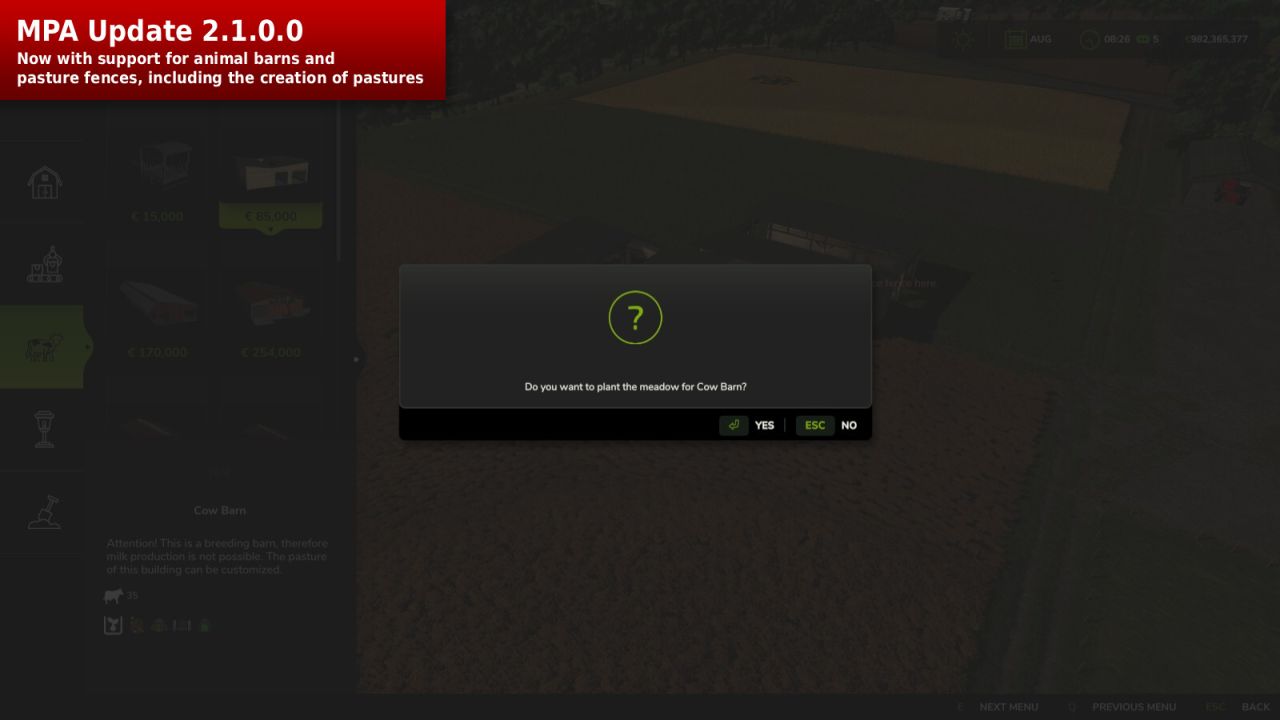
– After moving animal barns, you will be asked if you want to create a pasture
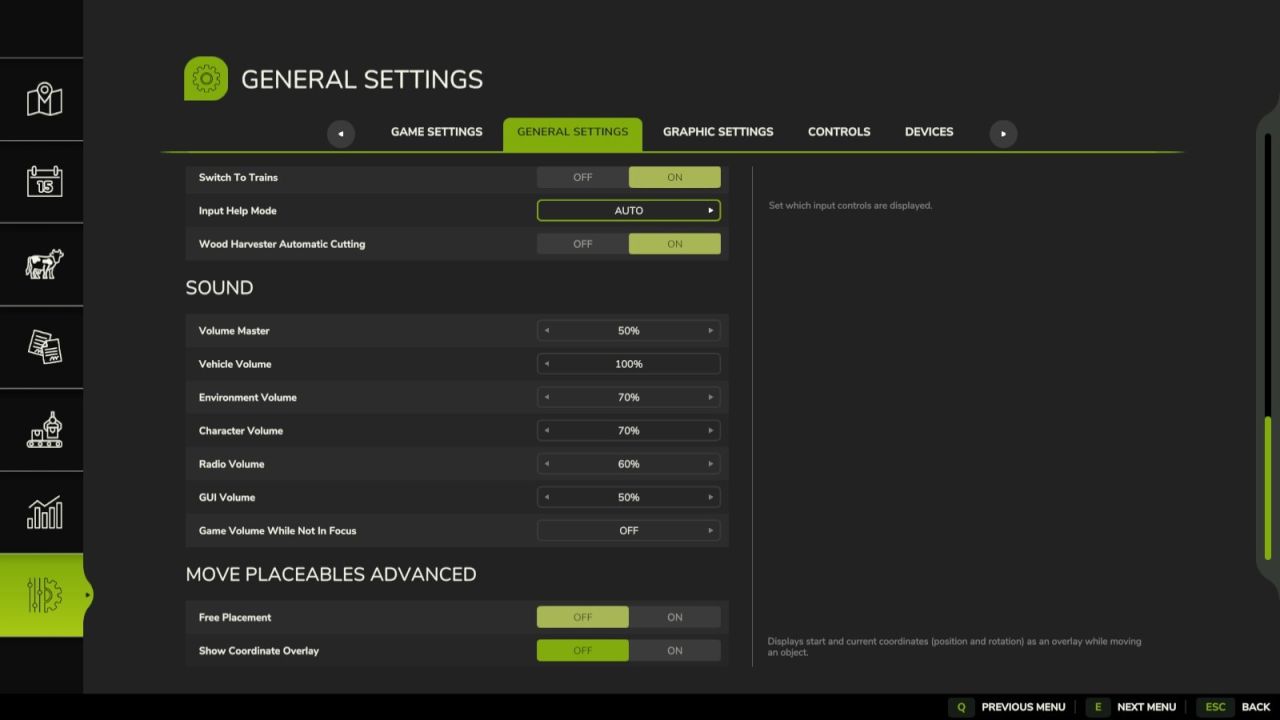
Mod settings can be found under General Settings in the menu:
– Free Movement: When enabled, moving objects incurs no cost.
– Show Coordinate Overlay: Displays the starting and current coordinates (position and rotation) as an overlay when moving objects.
– Animal Barn Fence Cost Refund upon Resetting the Last Element (Default setting: Yes; Base Game: No refund)
ATTENTION! This mod is a complete rework of the “Rearrange Placeables” mod by Helfer B (me).
The new mod is not compatible with the old mod but replaces it.
All features have been revised and optimized to provide a better user experience.
If you are using the mod “FS25_RearrangePlaceables.zip,” you must first delete it to use the new, improved version “Move Placeables Advanced.”
V2.1.0.0
New Features:
– When moving animal barns, pasture fences are now also moved, indicated by yellow lines
– Fences automatically adjust to the new ground level when moved
– After moving an animal pen, you are asked whether a (new) pasture should be created within the fenced area
– Map hotspots and teleport points for production facilities/animal pens/etc. are now also correctly moved and updated
– Refund for barn/fence construction: Undoing the last element now also refunds the cost of that element (discovered and requested by DerElky)
– Configurable in the game settings (menu), default: enabled
Bug Fixes
– Fixed collision areas when moving placeables & immediate release of previous collision areas
– Fixed synchronization issues in multiplayer for pastures, fences, and animal displays
– Pre-placed map placeables that are moved are now saved at the new position and loaded correctly with the save game (separate XML in the save game)
– Multiplayer
Base Game Bug Fixes (Starting with Game Version 1.18)
In rare cases, fence gates float or sink into the ground after loading a save file
All fence gates are repositioned at startup and adjusted to the terrain height (reported and requested by [WF] T4xs)
Author: Helfer B.