Realistic Livestock RM V1.2.4
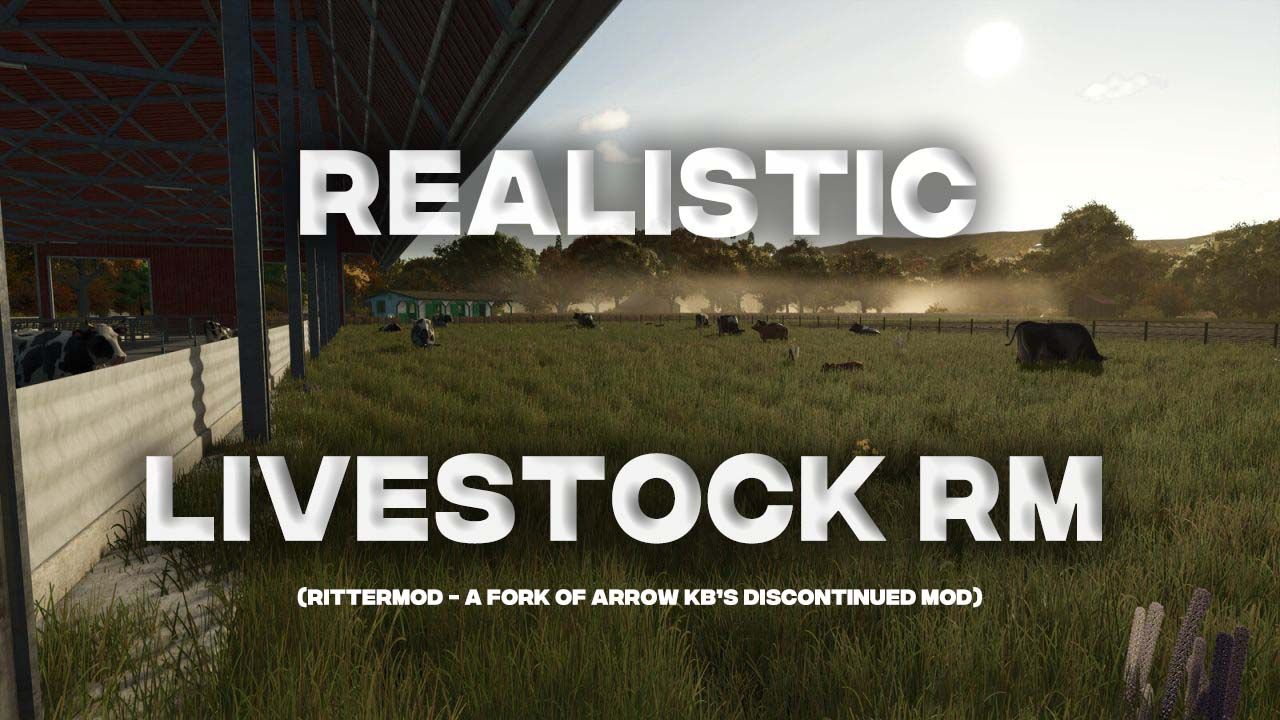
Realistic Livestock RM V1.2.4
Replaces FS25’s simple animal clusters with individually tracked animals – each with unique genetics, breeding, diseases, and production traits. A maintained version of Arrow-kb’s Realistic Livestock mod.
Every animal is tracked separately with its own identity, genetic makeup, health status, and production output. Genetics are inherited through breeding, diseases can spread and require treatment, and production is driven by each animal’s individual traits.
This is a maintained version of the original Realistic Livestock mod by Arrow-kb, who has discontinued development. The goal is to keep the mod working, fix bugs, and make improvements where needed.
Features
– Individual animal tracking with unique identity
– Genetics system with heritable traits that affect production output
– Genetics display in animal names with configurable detail level (average score or full trait breakdown)
– Breeding and reproduction with pregnancy mechanics and genetic inheritance
– AI insemination system with semen dewars
– Disease simulation with infection, treatment, and immunity
– Animal monitoring to track individual animals over time
– Weight system tied to genetics and feeding
– Animal marking and castration
– Move tab for transferring animals between husbandries
– Daily summary mode for message log
– In-game help pages
– Highland cattle bull support
– Animal pack system: third-party mods can add new breeds or adjust animal balance
– Map support: Hof Bergmann (ducks, geese, cats, rabbits, alpacas, quail) with automatic version-aware compatibility
– Map support: Witcombe (UK breeds – Jersey, Gloucestershire Old Spot, Texel, Suffolk, Blue Faced Leicester, plus Hereford heritage profile) with automatic version-aware compatibility
– Map support: Le Mechet (French breeds – Charolaise, Montbeliarde, Simmental, Vosgienne) with automatic version-aware compatibility
– Simple support for butchers using Extended Production Point (EPP) mod
– Mod compatibility checks at startup: hard-block dialog for incompatible mods, plus a dismissible warning tier for mods known to degrade gameplay
– Multiplayer support
Supported Maps & Packs
Maps:
– Hof Bergmann (https://www.lsfarming-mods.com/) – ducks, geese, cats, rabbits, alpacas, quail with full breeding support
– Witcombe (https://oxygendavid.itch.io/witcombe-park-farm) – UK breeds (Jersey, Gloucestershire Old Spot, Texel, Suffolk, Blue Faced Leicester) with full breeding support; Hereford heritage profile
– Le Mechet (https://farming-simulator.com/mod.php?mod_id=357964) – French breeds (Charolaise, Montbeliarde, Simmental, Vosgienne) with full breeding support (NOT compatible with Cow Breeds Pack unless you use the latest development version – both replace the cow husbandry config)
Animal Packs:
– Cow Breeds Pack for RLRM by ConGan98 – additional cattle breeds
Notes
– Based on Arrow-kb’s Realistic Livestock mod (v1.2.0.5), released under GPL-3 license
– Savegame data from Arrow-kb’s original version is automatically migrated on first load
– Font Library mod is no longer required
– Incompatible with FS25_EnhancedLivestock, FS25_MoreVisualAnimals, and FS25_EnhancedAnimalSystem
Installation
Place FS25_RealisticLivestockRM.zip in your mods folder.
Migrating from Arrow-kb’s version: Remove FS25_RealisticLivestock.zip and FS25_FontLibrary.zip. Back up your savegame first, then load it – data migrates automatically.
V1.2.4.0
Added:
– Map support: Le Mechet by MA7Studio (https://farming-simulator.com/mod.php?mod_id=357964) – four French cow breeds (Charolaise, Montbeliarde, Simmental, Vosgienne) with bull variants; full breeding, genetics, and reproduction; per-breed pricing, milk curves, and reproduction signatures preserved from the map’s source XML.
– In-game warning when two map bridges or animal packs replace the same animal type’s husbandry. The second one wins and the first one’s animals can become invisible (ghost animals); RLRM now shows a dismissible warning at mission start so the cause is visible instead of silent.
– Witcombe Park Farm 1.3.0.0 (v4) now loads cleanly with the existing map bridge.
Improved:
– Hereford adult cow and bull skin updated to a more breed-accurate red-and-white coat. Texture contributed by [MA] BavarianRedneck.
– French translation refreshed by community contributor @squall39 (PR #83): native-speaker corrections to existing strings and translations for the new RL Tabbed Menu strings (Messages, Info, Move, Sell, Buy, AI tabs).
– User guide cattle milk chart now reconciles with the breed-range table; footnote spells out which factors compose into the table range (chart is the lifetime age envelope; the table folds in lactation-phase factor and genetics multiplier).
Fixed:
– Finance overview now shows “Medicine” for animal medicine costs instead of the `Missing ‘finance_medicine’ in l10n_en.xml` fallback.
Compatibility:
– Le Mechet is NOT compatible with the Cow Breeds Pack for RLRM (FS25_CowBreedsRLRM) unless you use the latest development version of the Cow Breeds Pack – both replace the cow husbandry config and only one can win. Use Le Mechet alone, or pair it with the latest dev Cow Breeds Pack. The new in-game warning will fire if you load both together.
– Hereford is removed from the dealer when Le Mechet is the active map.
RL Menu (preview – work in progress):
– Added saveable animal filters: define filters that match on age, gender, pregnancy, lactation, genetics, subtype, weight, health, marks, and name, nested with AND/OR groups; filters persist across sessions in the savegame. For now filters are authored by hand-editing rm_RlSettings.xml – the in-game editor ships in a future release.
– Press F on Info / Buy / Sell / Move tabs to cycle through saved filters; the active filter shows as a chip on the tab. Filter selection is shared across Info / Move / Sell; Buy keeps its own selection per dealer flow.
– Multiplayer: filter create / update / delete sync across all connected players (admin or tradeAnimals permission required); late-joining clients receive the full filter set on connect.
– Added Settings tab with two subtabs: [General] surfaces the existing RL settings (now editable from both the new menu and the legacy GAME SETTINGS page, reordered into thematic groups – Mortality, Health & Disease, Husbandry & Economy, Custom Animals, Message Log, Display Preferences, Tools & Admin), and [Filters] lists your saved filters (read-only view today; in-game editor in a future release). Toggling a setting on either General page reflects on the other when re-opened.
– Added Filter Hand-Crafting reference page in the user guide for power users authoring saveable filters in rm_RlSettings.xml until the in-game editor lands.
Author: rittermod