Enhanced Mod / Cheat Menu V2.0
Enhanced Mod / Cheat Menu V2.0
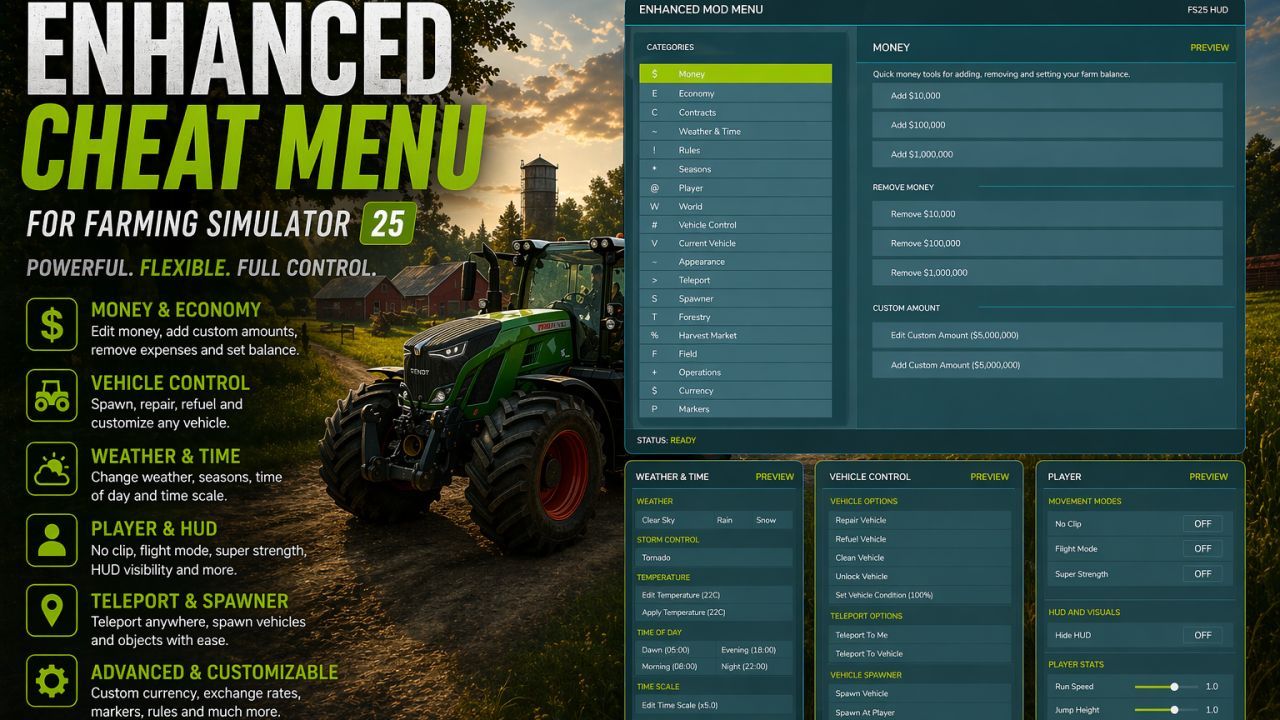
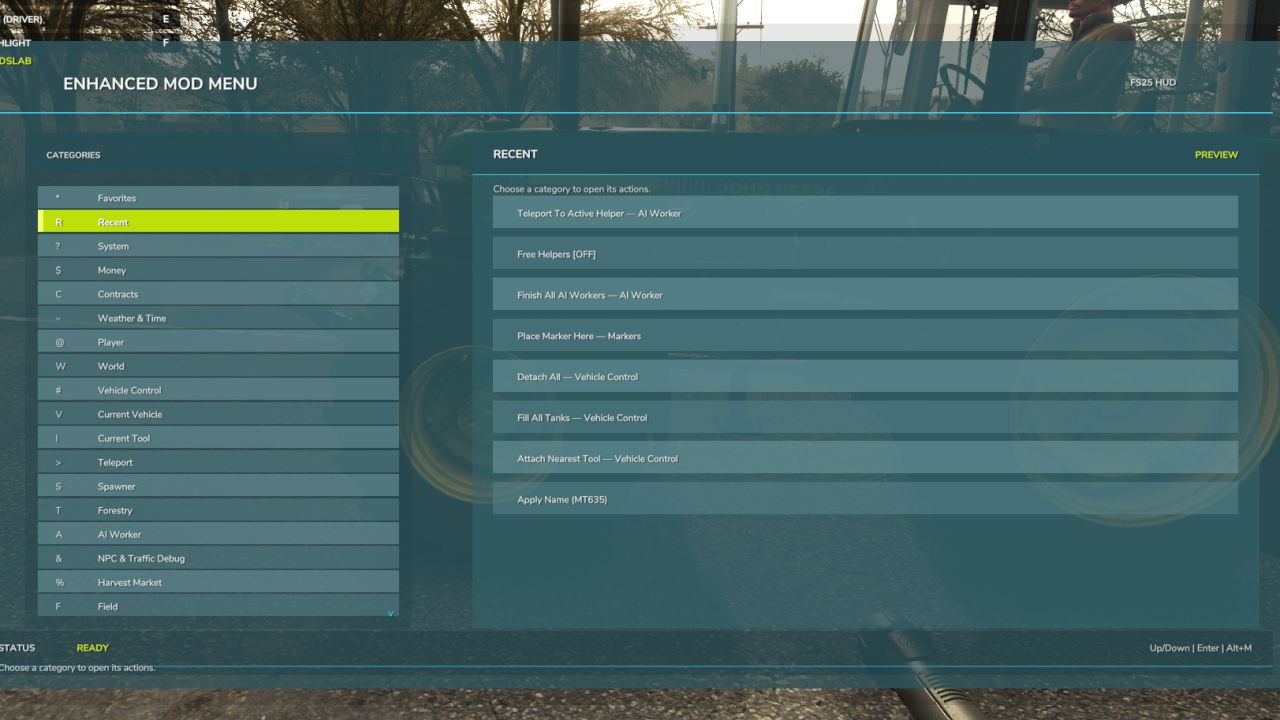
This FS25 modification adds a mod and cheat menu with a huge range of functionality. Dozens of features are available.
General Menu Features:
– Full in-game Enhanced Mod Menu for Farming Simulator 25, opened with Left Alt + M;
– Favorites system for quick access to frequently used functions;
– Recent actions section;
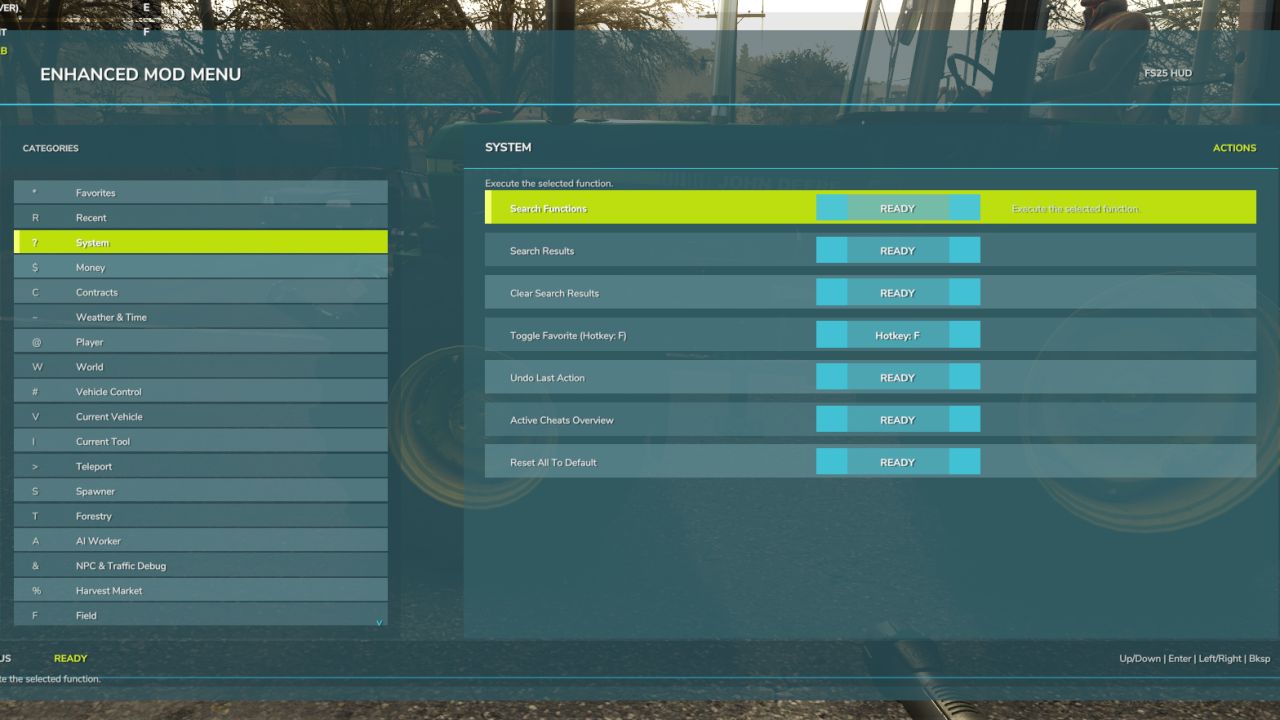
– Function search with search results;
– Active cheats overview;
– Undo option for the last action;
– Reset button to restore supported changes to default values;
Money And Economy:
– Preset money options: add or remove $10,000, $100,000, or $1,000,000;
– Custom money editing: add, remove, or set the balance to a custom amount;
– Ideal Market option;
– Dynamic Difficulty Breaker option;
– Refund All Costs;
– Free Purchases;
– Free Buildings;
– Daily costs toggle;
– Instant Production Payback;
– Currency selector with multiple currencies;
– Custom currency creation with editable code, name, symbol, and exchange rate;
Contracts:
– Infinite Contracts;
– Custom contract reward multiplier;
– Instant completion for all contracts;
– Contract board refresh;
Time, Weather And Seasons:
– Weather control: clear sky, rain, snow, and tornado;
– Editable temperature;
– Calendar date selection;
– Custom clock and time editing;
– Quick time presets: dawn, morning, noon, evening, and night;
– Time skip options: 1 day, 2 days, 7 days, 1 month, 3 months, 6 months, or 1 year;
– Editable time scale;
– Freeze Time option;
– Season switching: spring, summer, autumn, and winter;
– Field requirements override;
– Weather impact override;
– Always Ideal Conditions mode;
Player Tools:
– No Clip mode;
– Flight Mode;
– Super Strength;
– Player Invisible mode;
– Default HUD toggle;
– Editable player run speed;
– Editable player jump height;
World Cleanup And Markers:
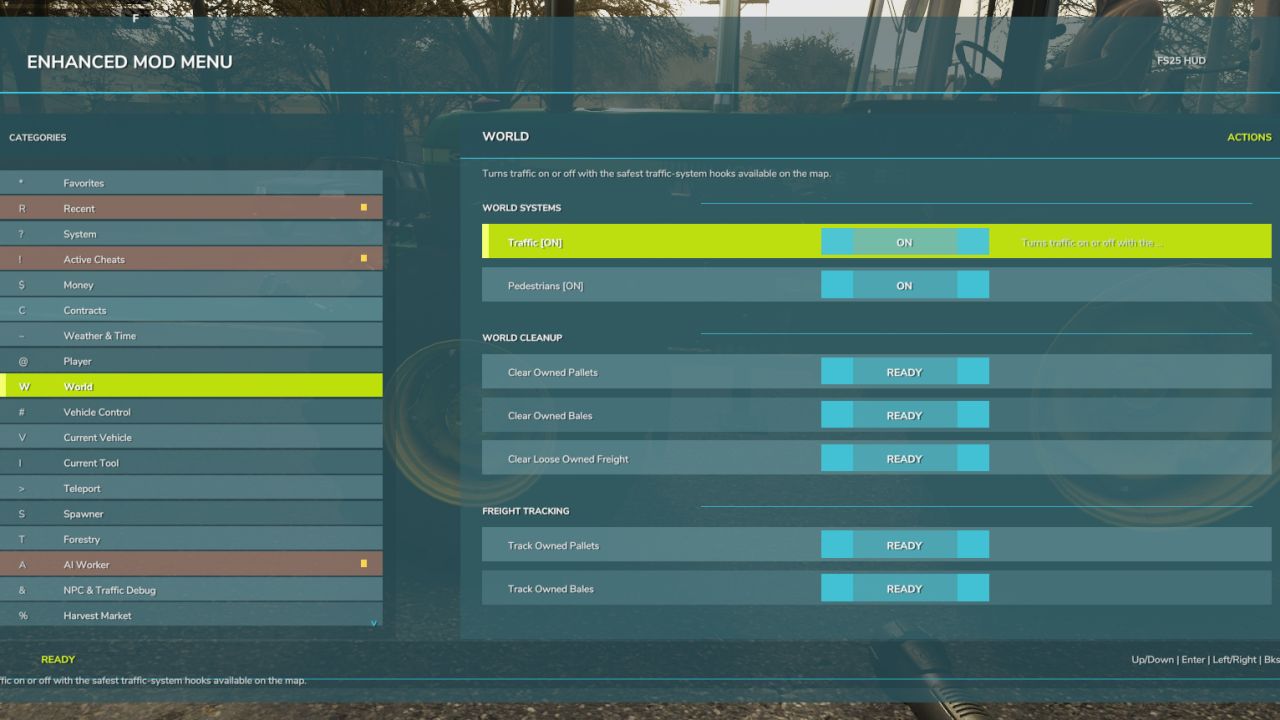
– Traffic toggle;
– Pedestrian toggle;
– Owned pallet cleanup;
– Owned bale cleanup;
– Loose owned freight cleanup;
– Tracking markers for owned pallets and bales;
– Freight marker cleanup;
Vehicle Tools:
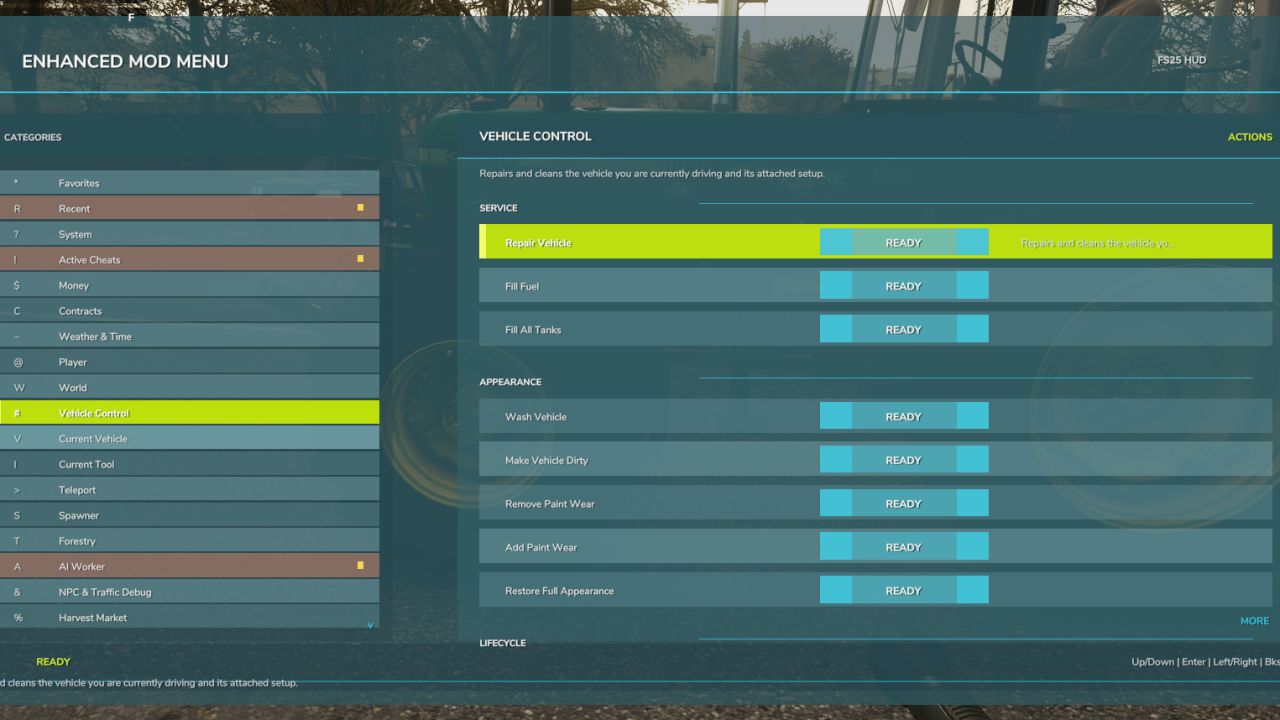
– Vehicle repair;
– Fuel refill;
– Full tank refill for all vehicle tanks;
– Vehicle washing;
– Vehicle dirt option;
– Paint wear removal;
– Paint wear adding;
– Full vehicle appearance restoration;
– Vehicle cloning;
– Current vehicle selling;
– Current vehicle deletion;
– Prevent Vehicle Flips mode;
– Vehicle teleportation to the map marker;
– Repair for all attached implements;
– Full tank refill for the attached vehicle/tool chain;
– Lift all attached implements;
– Lower all attached implements;
Vehicle Editing:
– Current vehicle max speed editing;
– Current vehicle reverse speed editing;
– Current vehicle power editing;
– Power reset option;
– Current vehicle mass editing;
– Crop damage toggle for the current vehicle;
– Ghost Mode for the current vehicle;
– Vehicle name editing;
– Vehicle configuration browser;
– Vehicle configuration option switching;
– Selected vehicle configuration application;
– Vehicle configuration information display;
Tool Editing:
– Current tool target selection;
– Tool work width editing;
– Tool work speed editing;
– Required power editing for tools;
– Current tool cloning;
Teleportation:
– Teleport destination filters;
– Destination selection;
– Teleportation to selected destinations;
Spawner:
– Spawner menu with category selection;
– Selected item spawning;
– Pile material selection;
– Custom pile amount editing;
– Pile spawning;
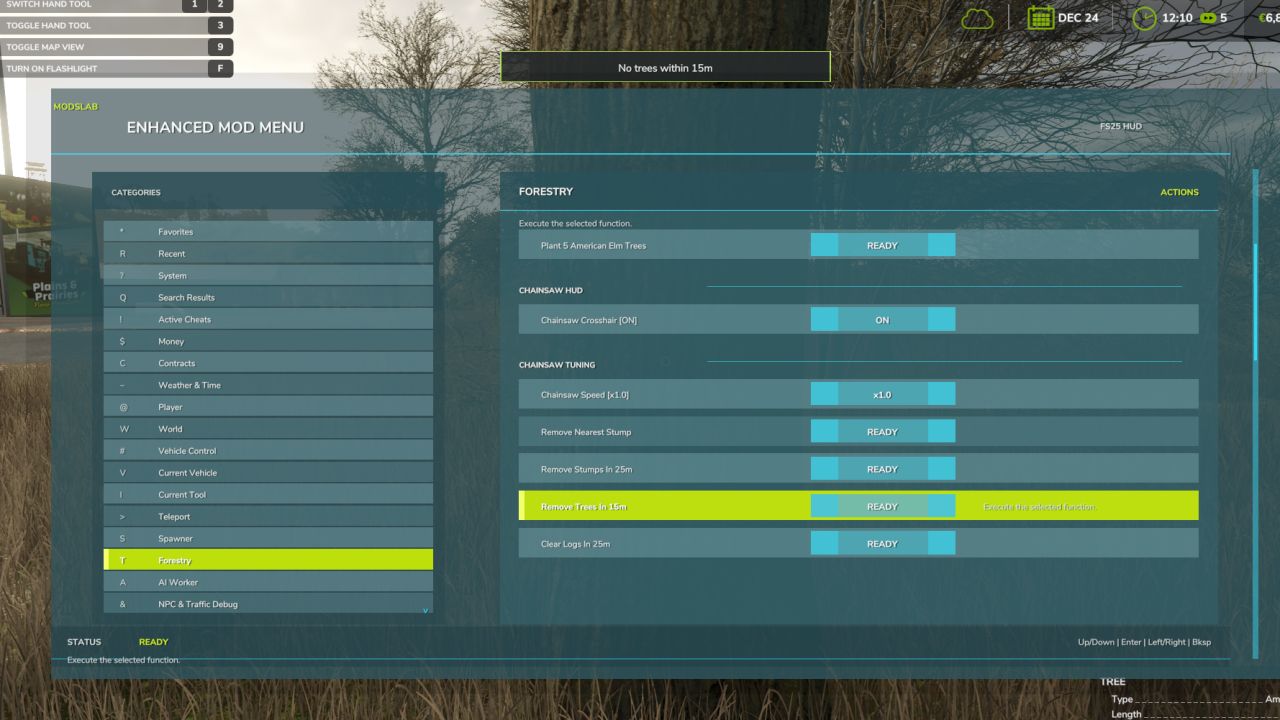
Forestry:
– Tree selection;
– Tree growth stage selection;
– Plant one tree ahead of the player;
– Plant five trees ahead of the player;
– Chainsaw Crosshair;
– Chainsaw speed switching;
– Remove living trees within 15 meters;
– Remove cut stumps within 25 meters;
– Remove the nearest cut stump;
– Clear cut logs within 25 meters;
AI Helpers:
– Free Helpers;
– Finish all AI workers;
– Teleportation to an active helper;
Traffic Control:
– Traffic cleanup around the player within 50 meters;
– Freeze Traffic;
– Traffic respawn;
Market And Crop Prices:
– Insider Trading for the harvest market;
– Peak Forecast information;
– Auto Trader;
– Custom harvest sales multiplier;
– Sales multiplier reset;
– Emergency restoration of all crop prices;
– Crop selection;
– Custom crop price editing;
– Set selected crop to the maximum price;
– Restore selected crop to the normal market price;
Field And Crop Tools:
– Perfect Field;
– Custom growth editing;
– Instant Grow;
– Instant Harvest;
– Crop selection for field planting;
– Plant selected crop;
– Auto Remove Weeds;
– Disable Stones;
– Soil state cycling;
– Instant plowing;
– Instant cultivating;
– Instant sowing;
– Instant fertilizing;
– Instant rolling;
Field Ownership And Field State:
– Selected field switching;
– Field selection by number;
– Field under player selection;
– Free purchase of the selected field;
– Selected field selling;
– Make all fields owned by the player;
– Reset ownership on all fields;
– Field state controls: lime, mulched, plowed, and rolled;
– Field fertilizer controls: 0%, 50%, and 100%;
– Weed removal for the selected field;
– Stone removal for the selected field;
Custom Map Markers:
– Custom map markers;
– Marker name editing;
– Marker description editing;
– Place marker at the player position;
– Marker selection;
– Teleportation to selected markers;
– Marker deletion;
– Delete all custom markers.
Conflicts:
– Grow now (thanks CollapsingVoid for test)
– Other scripts that interact with the same code/functions as the Mod Menu.
Mod is still in early BETA.
The video shows an older version of the mod, so the interface there is outdated and many features are not available)
V2.0.0.0
New tools and managers:
– Command Palette – type anything to instantly search and run any action in the whole mod (mouse + keyboard).
– Profiles – built-in Sandbox / All Cheats Off, plus save your own cheat sets. Cross-save, one-click apply.
– Fleet Manager – browse all your vehicles: repair, clean, wash, set damage %, fill/empty fuel (one or ALL), summon to you, and Hide/Restore a vehicle off-map without selling it.
– Farm Dashboard – one screen: balance, loan, productions, livestock, fleet, fields, contracts and active cheats.
– Contracts Manager – pick any active contract and complete or cancel it (or all of them at once).
– Fields Manager – browse every field on the map (size / owner / location) and teleport to it.
– Buildings – move, rotate, sell at full price, bulldoze for free, or auto-complete construction of any placeable you own.
– Freight – bale and pallet bulk tools plus a per-item picker (find / teleport / remove a specific bale or pallet).
Vehicles
– No Fuel Usage – fully stops fuel/energy consumption for the vehicle you’re driving (not just a bigger tank).
– No Wear and Damage – disables the whole wear and damage system.
– Vehicle State Snapshots – save a vehicle’s condition (damage, dirt, fuel/fill levels) to 3 slots and restore it in one click.
– Engine damage and fuel handled through the game’s own systems.
Customization and UX:
– Global settings file – your theme, colors and preferences now survive both save changes AND a full mod reinstall.
– RGB Theme Editor – build your own menu color theme (accent / background / pane / outline). WIP.
– Menu Scale – size the whole menu to taste (x0.70 to x1.30).
– Sub-tabs – long categories (Current Vehicle, Field, Buildings, Freight) are now split into clean tabs.
– Hide what you don’t use – hide entire categories OR individual items; bring them all back any time.
– Quick HUD Bar – pin your favorite toggles to an always-on overlay.
Under the hood (already available, but not visible):
– Mod-integration framework: auto-detects installed 3rd-party mods and only then shows their actions.
– Performance: owned-object scans are cached for smoother menus on big farms.
– Clean release log (all diagnostics behind an opt-in Debug Logging toggle).
– New content localized for all 27 languages.
Open the menu with Alt + M.
Author: Modslab