Contract payment control V1.0

Contract payment control V1.0
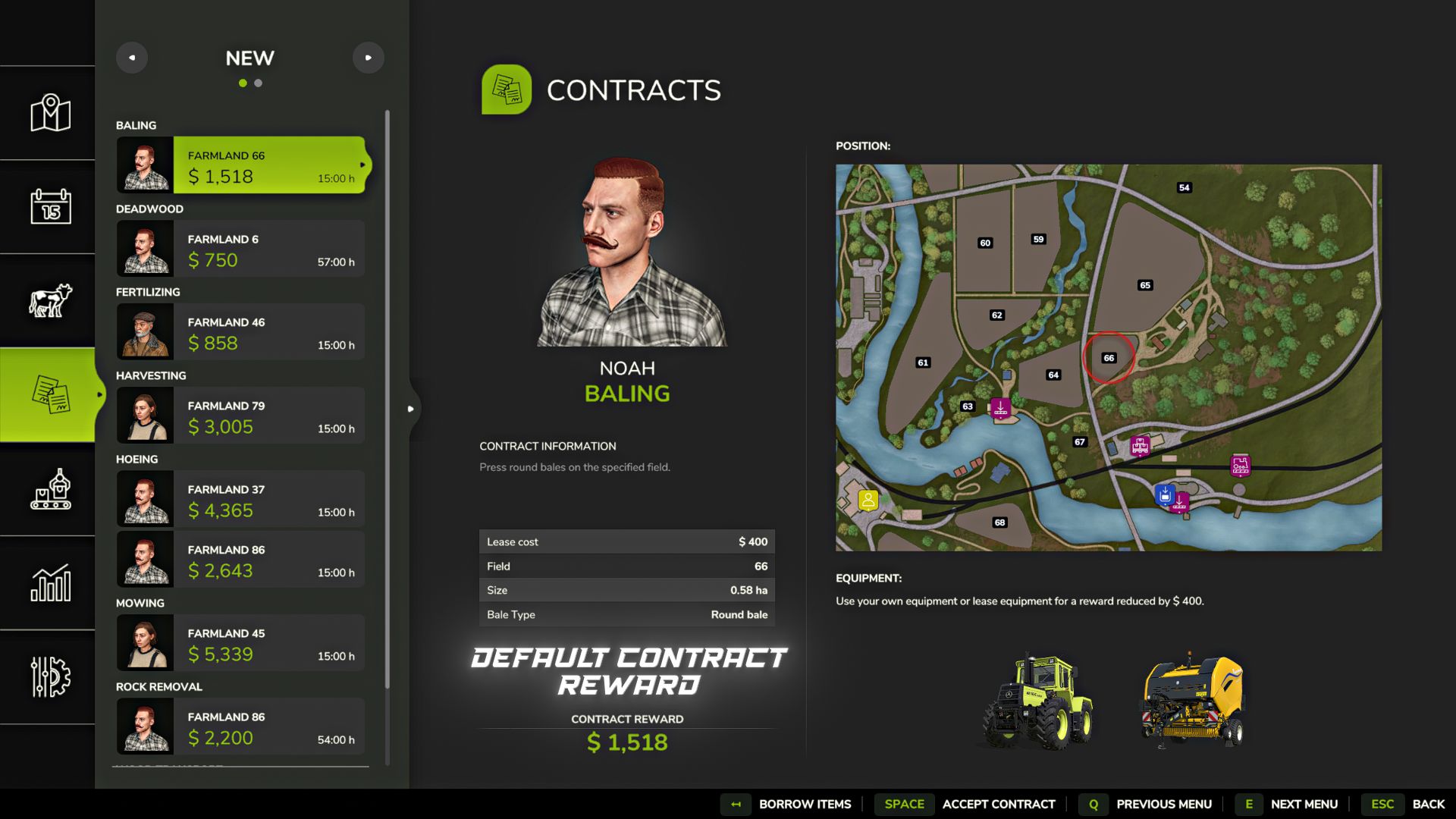
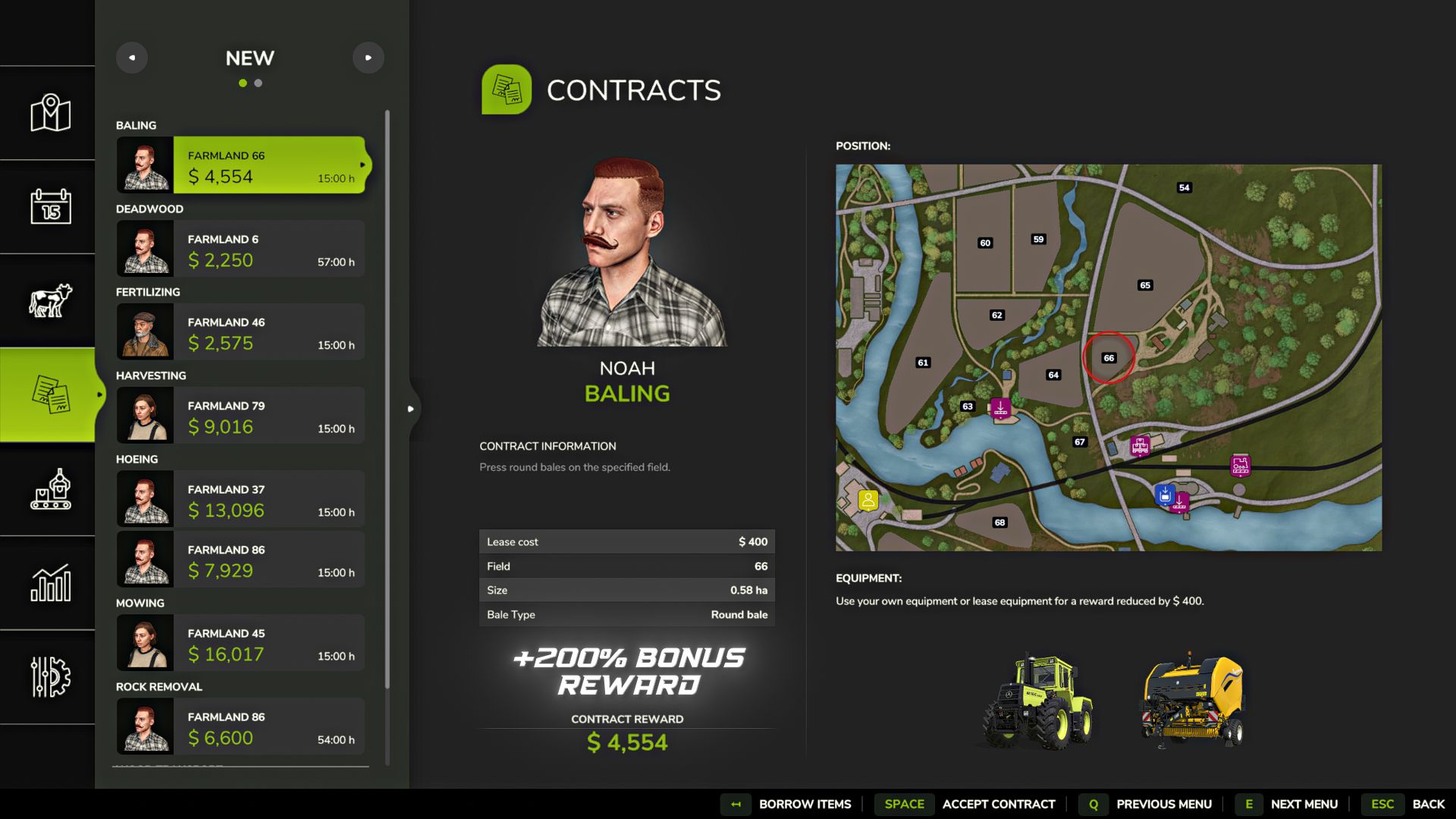
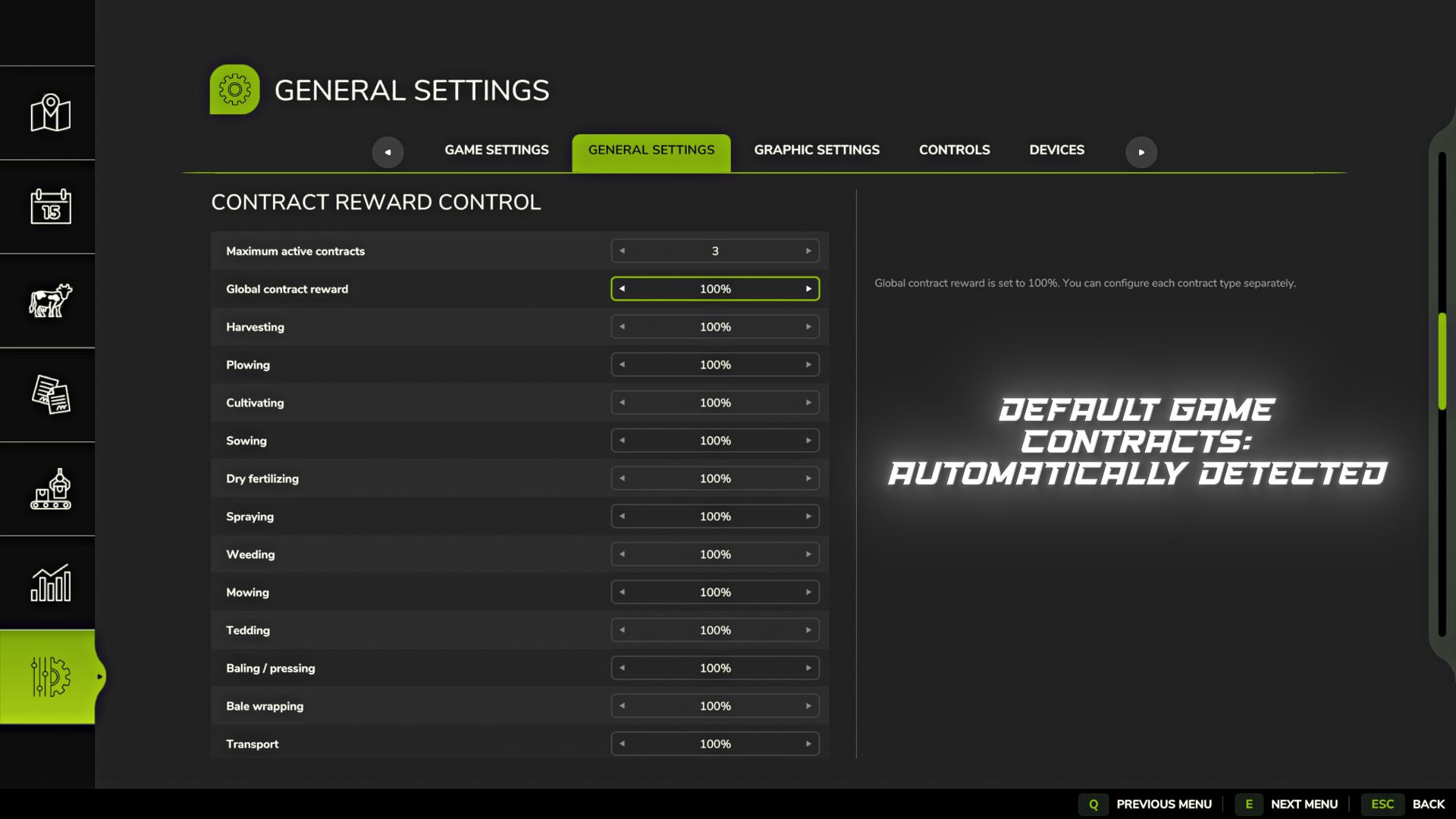
Contract Reward Control allows you to configure payment for contracts and the maximum number of active contracts directly through the game settings.
Key Features:
– General payment percentage for all contracts.
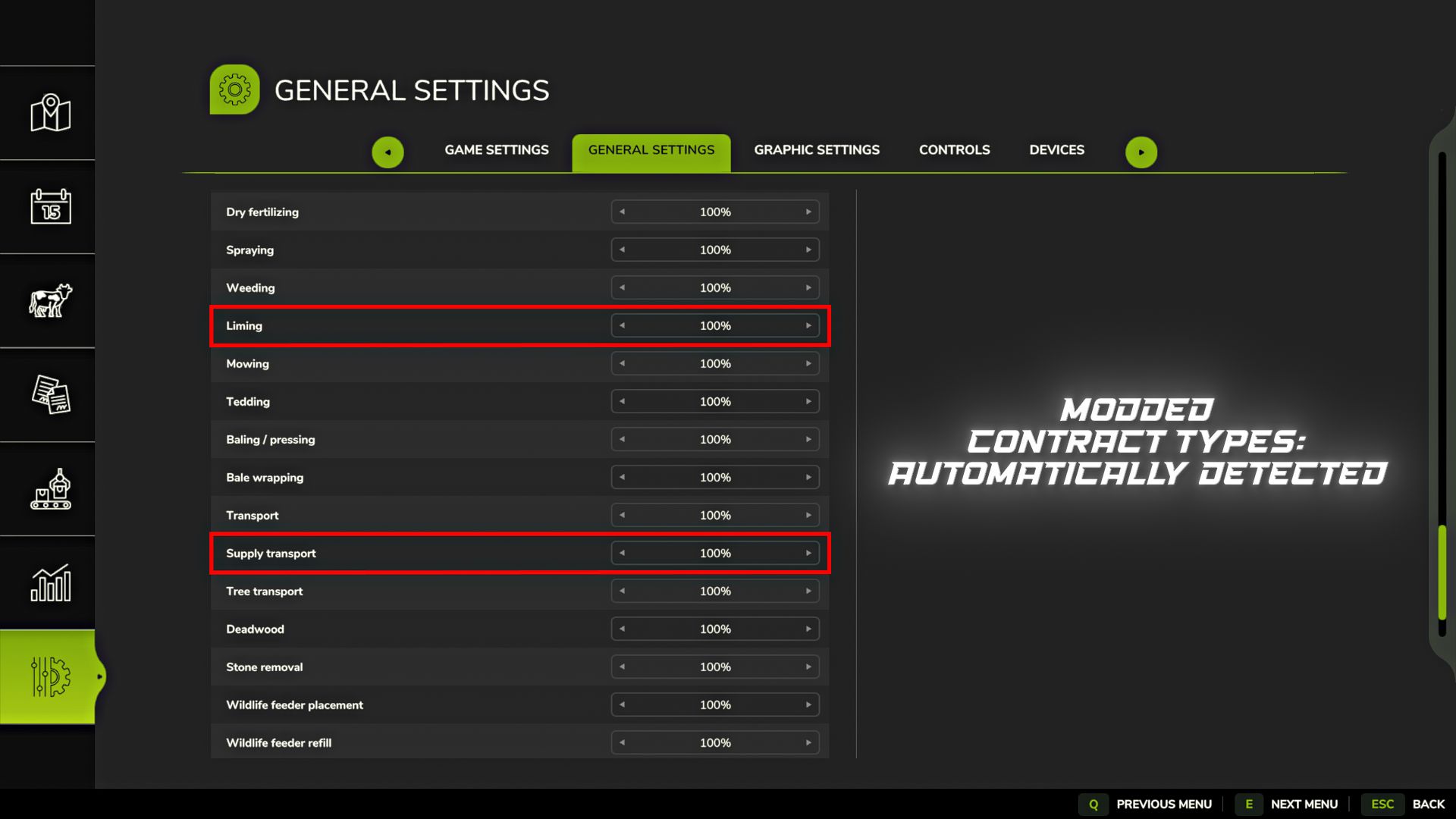
– Individual payment for certain types of contracts.
– Automatic grouping of similar types of contracts for more convenient setup.
– The maximum number of active contracts is adjustable from 1 to 10. The standard game value is 3.
– Supported contract types are determined automatically.
– Standard game contracts, DLC and contracts added by other mods are supported.
– New types of contracts added by other mods may automatically appear in the settings without updating this mod.
– Added partial built-in support for the Additional Contracts mod. Supported contract types automatically appear in settings and can use custom payment multipliers.
– The names and translations of mod contracts are used directly from the mod that adds them.
– Some mod contracts may appear in the settings but not support payment changes if their reward is calculated in a non-standard way.
– Changes are applied instantly without restarting the game or reloading the save.
– Settings are saved separately for each save slot.
– Settings are stored in:
modSettings/FS25_ContractRewardControl/FS25_ContractRewardControl.xml
– Added protection against loading old career settings after deleting a save and creating a new career in the same slot.
Important:
– If the total payment is set to 100%, you can separately configure the payment for each type of contract.
– When the total payment changes, individual values are automatically reset.
– When changing the payment for an individual contract type, the total payment is automatically reset to 100%.
– Payment range: from 50% to 300% in 10% increments.
Ideal for players who want flexibility in contract income, economic difficulty, and the number of simultaneously active contracts.
Author: B1zaro