Time Stop On Load v1.0
Time Stop On Load v1.0
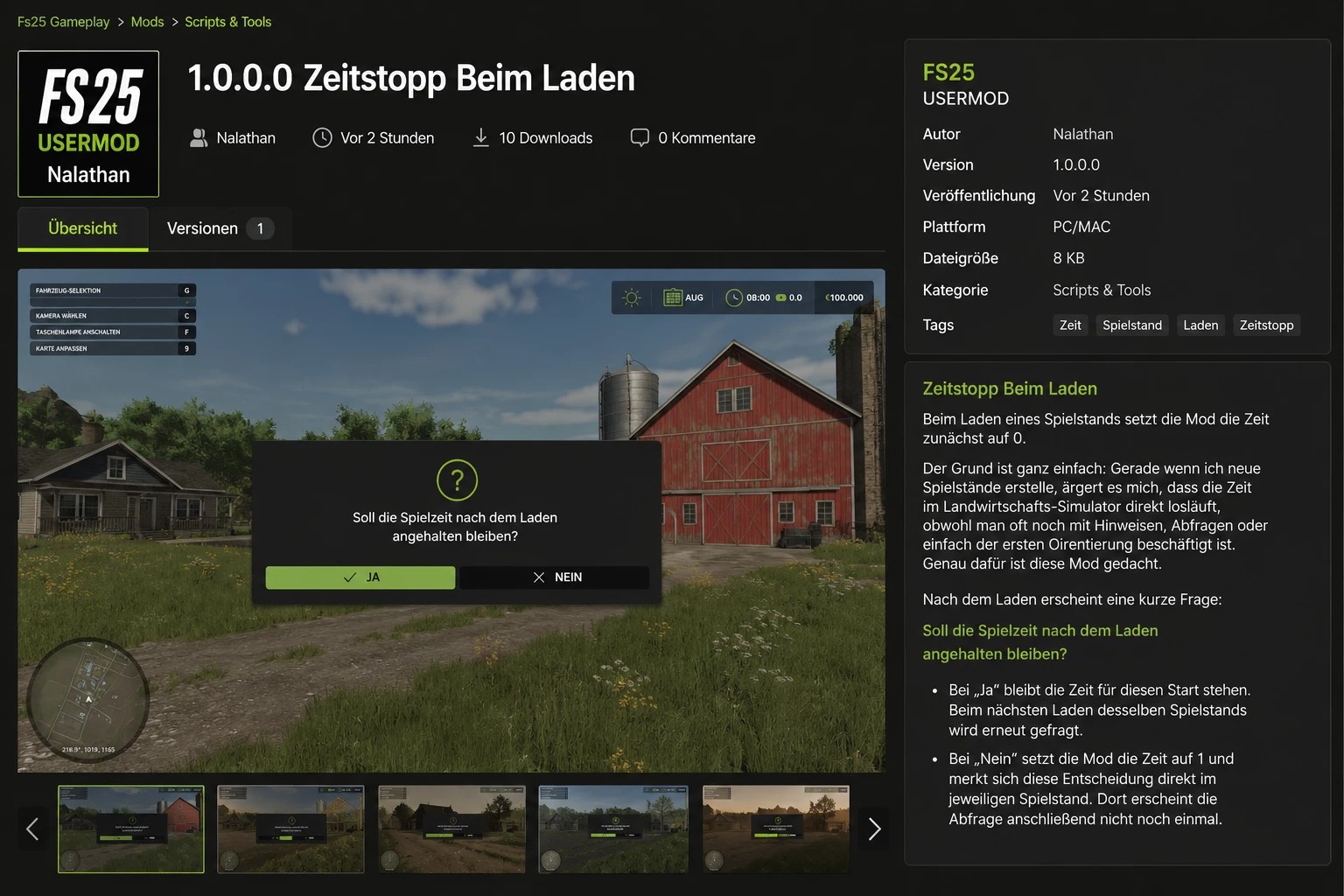
The mod initially sets the time scale to 0 when a savegame is loaded. The idea is simple: players who regularly create new savegames or want to start a save in a calm and controlled way know the problem. As soon as the map has loaded, the default in-game time already starts running. During those first moments, however, players are often still dealing with startup prompts, information windows or simply getting oriented and cannot react immediately. That is exactly what this mod is made for. While the loading process finishes, time remains stopped. Afterwards, a short prompt asks whether the time scale should stay at 0 for this start. If “Yes” is selected, time remains paused. The same prompt will appear again the next time this savegame is loaded. If “No” is selected, the mod sets the time scale to 1 and stores this decision directly in the current savegame. The prompt will then no longer be shown in that savegame. The mod is especially useful for players who like to prepare savegames carefully, create new careers or simply want a calm moment after loading before the game time starts running. It does not change general game settings and only intervenes during the start of a savegame. If you notice bugs or anything does not work as expected, please contact me at [email protected]. On dedicated servers, the mod also pauses the start of the savegame as long as no final opt-out has been stored for that savegame. The first admin who joins after server startup receives the prompt. Additional admins are not asked again during the same session. If “Yes” is selected, the behavior remains active for the current server start and the prompt will appear again after the next server restart. If “No” is selected, this becomes the final decision for that savegame and no prompt will appear after later server restarts.
Author: Nalathan