No AI Workers v1.0.0.1
No AI Workers v1.0.0.1
Change Log V1.0.0.1:
Improved/expanded in-game description.
This mod brings the ultimate realism to your farm! If you’re looking for the challenge of managing your fields entirely on your own or exclusively with real players, this mod lets you completely disable the default AI helper system in Farming Simulator 25.
Features at a Glance:
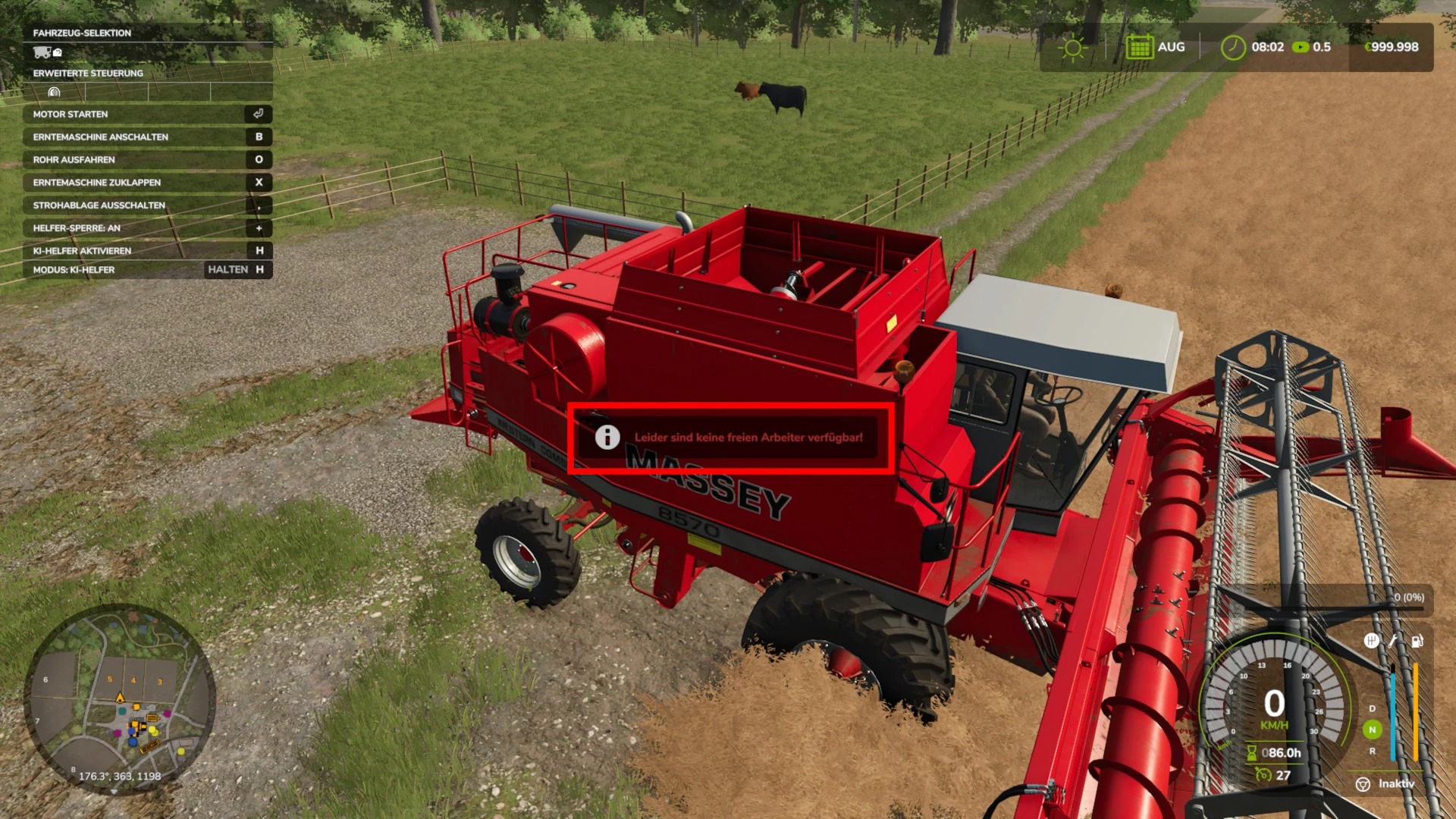
Complete helper block: Completely prevents you from hiring standard AI workers using the H key.
Transport jobs blocked: Creating transport, field, or delivery jobs via the AI job map is also effectively prevented. If you try, a flashing warning message will appear on the screen.
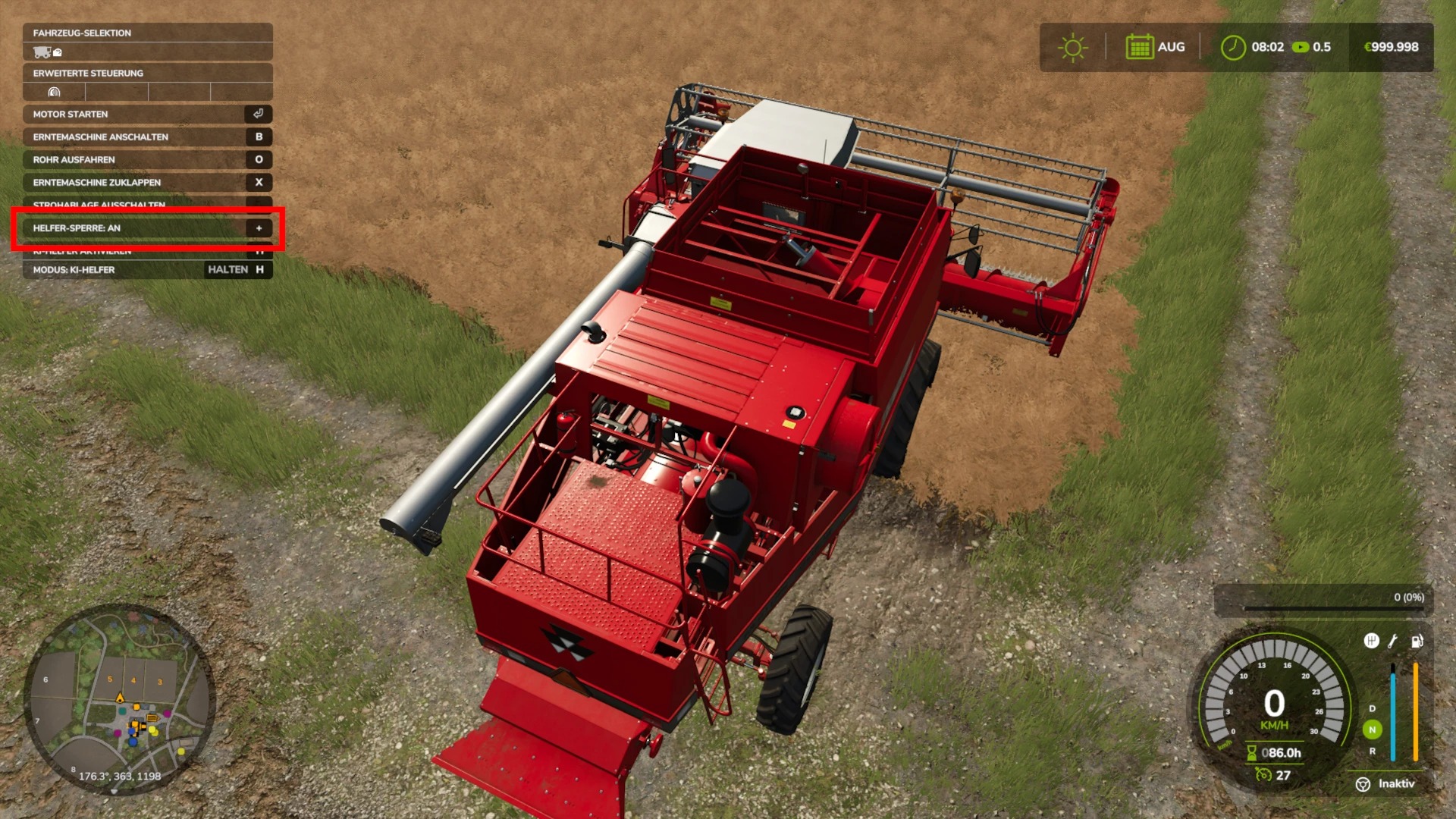
Full control in the F1 menu: As soon as you’re in a motorized vehicle, you’ll see the current status of the lock directly in your F1 help window.
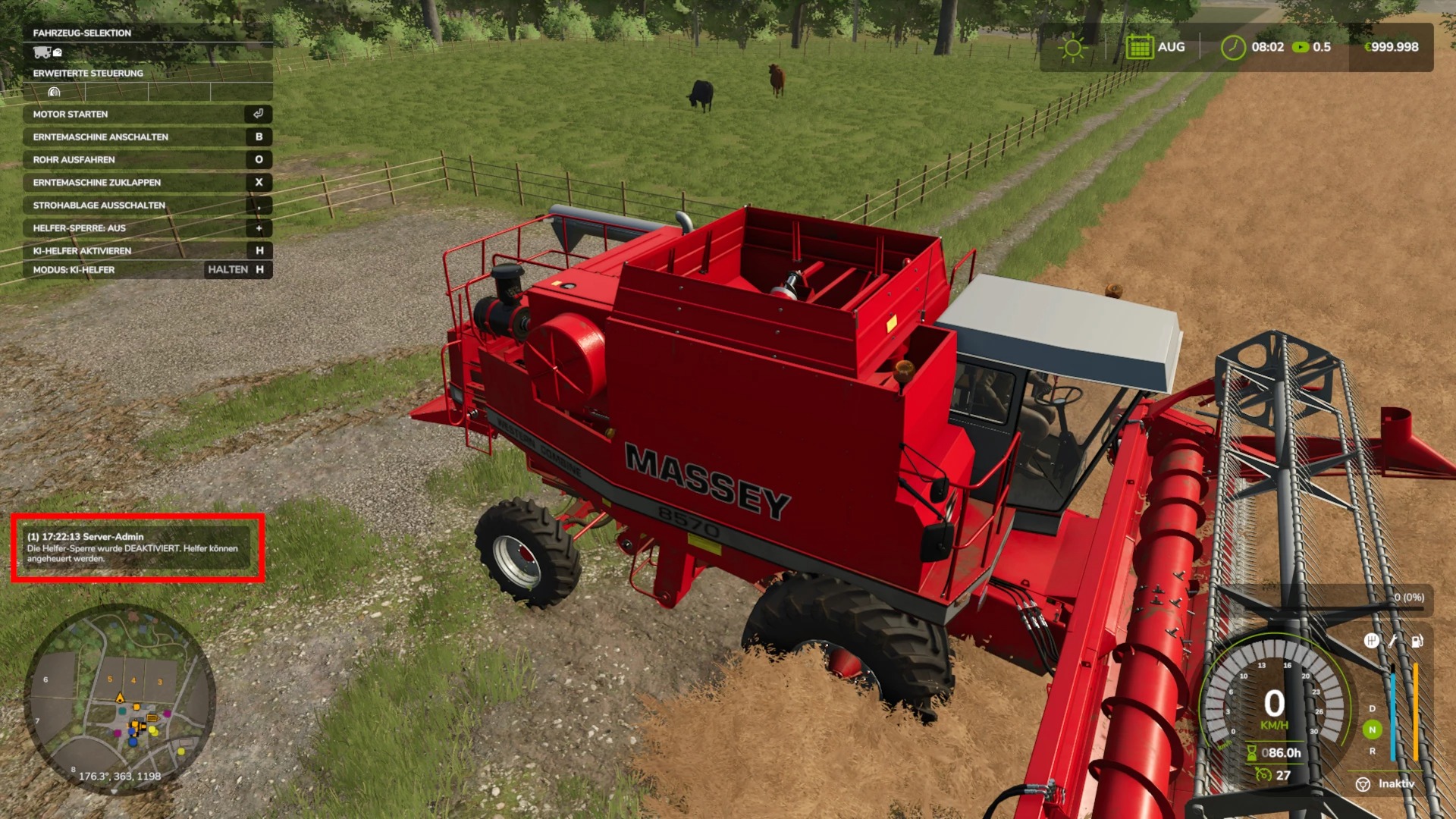
Easy toggling: The lock can be flexibly turned on and off during gameplay using the plus key (+) on the standard keyboard. The display in the F1 HUD updates instantly in real time (ON / OFF).
Multiplayer & Admin Protection: In multiplayer mode, the mod is fully network-synchronized. To prevent abuse, only the server admin (host) can toggle the lock. If a regular player attempts to do so, a warning appears and the action is blocked.
Save Game Storage: The current lock status is automatically saved in the save game when you exit the game and is reloaded exactly as it was the next time you start the game.
Experience real, authentic farming—from sowing to harvest, every second is in your hands!
Author: Blackmadman