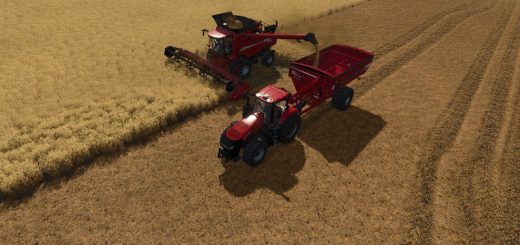
Hyper Realistic Maintenance 2 V1.1
Hyper Realistic Maintenance 2 V1.1
Your engine wears out. Your oil gets dirty. Your turbo fails if you never service it. This is what “realistic maintenance” should have meant all along.
Hyper Realistic Maintenance 2 adds a deep, ongoing mechanical simulation to every motorized vehicle in your save — tractors, trucks, harvesters, and cars — with real gameplay consequences, not just cosmetic numbers.
What it simulates
Engine: 5 independent components (cylinder, piston, bearings, crankshaft, valves) that influence each other — cylinder wear increases blow-by, which contaminates your oil, which accelerates wear further
Thermal: coolant temperature rises with load and overheats if your radiator is degraded
Fluids: oil level/contamination and coolant level, both trackable and serviceable
Drivetrain: clutch, gearbox, turbo, and battery/starter wear over time
Failures: probabilistic breakdowns that ramp up sharply past ~35% wear on the relevant component — critical overheating above 118°C is guaranteed, not luck
Per-vehicle-type behavior: tractors, trucks, harvesters, and cars wear at different, realistic rates
Real effects, not cosmetic
Genuine power loss — reduces actual available engine torque, you’ll feel it in the field
Real no-start conditions — a dead battery or worn starter can actually stop your engine from turning over, with an on-screen warning
Harvesters lose real threshing efficiency as engine health degrades
Scheduled maintenance, like the real thing
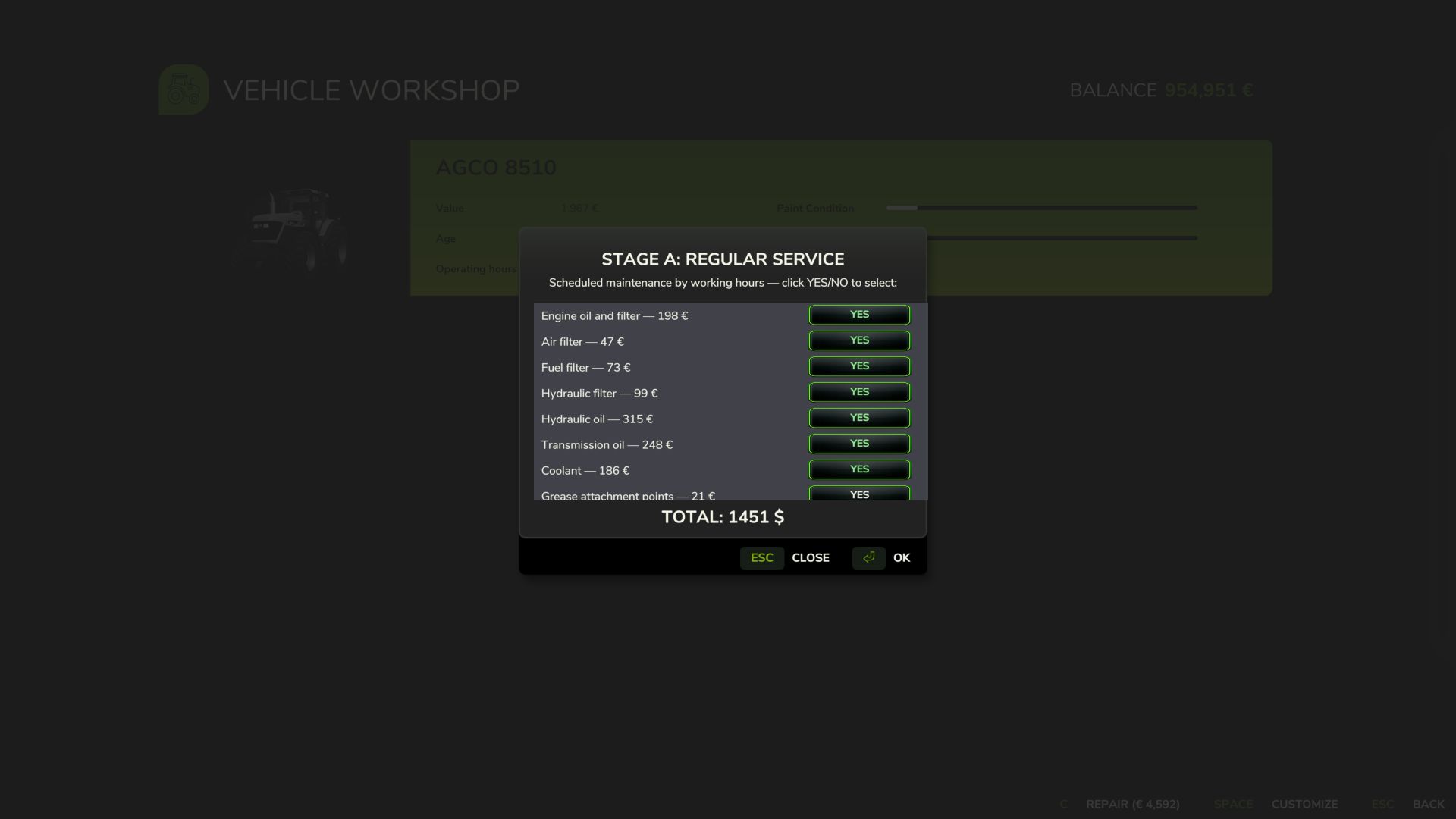
10 serviceable items (engine oil, filters, hydraulic/transmission oil, coolant, grease, belts, and more), each with its own interval and a real farm-money cost — scaled automatically to the vehicle’s actual horsepower. Let service slide too long and wear accelerates up to +120%.
3-page in-vehicle HUD — overview, detailed engine diagnostics, and maintenance status — position adjustable from the in-game Settings menu. The game’s own repair screens (store, farm workshop, mobile workshop) now perform a full HRM2 service too.
Compatibility
Runs entirely standalone. If you also install the 4×4 Traction System mod, the two detect each other automatically — their HUDs won’t overlap, and running in 4WD/diff-lock adds a touch of extra, realistic drivetrain stress. Neither mod requires the other. Singleplayer only for now; state isn’t yet saved to the savegame (see the README for the honest list of current limitations).
V1.1.0.0
NEW FEATURES
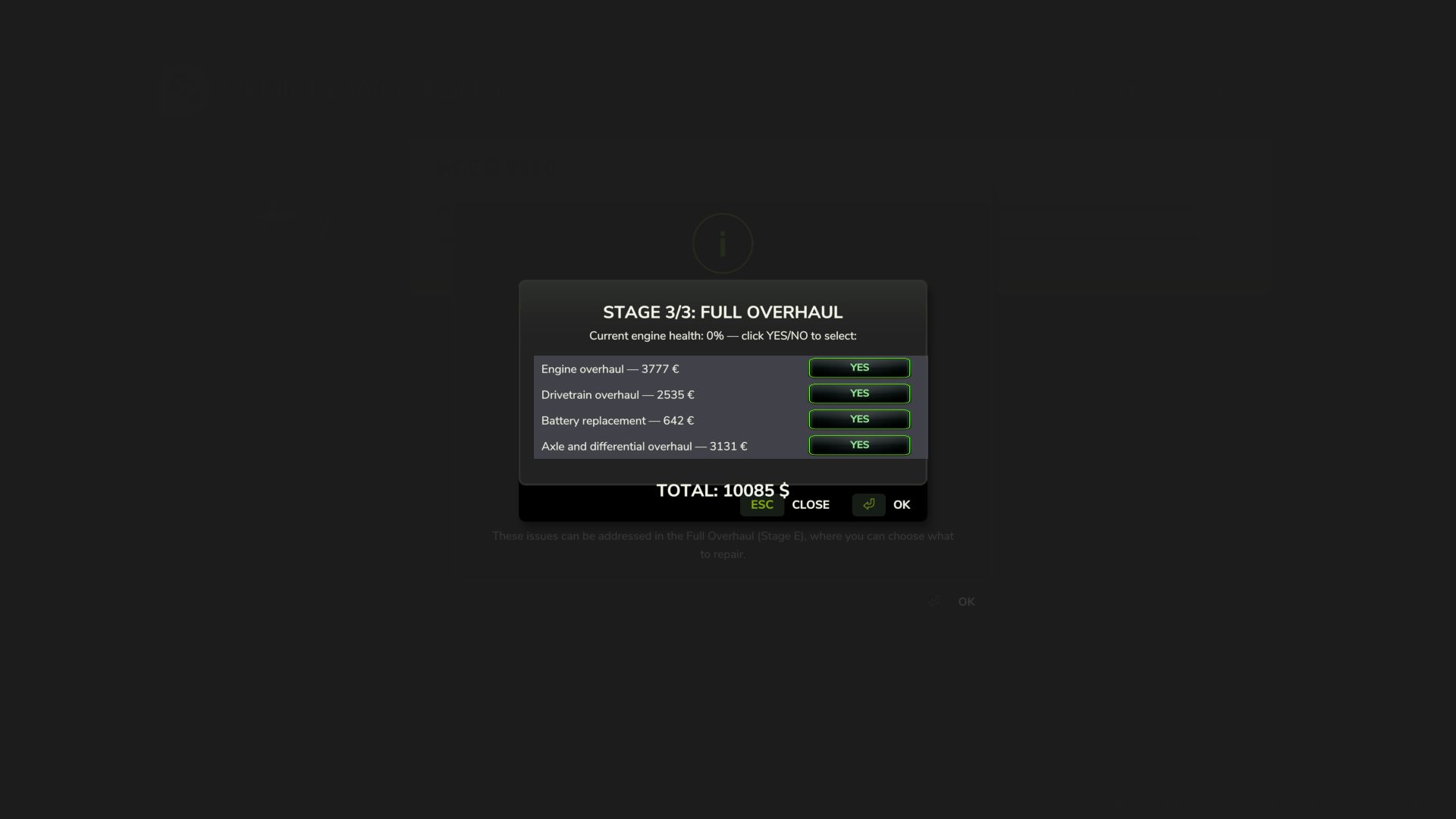
Custom in-workshop selection windows
Every maintenance and repair stage now opens as its own window with a scrollable, selectable list pick exactly which items to fix with individual Yes/No toggles, instead of an all-or-nothing confirmation.
New stage: periodic maintenance by calendar time
A second maintenance track now runs alongside the hours-based one, covering items that degrade with age rather than use belt/hose aging, corrosion protection, fuel system stabilization, and battery health checks.
New: Detailed Technical Inspection
A paid, time-based inspection (parts + hourly labor) that reveals specific internal wear piston condition, compression loss, bearing wear, crankshaft wear, valve wear, ring blow-by, carbon buildup, turbo wear, clutch wear, gearbox wear instead of a generic health percentage.
Full Overhaul rebuilt: 12 individually selectable repairs
The general overhaul stage now lists every component separately pistons, compression, bearings, crankshaft, valves, blow-by, carbon buildup, turbo, clutch, gearbox, axles/differentials, and battery each with its own cost.
Realistic, game-clock-synced repair time
Repairs take realistic amounts of time (1 hour minimum, up to a full day for a major overhaul) and are synced to the in-game clock waiting scales naturally with the game’s time speed setting. A HUD countdown shows time remaining.
Labor costs
Every repair stage now charges an hourly labor rate on top of parts.
Customization locked during repairs
The vehicle’s configuration screen is now disabled while a repair is in progress, preventing accidental loss of repair progress from mid-repair reconfiguration.
FIXES
– Critical: a scoping mistake meant several core functions (applying repairs, deducting money, advancing to the next stage) silently failed when called from the new selection windows. Now fixed.
– General overhaul pricing was capped unrealistically low regardless of vehicle value. Now scales with the vehicle’s actual price.
– Scheduled maintenance intervals were based on real factory service intervals (many over 900 – 1000 operating hours), effectively unreachable in a normal save. Recalibrated to a 5 – 20 hour scale.
– Engine temperature now resets to ambient when a repair finishes.
– Downtime from consecutive repair stages now correctly stacks instead of overwriting.
– The detailed inspection report now always appears, and waits for confirmation, before the stage it’s relevant to.
– Selection windows could render unstyled and full-screen due to a shared-resource loading order issue. Fixed.
– The engine is now explicitly stopped when a repair begins, even if another mod tries to restart it.
– All HUD readouts (engine, oil, temp, coolant, pressures, transmission, turbo, battery, power, page names, vehicle class) now respect the selected game language previously several were hardcoded in Portuguese regardless of language setting.
– The repair button no longer shows a stale native price once repairs are handled through the mod’s own windows.
COMPATIBILITY
No changes to save-game compatibility. MP not SUPPORTED YET
Author: zasty chalk