Realistic Harvesting V1.6
Realistic Harvesting V1.6
Realistic Harvesting for FS25
Transform your harvesting experience into true agricultural simulation! Combines can no longer unrealistically sprint at full speed through dense crops without consequences. Working speed, engine load, and yield efficiency are dynamically driven by crop density, cutting width, moisture, and your machine’s mechanical calibration.
Key Features
Physics-Based Engine Load & Speed: Ground speed dynamically adapts based on harvested crop mass (t/h), header width, and vehicle horsepower. Overloading the engine or using incorrect settings results in real grain loss.
All Machine Types Supported: Fully calibrated physics for Grain Combines, Forage Harvesters (chaff/silage), Root & Vegetable Harvesters (potatoes, beets, carrots, parsnips, spinach, peas), Cotton, and Sugarcane.
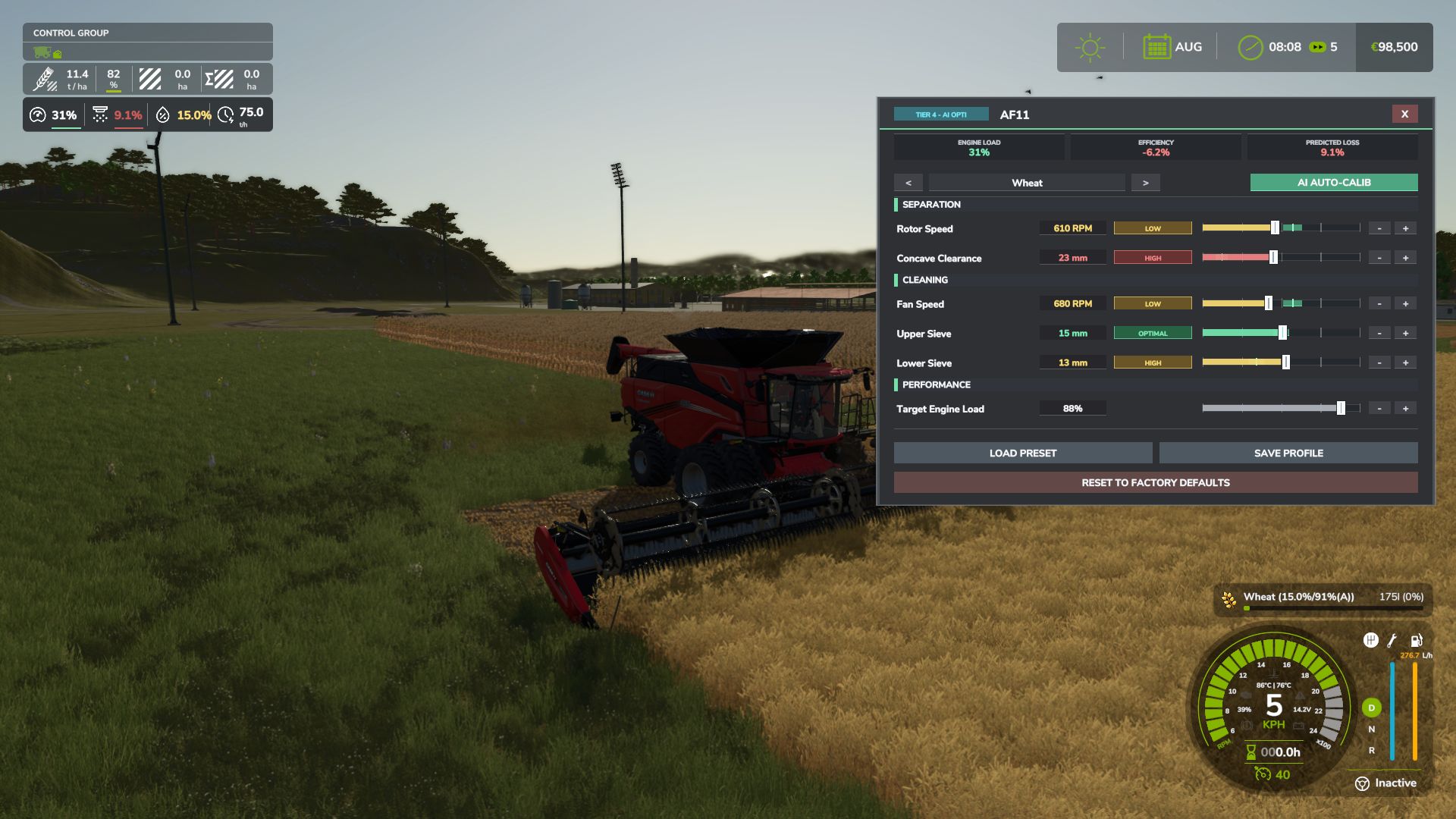
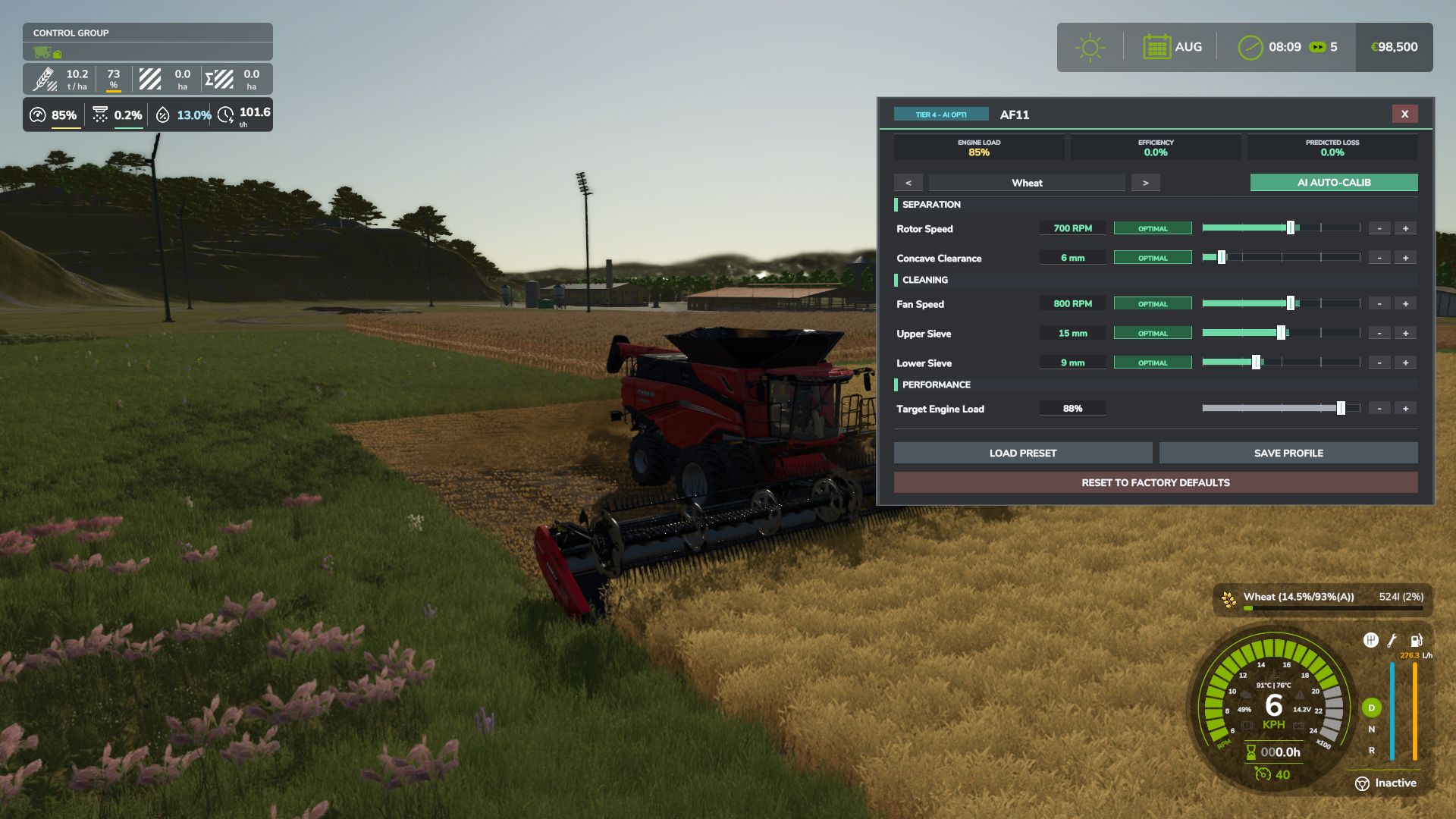
Interactive Combine Calibration (`RShift + K`): Calibrate Rotor/Drum RPM, Concave Clearance, Fan Speed, and Sieves for each crop. Correct settings ensure maximum yield and minimum loss.
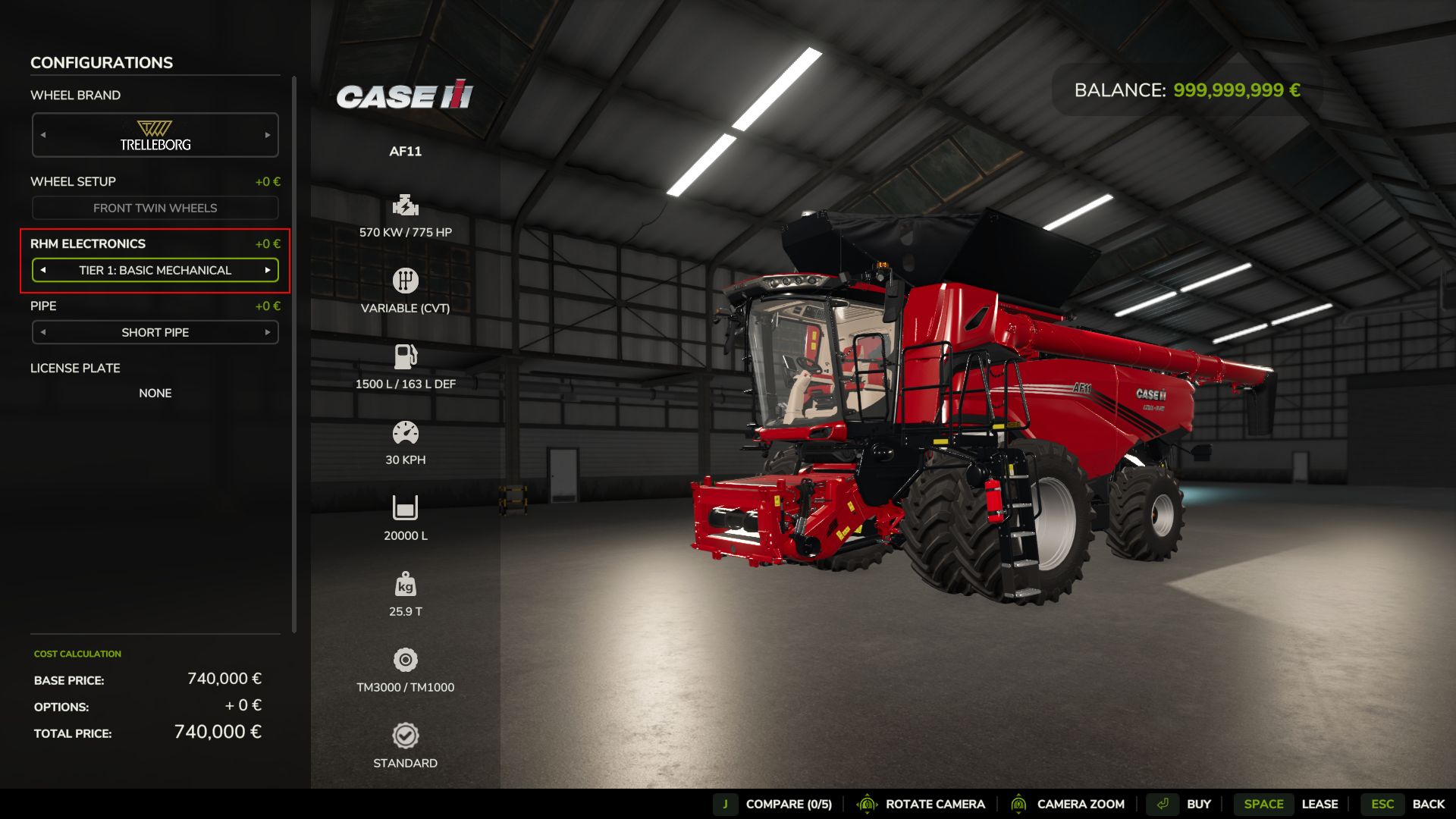
Workshop Upgrade Packages (Tiers 1–4): Upgrade your combine at the shop:
Level 1 (Standard): Fully manual operation.
Level 2 (Sensor Kit): Displays calibration guidance hints (low / optimal / high).
Level 3 (Yield Monitor): Real-time yield (t/ha, bu/ac), area rate (ha/h), and moisture telemetry.
Level 4 (Opti-Harvest AI): Automatic settings calibration and automated speed management.
AI & Courseplay Compatibility:** AI helpers and Courseplay workers automatically utilize your saved profiles or optimal calibrations.
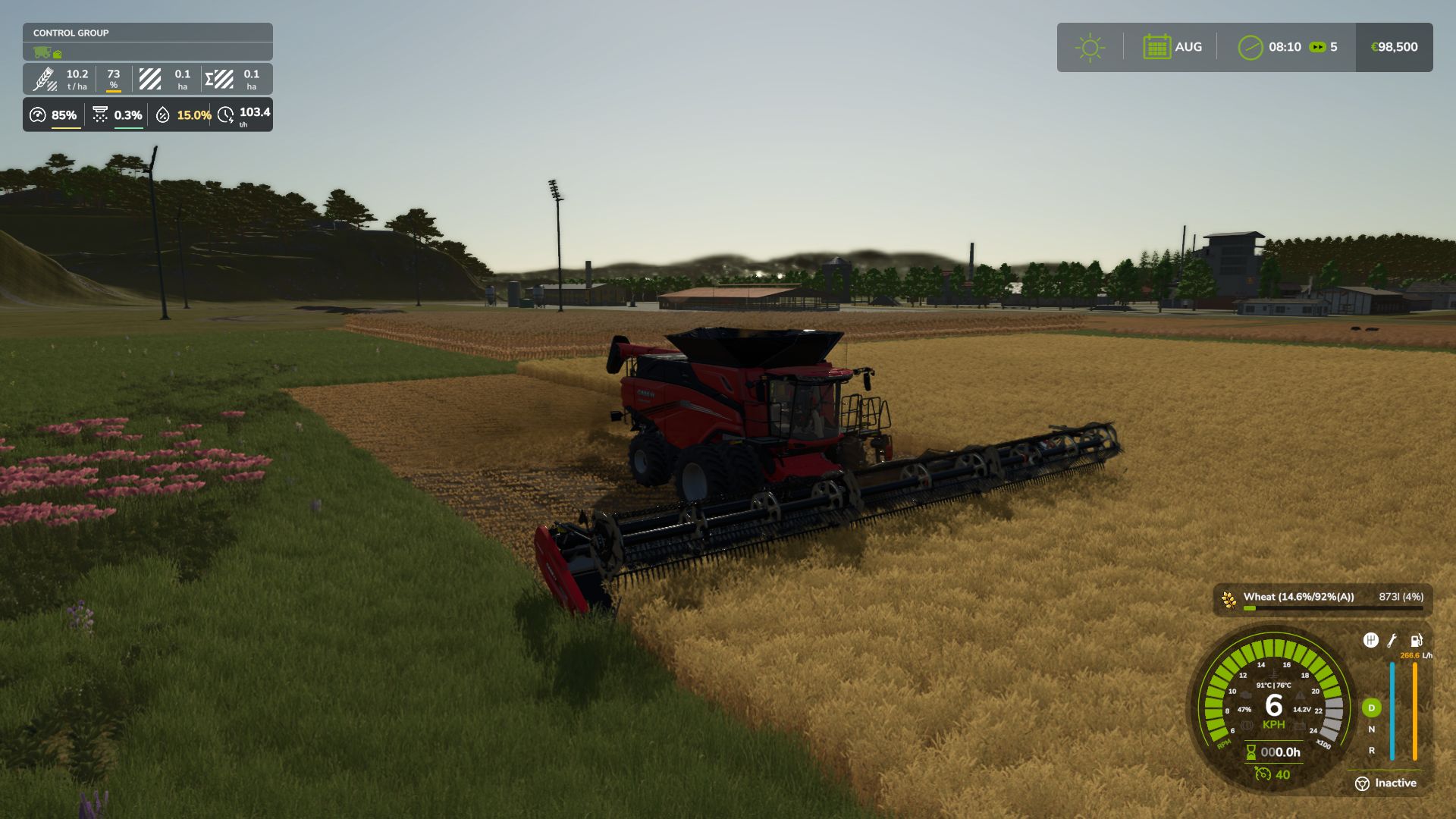
Draggable HUD: Clean, movable on-screen display showing live Engine Load, Productivity (t/h, ha/h), Crop Loss %, and Moisture.
Global Crop Profiles: Save your favorite tuning once — profiles automatically load across your combines and savegames.
3 Difficulty Modes (ESC Settings): Choose between Arcade (relaxed), Normal (balanced), or Realistic (strict physical limits and penalties).
Multiplayer & Dedicated Server Note
Please Note: Multiplayer synchronization has been completely overhauled in the latest update. However, this latest version has not yet undergone extensive testing on live Dedicated Servers.
While fully supported, please test cautiously when running on production dedicated servers, and feel free to report any sync observations or issues on GitHub or Discord!
V1.6.0.0
What’s New:
Draggable Mini HUD: Left-click and drag the HUD anywhere on the screen with position saved across sessions.
Magnetic HUD Snapping: Dragging the HUD near the F1 Help Menu or Precision Farming box automatically snaps it back into place with illuminated docking guides.
Grape & Olive Harvester Physics: Full physical support for self-propelled vineyard machinery with specialized in-cab calibration controls (shaker RPM, conveyor speed, extractor fans).
Mechanical Equipment Wear Losses: Blunt cutterbar knives and worn threshing components dynamically increase power drag and crop loss (up to 6.0%, with settings toggle).
Public Integration API (RHM_Api): Clean integration endpoints for Courseplay, AutoDrive, damage mods, and custom dashboards.
Audio Preview: Adjusting the buzzer volume slider in the game settings immediately plays a test beep at the selected volume.
Improvements:
Arcade Mode Overhaul: Harvesters operate completely unconstrained with 0% artificial load, no speed limits, zero crop losses, silenced alarms, and no penalties.
Smart Cabin Overload Buzzer: Upgraded to a comfortable 3-beep burst pattern, with trigger threshold set to true engine overload (105%) and balanced cabin audio.
Buzzer Volume Granularity: Smooth 0% to 100% volume slider (10% steps) with complete mute capability.
In-Cab Calibration Tablet (Shift + K): Modernized with ultra-slim bezels, edge-lit glass effects, and higher telemetry contrast.
Mod Package Optimization: Archive size reduced from 2.5 MB to 1.0 MB through optimized textures and streamlined help architecture.
Forage Harvester Recalibration: Rotary corn header power absorption reduced to realistic 20 HP/m, establishing authentic 8.5-10 km/h harvesting speeds.
Mod Compatibility: Resolved UI and cursor lock conflicts with Interactive Control, HeadTrackIC, ScandinavianCurrencies, and AdditionalGameSettings.
Bug Fixes:
Fixed mini HUD overlap with F1 Help Menu when custom vehicle control groups (pipe, door, ladder) or pagination mods (InputHelpPager) are active.
Fixed unwanted empty gap between the Precision Farming box and HUD when the F1 menu is closed.
Fixed hardcoded units on the mini HUD: speed and productivity now convert accurately to mph and ac/h under Imperial systems.
Fixed NEXAT modular platform true engine horsepower resolution (1100 HP) and eliminated phantom trailed PTO loads.
Fixed silage maize crop flipping between grain corn and chopped corn silage during stops and starts.
Fixed rare multiplayer crashes caused by network dirty flag exhaustion on complex machinery.
Fixed double-encoded text characters and mojibake across all language files.
Removed:
Removed legacy blinking center-screen overload warning text and its settings toggle in favor of the clean HUD and audio alarms.
Removed obsolete help screen graphic files in favor of the in-cab interactive tablet.
Replaced internal “RHM” acronym with the official mod title “Realistic Harvesting”.
Author: exekx