Draw Distance V1.0


Draw Distance V1.0


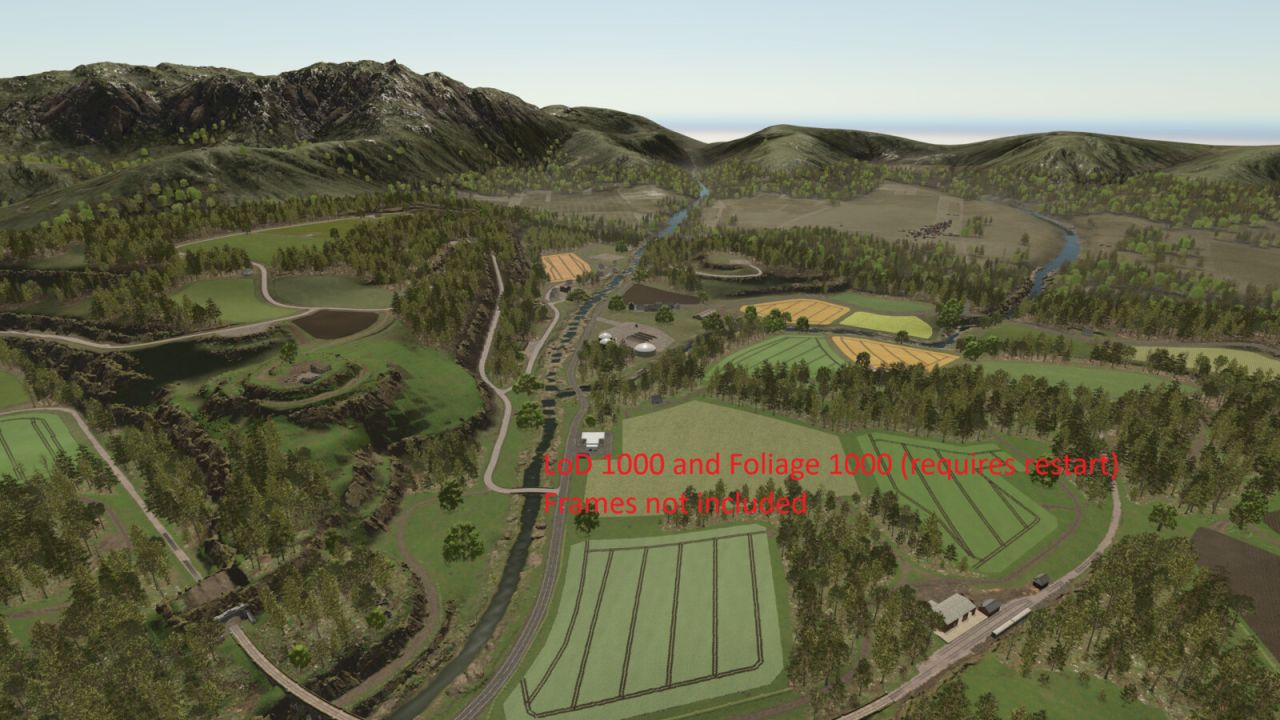
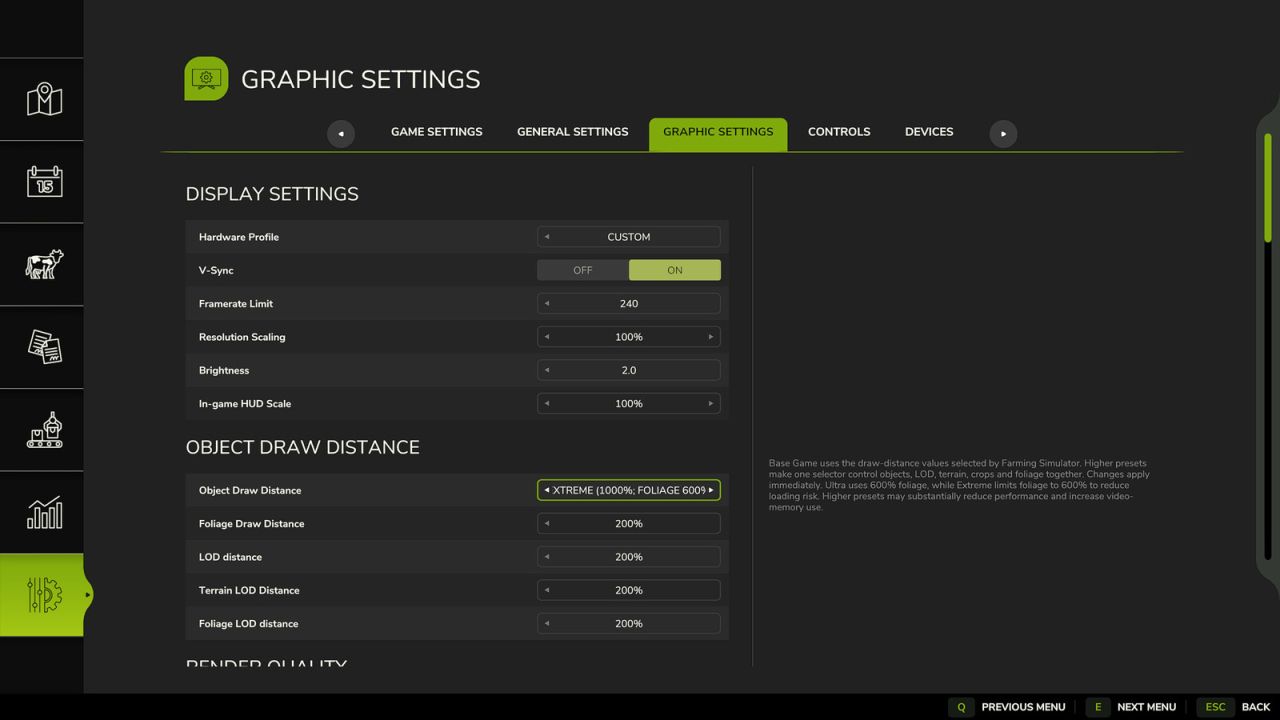
Extends the existing Object Draw Distance option in the Graphics settings with additional draw-distance presets.

Presets:
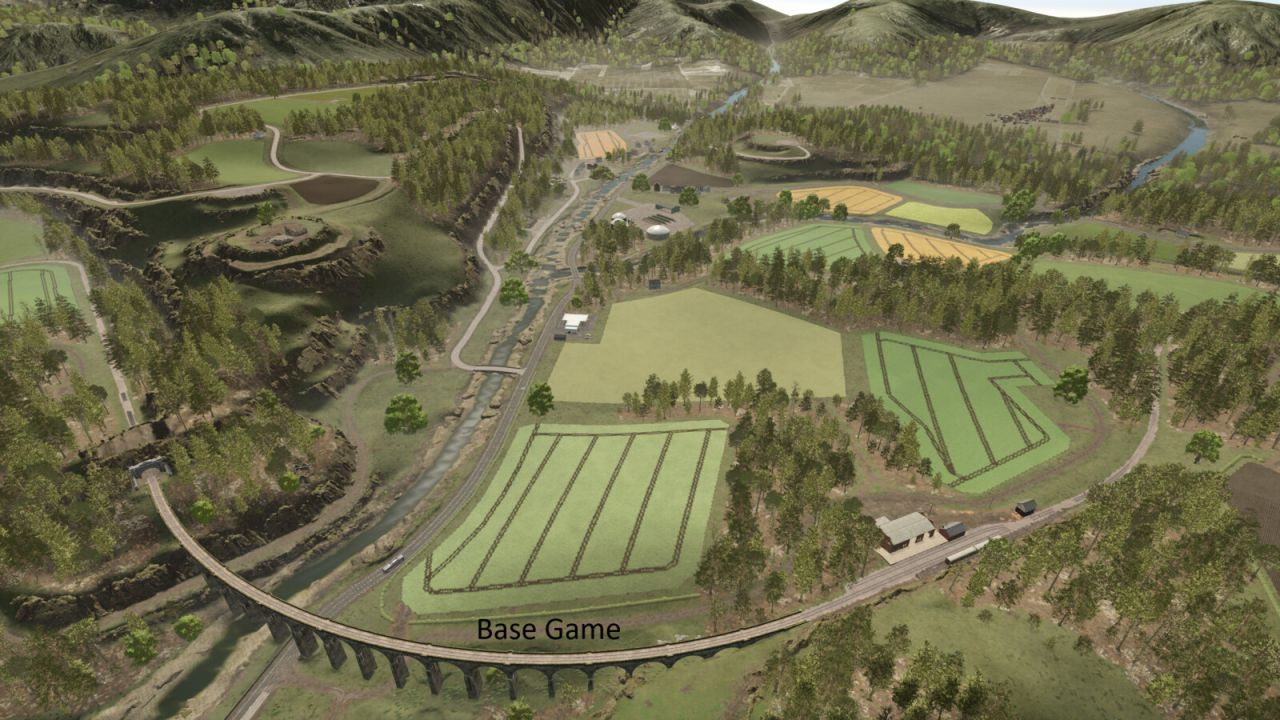
– Base Game
– Enhanced (200%)
– Extended (250%)
– High (300%)
– Very High (400%)
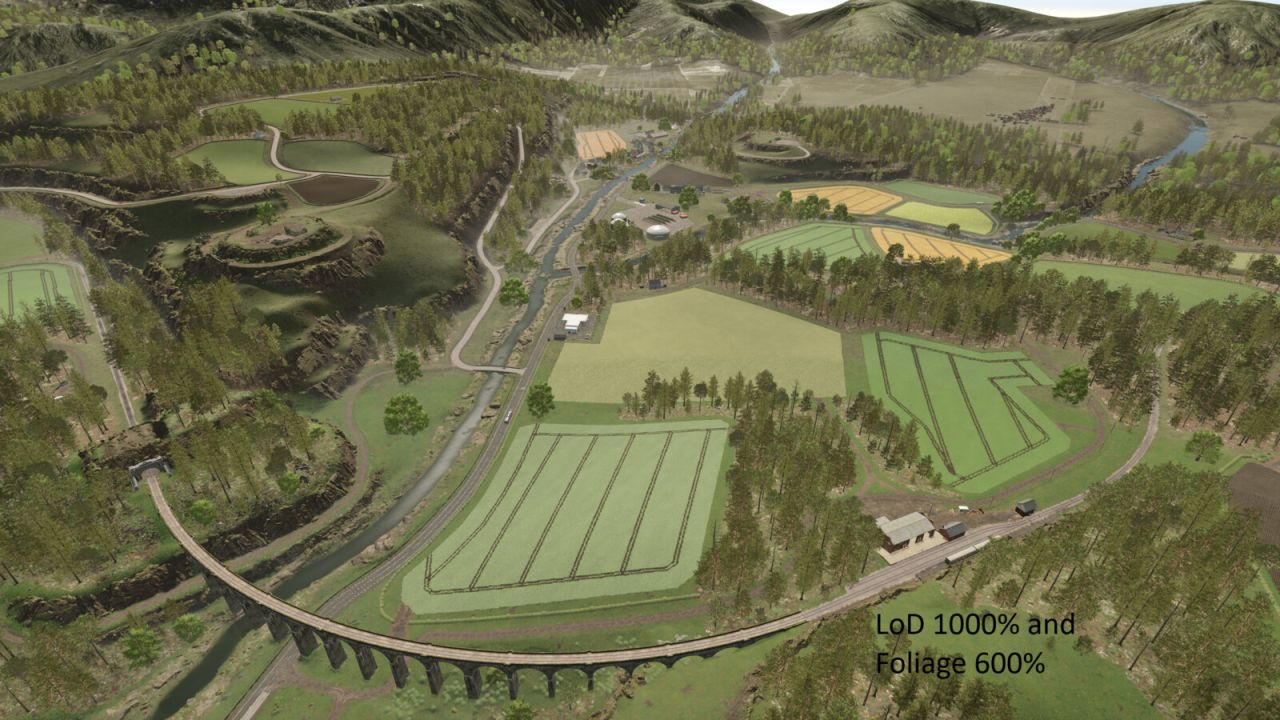
– Ultra (600% objects/LOD and foliage)
– Extreme (1000% objects; foliage limited to 600%)

Base Game keeps Farming Simulator’s own configured draw-distance values. The selected Draw Distance setting is stored in the standard modSettings directory and is shared across career saves.

Console commands:
– ddInfo
– ddPreset [1-7] – ddSet object lod terrain ground foliage foliageLod
– ddFoliage percent [optional LOD percent] – ddReset

The ddFoliage command supports experimental values from 10% to 1500%. Values above the currently reserved foliage capacity usually require one save reload and may increase memory use or cause instability on some maps.
Higher presets can significantly reduce performance and increase video-memory usage, especially on large or highly detailed maps.
Ground displacement/detail distance is not exposed to Lua in the current game build and remains controlled by the base game.


Author: Plutogaming91

Report bugs in the comments and help modders improve this mod. Always check the comments, you can find a solution.


Helpful Information: How to install FS25 mods | FS25 System Requiremnts | FS25 Modding Tutorial | Giants Editor for FS25 | How to Convert mods | FS25 Cheats

More Misc mods


About Farming Simulator 25 mods
Farming Simulator 25 supports game modding for PC, Xbox, or PS5. FS25 Mod may change your game from small to complete changes. You can create a Farming Simulator 25 mod file and share it with our community. When is a good time to try Farming Simulator 25 mods? We recommend playing a game with these FS25 mods after you finish the Farming Simulator 25 starting pack and are bored with the game basics. So it's time to try new machines, such as harvesters or tractors, which are not included in the basic game version.
As you already know, Farming Simulator 25 developers support mods installation, which will add more vehicles or lands to your game. Check our Best FS25 mods lists for PC, Mac, PS5 or Xbox Series. Just follow these simple steps: choose the LS25 mods category, download the mod for the Farming Simulator 2025 version, and install it into the mod folder. Remember, all Farming Simulator 25 Mods are free, and download as many as you want with no limits. We want to create one of the biggest Farming Simulator 25 Community and invite you to share FS25 mods with everyone.

Leave a Reply

Do you need help or to say thanks to the mod author? Just leave a comment below!