Massey Ferguson 8S V1.0
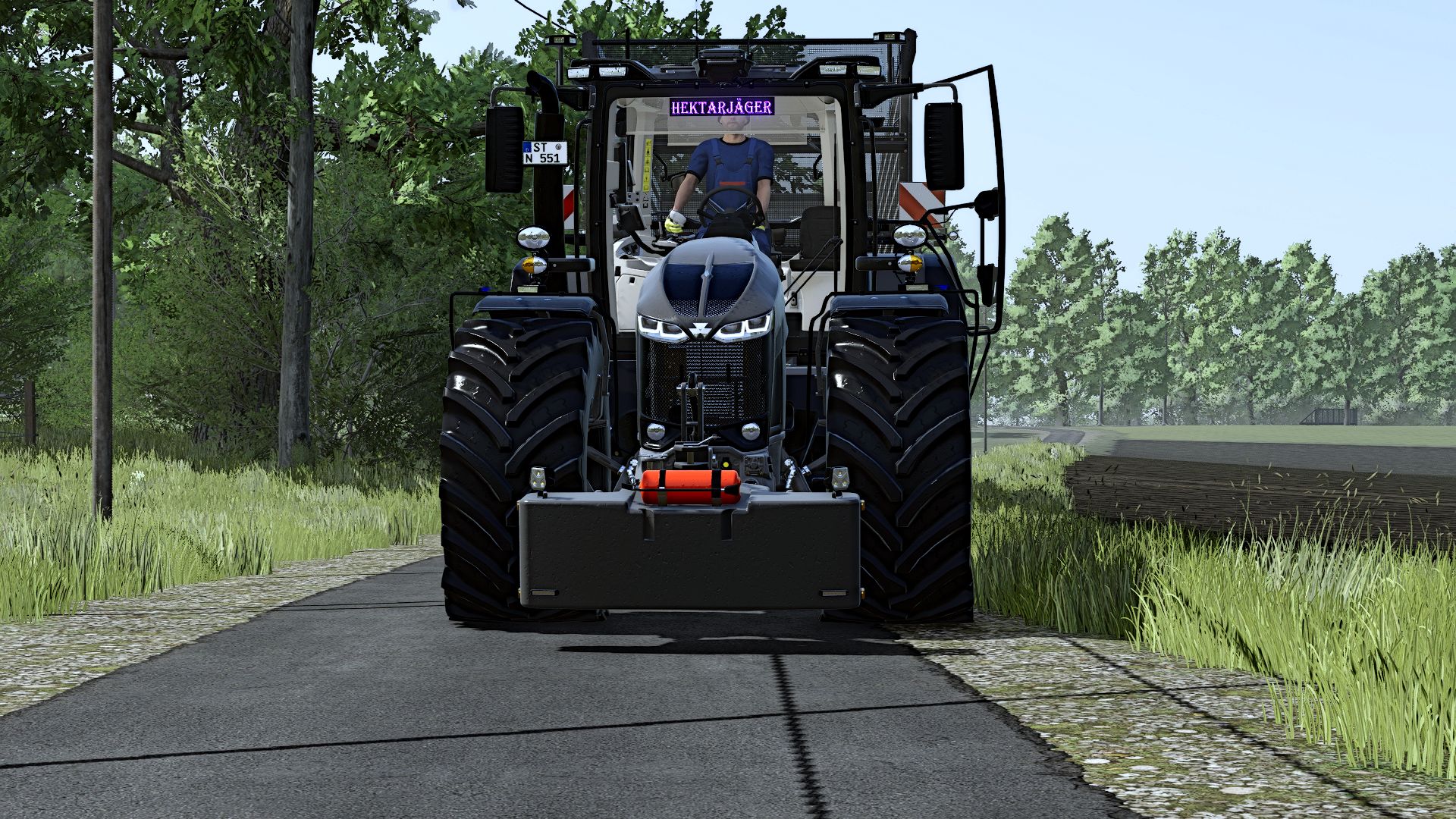
Massey Ferguson 8S V1.0
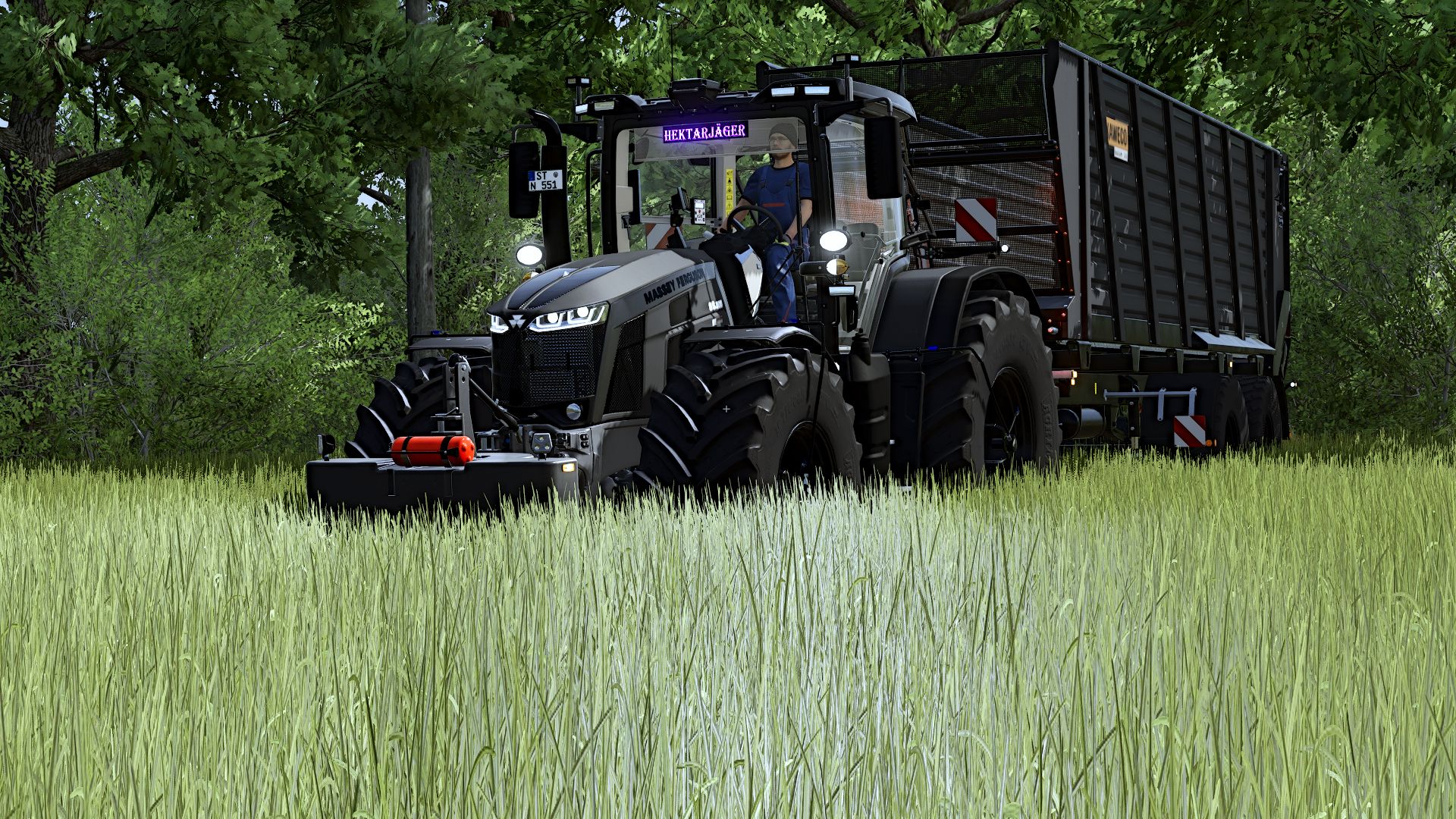
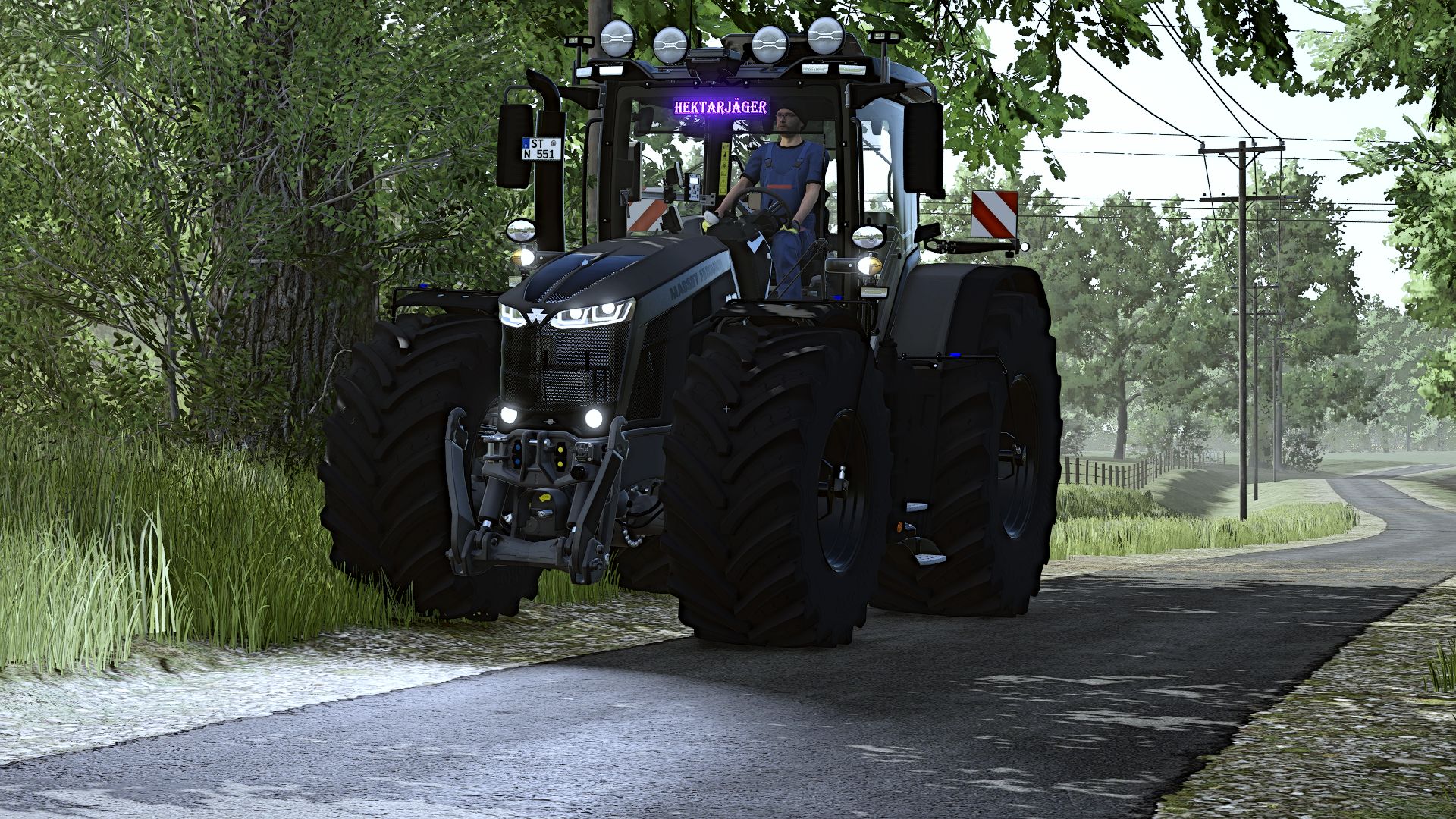
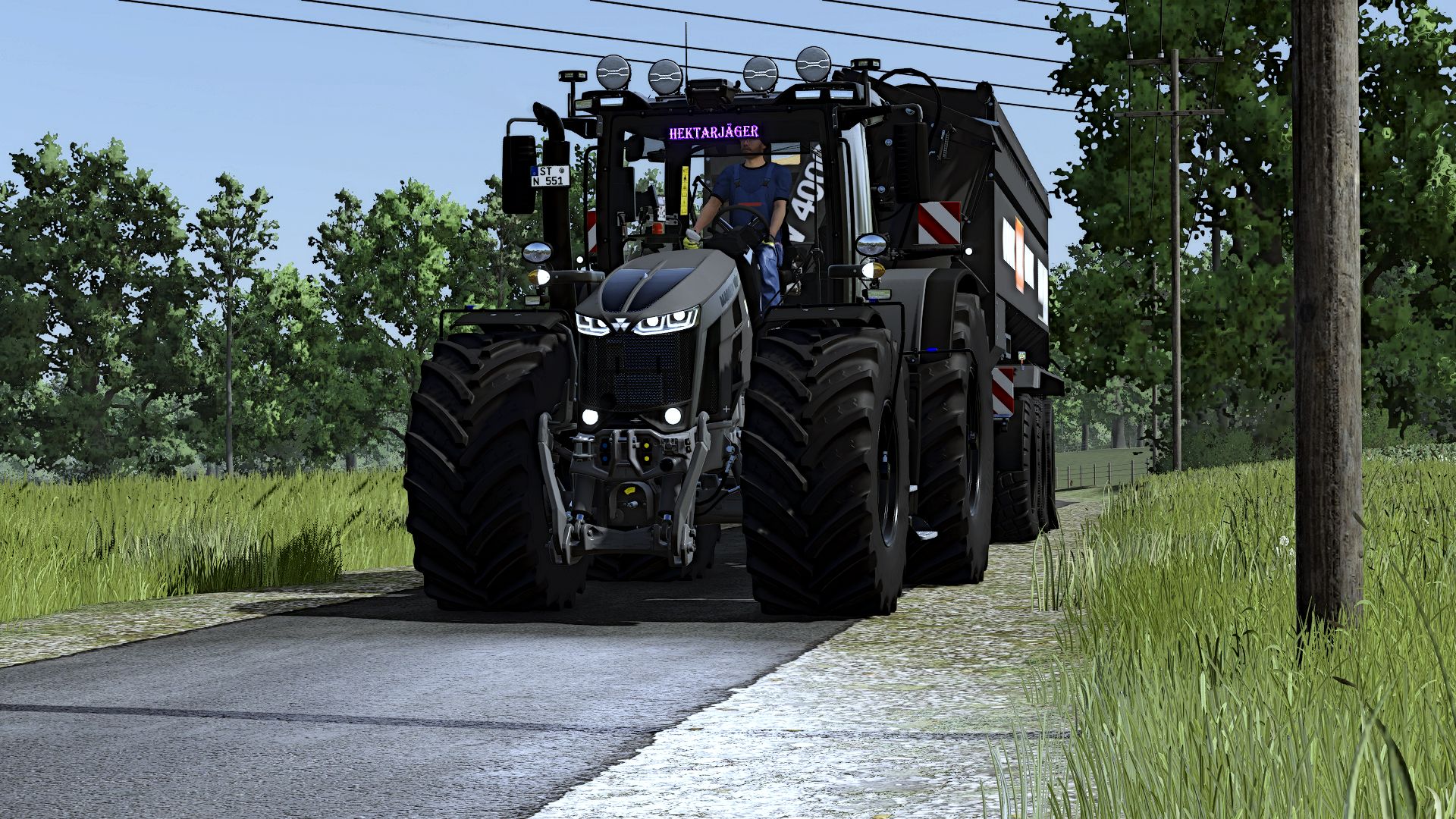
Massey Ferguson 8S – Your farm. Your style. Your next favorite tractor.
Are you looking for a tractor that not only makes an impression in the field, but also when you take a look inside the cab?
Then check out my customized Massey Ferguson 8S for Farming Simulator 25!
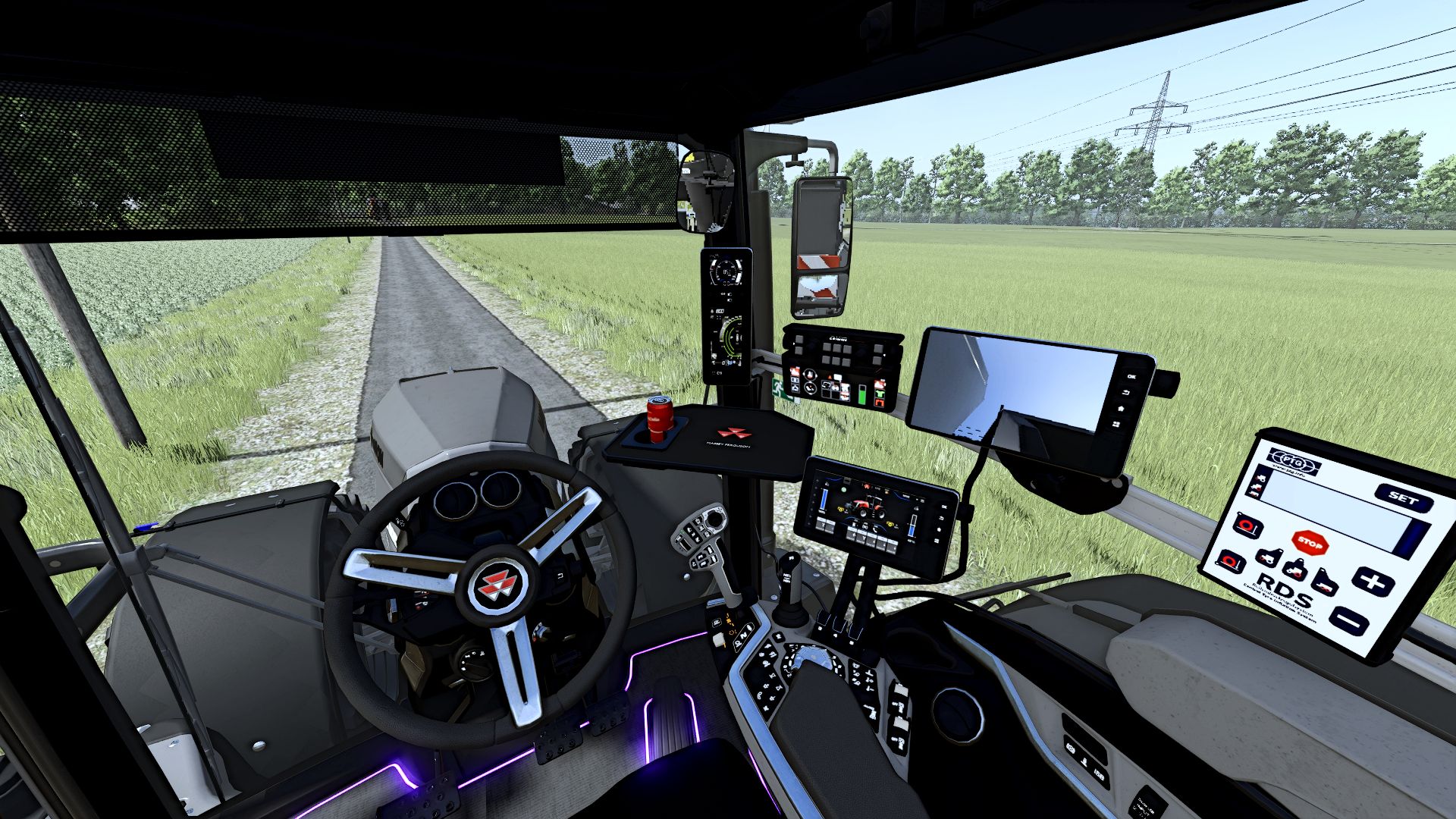
This 8S has received numerous additional functions and visual details.
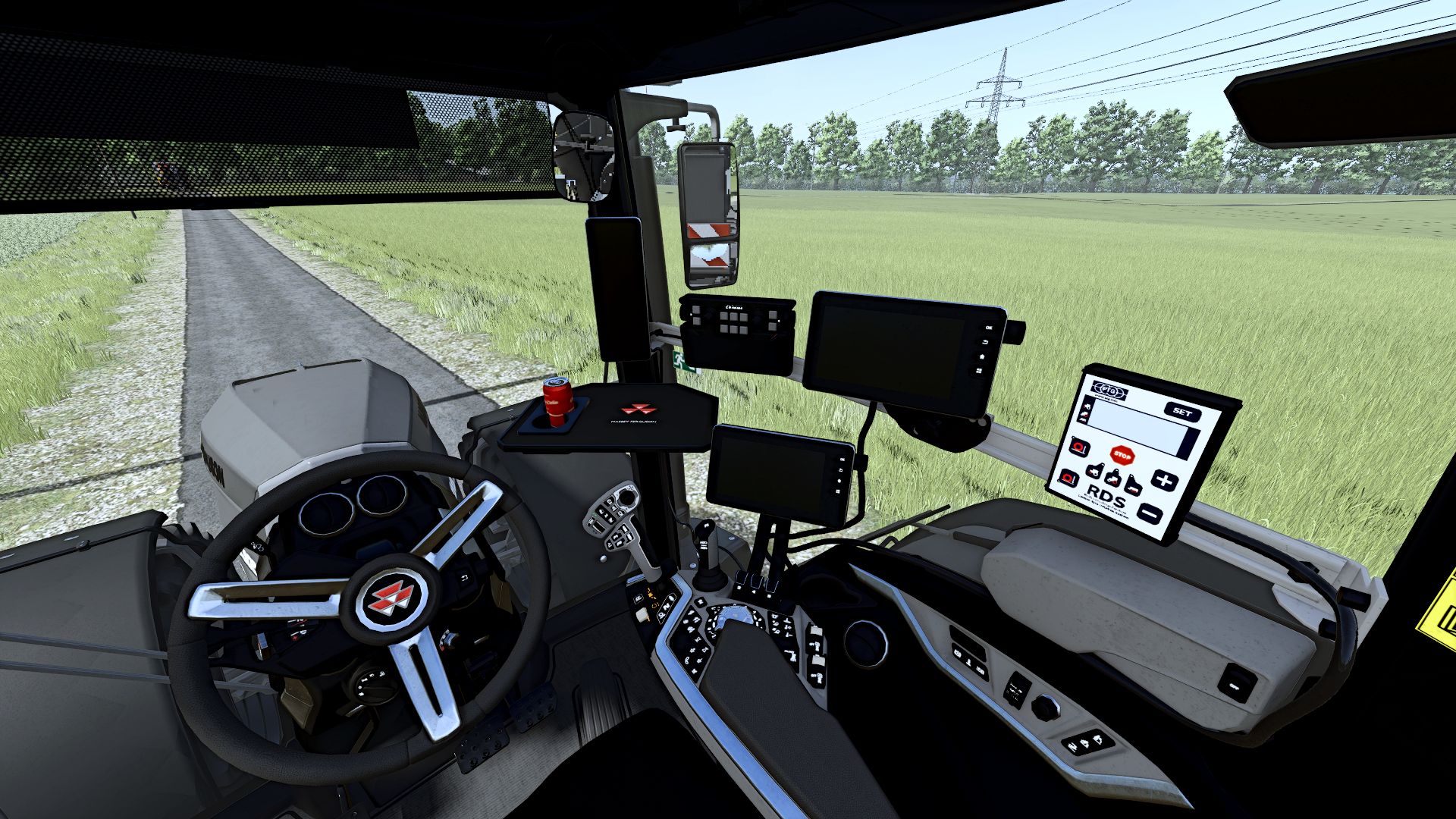
From the wired terminals and the custom-made cab table to the many opening options, there is plenty to discover.
Get in, look around the cab and get to work – the next working day on your farm will be even more fun!
More to operate with Interactive Control
With Interactive Control, your Massey becomes even more interactive. Discover the additional operating options and turn your tractor into your own workplace.
Opening doors and windows
Whether doors, roof window or rear window – you decide what stays open.
When maneuvering around the farm or taking a short break at the edge of the field, these details create the perfect cab experience.
There is also something to see under the hood
The engine hood can be opened! This means the 8S also looks great during a stop at the workshop or in your next screenshots.
With tire pressure regulation system
A tire pressure regulation system completes the conversion and naturally must not be missing from this Massey’s equipment.
A cab with attention to detail
Additional terminals bring the right technical look to the cab. The cables have also been taken into account – because it is the small details that turn a simple cab into a workplace where you enjoy taking a seat.
You need the following for all functions:
Dashboard Live
Interactive Control
Variable tire pressure
Keep an eye on your implements
The implement camera completes the equipment and gives you an additional view of what is happening at the implement.
Blinds for the cab
The blinds are also part of the conversion and complete the cab equipment. This means there is plenty to discover not only from the outside, but also from the driver’s seat.
A cab table made especially for this 8S
A special detail is the cab table made specifically for this tractor. It fits into the interior and gives the cab its very own character.
Your Massey, your colors
With various color configurations, you can give the 8S your personal look.
To match the rest of your fleet or as an eye-catcher on the farm – you decide how your Massey should look!
Whether you prefer working from the cab perspective, customizing your fleet or looking for detailed tractors for your screenshots:
This 8S has plenty to offer.
Choose your favorite color, get in and start the engine. The next job is waiting – and this Massey is ready for a place on your farm!
Have fun with my Massey Ferguson 8S and always drive safely!
Author: Dirtdevil99