Volvo S/V60 Edit V5.4.0.5
Volvo S/V60 Edit V5.4.0.5
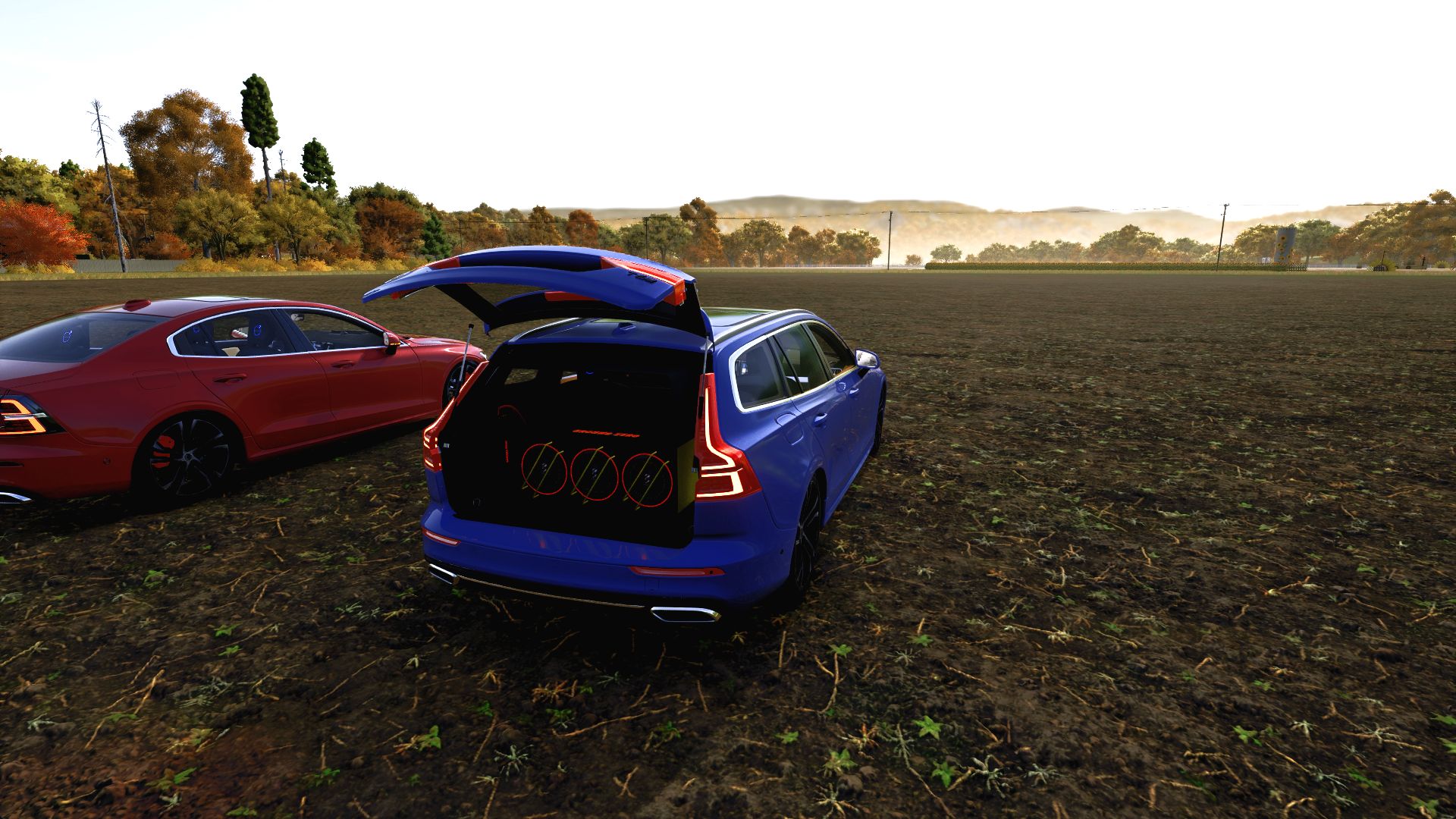
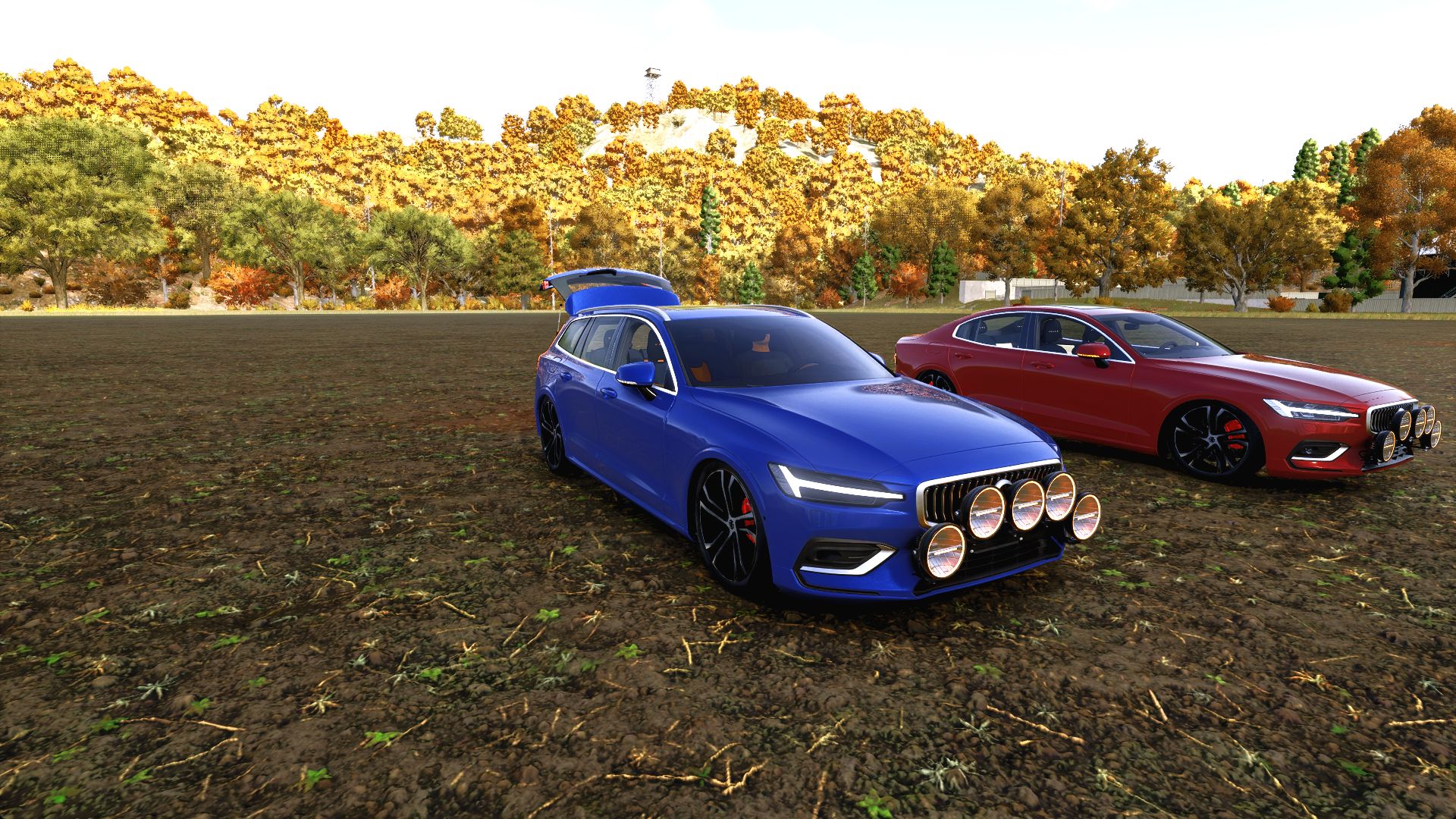
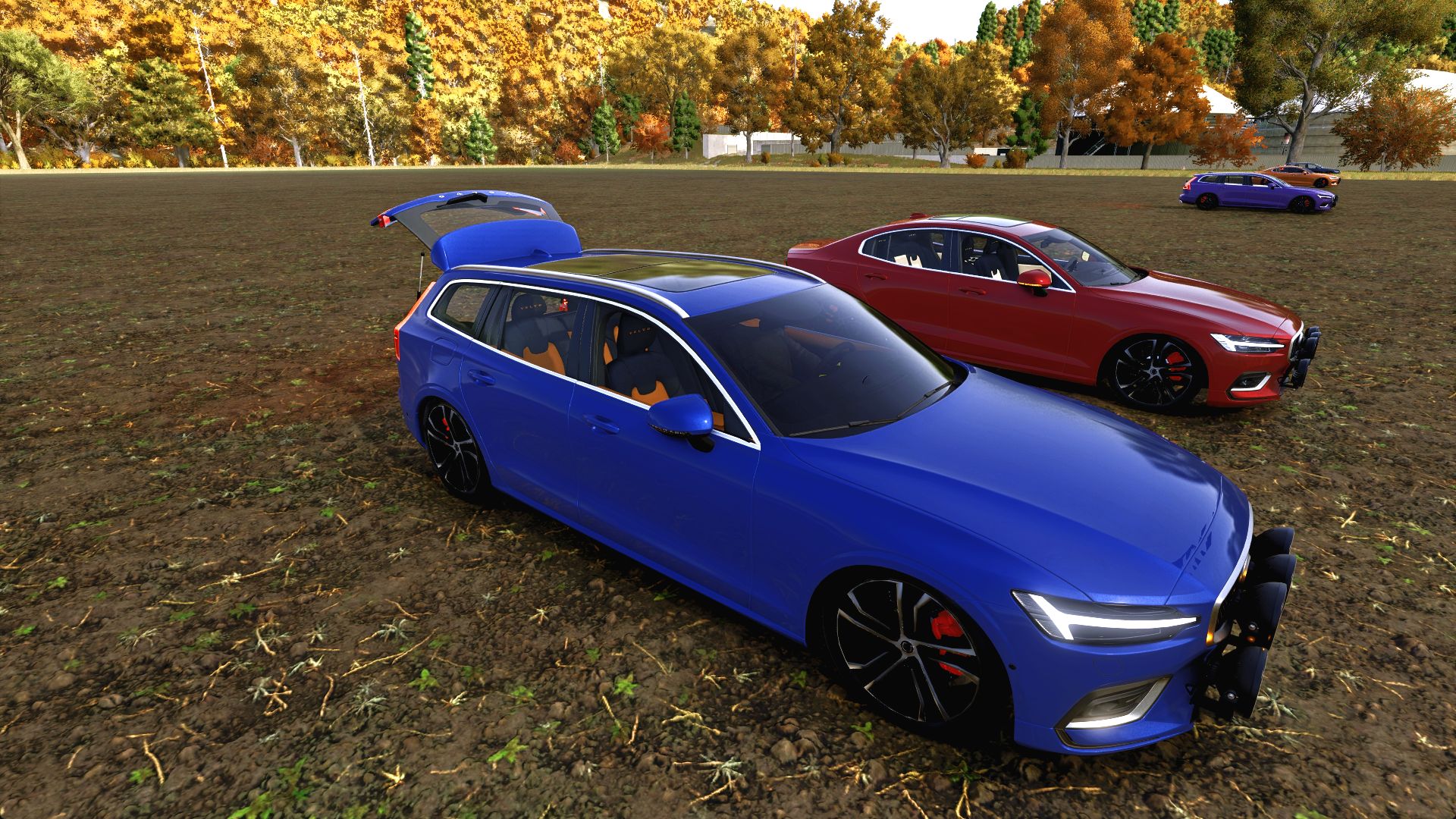
Two Volvo body styles, one extensive customization package: the S60 sedan and V60 estate, with NLM paint finishes, five-lamp WRC installations, configurable interiors and detailed Ground Zero audio builds.
LIGHTING AND EXTERIOR
WRC Rally 5 bracket with five Strands Ambassador, BriodLights Olympus, OZZ XR2 P9 or LuminaLights Ninja auxiliary lamps. Bracket-only and no-auxiliary-light options are also available.
Auxiliary main beams follow the vehicle’s high beam. Ninja lamps include their startup sequence.
Optional coloured glow, underglow and a randomized light show. Colours include white, amber, blue, green, orange, purple and red.
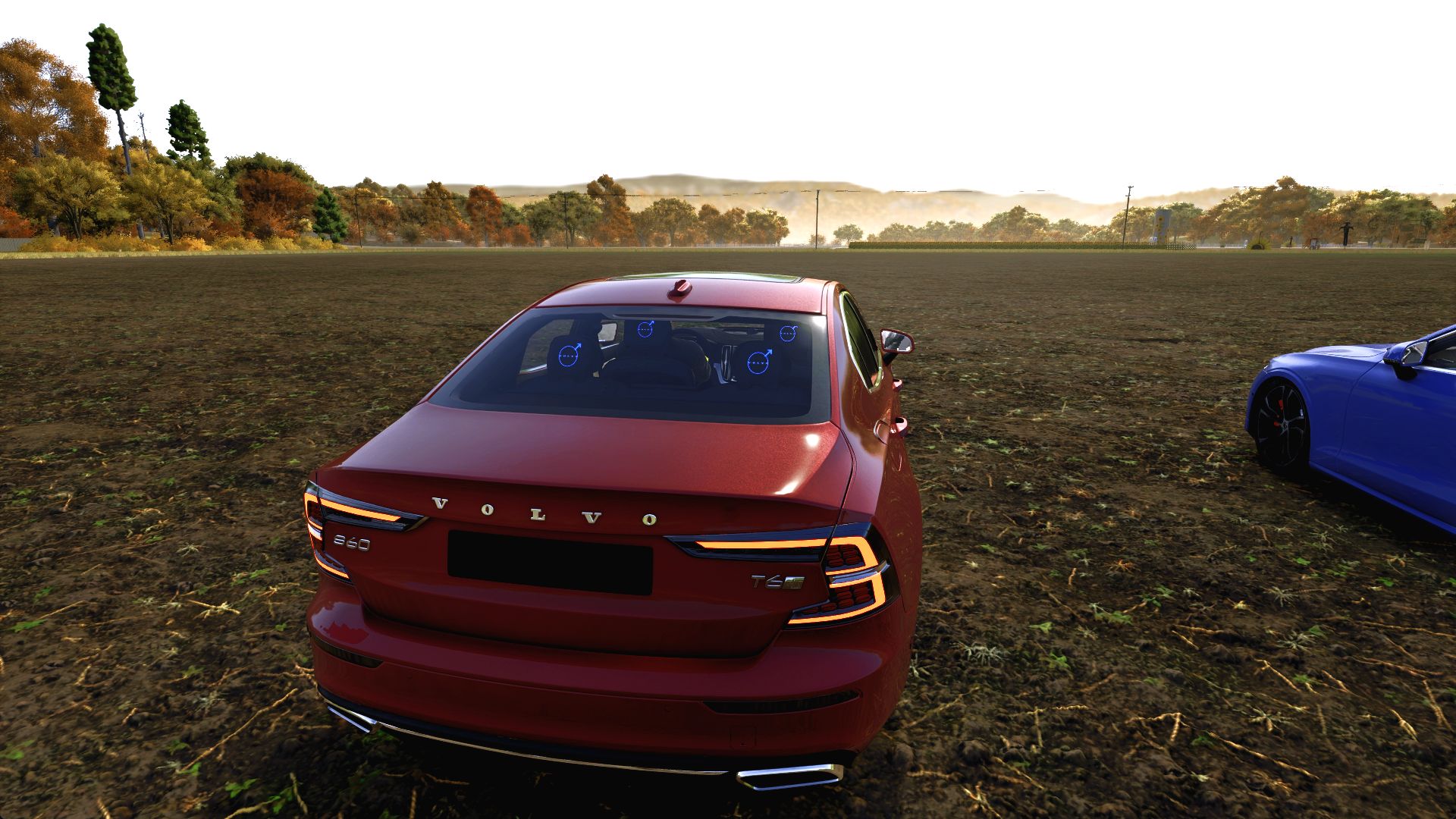
Factory rear lights retain their original colours. Indicators join the show in amber, with normal turn signals taking priority.
Sequential front indicators.
NLM paint choices including deep blue, purple, copper, lime, burgundy, metallic black, gloss black, matte black and Nardo grey.
Five window-glass/tint choices, three headlight-glass choices and stock or S90-design wheels.
INTERIOR
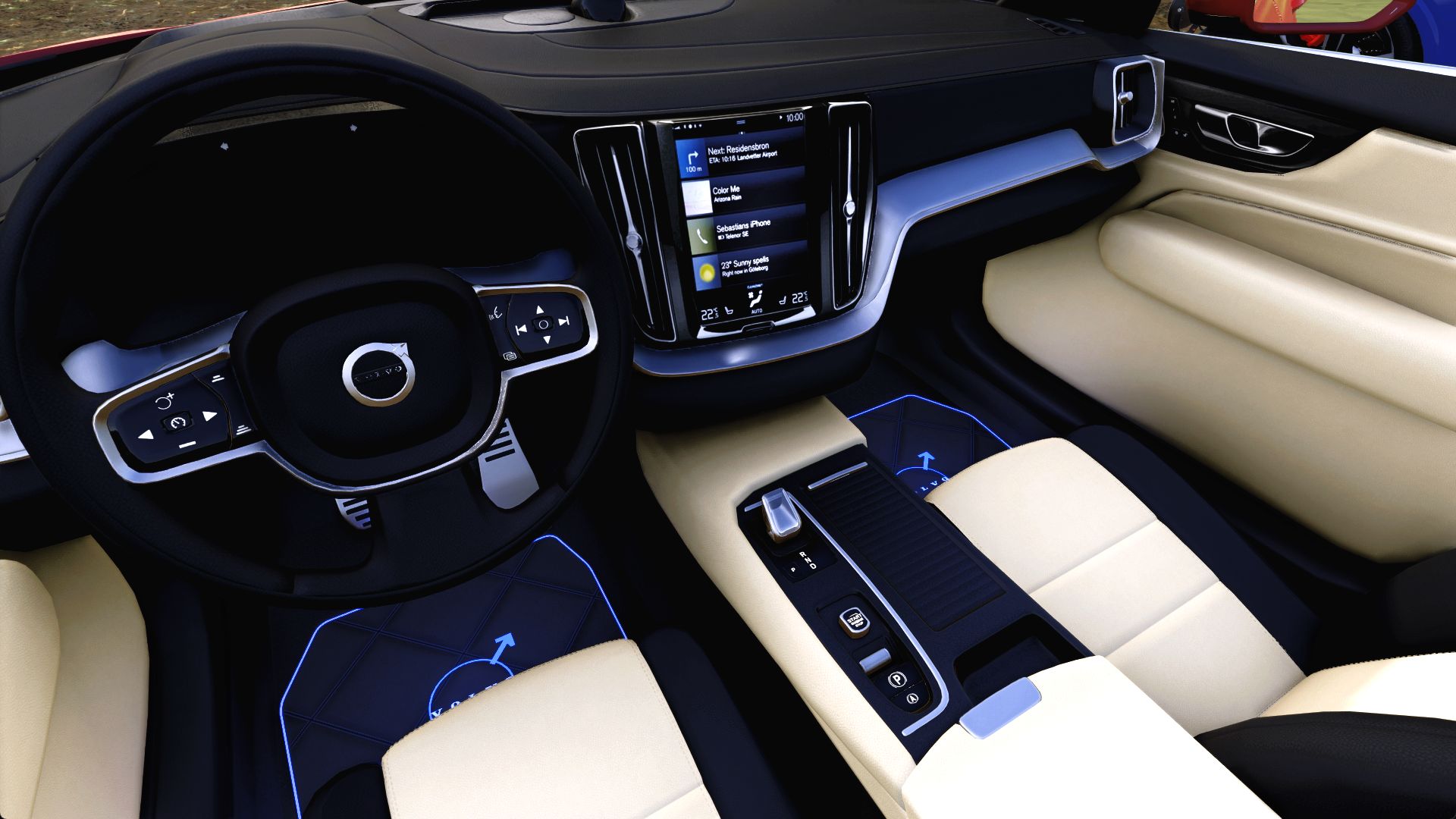
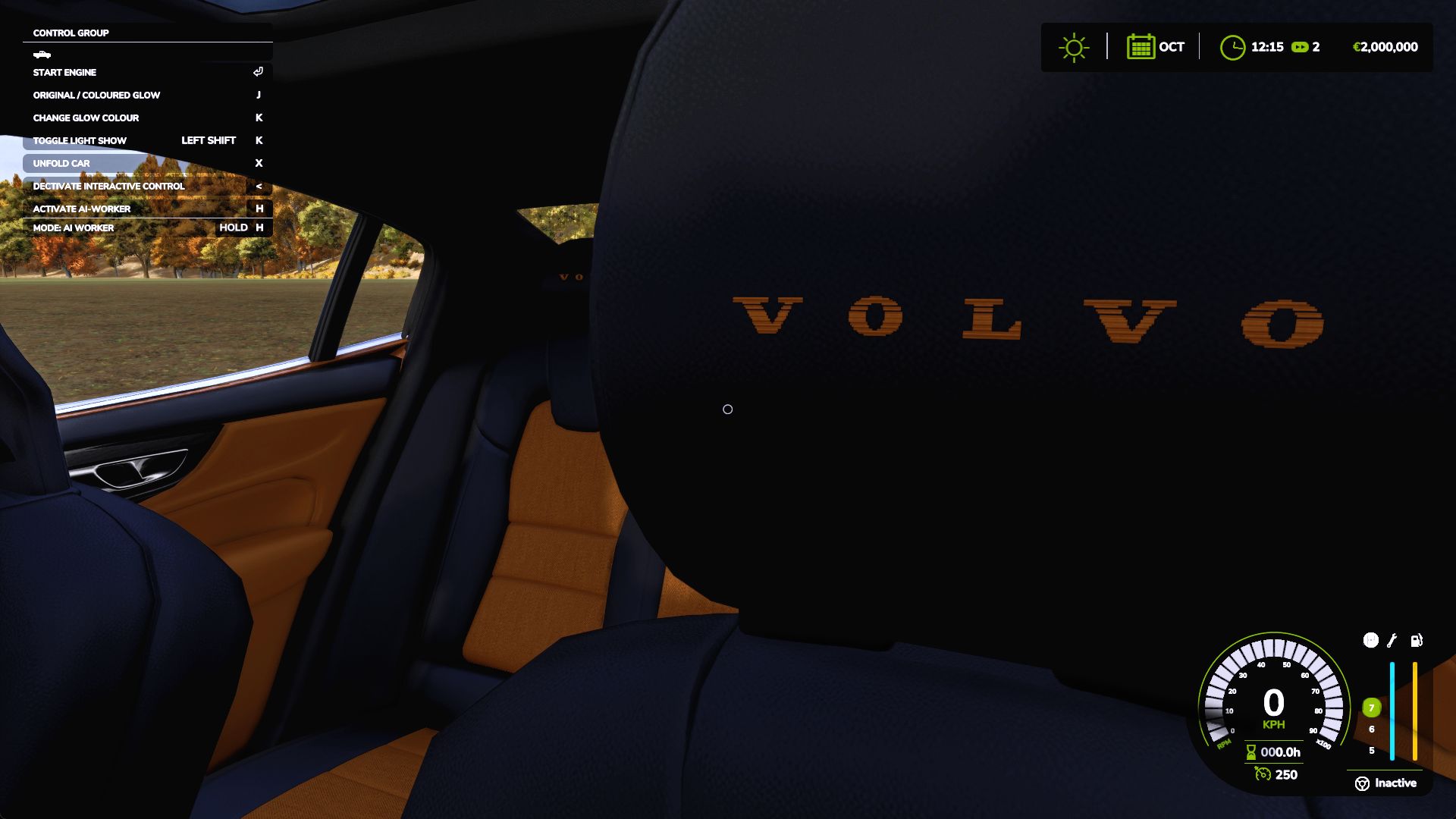
Fabric/leather, full leather or perforated leather upholstery.
Independent colours for seat inserts, bolsters, door inserts/armrests and stitching, with twelve colours for each area.
Optional floor mats with blue LED piping and Volvo emblems.
Volvo headrest embroidery and small illuminated blue emblems on the headrest backs.
Individually operated doors, windows and tailgate through Interactive Control. Door collision moves with the doors; glass collision follows the windows.
GROUND ZERO
The V60 has a triple-subwoofer GZIB 3.2500SPL installation. The S60 uses the smaller GZRB 30SPL enclosure. Both include a GZIA 1.1500D amplifier, visible wiring, mounting details and rubber cable pass-throughs.
LED rings surround each subwoofer. Amplifier and enclosure lettering share the selected colour. Audio lighting can use its own shop colour or follow the vehicle’s coloured glow and light show. The audio installation is visual and does not play separate music.
DEFAULT CONTROLS
J: enable/disable coloured glow and return to factory lighting.
K: change the glow colour.
Left Shift + K: start/stop the randomized light show.
Interactive Control markers: doors, windows and tailgate.
Farming Simulator 25, PC/Mac. Version 5.4.0.4.
Requires Interactive Control by Vertex Dezign.NLM edit: NorthernLight Modding.
Original Volvo S60/V60: Jonas2203.
Original S90 wheel model/textures: lazercar24.
BriodLights Olympus model/textures: JB Modding.
LightExtension: GtX / LS-Modcompany.
Interactive Control: Vertex Dezign.
V5.4.0.5
After reported crashes i corrected the Lua for lightning.
Required mods:
Interactive Control
Author: NorthernLightModding