Vehicle Overview V1.0.1.1
Vehicle Overview V1.0.1.1
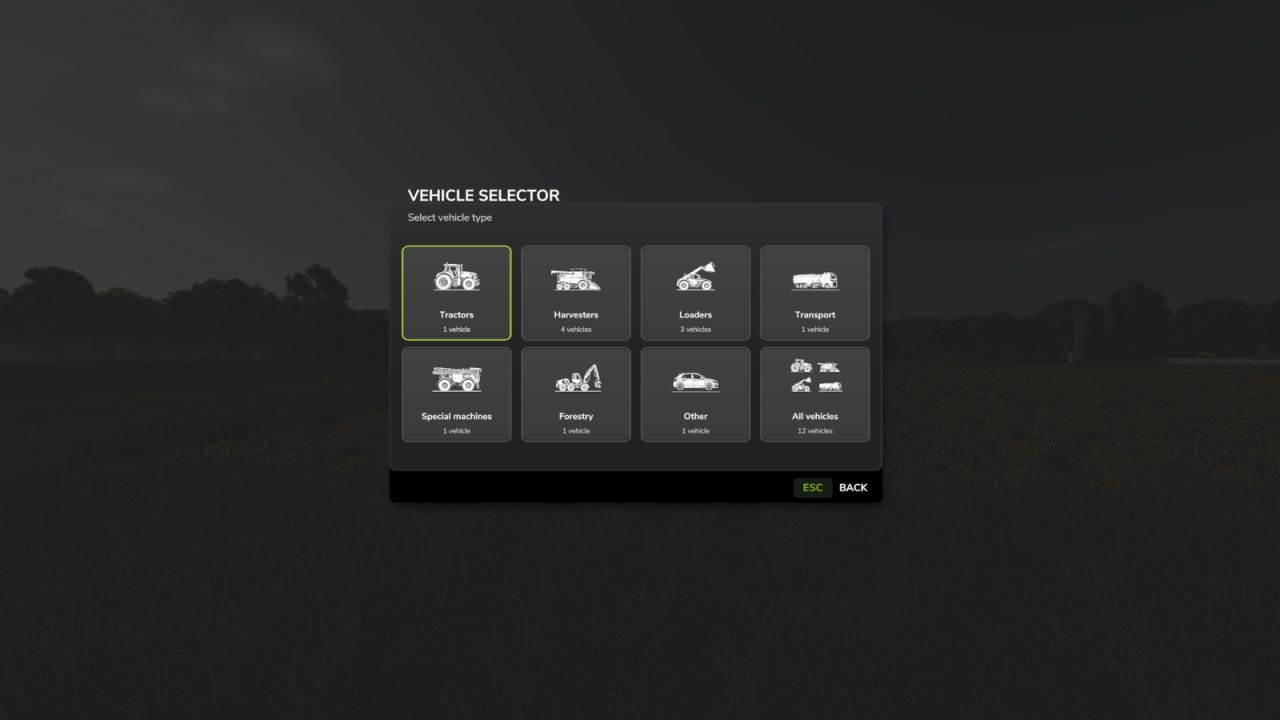
Vehicle Selector offers a quick and clear way to display all enterable vehicles on your farm and switch directly to the desired vehicle with a single click.
Open the menu with Left Alt + V. Then simply click on a vehicle tile to close the menu and switch directly to the selected vehicle.
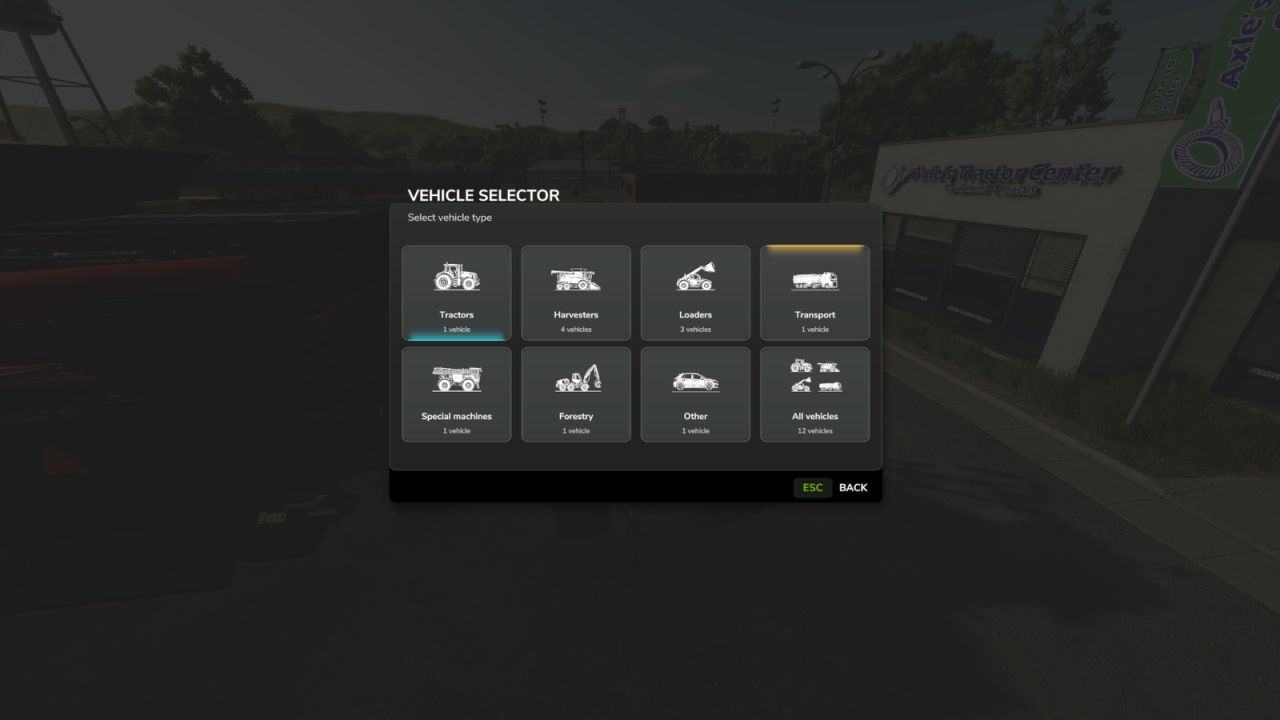
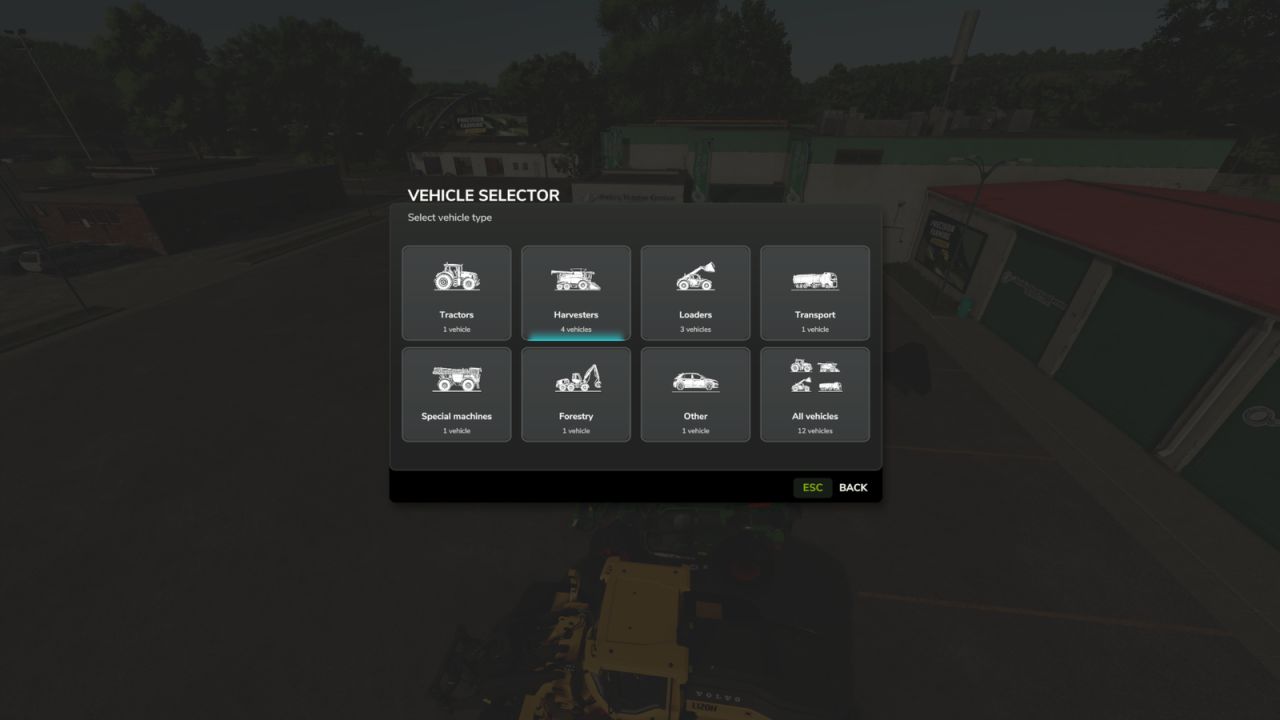
The vehicles are automatically divided into the categories Tractors, Harvesters, Loaders, Transport, Special Machines/Self-Propelled, Forestry and Miscellaneous.
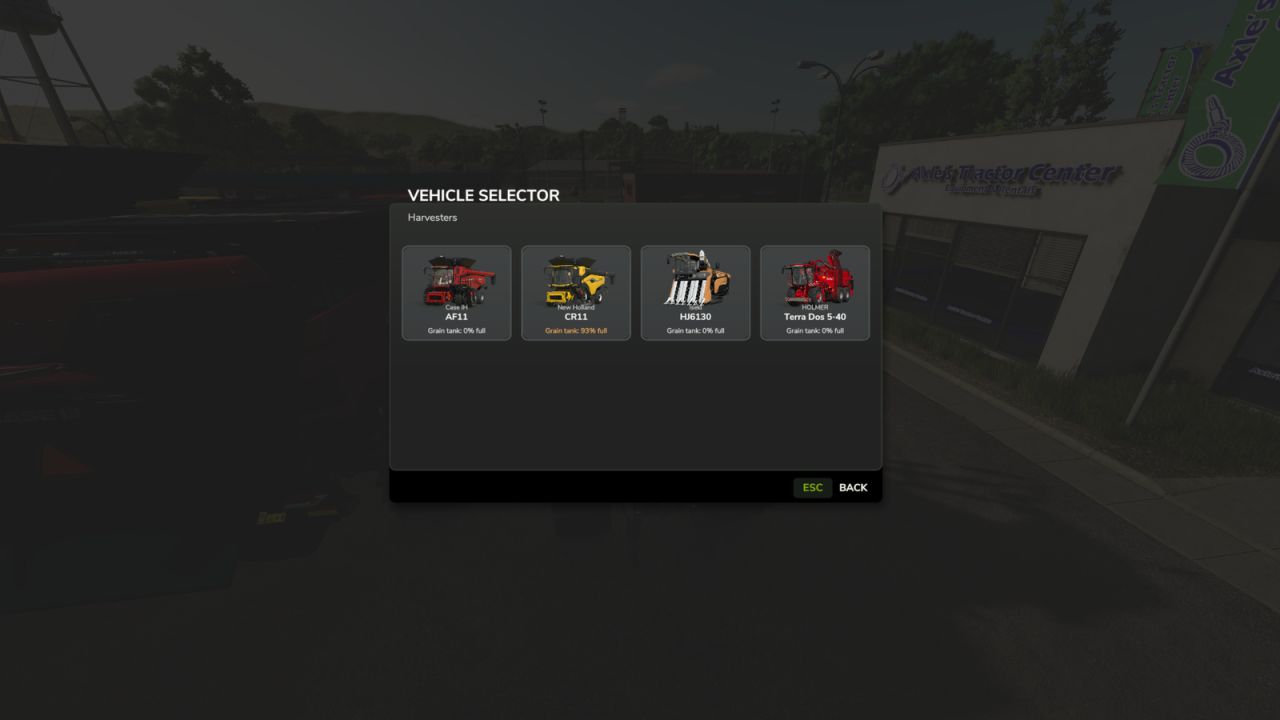
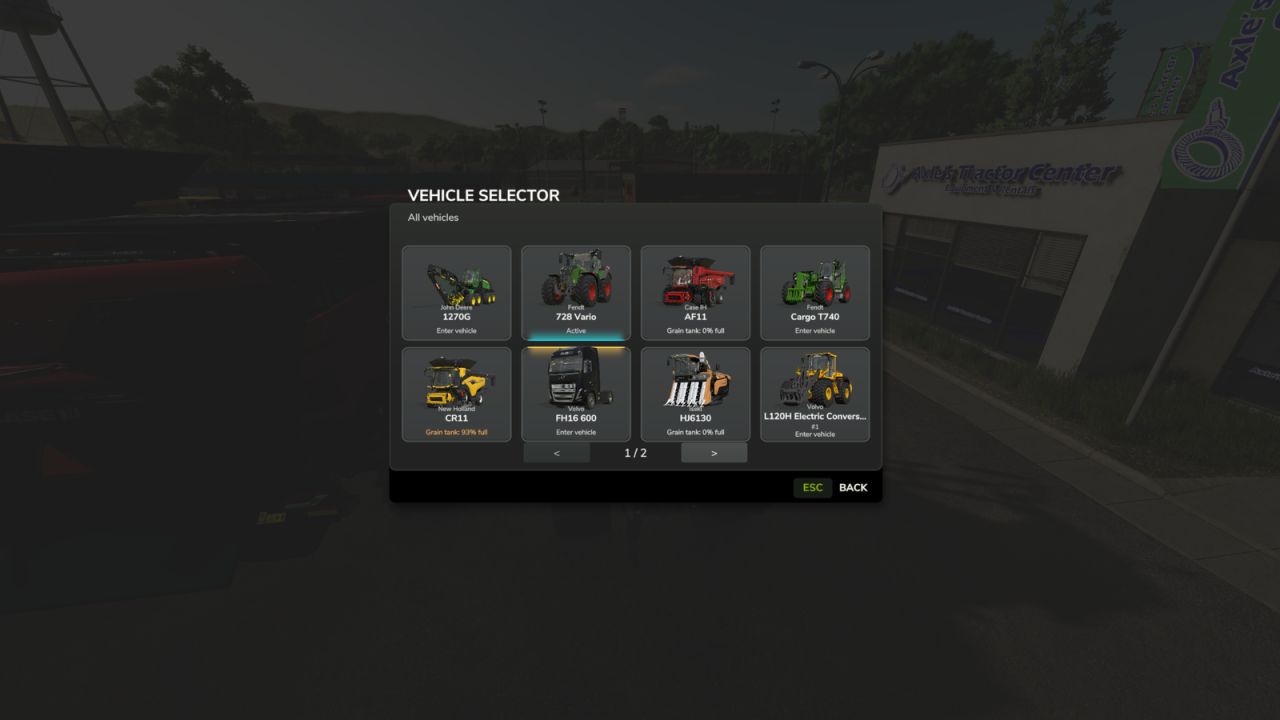
The currently controlled vehicle is highlighted in cyan, while vehicles with an active AI worker are marked in yellow. This allows you to immediately see which machines are currently in use.
Harvesters with a limited internal grain tank also display the current fill level directly on the vehicle tile, including color-coded warnings as the fill level increases.
The manufacturer and model are displayed on every tile. Larger vehicle fleets are automatically distributed across multiple pages.
Tip: For particularly quick access, the Vehicle Selector can also be assigned to a mouse thumb button or another freely assignable key.
The standard method of switching vehicles with the TAB key remains unchanged.
V1.0.1.1
Completely revised and modernized vehicle selection menu
New unified tile design in the style of the Farming Simulator user interface
New, consistent category icons for all vehicle classes
Categories: Tractors, Harvesters, Loaders, Transport, Special Machines/Self-Propelled, Forestry and Miscellaneous
The currently controlled vehicle and its category are now highlighted in cyan
Vehicles with an active AI worker are highlighted in yellow
Grain tank fill level for suitable harvesters is now directly visible on the vehicle tile
Color-coded warnings as the grain tank fills up
Manufacturer and model are displayed directly on the vehicle tiles
Automatic page navigation for larger fleets
No tile is automatically preselected when opening the menu
Improved English and German localization
Default key binding remains Left Alt + V
A freely assignable key or mouse button remains possible
Normal vehicle switching with TAB remains unchanged
Various graphical cleanups and minor optimizations
Unnecessary mipmaps removed from GUI-only textures
Old labels and files no longer required have been removed from the release
Please change the mod name from Vehicle Overview to Vehicle Selector.
The mod has been completely switched to the new name. The user interface, internal mod name, file name, GitHub repository and current release now consistently use Vehicle Selector.
Author: Elimods