Traffic Signs V1.0
Traffic Signs V1.0
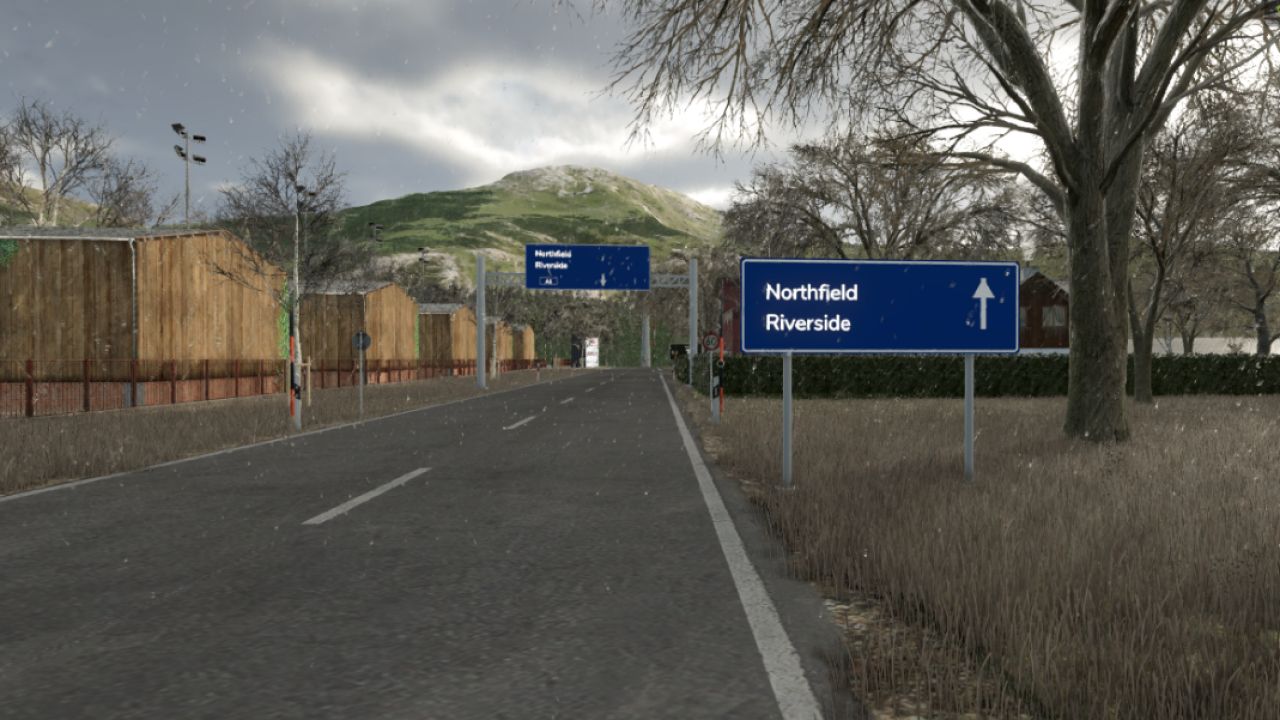
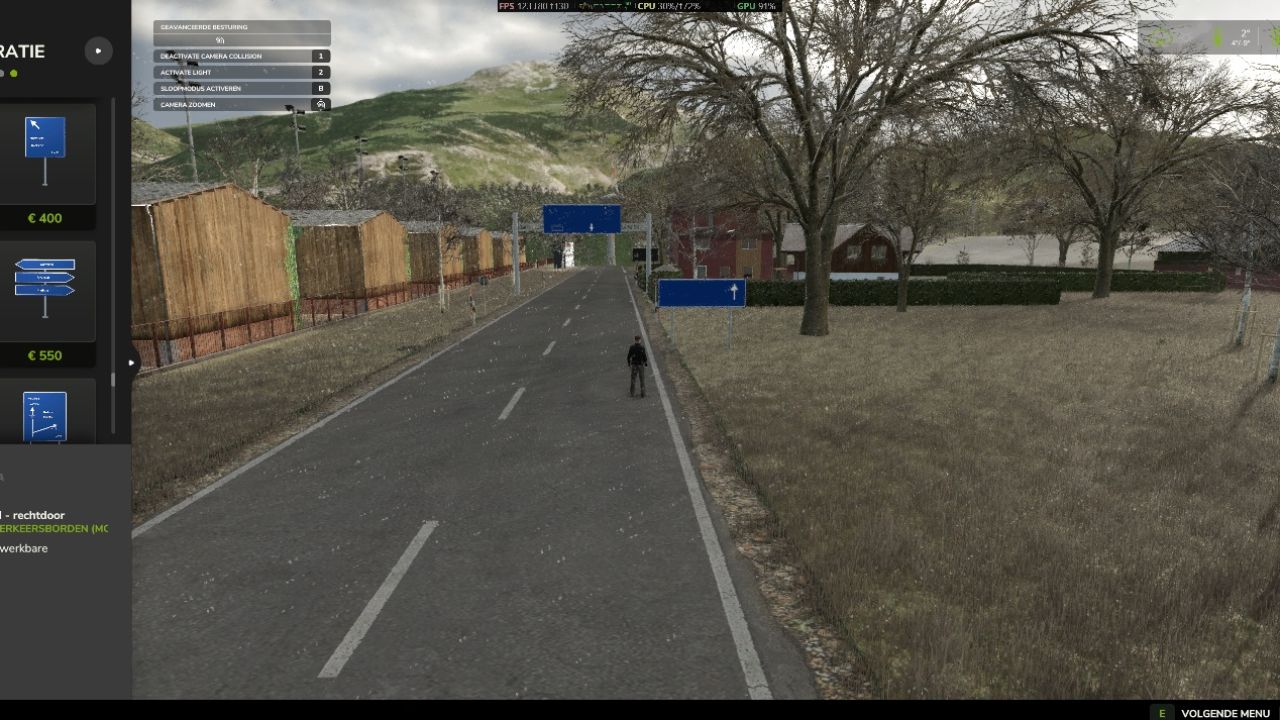
Give your map its own destinations with twenty placeable direction signs. Add custom town names, farms, industrial areas, selling points, road numbers, exits and distances directly in the game.
The pack includes arrow signs, direction panels, diagonal signs, stacked signs, advance signs, motorway signs, distance boards, exit markers, overhead gantries, a cantilever sign and a local direction panel.
Each destination can be edited individually. Empty fields are hidden and long names automatically scale to fit. Each field supports up to 48 characters.
Location: Construction > Decoration
Prices: 250 to 7,000
Daily upkeep: 0
Interface languages:
English
Dutch
German
French
PC/Mac script mod with multiplayer support. The server and all clients must use the same mod ZIP.
Editing
Walk close to a sign and use the “Edit destinations” action.
You can edit:
Destinations
Road labels
Exit numbers
Distances
For overhead gantries and cantilever signs, the edit point is beside the right support.
Arrow-shaped signs display text on both sides.
Placement
Land ownership is not required.
Signs cannot be placed with their foundations on active field ground or native road objects. Gantries can span roads if their supports remain outside the road area.
Normal building collisions, water restrictions and map boundaries still apply.
Road detection depends on the map’s native FS25 road and field data. Roads painted only onto terrain may not always be detected.
The signs are decorative and do not affect AI traffic, routes, speed limits, fields or land ownership.
Multiplayer
Players can edit nearby signs belonging to their own farm. Administrators can edit any nearby sign.
Edits are validated and synchronized by the server. Players joining later also receive the saved sign text.
Savegames
Text is stored individually with each placed sign.
FS25_TrafficSigns uses a different mod identity from FS25_TFU_TrafficSigns. Previously placed TFU signs are not automatically converted, so backing up your save before switching is recommended.
Models and prices
Arrow direction signs: 250
Direction panels: 350
Diagonal signs: 400
Three-arrow panel: 550
Advance signs: 900–950
Motorway exit sign: 1,100
Motorway split sign: 1,250
Distance board: 800
Exit marker: 450
Gantry with one panel: 6,000
Gantry with two panels: 7,000
Cantilever sign: 4,500
Local direction panel: 350
No additional sign limit is imposed by the mod.
Author: dafke