Inventory Backpack V1.0
Inventory Backpack V1.0
Inventory BackPack — Everything you need is always with you!
Tired of carrying items one at a time? Constantly going back for things you forgot? Using an entire vehicle just for a few small items?
Now you have your own backpack in Farming Simulator 25!
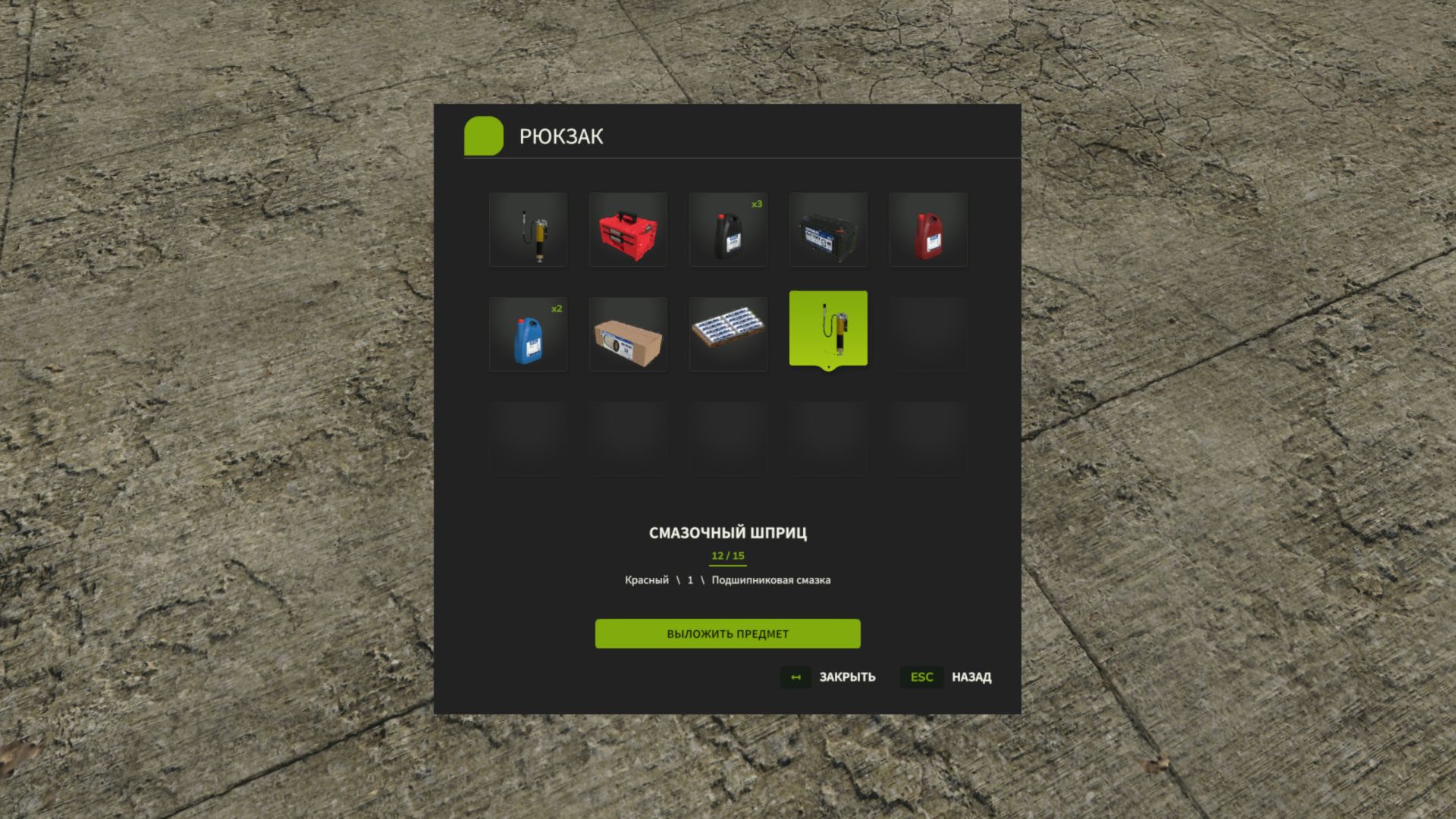
Inventory BackPack adds a fully functional personal inventory to the game, allowing you to carry several items at once and use them wherever they are really needed.
No more unnecessary running around or endless trips for small items. Simply gather everything you need, put it in your backpack and get on with your work!
What does Inventory BackPack offer?
15 item slots. Carry tools, canisters, small boxes, spare parts, consumables and other compatible portable objects.
Personal inventory. Each player has their own backpack with their own contents.
Full multiplayer support. Play together with your friends, including on dedicated servers.
Item saving. The backpack contents are saved separately for each player and each savegame.
Convenient controls. Select items using the mouse or keyboard and take them out whenever you need them.
Clear interface. Icons, names and configurations make it easy to quickly find the item you need.
Grouping of identical items. Keep your inventory organized.
Compatibility with other mods. The backpack can store suitable portable items added by third-party modifications.
One backpack — countless possibilities!
Working far from the farm? Take the necessary supplies with you.
Servicing machinery? Prepare a set of tools and consumables.
Using mods with additional items, such as Advanced Damage System? Carrying them is now much more convenient.
Or do you simply want to collect several small items without running back for each one individually?
The backpack will come in handy in practically any situation!
Simple controls
I — open or close the backpack.
Y — put an item in the backpack.
Mouse / arrow keys — select an item.
Enter — take out the selected item.
Esc — close the menu.
Convenience without sacrificing realism
Inventory BackPack does not turn the player into a mobile warehouse and does not let you carry tractors in your pocket.
It is designed for ordinary portable items that you could reasonably take with you on the way.
No virtual deliveries or cargo teleportation — just you, your backpack and the things you decided to take with you!
Less running around. More possibilities. More enjoyment of the game!
Inventory BackPack — the small feature Farming Simulator 25 was missing!
Author: Vovainter