Crop Rotation Calendar V1.0

Crop Rotation Calendar V1.0
ATTENTION! This calendar is intended exclusively for players who have set their game to a minimum of 15–28 days per month! It is designed with a focus on realism; consequently, it includes certain steps that may not make sense from a purely gameplay perspective, but are necessary when considering real-life agricultural practices.
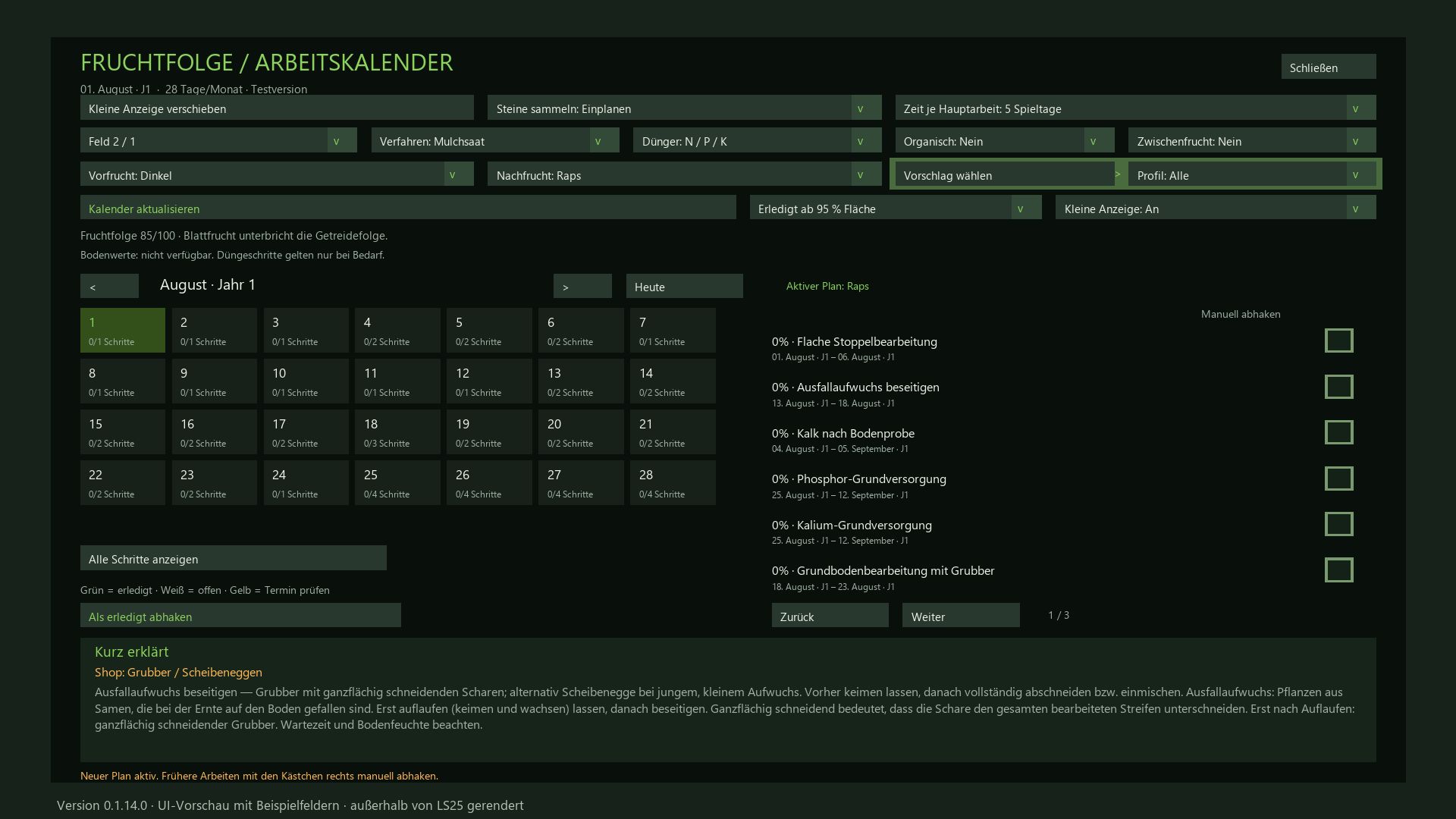
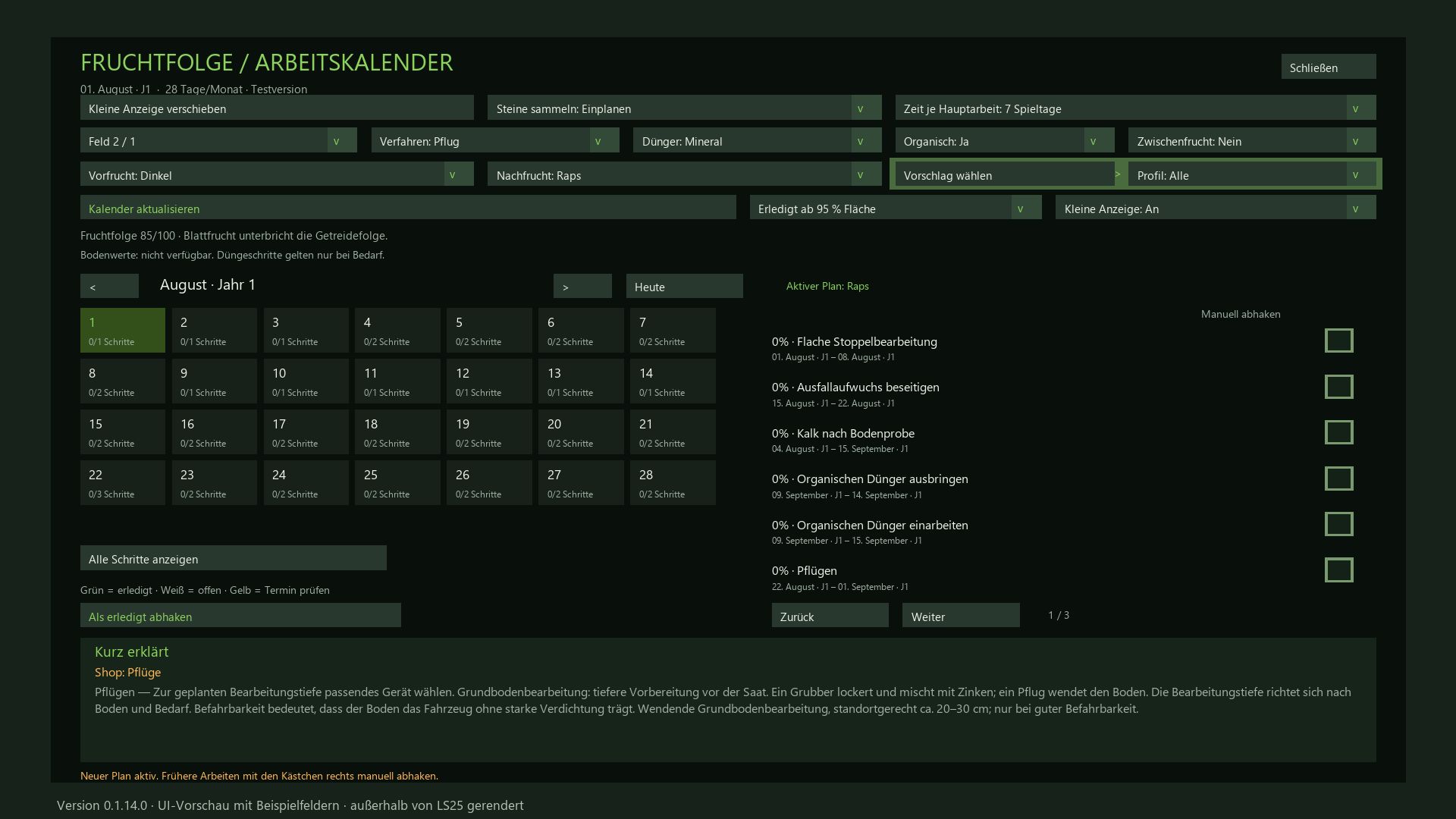
Crop Rotation & Work Calendar for FS25
Plan the next crop and the corresponding field operations for each of your fields—from stubble cultivation to harvest. This mod integrates crop rotation scoring, a daily calendar, equipment recommendations, and automatic progress tracking.
Crop Rotation and Planning
Select a field, the preceding crop, and the following crop.
The scoring system (up to 100 points) takes into account plant families, cultivation intervals, and the field’s known cropping history. Cultivation profiles filter the available options for the following crop; selecting “All” allows for the free choice of any available crop. For each profile, the system displays how many crops achieve a score of over 80 points. The “Select Suggestion” feature recommends a profile without altering your chosen following crop.
Appropriate Workflows
Choose between mulch tillage, conventional plowing, or direct seeding. Depending on the crop and your settings, the calendar accounts for:
Mulching harvest residues, cultivating stubble, and removing volunteer growth.
Cultivating or plowing, optional stone picking, seedbed preparation, and sowing.
Liming, as well as mineral and organic fertilization (including incorporation into the soil).
Cover cropping, rolling, weed control, and harvesting.
Monitoring crops for diseases and pests. (Note: Specific pest treatment/spraying is not currently included.)
Not every operation is scheduled for every crop. Simplified maintenance workflows are provided for grassland and certain specialty crops. More time for your fields
Designed for a 15–28 day month, with selectable work windows of 3, 5, 7, or 10 in-game days. Waiting periods and buffer times are taken into account. Sowing and harvesting windows are pulled from the map data whenever possible; otherwise, they are based on predefined standard values.
The daily calendar displays scheduled tasks, progress, and overdue work. Clicking on a specific day filters the task list. You remain responsible for assessing weather conditions, field accessibility, and the actual needs of your crops.
Automatic detection or manual confirmation
Successfully completed field operations are tracked automatically, including work performed by AI helpers. Repeated passes over the same area are not counted multiple times. You can set the completion threshold at 85%, 90%, 95%, or 99% of the field area covered.
You can also manually confirm tasks or reopen them using the checkboxes—useful, for example, for fields that were already worked on before installing the mod. Optional steps can be marked as “Not applicable.”
Fertilization and equipment guidance
Choose between a combined view for mineral fertilizers or separate steps for N, P, and K. Liming is tracked independently. Organic fertilization and stone picking can also be included in your schedule.
For “Realistic Soil & Fertilizer,” an optional integration is available to display soil data. This external mod is not included and is not required for the calendar to function. The system does not calculate specific, mandatory fertilizer application rates.
A dedicated “Quick Guide” section provides explanations for technical terms and work steps when you hover your mouse over them. Relevant shop categories and alternative equipment options are listed in a separate row.
Keep an eye on all your fields
A small, movable display—visible outside of the ESC menu—shows all pending tasks for the current day across all your planned fields. The information section displays 350 randomly rotating agricultural facts, providing background knowledge along with details on the relevant country or continent.
Available in 18 languages, including German, English, French, Polish, Czech, Ukrainian, and the Scandinavian languages.
This mod serves as a planning aid and does not alter crop yields or actual soil values.
Required mods:
Realistic Soil & Fertilizer
Author: Enton1991