Realistic Harvesting V1.6.4.1
Realistic Harvesting V1.6.4.1
Realistic Harvesting for FS25
Transform your harvesting experience into true agricultural simulation! Combines can no longer unrealistically sprint at full speed through dense crops without consequences. Working speed, engine load, and yield efficiency are dynamically driven by crop density, cutting width, moisture, and your machine’s mechanical calibration.
Key Features
Physics-Based Engine Load & Speed: Ground speed dynamically adapts based on harvested crop mass (t/h), header width, and vehicle horsepower. Overloading the engine or using incorrect settings results in real grain loss.
All Machine Types Supported: Fully calibrated physics for Grain Combines, Forage Harvesters (chaff/silage), Root & Vegetable Harvesters (potatoes, beets, carrots, parsnips, spinach, peas), Cotton, and Sugarcane.
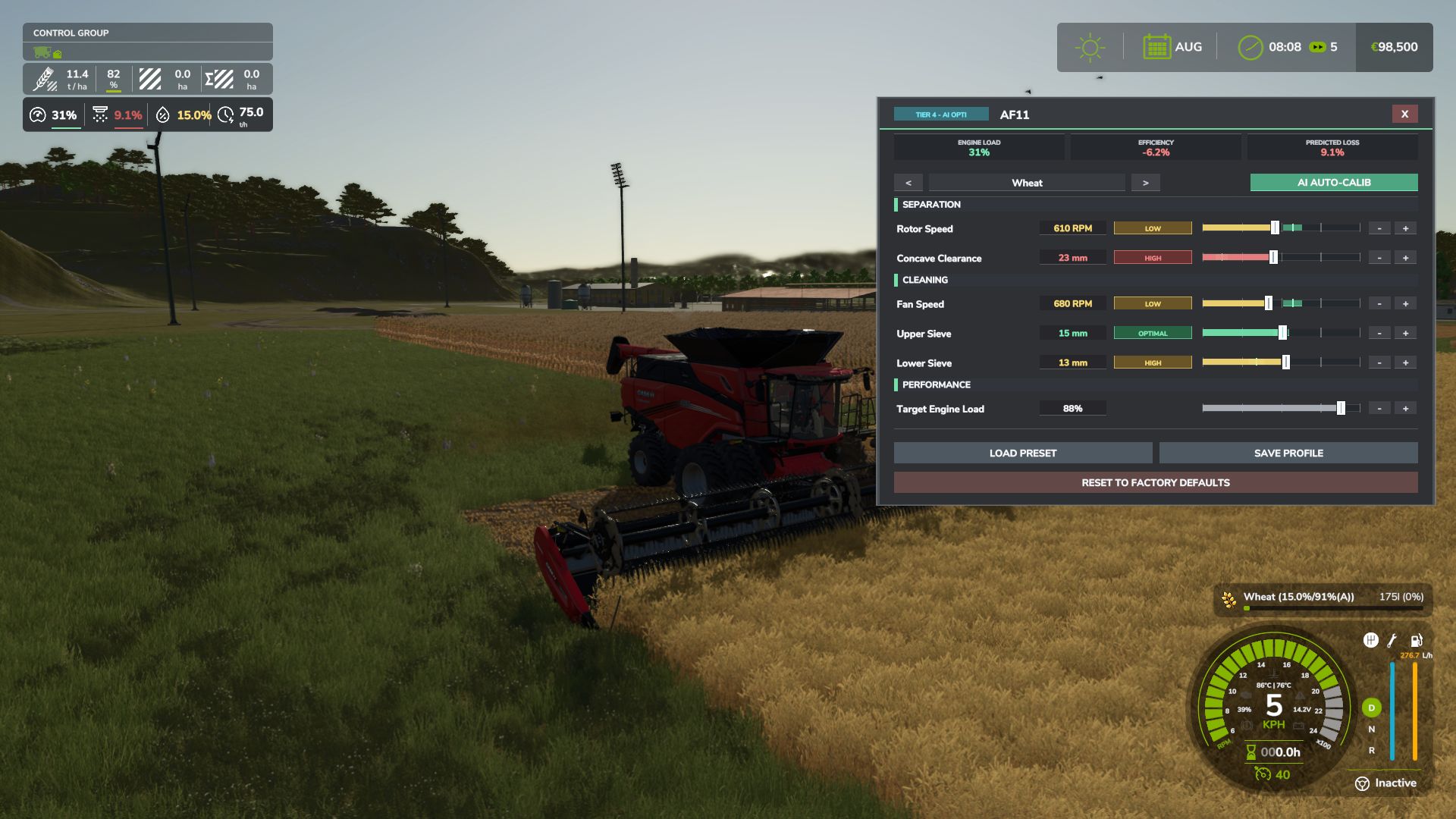
Interactive Combine Calibration (`RShift + K`): Calibrate Rotor/Drum RPM, Concave Clearance, Fan Speed, and Sieves for each crop. Correct settings ensure maximum yield and minimum loss.
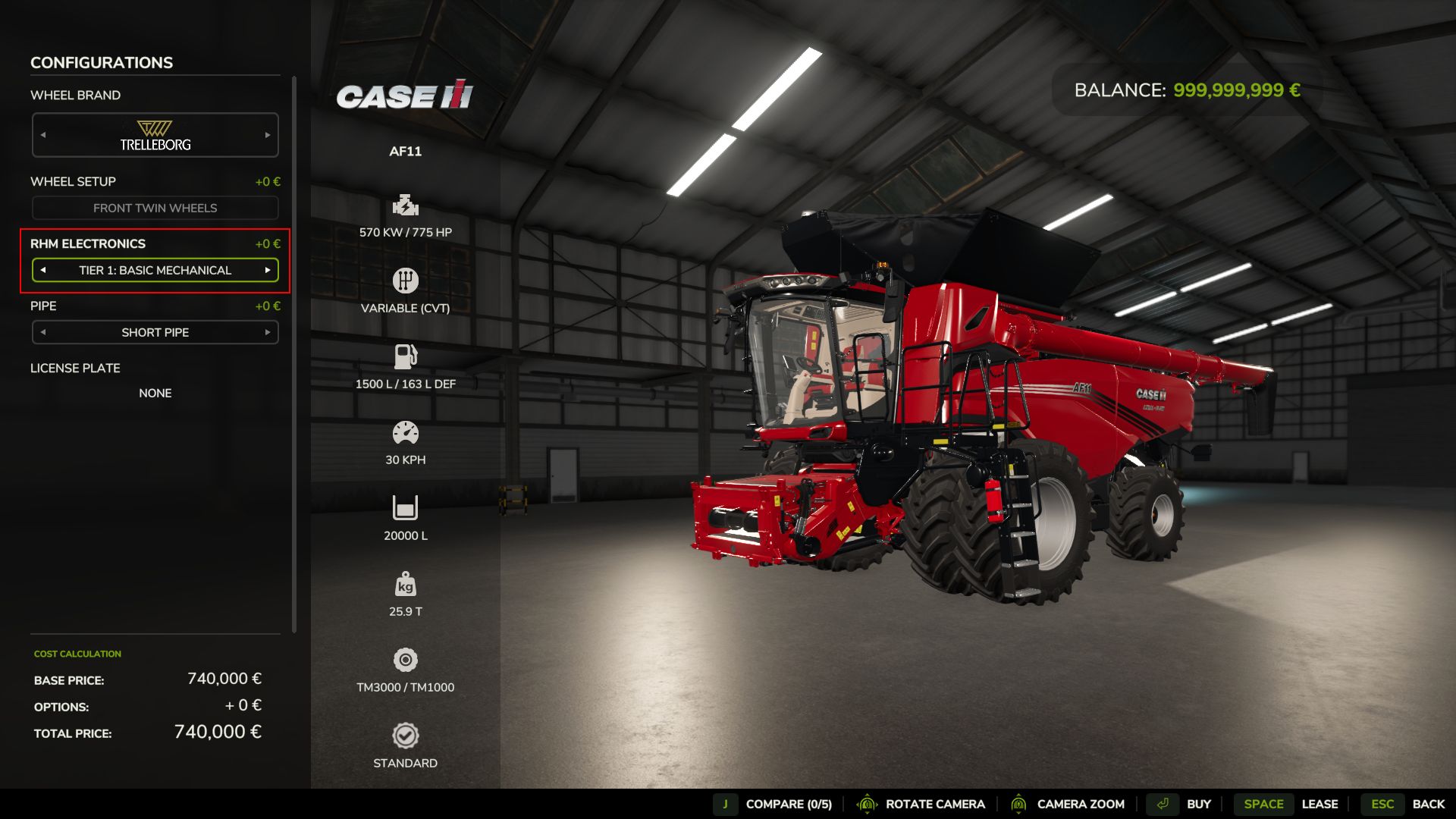
Workshop Upgrade Packages (Tiers 1–4): Upgrade your combine at the shop:
Level 1 (Standard): Fully manual operation.
Level 2 (Sensor Kit): Displays calibration guidance hints (low / optimal / high).
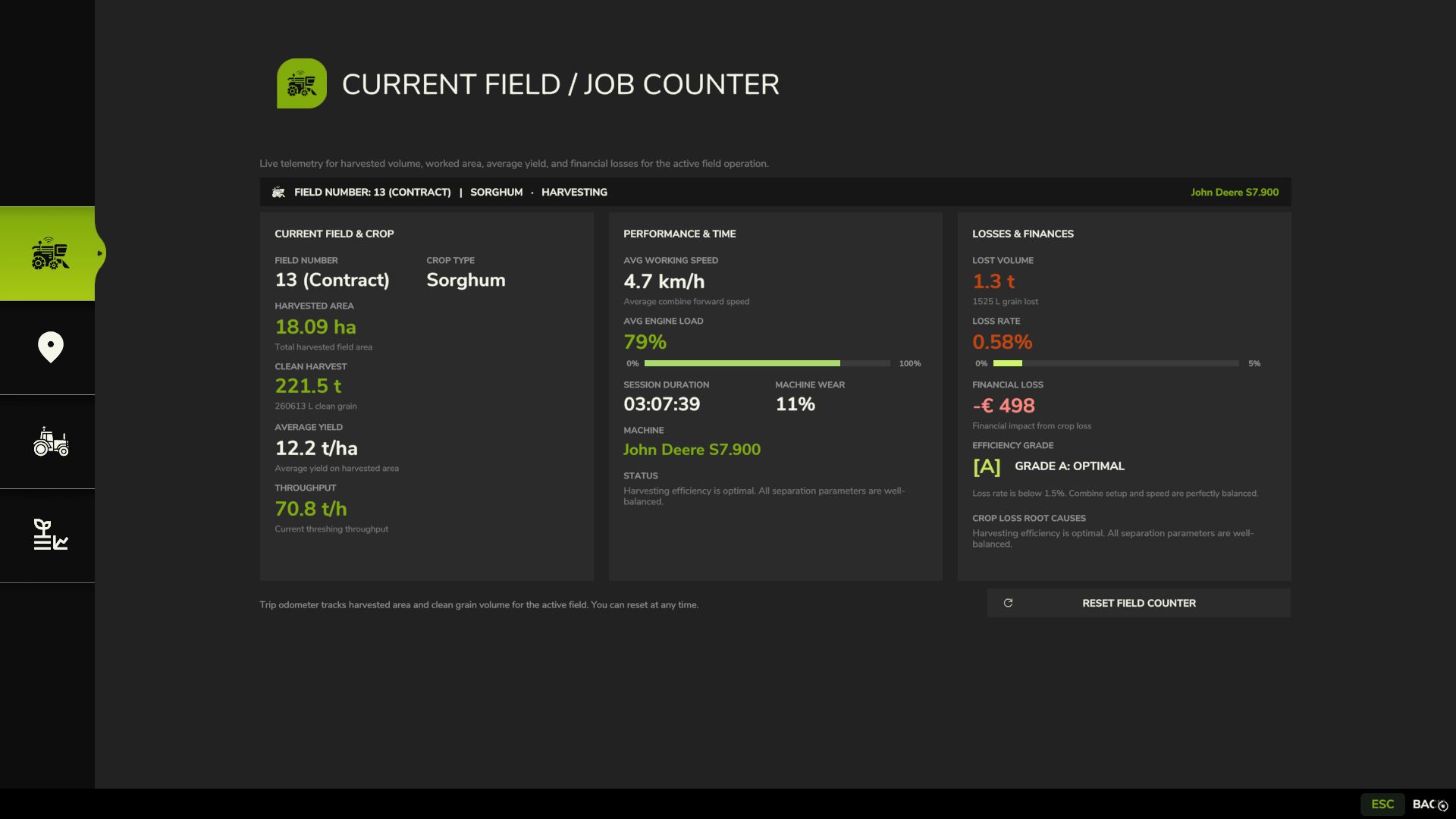
Level 3 (Yield Monitor): Real-time yield (t/ha, bu/ac), area rate (ha/h), and moisture telemetry.
Level 4 (Opti-Harvest AI): Automatic settings calibration and automated speed management.
AI & Courseplay Compatibility:** AI helpers and Courseplay workers automatically utilize your saved profiles or optimal calibrations.
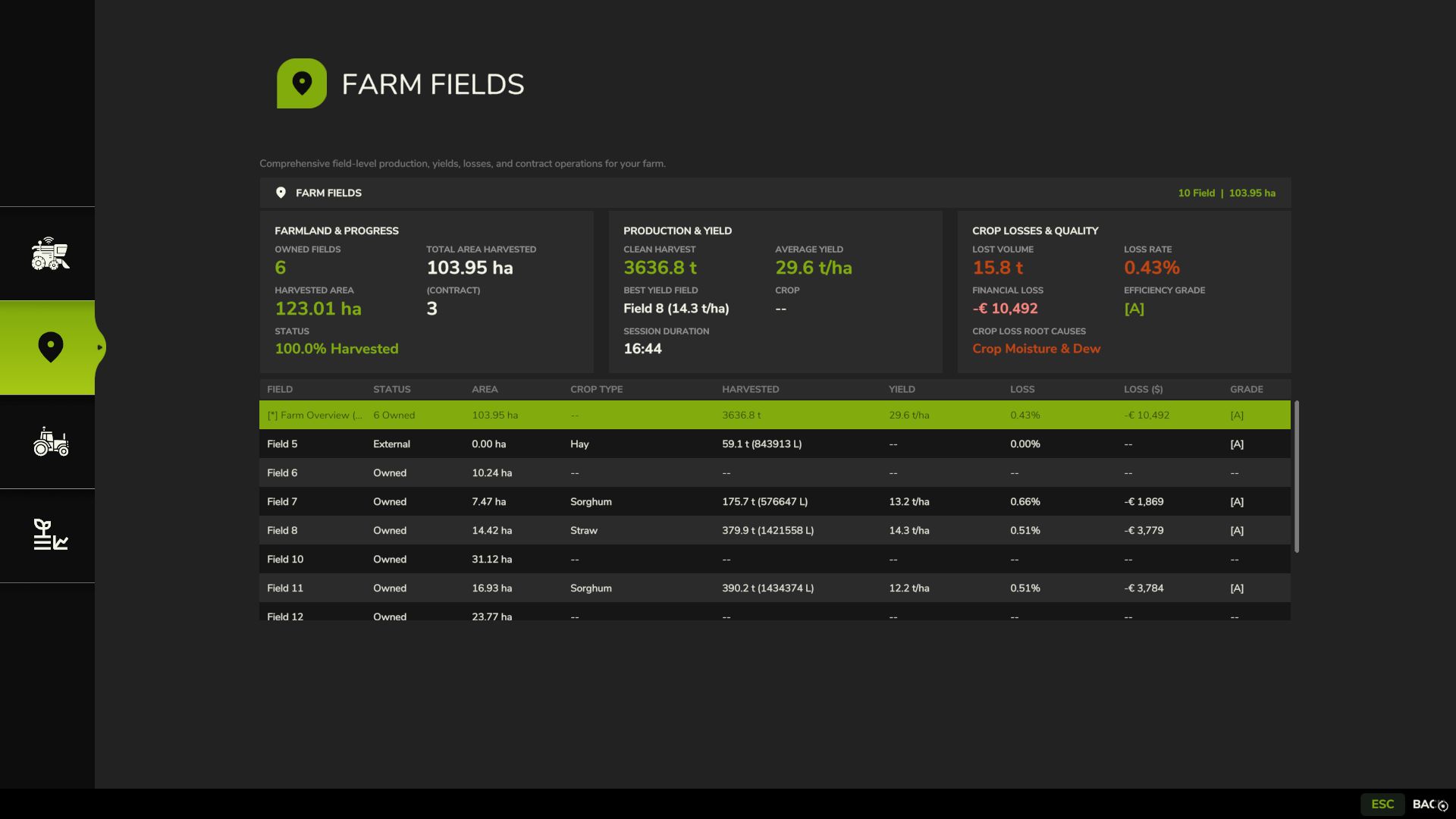
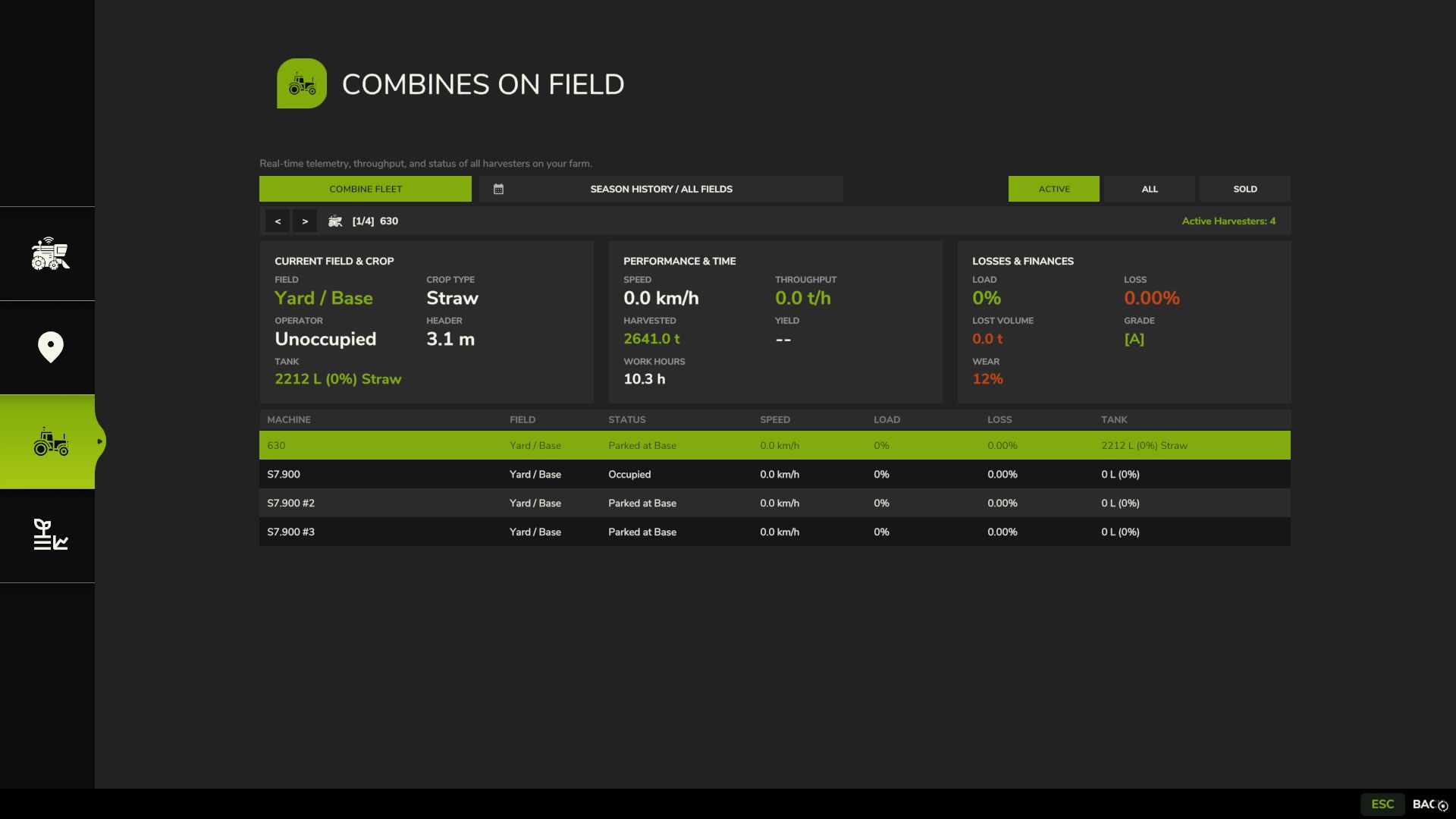
Draggable HUD: Clean, movable on-screen display showing live Engine Load, Productivity (t/h, ha/h), Crop Loss %, and Moisture.
Global Crop Profiles: Save your favorite tuning once — profiles automatically load across your combines and savegames.
3 Difficulty Modes (ESC Settings): Choose between Arcade (relaxed), Normal (balanced), or Realistic (strict physical limits and penalties).
V1.6.4.1
– FIXED: Harvester calibration hotkeys (Shift+K), HUD toggle (Shift+H), and Harvest Diary (Shift+J) response when attached implements (headers/cutters) are selected in the vehicle tool chain via native interaction and activation flags.
– FIXED: Modular harvesters and system carriers (NEXAT / NEXCO) threshing system classification: the NEXCO combine module is now accurately recognized and displayed as Axial Rotor instead of falling back to straw walkers.
– FIXED: Live harvest telemetry, speed regulation, and header lowering detection on modular multi-vehicle and gantry harvesting platforms where cutters are mounted to the motorized carrier rather than the threshing module directly.
– IMPROVED: Expanded automatic combine classification for modded and serial grain harvesters, adding support for Torum, Gleaner, Tribine, New Holland CH Crossover, Case IH AF series, and classic conventional harvesters.
– IMPROVED: Deep 3D model node inspection (i3dMappings) for custom modded combines that lack standard animation tags, ensuring machines with physical rotor or axial components are reliably identified.
– FIXED: An issue where switching between combines (e.g., from Tier 4 to Tier 1) left calibration terminal (Shift+K) bound to the previous machine, falsely displaying Tier 4 settings.
– FIXED: Shift+K calibration terminal failing to open on modular carrier harvesters whenever an attached header/cutter implement was selected.
– REMOVED: Grain Threshing Subtypes Removed the division of grain combines into `walker`, `rotor`, and `hybrid` subtypes, unifying all conventional grain harvesters under a single `”grain”` standard.
– REASON FOR REMOVAL: Fragile name-matching lists and complex XML animation node lookups frequently failed on modded combines, causing false classifications, XML callstack warnings, and inconsistent power balance. Unifying grain combines into a single robust model guarantees 100% stability across all vanilla and modded harvesters without affecting forage, root crop, or specialty harvesters.
Author: exekx