Dynamic In-Cab Camera & Quick Look v1.0.0.7
Dynamic In-Cab Camera & Quick Look v1.0.0.7
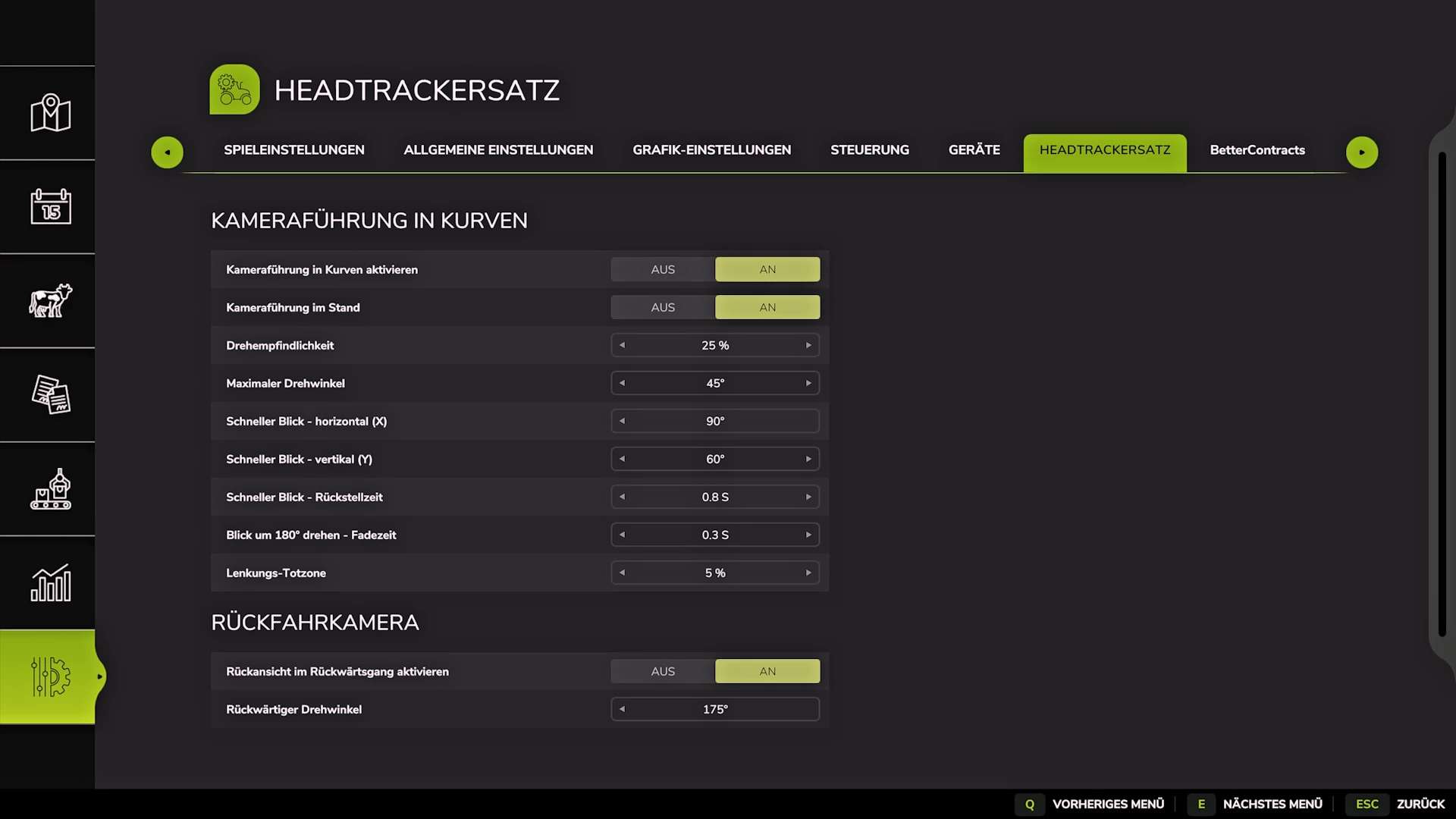
This mod acts as an alternative to a head tracker, automatically turning the in-cab camera according to the vehicle’s steering angle. It also offers quick looks in all directions and an adjustable camera seating position. Compatible with single-player and multiplayer.
Version 1.0.0.7
FIX: Fixed an issue that could cause Lua call stacks on multiplayer servers.
FIX: Camera positions are now correctly saved for each user and vehicle.
Installation
Copy the mod into your mods folder and enable it in your savegame.
Features
Steering-based camera movement: The interior camera follows the vehicle’s steering angle, similar to the feature in the earlier VCA mod.
Quick Look: Assign keyboard buttons or joystick controls to look up, down, left, right, or behind you.
Adjustable seating position: Move the camera up, down, left, right, forward, or backward directly in the game.
Available Settings
Enable Camera Tracking: Turn steering-based camera movement on or off.
Camera Tracking While Stationary: Choose whether the camera follows the steering angle when the vehicle is stopped.
Rotation Sensitivity: Adjust how strongly the camera responds to steering input.
Maximum Rotation Angle: Set how far the camera can turn in either direction.
Horizontal Quick Look: Set the camera’s left/right quick-look angle.
Vertical Quick Look: Set the camera’s up/down quick-look angle.
Quick Look Return Speed: Adjust how quickly the camera returns to the steering-based viewing direction after a quick look.
180° Turn Speed: Adjust how quickly the camera turns to look behind you.
Steering Deadzone: Set how much steering input is required before the camera starts turning.
Automatic Rear View in Reverse: Choose whether the camera automatically looks backward when reverse gear is engaged.
Controls
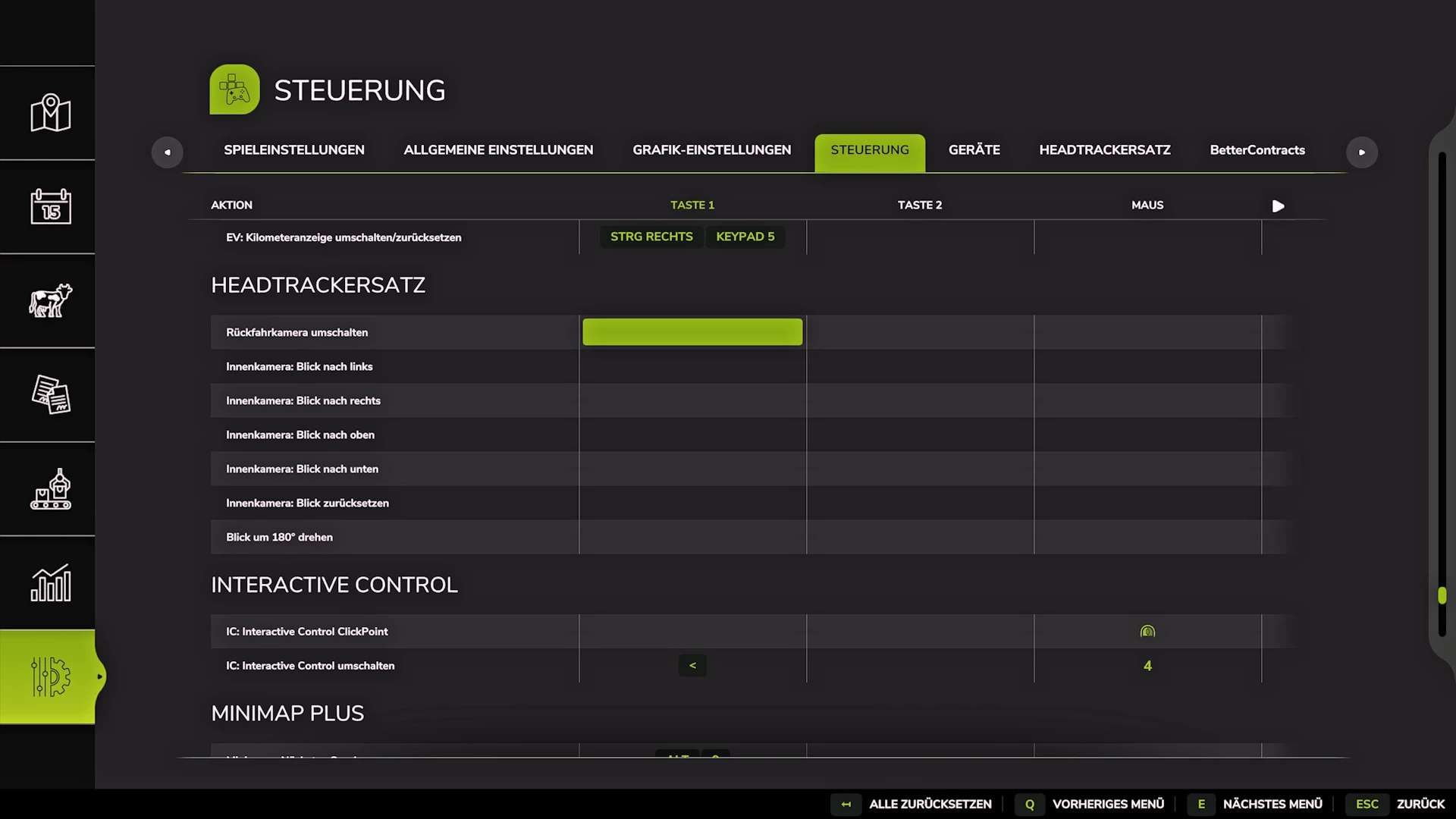
Keyboard and joystick bindings can be freely assigned in the game settings. No default bindings are assigned to avoid conflicts with other active mods.
Camera position adjustments use the following fixed controls:
Mouse wheel up/down: Move the camera up/down.
Left Shift + mouse wheel up/down: Move the camera forward/backward.
Left Ctrl + mouse wheel up/down: Move the camera left/right.
Compatibility
Tested in both single-player and multiplayer.
Author: duke8992