My CUMA V1.0
My CUMA V1.0
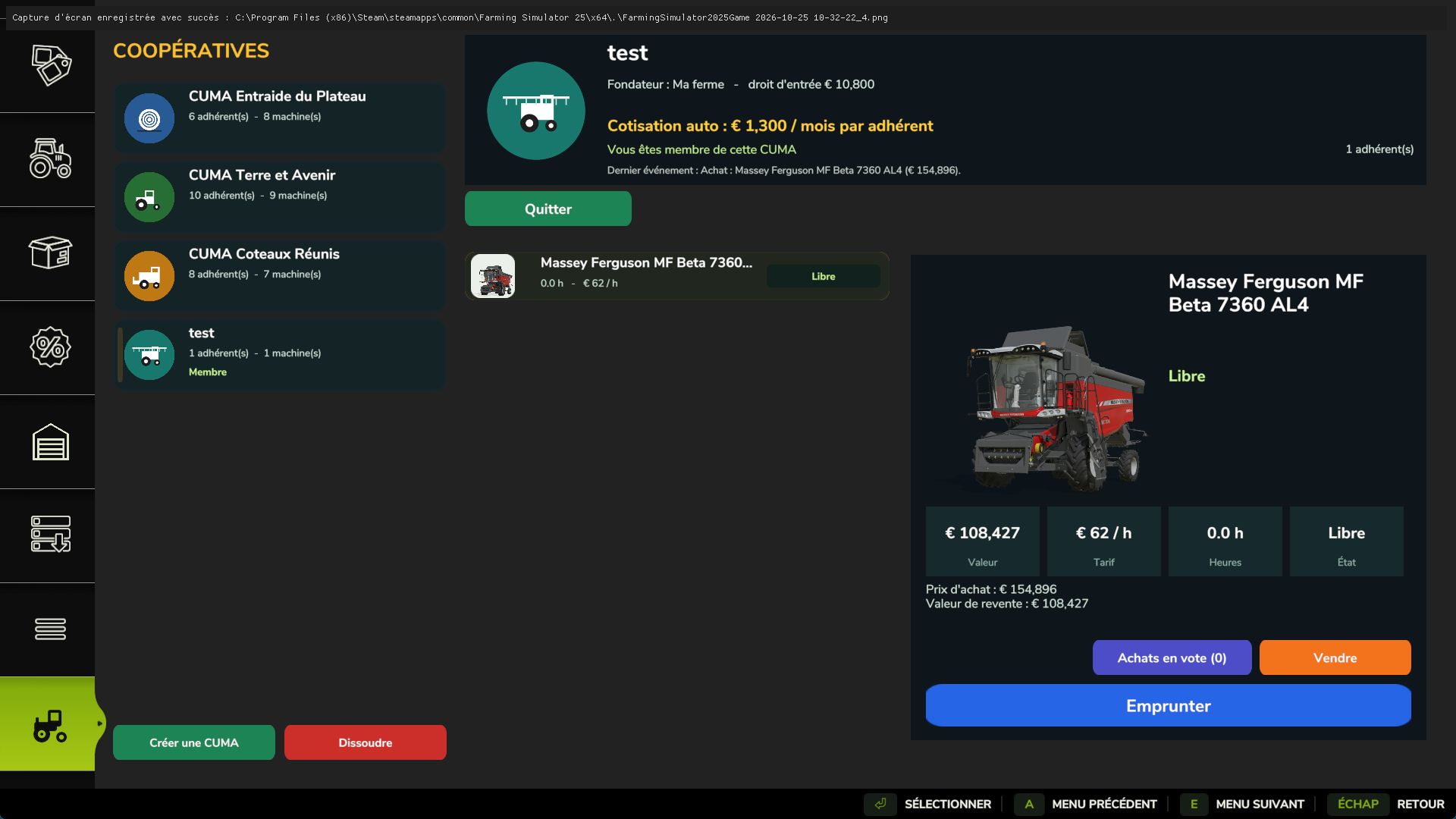
My CUMA: found your agricultural machinery cooperative, just like in real life!
Share equipment with other farmers, buy together and borrow machines by the hour.
FEATURES
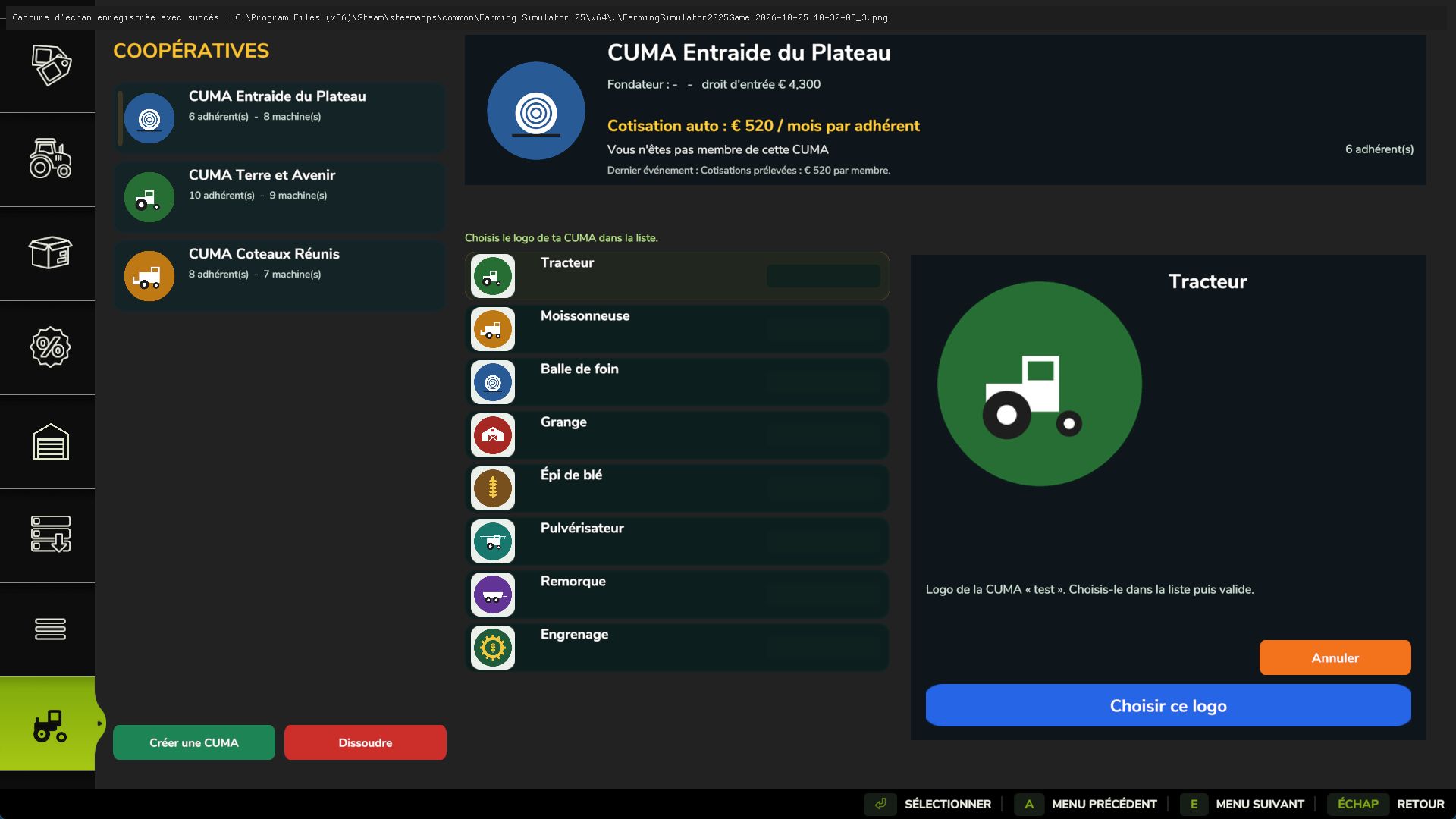
Found your own CUMA (€10,000) and choose its logo from 8 options.
Join one or more CUMAs (up to 4) by paying an entry fee based on the value of the equipment fleet.
Automatically calculated monthly fee: the more members there are, the less each person pays.
Neighboring farmers gradually join your CUMA.
Purchases are decided by a vote among the members.
Borrow a machine from the CUMA: it arrives at the store’s delivery point and you are charged by the hour of use.
3 starting CUMAs with suitable equipment and members.
Single-player and multiplayer.
HOW TO BUY EQUIPMENT FOR THE CUMA
1. Open the “My CUMA” tab in the store, choose your CUMA from the list on the left and click “Join” (or found your own with “Create”).
2. Simply go to the store and choose the vehicle or tool, with its options just like a normal purchase (machines on sale also work).
3. Next to the “Buy” button, click “Propose to CUMA” and confirm.
4. Members vote in the “My CUMA” tab, under the “Purchases up for vote” button: “Vote for” or “Vote against”.
5. If the majority votes in favor, the machine automatically becomes part of the CUMA’s fleet. It is paid for from the shared funds, not from your personal money.
HOW TO BORROW A MACHINE
In the “My CUMA” tab, choose a machine from the fleet and then select “Borrow”. It appears at the store’s delivery point. When you are finished, select it and click “Return”: you will be charged for the hours of use.
Inspired by the “Cuma_partage” mod (CUMA Shared Equipment) by FarmTV. Code, interface, images and icon completely rewritten.
Author: nolan85