Real Power Train V1.0
Real Power Train V1.0
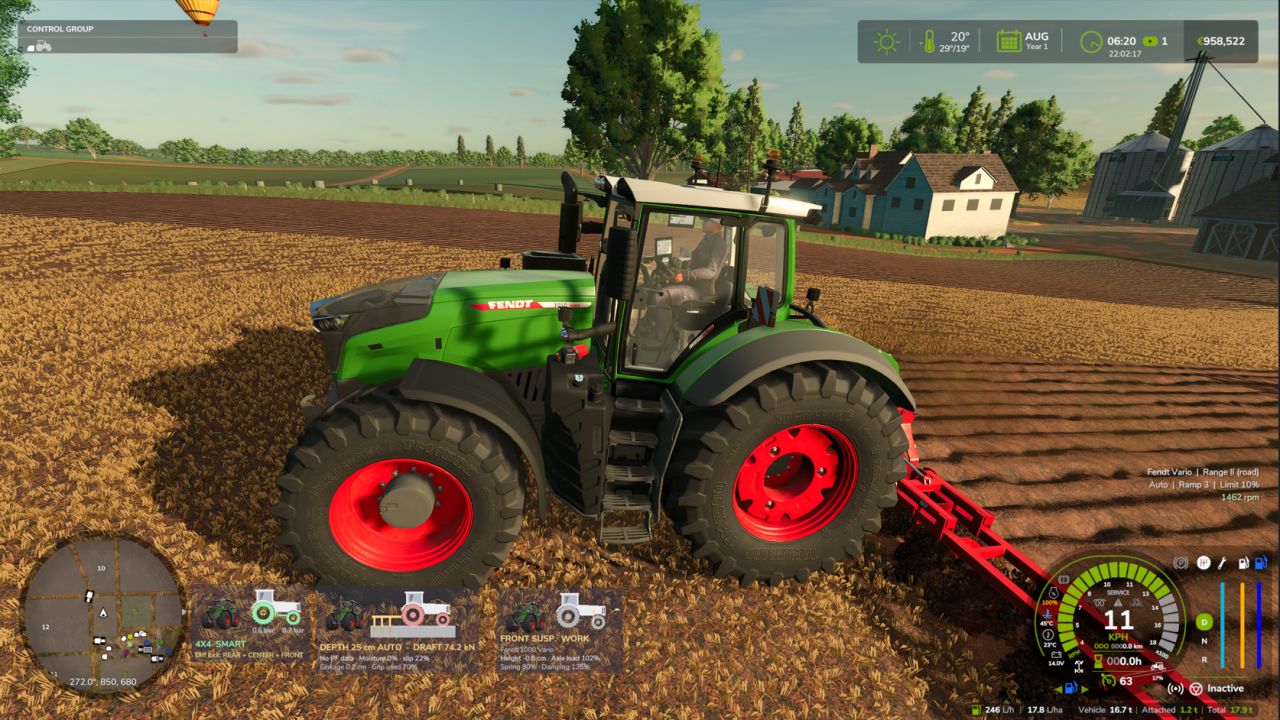
Realistic CVT per brand: Fendt Vario and MF Dyna-VT with 2 manual ranges (field / road, change only at standstill); CVXDrive (Case IH, Steyr, New Holland), JD AutoPowr, CLAAS CMATIC, Deutz TTV, Valtra Direct and Kubota KVT with 4 automatic ranges and almost unnoticeable shifts.
Engine / transmission management Auto (economy, low rpm at transport speed) or Power, limit load, acceleration ramps 1-4.
Hand throttle with two rpm memories A / B (saved with the savegame), like real tractors.
Power-split efficiency: more losses in the hydrostatic part, which shows in pulling force and fuel use.
Engine under load: with the PTO working the engine drops a little instead of being locked at PTO rpm.
Hydraulics raise the engine rpm (tipping, loader, linkage, folding) and return to idle afterwards.
Own window (Left Alt + P): Transmission tab with live rpm and target, engine load, efficiency, hydrostatic share and a range strip; Settings tab (modules, which vehicles, CVT profile per brand, applied at once); Panel tab (on / off, text size, move with the mouse).
The CVT module turns itself off if CVT Addon, RealismAddon Gearbox or VCA is active.
Zasty HUD shows the range and the hand throttle; the panel hides when the HUD is active.
Multiplayer supported.
KEYS (default)
Left Alt + P: Real Powertrain window
Left Alt + Up / Down arrow: Hand throttle (hold)
These are the default keys. If one of them is already used by the game or by another mod, go to Options > Controls and set the key you prefer, to avoid conflicts.
Author: zasty chalk