Cab Cinematic V0.2.8

Cab Cinematic V0.2.8
A Farming Simulator 25 mod that adds enter-and-exit animations for vehicles. It’s a standalone mod that doesn’t require any vehicle modifications and works with base game vehicles and mods.
It enhances immersion by allowing players to see their character physically get in and out of vehicles instead of instantly switching perspectives. The animations are smooth, seamless, and designed to fit naturally into the gameplay experience.
Important
This mod is still in development. Features may change, evolve, and be improved over time as development progresses.
Supported Vehicles (WIP)
Tractors
– Small Tractors
– Medium Tractors
– Large Tractors
– Track Tractors
Combines
– Harvesters
– Forage Harvesters
– Sugar Beet Harvesters
– Olive Harvesters
– Grape Harvesters
– Sugarcane Harvesters
– Rice Harvesters
– Potato Harvesters
– Cotton Harvesters
– Windrowers
– Vegetable Harvesters
– Green Bean Harvesters
– Pea Harvesters
– Spinach Harvesters
– Beet Loaders
– Rice Planters
– Nexat
Loaders
– Wheel Loaders
– Front Loaders
– Forklifts
– Skid Steers
Telehandlers
– Standards
– Moving cabs
Fertilizers
– Sprayers
– Slurry tanks
Forestry
– Harvesters
– Forwarders
– Excavators
– Others
Road Vehicles
– Trucks
– Cars
– Bikes
– Others
Known bugs
Conflict with mod FS25_MoreVisualAnimals : No enter animation (WON’T FIX)
Camera flickering when entering and leaving a vehicle
Key bindings
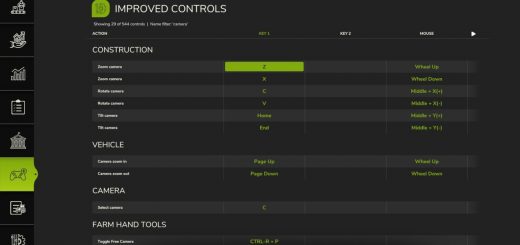
Skip current animation : Press enter/leave vehicle key to skip the current animation and immediately switch to the vehicle.
Pause/Resume cab cinematic : Maintain left alt to pause/resume the cab cinematic animation when it’s active.
Run : Maintain run key to increase animation speed temporarily
Author: TempletonPeck