
Utility Pole Plant v1.0


Utility Pole Plant v1.0
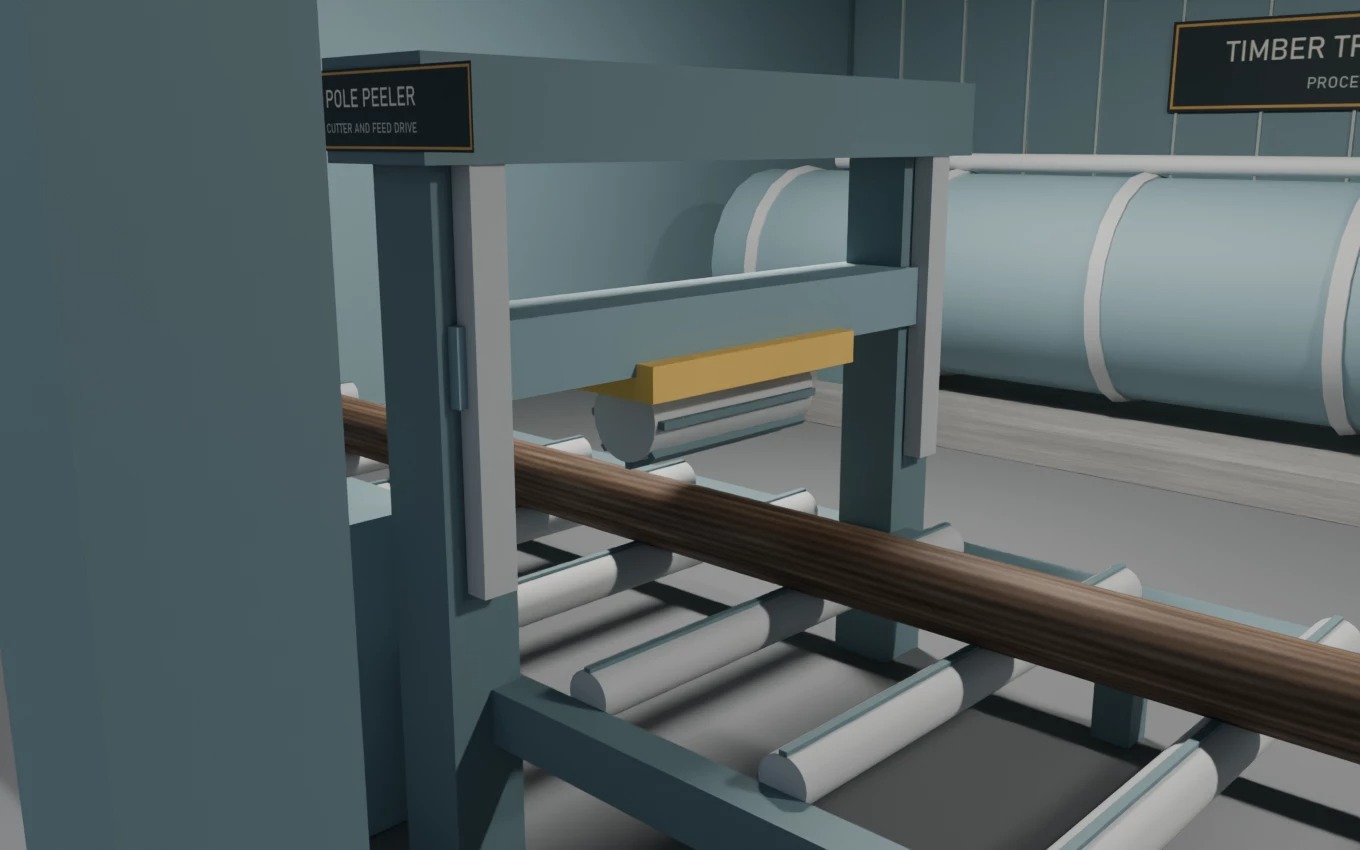

Turn cut logs and bulk steel into utility poles at a placeable FS25 factory with animated machinery and nine rear pickup slots.

INSTALLATION
Download both ZIPs and place them unopened in your FS25 mods folder. Enable Utility Pole Plant, Utility Poles, and RGC Productions in your save. RGC Productions is a separate dependency that supplies steel. PC multiplayer is enabled in both ZIPs. Use matching versions of both ZIPs and RGC Productions on the host or dedicated server and on every player PC. Package and simulated dispatch and animation checks passed. Live multiplayer and dedicated-server gameplay are unverified.

HOW TO PLAY
Place the plant under Construction → Production → Factories. Bay 01 automatically receives cut logs. Unload liquid fertilizer in Bay 02 and bulk steel in Bay 03. Activate a recipe and leave its output on Storing. Collect finished poles from the rear racks with a grapple. Each pole type has three slots.
Make 10 m standard treated wood, 14 m heavy-duty treated wood, and 12 m galvanized steel poles. The poles are factory outputs and are hidden in the purchase menu.
Plant v0.1.5.0, Poles v0.1.3.0
Created by HurricaneHirtle. CC0 Poly Haven asset credits are included in the ZIPs.


Author: HurricaneHirtle

Report bugs in the comments and help modders improve this mod. Always check the comments, you can find a solution.


Helpful Information: How to install FS25 mods | FS25 System Requiremnts | FS25 Modding Tutorial | Giants Editor for FS25 | How to Convert mods | FS25 Cheats

More Placeable objects mods


About Farming Simulator 25 mods
Farming Simulator 25 supports game modding for PC, Xbox, or PS5. FS25 Mod may change your game from small to complete changes. You can create a Farming Simulator 25 mod file and share it with our community. When is a good time to try Farming Simulator 25 mods? We recommend playing a game with these FS25 mods after you finish the Farming Simulator 25 starting pack and are bored with the game basics. So it's time to try new machines, such as harvesters or tractors, which are not included in the basic game version.
As you already know, Farming Simulator 25 developers support mods installation, which will add more vehicles or lands to your game. Check our Best FS25 mods lists for PC, Mac, PS5 or Xbox Series. Just follow these simple steps: choose the LS25 mods category, download the mod for the Farming Simulator 2025 version, and install it into the mod folder. Remember, all Farming Simulator 25 Mods are free, and download as many as you want with no limits. We want to create one of the biggest Farming Simulator 25 Community and invite you to share FS25 mods with everyone.

Leave a Reply

Do you need help or to say thanks to the mod author? Just leave a comment below!
