
GPS Extended V1.0


GPS Extended V1.0


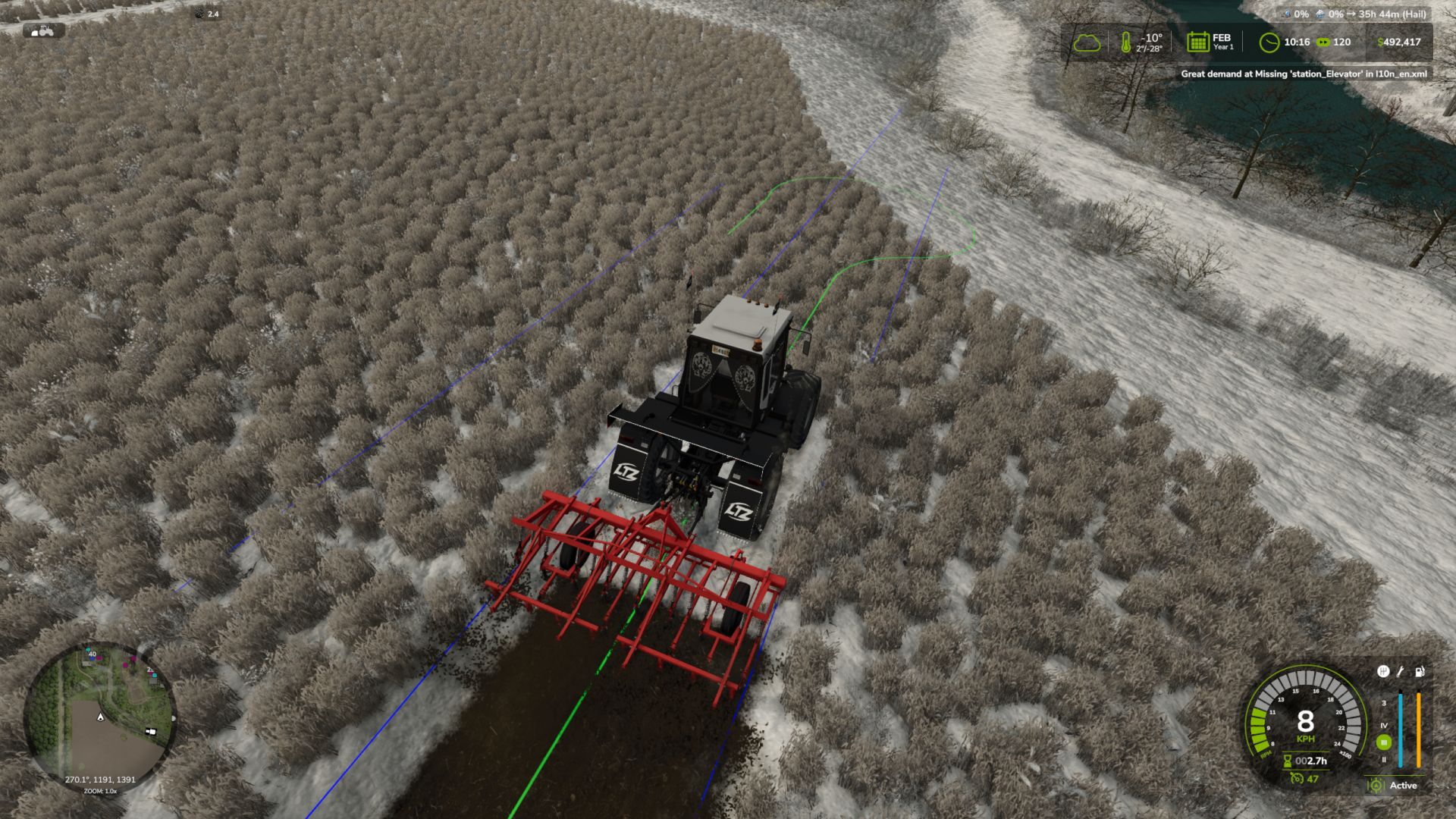
GPS Extended expands the standard “Steering Assistance”. With cruise control enabled, the vehicle automatically turns around at the end of a work pass, moves onto the selected row and continues working. The turning trajectory and target row are displayed in advance by the GPS lines.

Features:
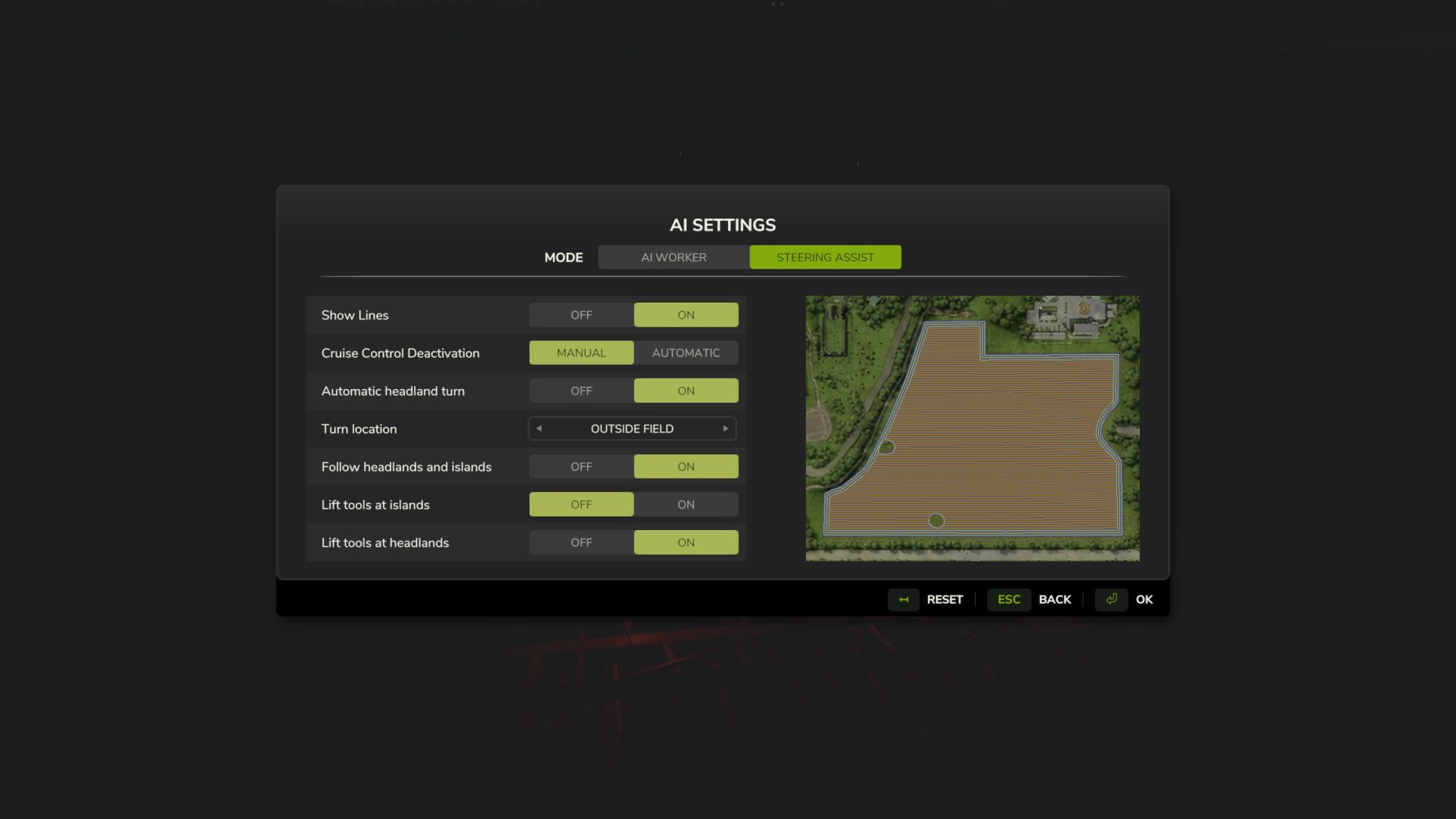
Automatic headland turn. In the settings, you can choose where to turn around — inside the field or beyond its boundary.
Manual selection of the next row. Left Ctrl + Left Alt + ← selects the row to the left, while Left Ctrl + Left Alt + → selects the row to the right. You can select a row up to ten rows away from the current one, including already processed rows.
Contour guidance. GPS connects headland sections and passes around islands. If an island interrupts a work row, the mod searches for a path back to the continuation of the same row.
Implement control. The mod raises the implement and switches off the working mechanisms during the manoeuvre, then restores their operating state after reaching the row. Separate settings are provided for turns and bypassing islands.
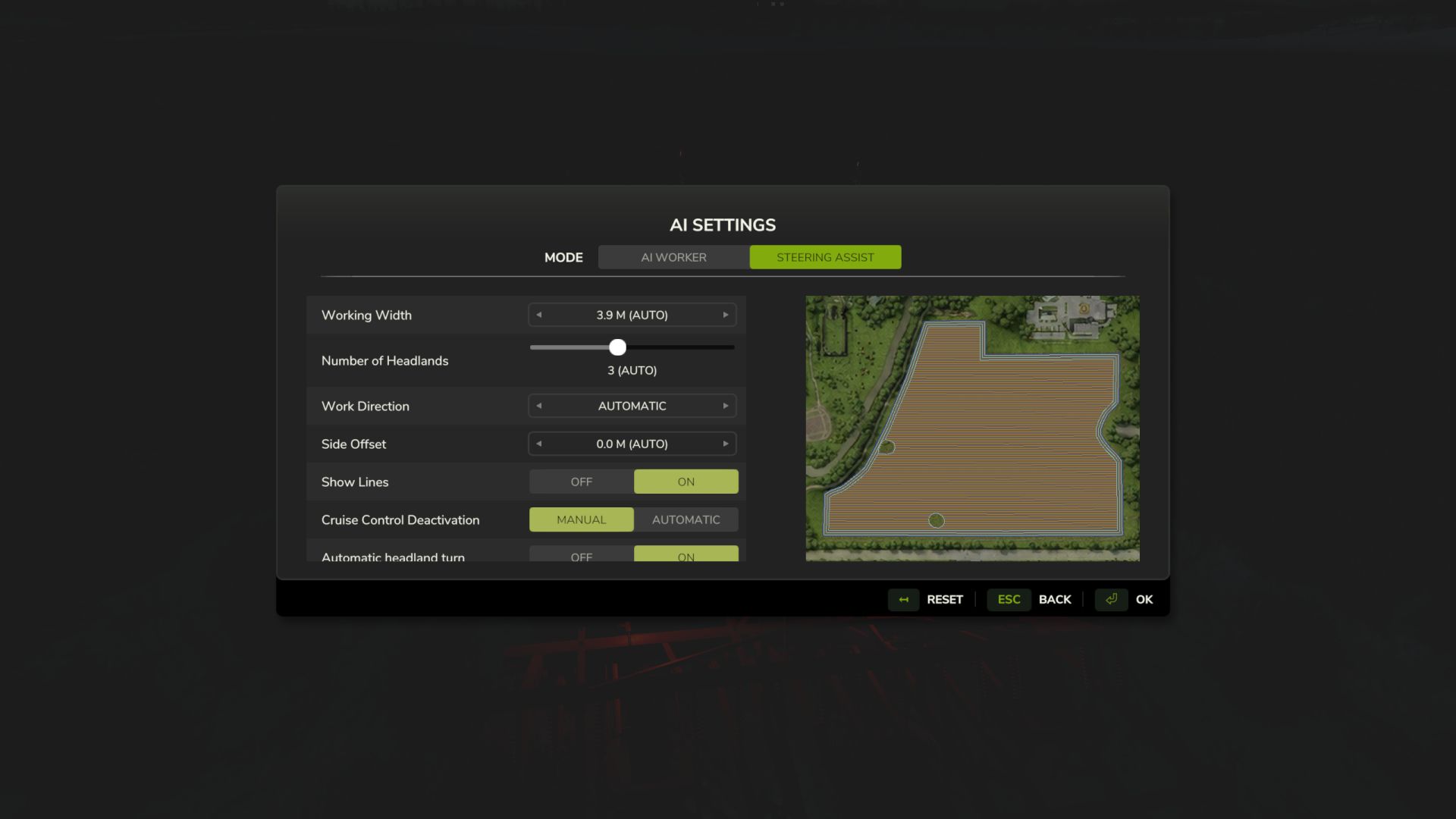
Course without headlands. In the course settings, you can set the number of headlands to zero and create a route using only the work rows.

How to enable
Open the “Steering Assistance” settings, create a field course and enable “Automatic headland turn”. Then activate GPS and cruise control. If there is no suitable turning trajectory, the vehicle will stop.


Author: BMProd

Report bugs in the comments and help modders improve this mod. Always check the comments, you can find a solution.


Helpful Information: How to install FS25 mods | FS25 System Requiremnts | FS25 Modding Tutorial | Giants Editor for FS25 | How to Convert mods | FS25 Cheats

More Misc mods


About Farming Simulator 25 mods
Farming Simulator 25 supports game modding for PC, Xbox, or PS5. FS25 Mod may change your game from small to complete changes. You can create a Farming Simulator 25 mod file and share it with our community. When is a good time to try Farming Simulator 25 mods? We recommend playing a game with these FS25 mods after you finish the Farming Simulator 25 starting pack and are bored with the game basics. So it's time to try new machines, such as harvesters or tractors, which are not included in the basic game version.
As you already know, Farming Simulator 25 developers support mods installation, which will add more vehicles or lands to your game. Check our Best FS25 mods lists for PC, Mac, PS5 or Xbox Series. Just follow these simple steps: choose the LS25 mods category, download the mod for the Farming Simulator 2025 version, and install it into the mod folder. Remember, all Farming Simulator 25 Mods are free, and download as many as you want with no limits. We want to create one of the biggest Farming Simulator 25 Community and invite you to share FS25 mods with everyone.

Leave a Reply

Do you need help or to say thanks to the mod author? Just leave a comment below!
