Searchables V1.8.2.3


Searchables V1.8.2.3
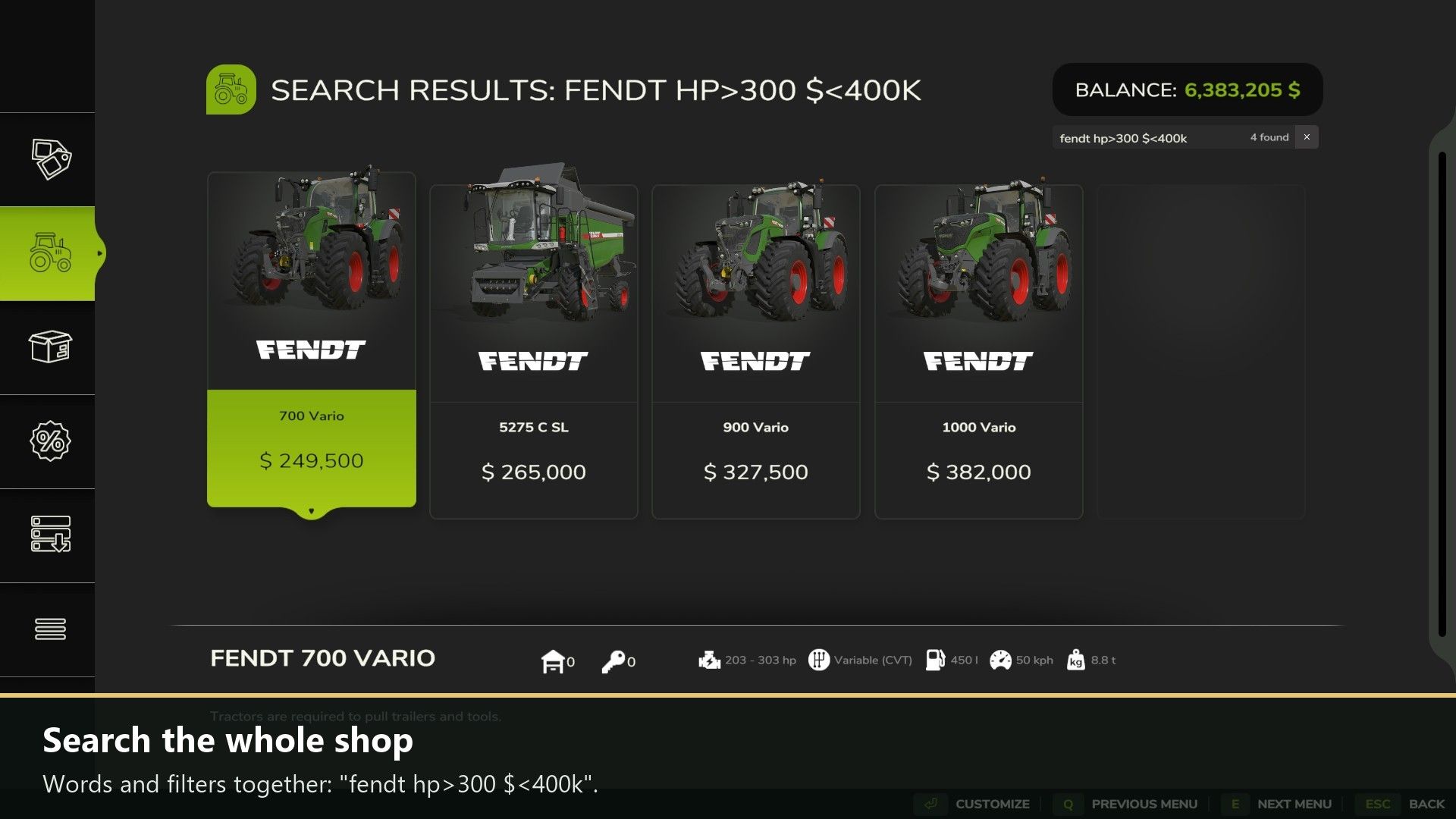
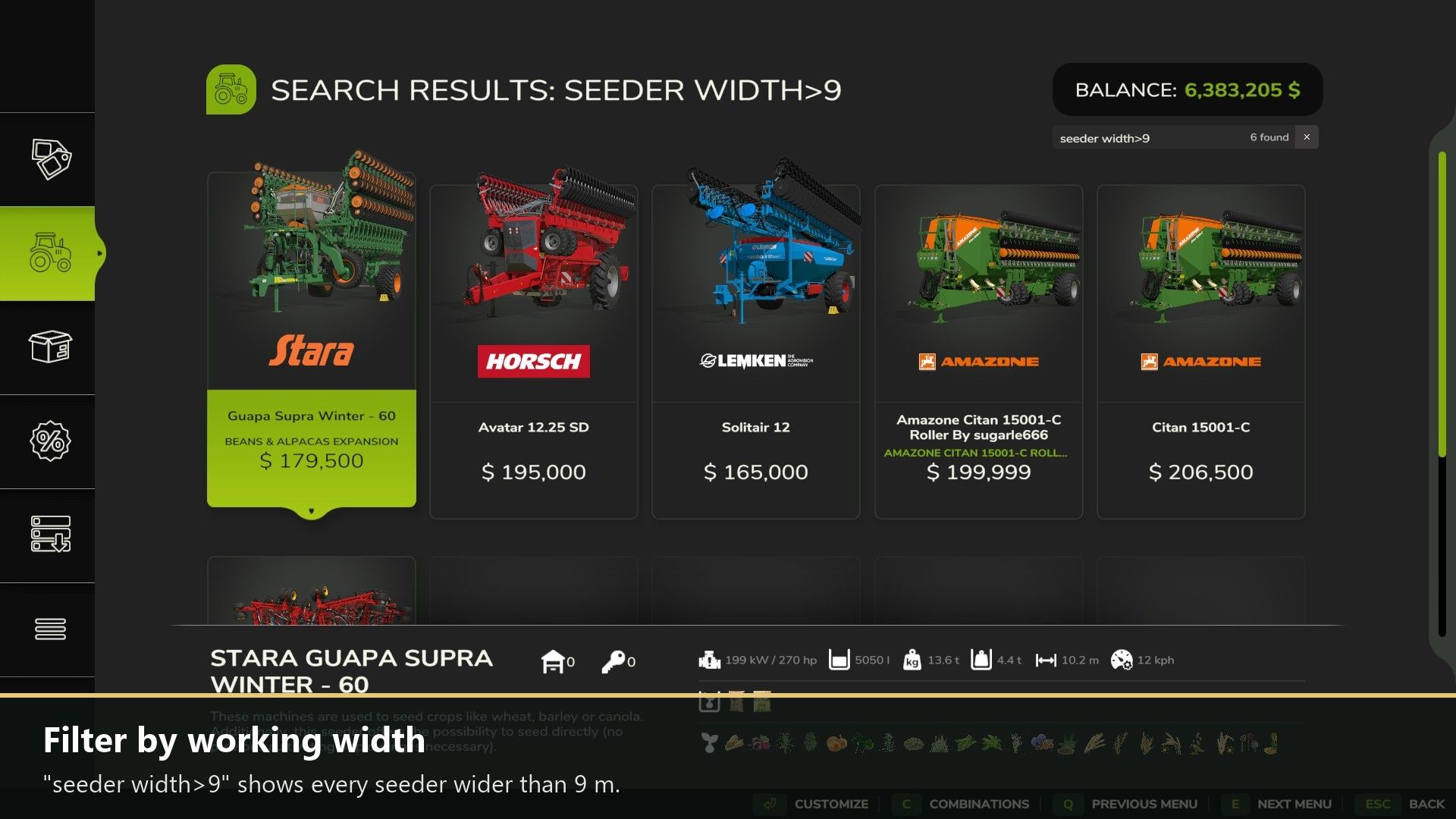
Search boxes right on the shop, construction and map screens. Click the box and type: the list updates as you type. Where’s My Stuff is built in.

Shop: filter a category or brand, or search the whole shop, also by brand, DLC, mod name and mod author.
Spec filters: price ($<50k), horsepower (hp>200), working width (width>9), capacity (l>30000), weight, speed, power needed and “affordable”, mixed with words: “fendt hp>300 $<400k”.
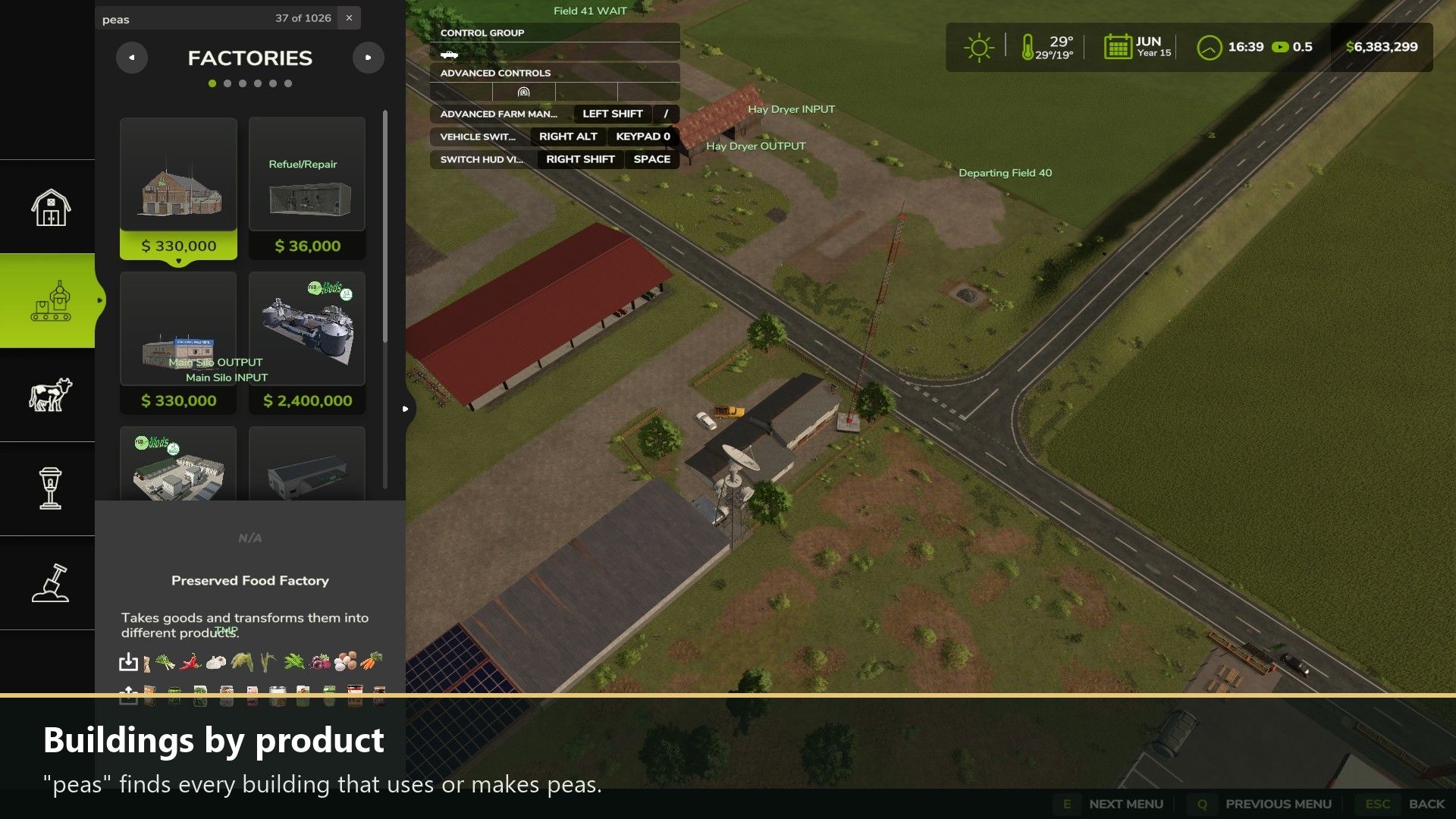
Construction: filter the buildings in every category and tab by name or product: “peas” finds every factory that uses or makes peas.
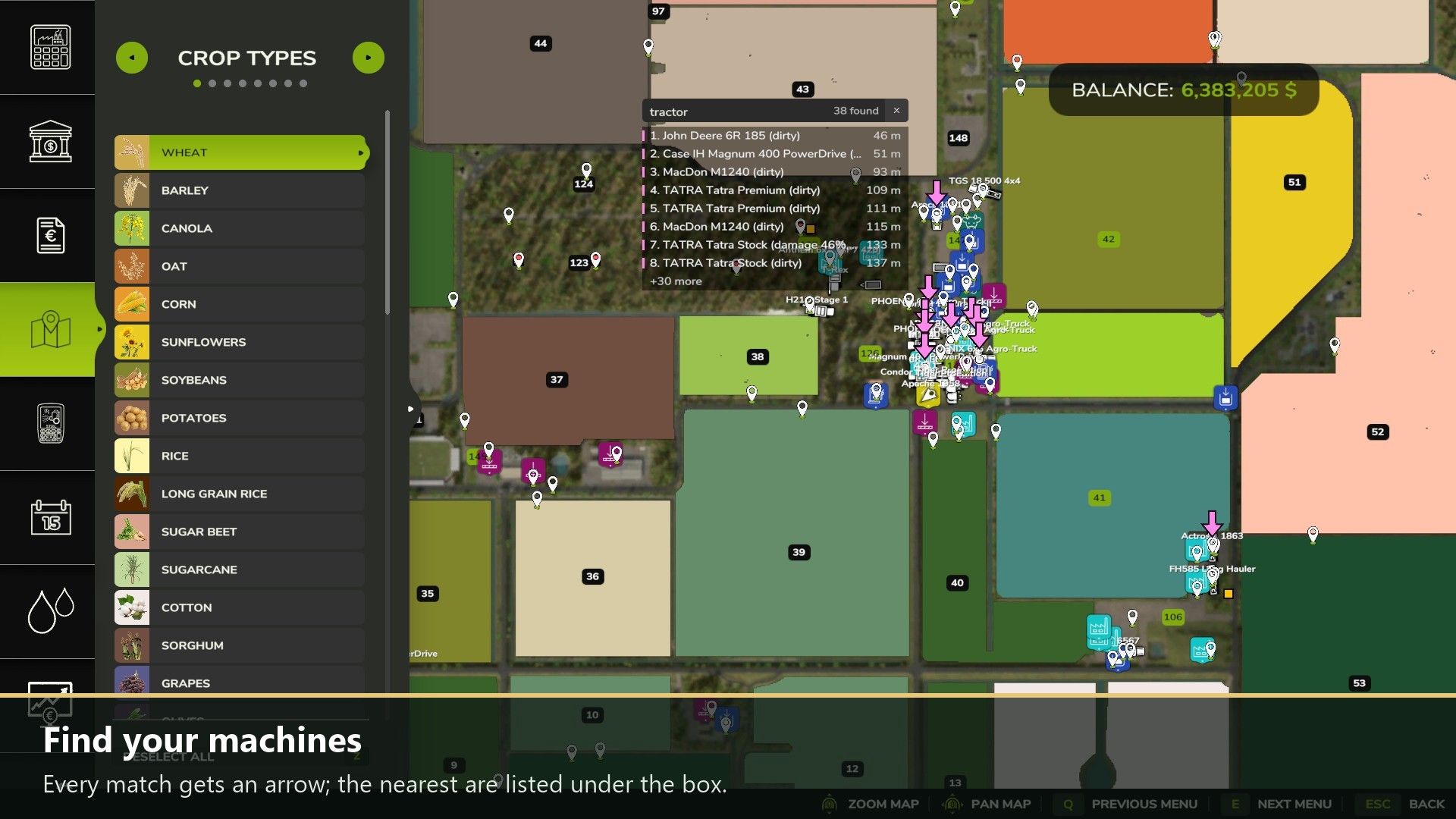
Map: find your vehicles (also by license plate), bales, pallets, buildings, fields and properties. Every match gets an arrow, and the nearest are listed under the box.
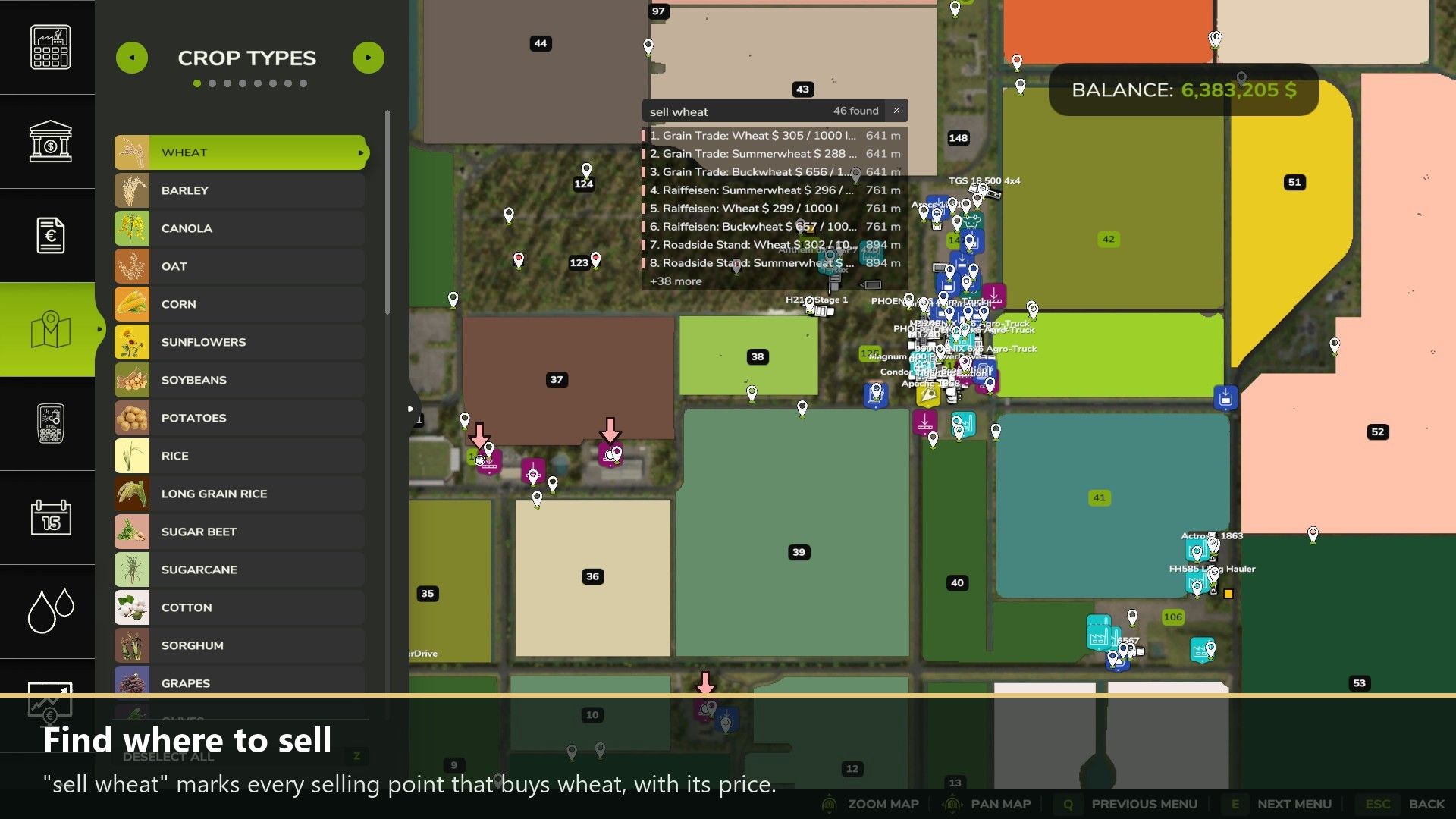
Map searches like “wheat ready”, “sell wheat” (best price marked), “for sale $<100k ha>5”, “contract”, “fuel<20” and “stored wheat”.
Settings > Controls gets a search box too.

How to use: Ctrl+F (or a right stick click on a controller) jumps into the search box. Enter keeps the search, Esc clears it. Everything is explained in the game’s Help menu under Searchables.

Changelog 1.8.2.3:
The author now shows as DTM Mods, Fennell in the mod list.
A search with a field state (“wheat ready”, “growing”, “withered”, “harvested”) now only looks at fields.
On maps without wheat fields, “wheat ready” no longer lists production points.


Author: DTMMods, Fennell

Report bugs in the comments and help modders improve this mod. Always check the comments, you can find a solution.


Helpful Information: How to install FS25 mods | FS25 System Requiremnts | FS25 Modding Tutorial | Giants Editor for FS25 | How to Convert mods | FS25 Cheats

More Misc mods


About Farming Simulator 25 mods
Farming Simulator 25 supports game modding for PC, Xbox, or PS5. FS25 Mod may change your game from small to complete changes. You can create a Farming Simulator 25 mod file and share it with our community. When is a good time to try Farming Simulator 25 mods? We recommend playing a game with these FS25 mods after you finish the Farming Simulator 25 starting pack and are bored with the game basics. So it's time to try new machines, such as harvesters or tractors, which are not included in the basic game version.
As you already know, Farming Simulator 25 developers support mods installation, which will add more vehicles or lands to your game. Check our Best FS25 mods lists for PC, Mac, PS5 or Xbox Series. Just follow these simple steps: choose the LS25 mods category, download the mod for the Farming Simulator 2025 version, and install it into the mod folder. Remember, all Farming Simulator 25 Mods are free, and download as many as you want with no limits. We want to create one of the biggest Farming Simulator 25 Community and invite you to share FS25 mods with everyone.

Leave a Reply

Do you need help or to say thanks to the mod author? Just leave a comment below!