Realistic Harvesting V1.6.5.1
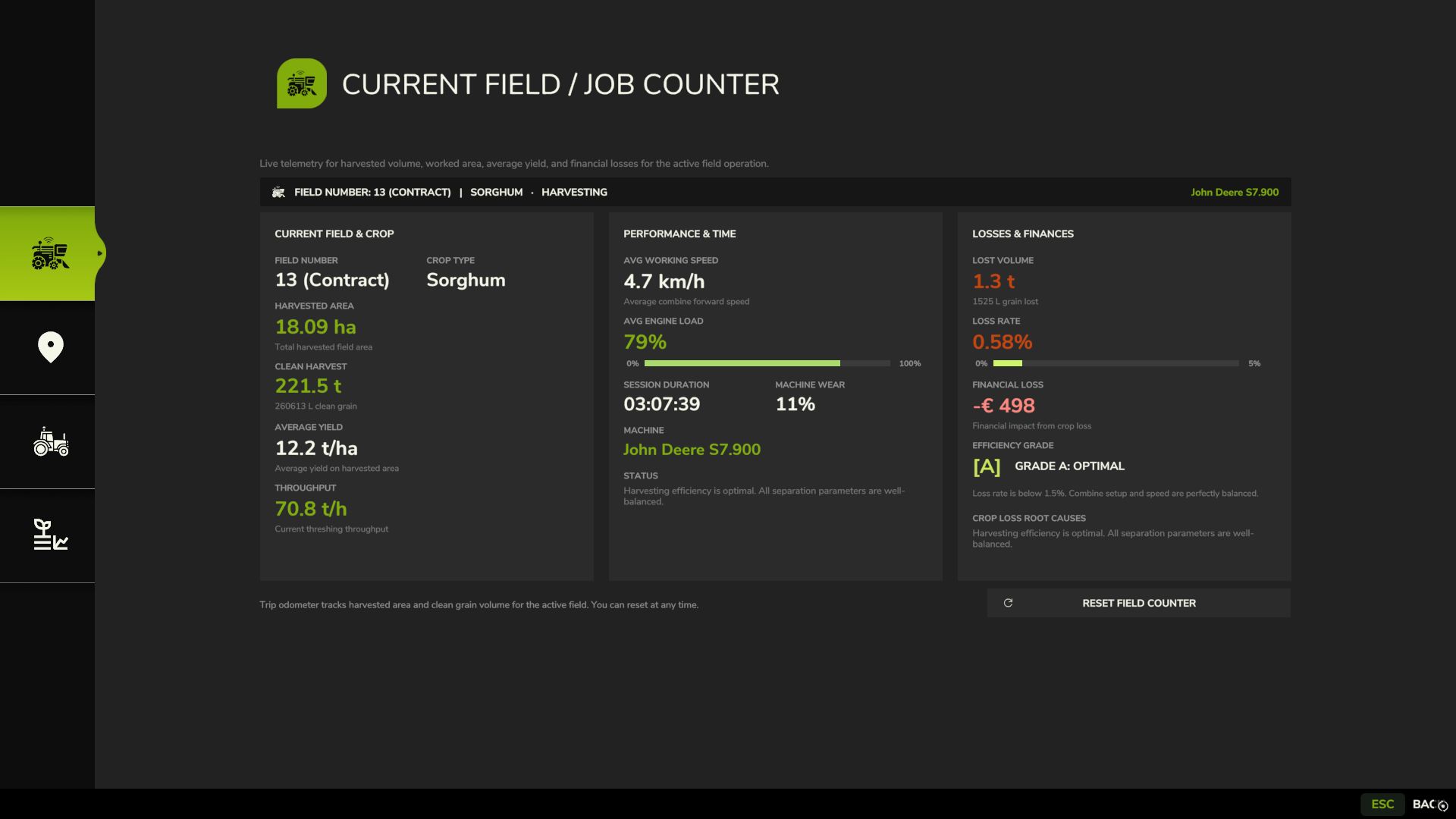
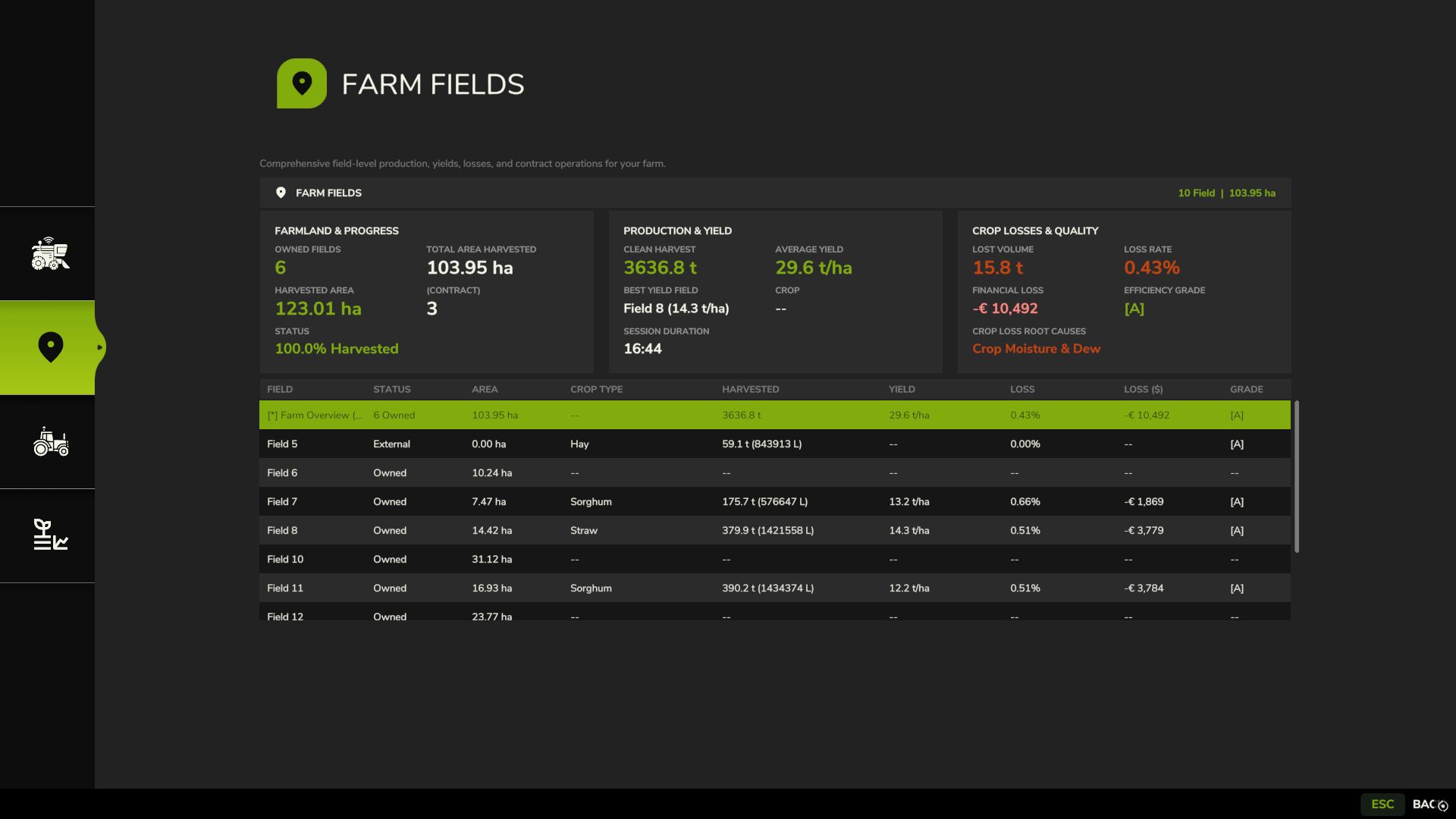
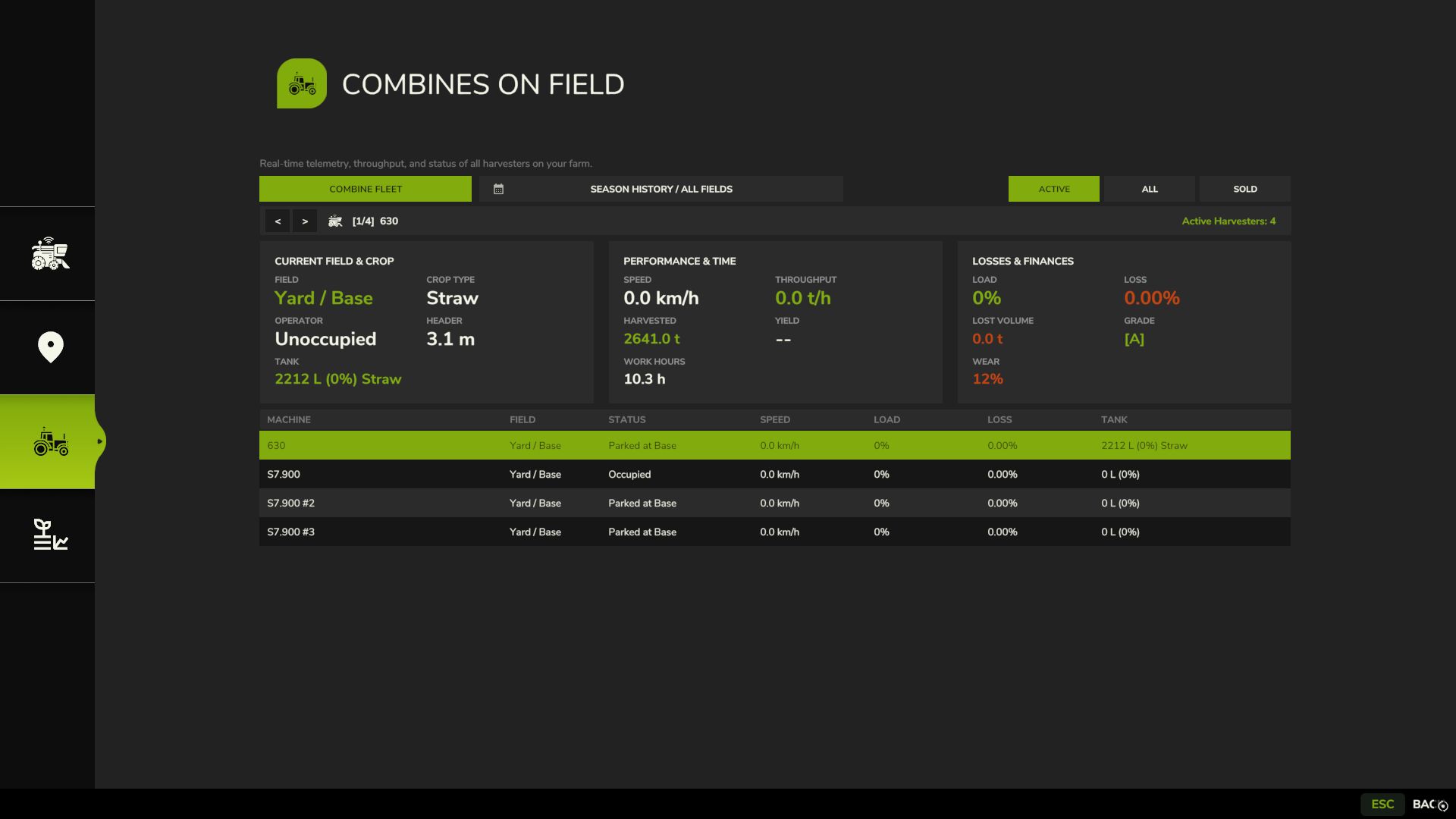
Realistic Harvesting V1.6.5.1
Transform your harvesting experience into true agricultural simulation! Combines can no longer unrealistically sprint at full speed through dense crops without consequences. Working speed, engine load, and yield efficiency are dynamically driven by crop density, cutting width, moisture, and your machine’s mechanical calibration.
Key Features
Physics-Based Engine Load & Speed: Ground speed dynamically adapts based on harvested crop mass (t/h), header width, and vehicle horsepower. Overloading the engine or using incorrect settings results in real grain loss.
All Machine Types Supported: Fully calibrated physics for Grain Combines, Forage Harvesters (chaff/silage), Root & Vegetable Harvesters (potatoes, beets, carrots, parsnips, spinach, peas), Cotton, and Sugarcane.
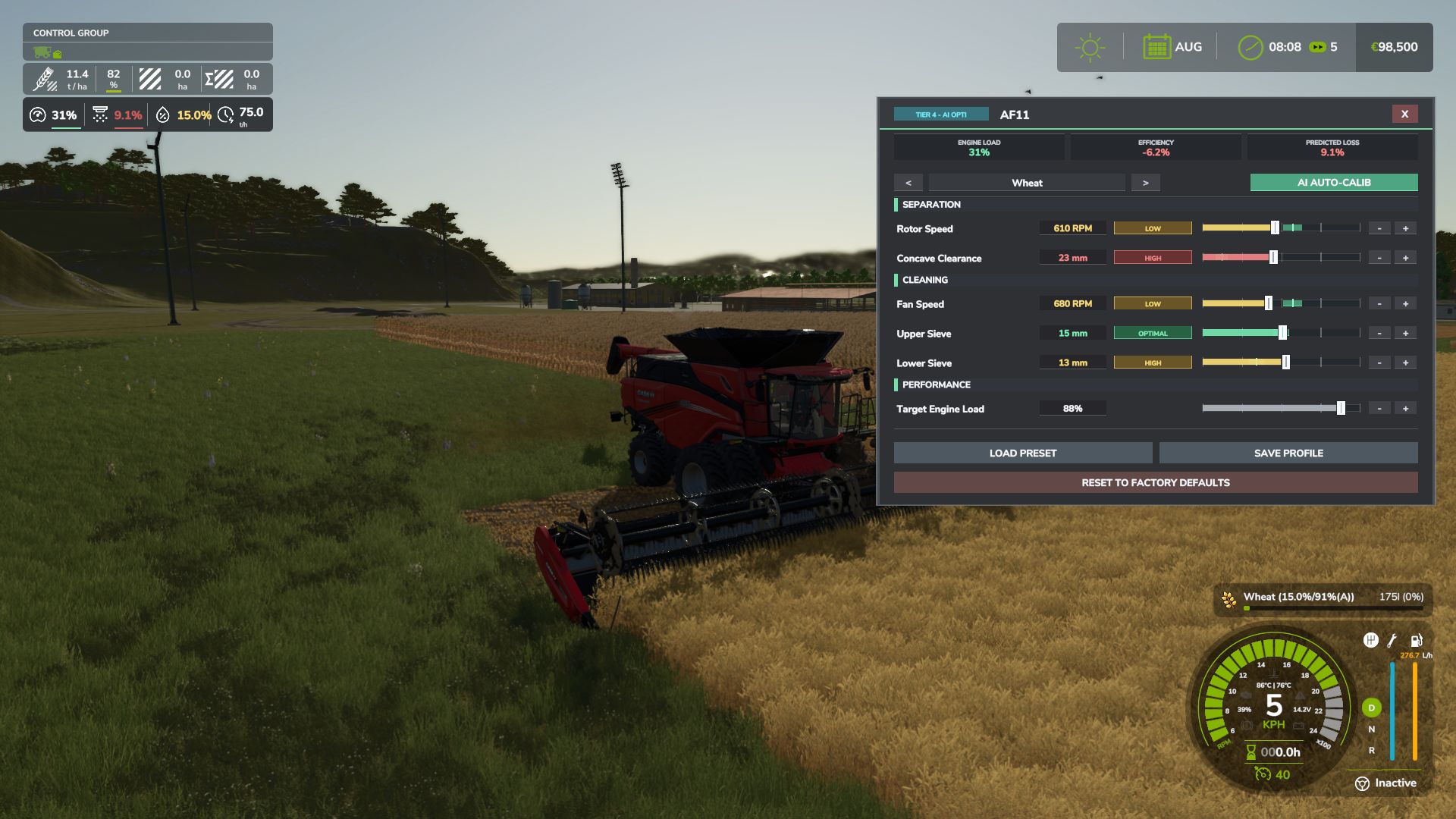
Interactive Combine Calibration (`RShift + K`): Calibrate Rotor/Drum RPM, Concave Clearance, Fan Speed, and Sieves for each crop. Correct settings ensure maximum yield and minimum loss.
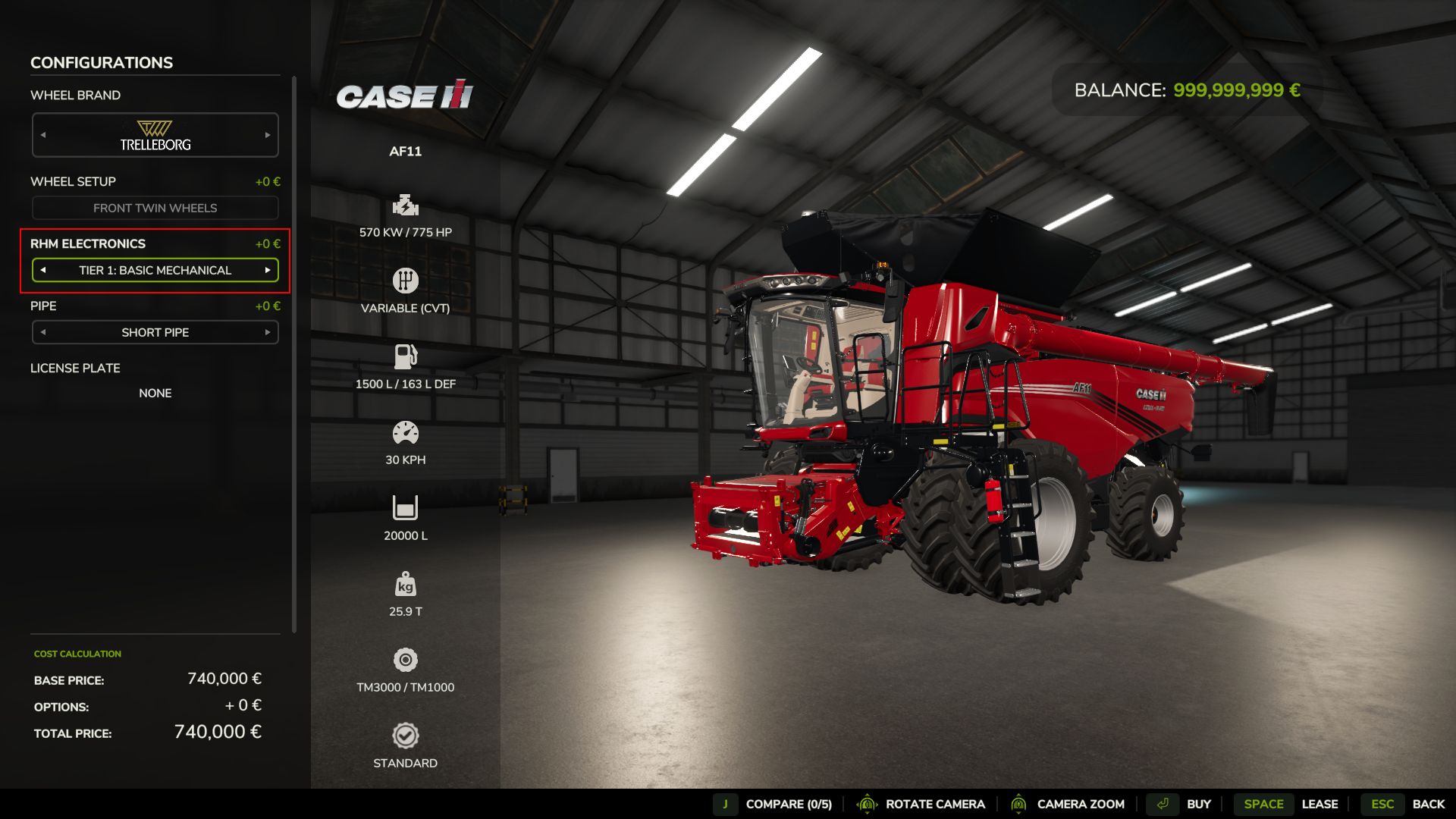
Workshop Upgrade Packages (Tiers 1–4): Upgrade your combine at the shop:
Level 1 (Standard): Fully manual operation.
Level 2 (Sensor Kit): Displays calibration guidance hints (low / optimal / high).
Level 3 (Yield Monitor): Real-time yield (t/ha, bu/ac), area rate (ha/h), and moisture telemetry.
Level 4 (Opti-Harvest AI): Automatic settings calibration and automated speed management.
AI & Courseplay Compatibility:** AI helpers and Courseplay workers automatically utilize your saved profiles or optimal calibrations.
Draggable HUD: Clean, movable on-screen display showing live Engine Load, Productivity (t/h, ha/h), Crop Loss %, and Moisture.
Global Crop Profiles: Save your favorite tuning once — profiles automatically load across your combines and savegames.
3 Difficulty Modes (ESC Settings): Choose between Arcade (relaxed), Normal (balanced), or Realistic (strict physical limits and penalties).
V1.6.5.1
ADDED: Redesigned Combine Calibration Terminal (Right Shift + K) with high-resolution tablet frame, radial telemetry gauges, rounded controls, unified hover states, and saved crop configurations manager (PROFILES tab).
ADDED: 13 bindable vehicle input actions for external hardware control and virtual button boxes: instant Tier 4 auto-calibration, and stepping adjustments (±5%) for rotor speed, concave clearance, cleaning fan speed, upper sieve, lower sieve, and target engine load with full multiplayer synchronization.
ADDED: Engine load telemetry export via native getMotorLoadPercentage override, reflecting real-time RHM threshing load on in-cab dashboard gauges and external telemetry bridges.
IMPROVED: AI helper calibration on takeover: hired workers of all electronic tiers (Tiers 1–4) immediately set harvester parameters according to their tier tolerance (Tier 4: optimal 0%, Tier 3: ±4%, Tier 2: ±10%, Tier 1: ±18%), with Tier 4 continuous auto-trim dynamically tracking live field conditions.
IMPROVED: Smooth sub-pixel slider dragging with 1% resolution and delta-based window dragging with pixel-snapped alignment and magnetic docking.
IMPROVED: Combine settings now change only via manual adjustment, [LOAD PRESET], [AI AUTO-CALIB] (Tier 4), or when an AI worker is actively driving.
FIXED: Yield Monitor HUD overlapping with the F1 input help menu upon initial savegame load.
OPTIMIZED: Calibration tablet chassis texture converted to 1024×1024 BC3 (DXT5) with mipmaps, eliminating engine performance warnings.
Author: exekx