Crop Wheel V1.0
Crop Wheel V1.0
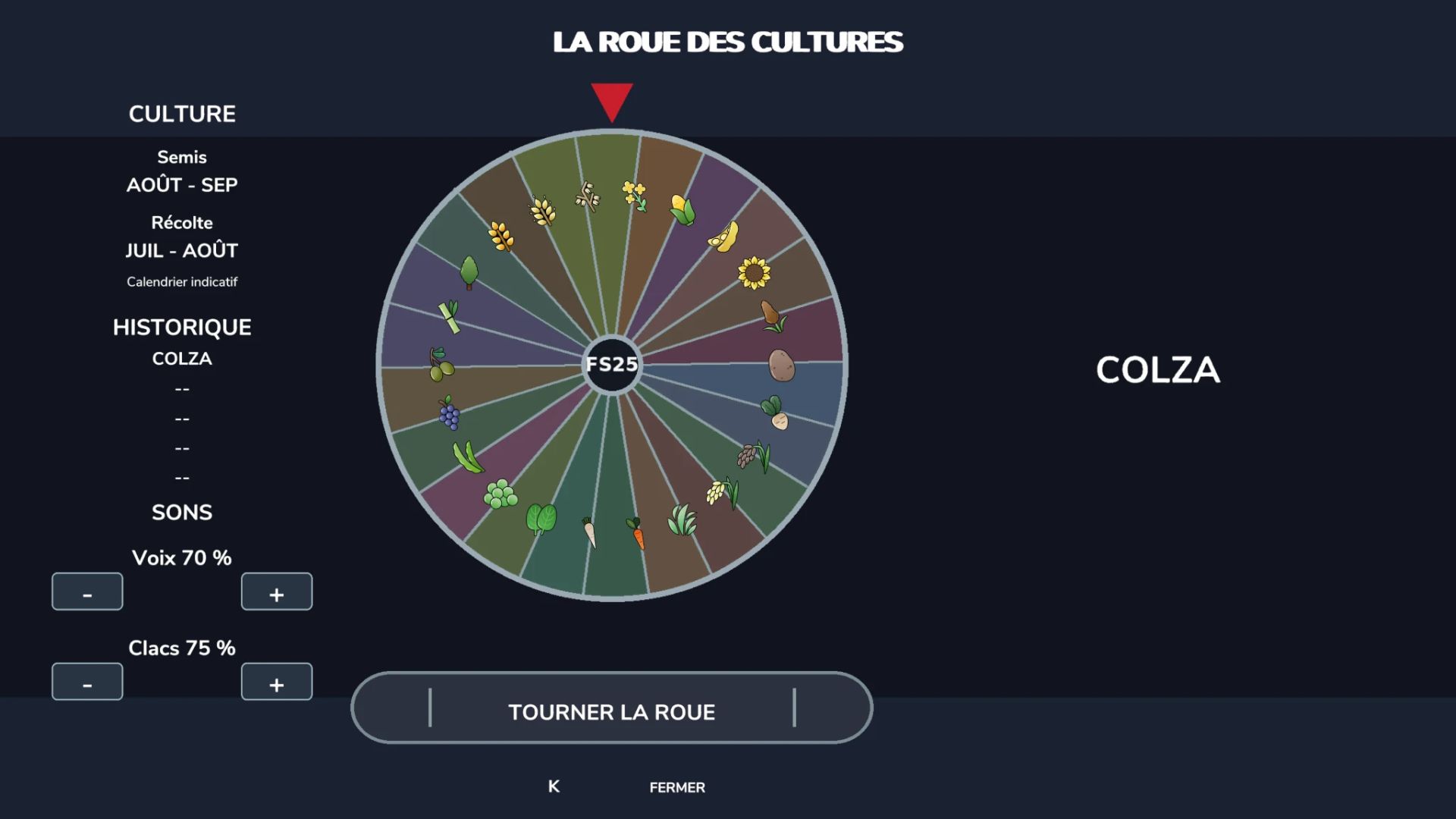
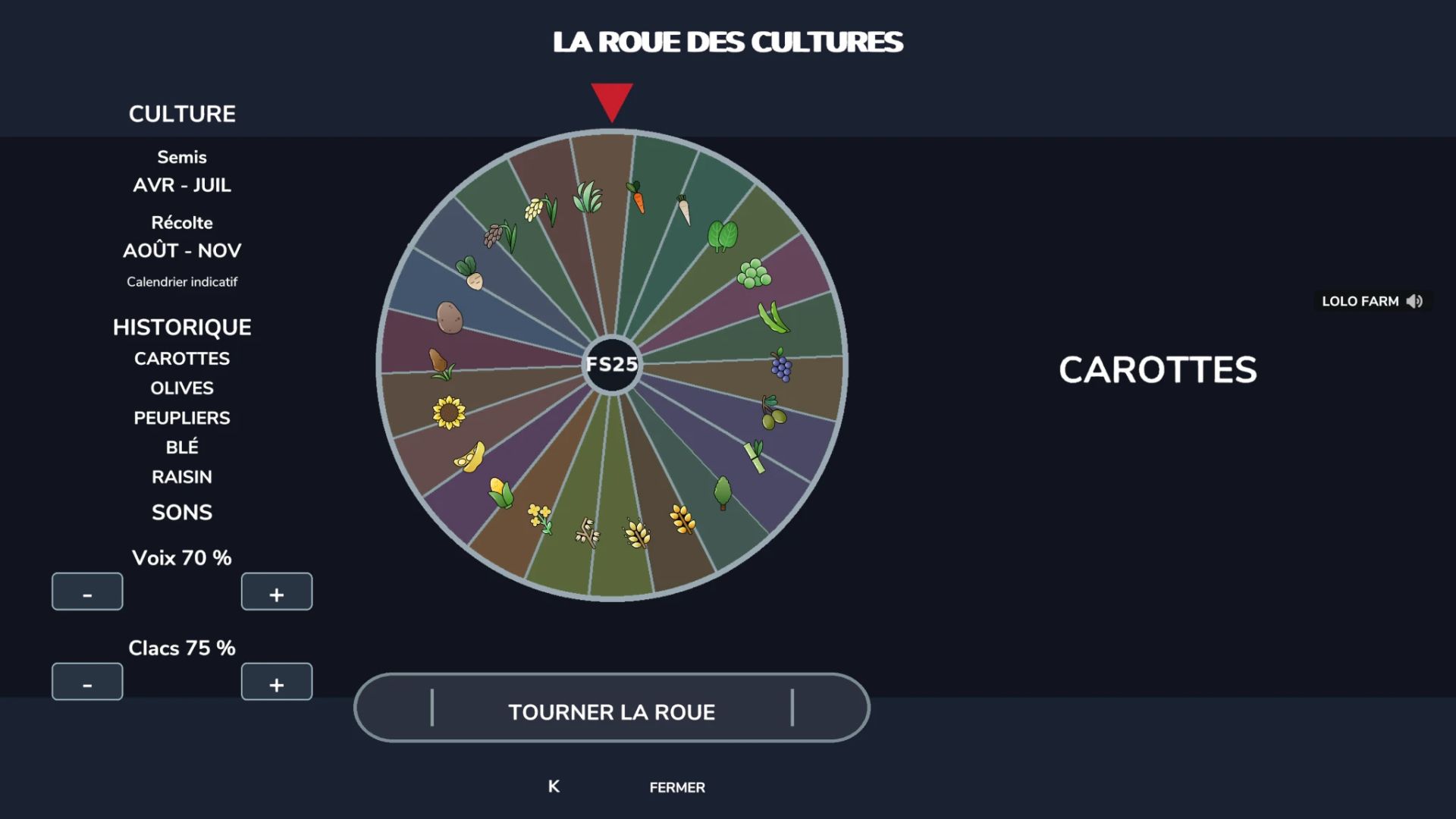
Not sure which crop to sow next? Spin the wheel and let chance choose from among 22 crops! A French voice announcement indicates the result, accompanied by mechanical clicks during the spin.
FEATURES
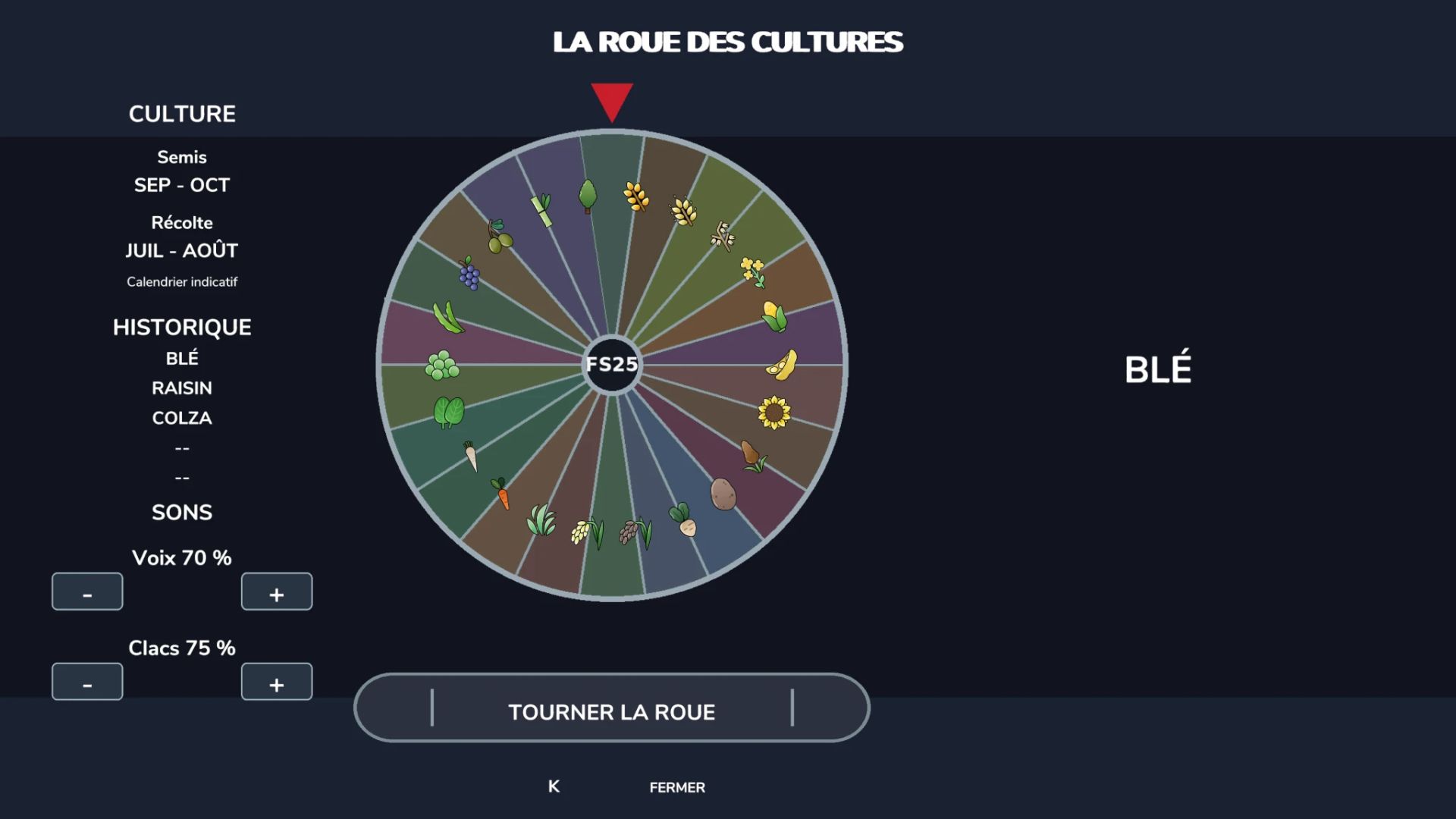
Animated wheel with 22 crops and in-game pictograms.
Voice announcement of the selected crop’s name.
Indicative sowing and harvesting calendar, which may vary depending on the map.
History of the five most recent results.
Independent volume adjustment for the voice and clicks, in 10% increments.
Dark interface, high-contrast text and large result display.
Multiplayer declared compatible; local announcements for each player.
CONTROLS
K: open or close the wheel (customizable shortcut in the game controls).
Left-click “Spin the wheel”: start the draw.
Left-click – or +: decrease or increase the volume of the voice or clicks.
ACCESSIBILITY
As I am visually impaired myself, I wanted to create a wheel that does not rely solely on screen reading. The French voice announcements make it possible to hear the randomly selected crop. The dark interface and large characters also make reading easier. Navigation within the interface remains partly visual and mouse-based.
ACKNOWLEDGEMENTS
Many thanks to Christian S for his original idea, help and contribution to the project.
Mod created by: Lolo Farm. Native Farming Simulator 25 pictograms: GIANTS Software. Mechanical effect synthesized for the project. Voice declared: Siwis, Piper synthesis (rhasspy), reference model fr_FR-siwis-medium. SIWIS French Speech Synthesis Database dataset, University of Edinburgh, licensed under CC BY 4.0 according to the model card. Adaptations: crop names and audio conversion to OGG.
Author: Lolo Farm