KamAZ Typhoon 6×6 V1.0.0.2
KamAZ Typhoon 6×6 V1.0.0.2
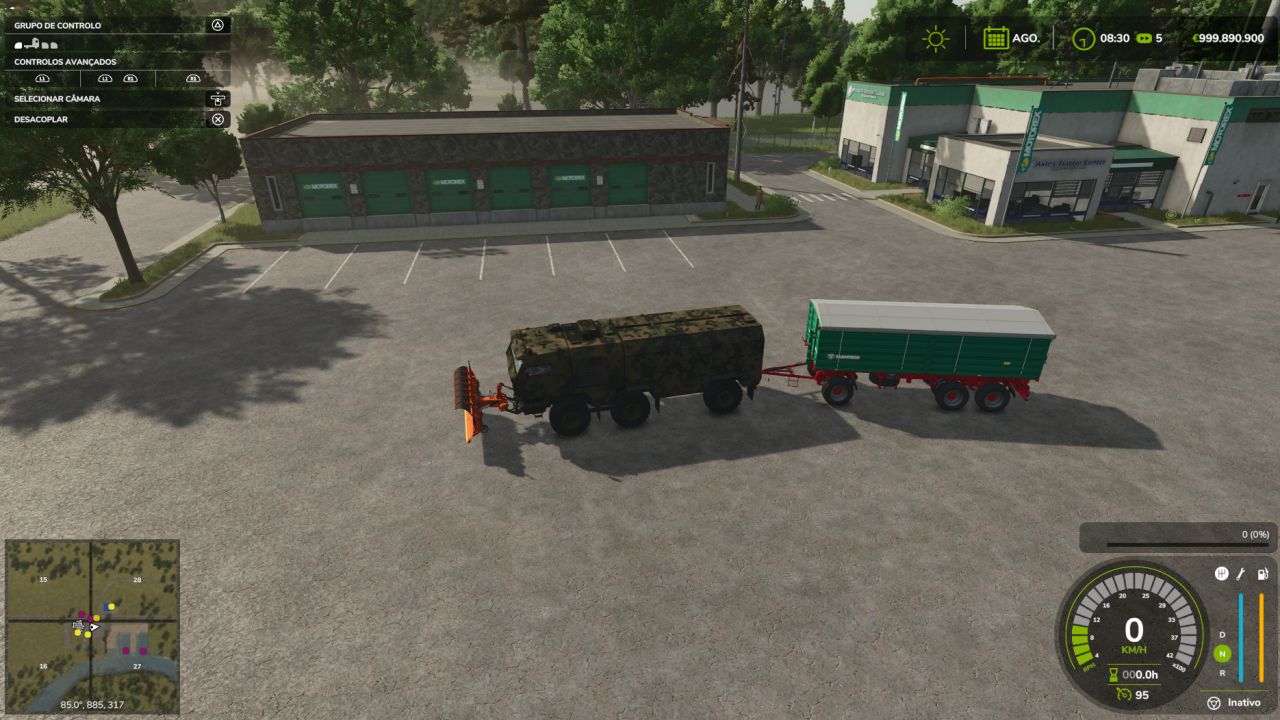
Bring the powerful KamAZ Typhoon 6×6 military truck to Farming Simulator 25!
The KamAZ Typhoon is a heavy-duty 6×6 armoured vehicle featuring adjustable hydraulic suspension, animated doors, selectable wheel configurations, cargo securing straps and a detachable front hydraulic linkage.
This vehicle combines the KamAZ Typhoon body with KrAZ 6316 wheel components and mechanical systems adapted from the Oshkosh A4.
Designed for off-road driving, heavy transport operations and military vehicle roleplay.
MAIN FEATURES
Detailed KamAZ Typhoon 6×6 vehicle model.
Six-wheel-drive configuration.
Custom Caterpillar diesel drivetrain.
Adjustable hydraulic suspension.
Suspension adjustment from -40 cm to +40 cm.
Suspension height adjustments in 5 cm increments.
Hydraulic suspension sound effects.
Three selectable wheel configurations.
Four selectable vehicle paintwork configurations.
Animated left and right cabin doors.
Animated rear access door.
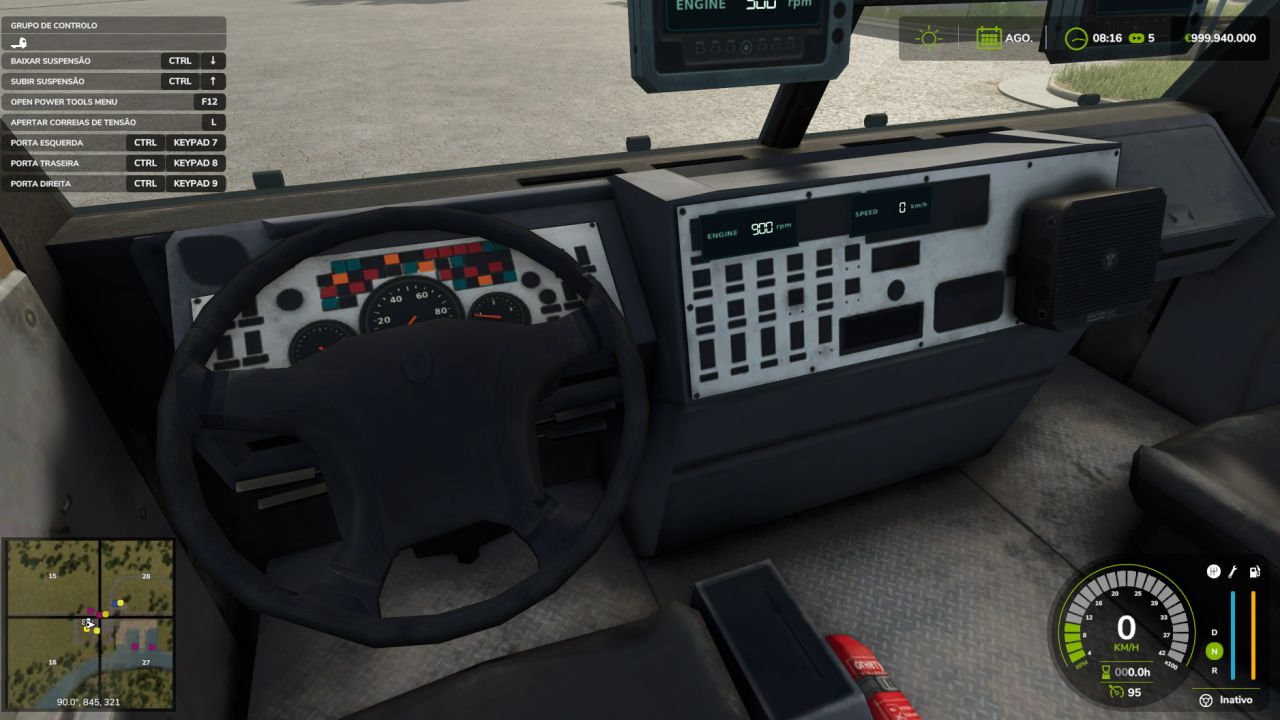
Interior dashboard with working instruments.
Functional steering wheel.
Digital speed and RPM displays.
Fuel level and engine temperature instruments.
Interior and exterior cameras.
Rear trailer connection.
Four cargo securing straps.
Detachable front hydraulic linkage.
Diesel consumption and refuelling.
ADJUSTABLE HYDRAULIC SUSPENSION
The KamAZ Typhoon includes a custom adjustable suspension system.
The suspension can be lowered by 40 cm or raised by 40 cm relative to its original position.
Adjustments are made in 5 cm increments.
The system includes hydraulic sound effects and saves the selected suspension height.
CONTROLS
Left Ctrl + Up Arrow: Raise suspension.
Left Ctrl + Down Arrow: Lower suspension.
Left Ctrl + Numpad 7: Open or close left cabin door.
Left Ctrl + Numpad 9: Open or close right cabin door.
Left Ctrl + Numpad 8: Open or close rear door.
Standard Farming Simulator 25 controls are used for driving, towing, lighting and cargo securing.
WHEEL CONFIGURATIONS
Three wheel configurations are available directly from the vehicle shop.
KrAZ 6316 Original Wheels
BKT Ridemax IT 696
Michelin XM47
The wheel configurations are adapted to the dimensions of the KamAZ Typhoon.
PAINTWORK CONFIGURATIONS
Four selectable paintwork configurations are available.
Original
Military Green
Desert Sand
Woodland Camouflage
Paintwork can be selected when purchasing the vehicle.
CARGO TRANSPORTATION
The KamAZ Typhoon includes four cargo securing straps.
The straps are designed to secure compatible cargo using the standard Farming Simulator 25 tension belt system.
The vehicle also includes a rear trailer connection for compatible equipment.
DETACHABLE FRONT HYDRAULIC LINKAGE
A detachable front hydraulic linkage is included as a separate shop item.
The front attachment provides a connection for compatible equipment.
Front hydraulic linkage price: €1,500.
INTERIOR AND DASHBOARD
The vehicle includes a detailed driver cabin with working instruments.
Dashboard features:
Digital speed display.
Digital engine RPM display.
Engine temperature display.
Fuel level display.
Animated speedometer.
Animated RPM gauge.
Animated fuel gauge.
Functional steering wheel.
VEHICLE SPECIFICATIONS
Vehicle price: €115,000
Engine power: 375 HP
Maximum speed: 95 km/h
Fuel type: Diesel
Diesel capacity: 880 L
Vehicle mass: 16,800 kg
Length: 8.71 m
Width: 3.21 m
Height: 3.28 m
Drive configuration: 6×6
Suspension adjustment: -40 cm to +40 cm
Suspension adjustment steps: 5 cm
Wheel configurations: 3
Paintwork configurations: 4
Cargo securing straps: 4
Additional front hydraulic linkage: €1,500
Version: 1.0.0.24
Game: Farming Simulator 25
Brand: Lizard
Multiplayer: Supported in mod configuration
INSTALLATION
Download the ZIP file and place it directly in your Farming Simulator 25 mods folder.
Activate the KamAZ Typhoon in the game’s mod selection menu.
The vehicle can be purchased from the Trucks category.
The detachable front hydraulic linkage is available separately in the Miscellaneous category.
Author: tiinguives81