AutoDrive Valachy / Kingdom Of Wallachia v1.0.0.2
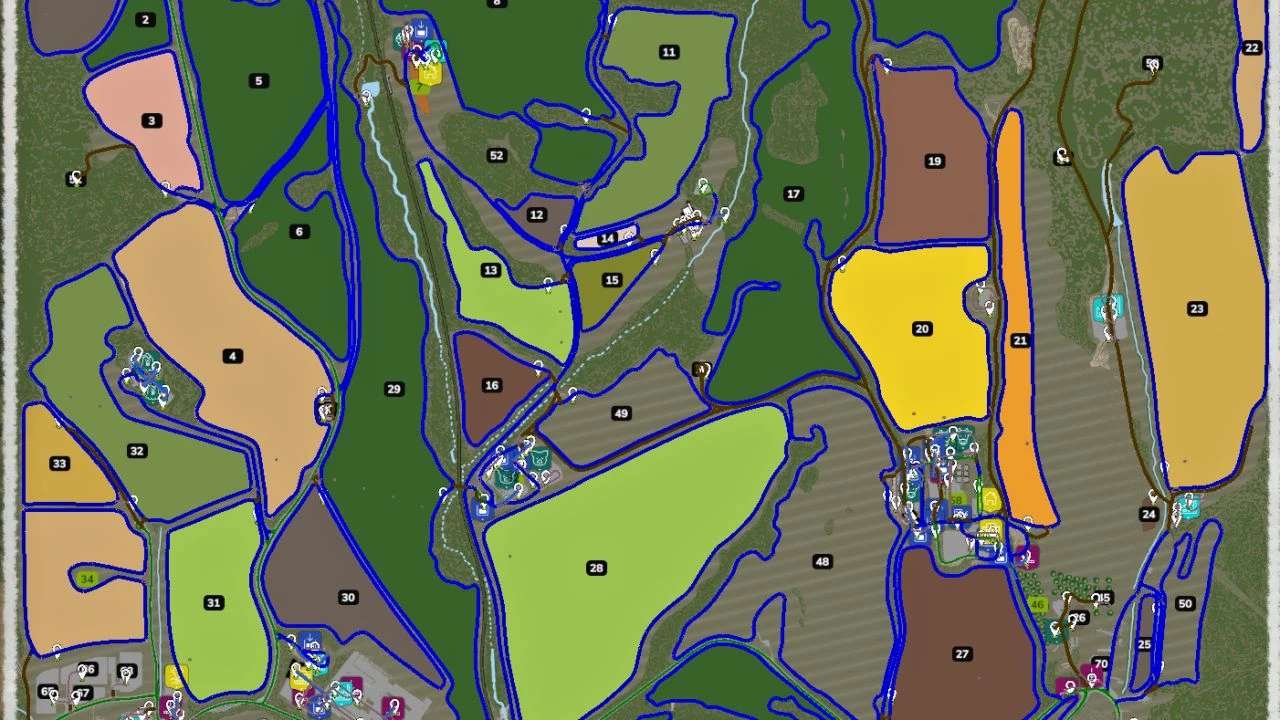
AutoDrive Valachy / Kingdom Of Wallachia v1.0.0.2
These are AutoDrive routes created by “Dawson X” for the map “Valachy”.
Changelog 1.0.0.2:
Adjusted routes in the feed mixer due to large trailers from contracts.
Fixed an error in the route on field no. 37.
Materials can now be delivered to the bakery for production.
Fixed the entry onto the bridge from the side road near the bus stop and railway crossing.
Due to narrow roads, the routes are designed for small to medium-sized machinery.
Large equipment will not always work on these routes 100% of the time. For productions,
an additional “VJEZD” point has been added. The idea is that the machinery drives
to this point and the player manually drives in to load or unload goods.
The “Zásilkovna” (parcel service) area can only be accessed with low-profile vehicles.
In the pig farm area, the upper gate is a problem for larger machinery.
Installation:
Place the “AutoDrive_config.xml” file into your save game folder
(e.g. “C:/Users/…./Documents/My Games/FarmingSimulator25/savegameX”).
Changes in version 1.0.0.1:
This update brings several minor fixes. The route to field no. 33, which was previously
unreachable, has been corrected. One lane near the bridge had its driving direction set
incorrectly. Additionally, the unloading point at ZZN has been adjusted for better
passage of longer trailers. The exit through the gate at the main farm towards fields
no. 17, 18, 19 and 20 has also been fixed.
Author: Dawson X BOHEMIA Modding