Nordkirchen Map V1.3


Nordkirchen Map V1.3
With version 1.3.0.0, you’ll need a new save file.
V1.3.0.0
Added support for Patch 1.15
Updated environment
Updated Total Mixed Ration (TMR) feed mixer
Fixed chicken coop spawning grass when expanded
Revised signposts and guideposts
Revised road texture
Fixed compost pallet collision
Detailed in-game animal help
Farmland adjusted near the biogas plant
Fixed apple on the windmill no longer remaining on the ground
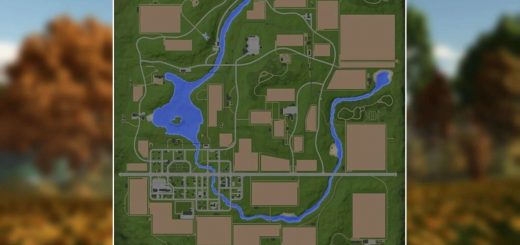
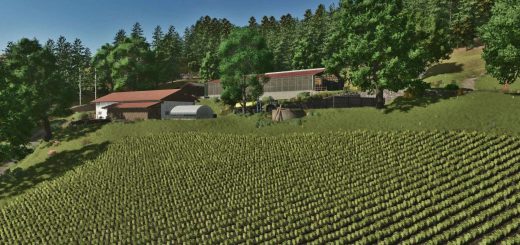
Nordkirchen is an idyllic map built according to the original terrain.
The area reflects the agricultural region of Nordkirchen, north of Dortmund.
It is not a 1 to 1 replica, but close to the original area.
With version 1.2.0.0, you will need a new save game.
Changelog 1.2.0.0:
– Removed cutterEffects.xml.bak
– Grass and field grass can now be harvested with the forage harvester mower
– The following productions can now be sold without disappearing: BGA, Sawmill, Cement Factory, Dairy
– Adjusted clip distance for several objects
– Fixed the standard warning: Foliage lod 1 mesh Meadow, Grass and FieldGrass
– Added translations for the following languages: BG, CZ, DK, ES, FI, HR, HU, IT, JP, KO, NL, NO, PL, PT, RO, RU, SE, SK, TR, ZH
– Adjusted animal feeding
– Adjusted animal barns
– Added 32 ground angles
– Added Giants Patch 1.11 changes
– Added spelt flour and rye flour to the bakery
– Added spelt and rye to the grain mill
– Added own productions: fertilizer, seed, lime, feed production, water disposal, separator, and composter
– Added gameplay hints to the start menu
– Adjusted mission vehicles
– Stone mission has been added
– Greenhouses adapted
– Adaptation to Patch 1.14 and Highlands Fishing DLC Sales Station
Changelog 1.1.0.0:
– Missing animation fixed (TypedMotionPathEffect) (CutterMotionPathEffect)
– The additional crops can now be sold
– Catch crops and field grass can now be mulched
– Rye, triticale and spelt can now be mown with the swath mower
– Collectibles were hidden
– Water texture adjusted
– Missing BGA image added
– Field Stones fixed (Stone collector mission)
– Individual tree position adjusted
– Purchasable area BGA adjusted
– Lime production added at the cement plant
Key data:
Standard area for building and farming
63 fields (287 ha / Ø 4.56 ha)
7 meadows/pastures
8 forest areas with 10,383 trees
Realistic ground deformation
Precision Farming 3.0 compatible
Permanently integrated productions: seed, fertilizer, lime & feed production, composter, separator & water disposal
9 buying points and 13 selling points
4 production facilities
One permanently installed 1 MW biogas plant (BGA)
50 collectibles
9 additional crops: rye, triticale, spelt, green rye, vetch rye, field grass, silage maize, humus activator, and mustard
Stubble destruction for: barley, canola, maize, oats, sorghum, soybeans, sunflowers, wheat, rye, triticale, spelt, green rye, and vetch rye
For map design, 84 ground textures and 77 trees are available, as well as decorative grass (meadow)
Info:
For players who start the game without a starting farm, three fully designed farms are available.
For better clarity, decorative grass can be enabled or disabled in the crop overview.
Additional productions can be placed freely.
Decorative grass (meadow) is paintable and can be enabled or disabled via crops.
The base production pack is not required, as all relevant productions are already integrated.
Compost can be used as fertilizer.
Manure spreaders support both manure and compost, including correct spreading patterns for compost.
All functions are fully compatible with Precision Farming.
Under Settings → Help you will find basic information about the map.
Using the arrows next to “Base Game” you can browse through additional hints.
Author: FrechDachs93