Realistic Harvesting V1.4.2

Realistic Harvesting V1.4.2
What does this mod do?
This mod completely overhauls the harvesting mechanics in Farming Simulator 25! Your combine will no longer be able to unrealistically harvest at full speed in dense crops without consequences. The harvesting speed and efficiency are now dynamically tied to the thresher load and your machine’s calibration.
Key Features:
🌾 Realistic Load Calculation: The denser the crop and the wider the header, the slower the combine moves. Overload the engine, and you will begin to physically lose yield!
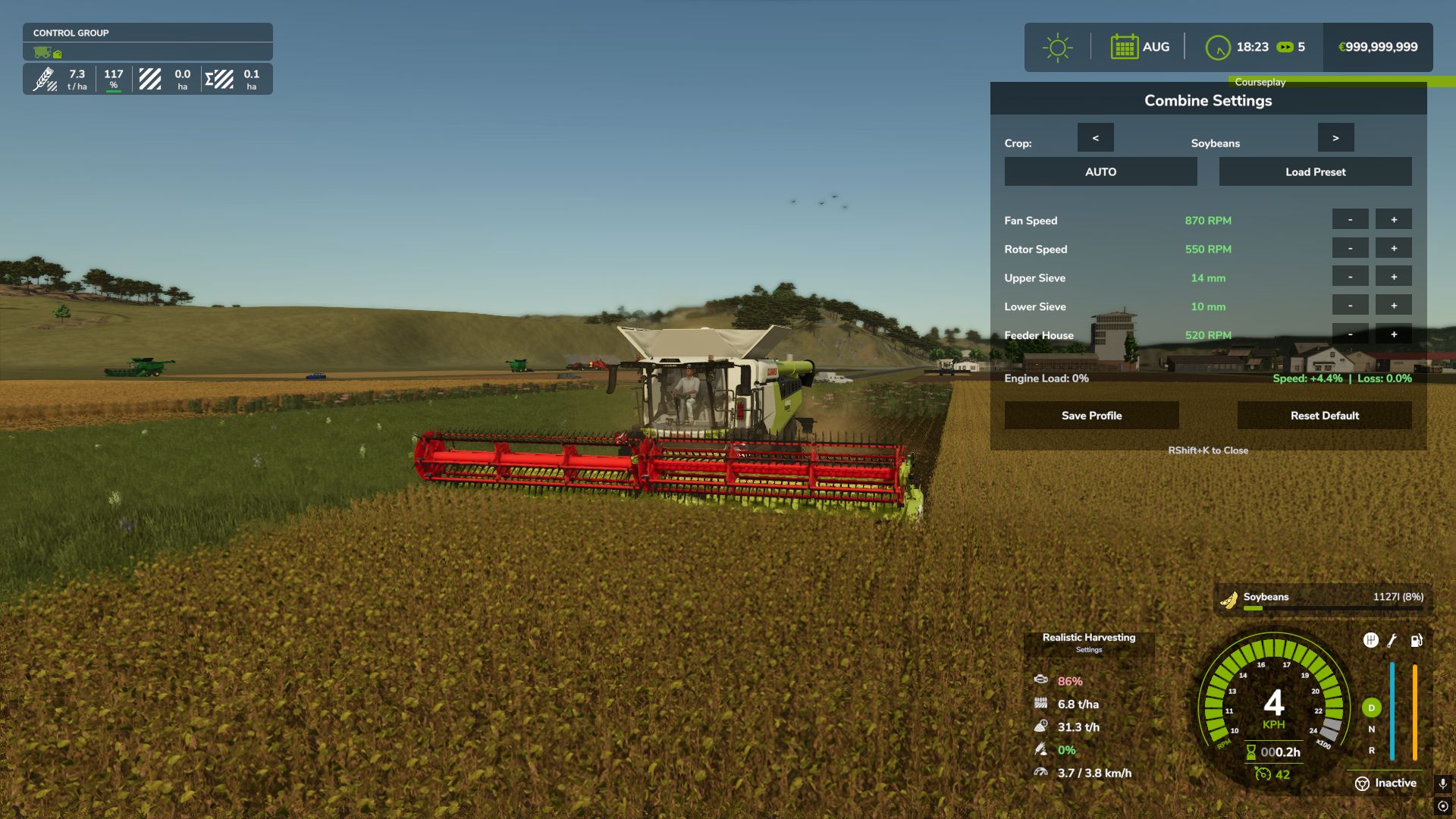
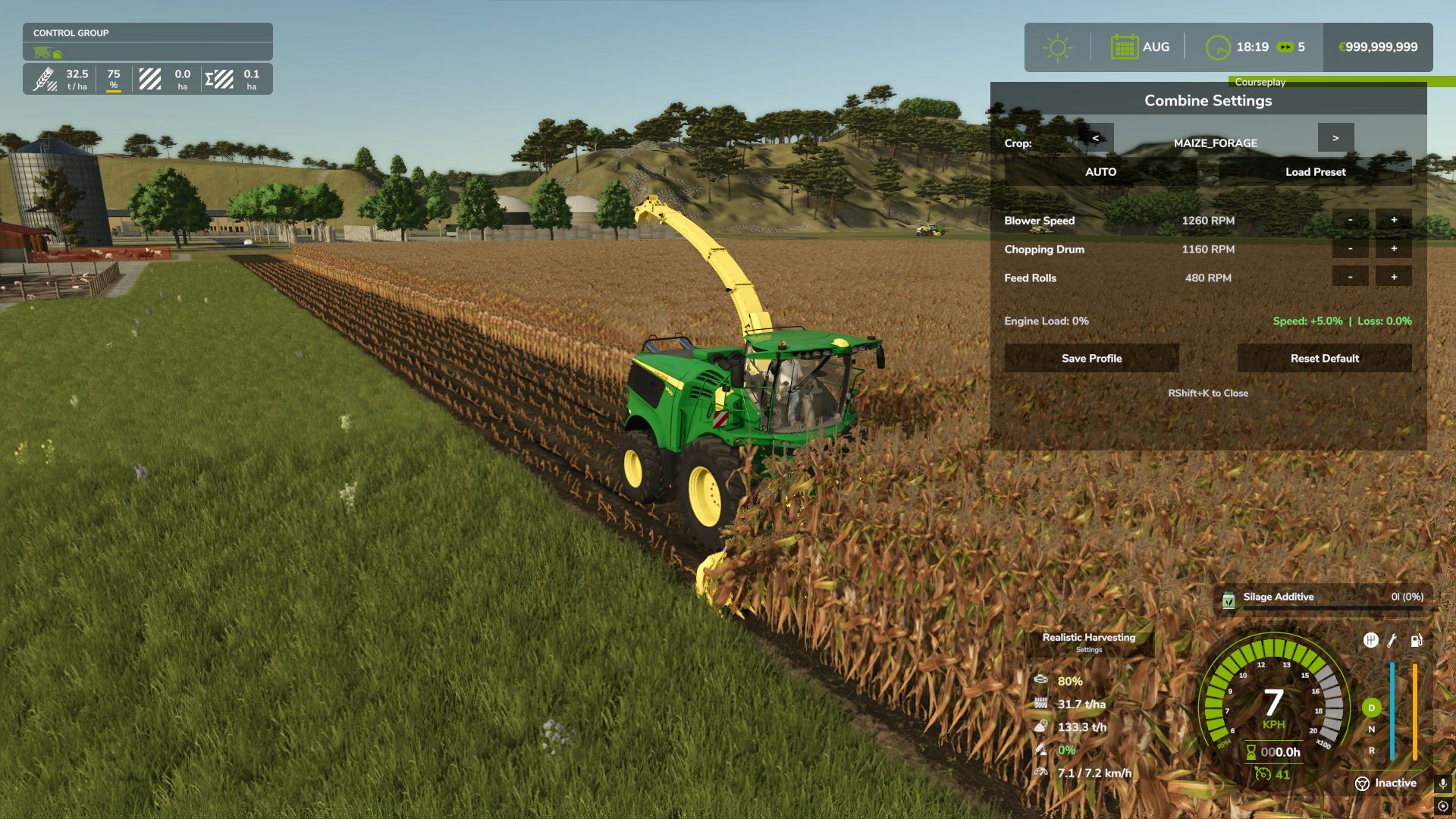
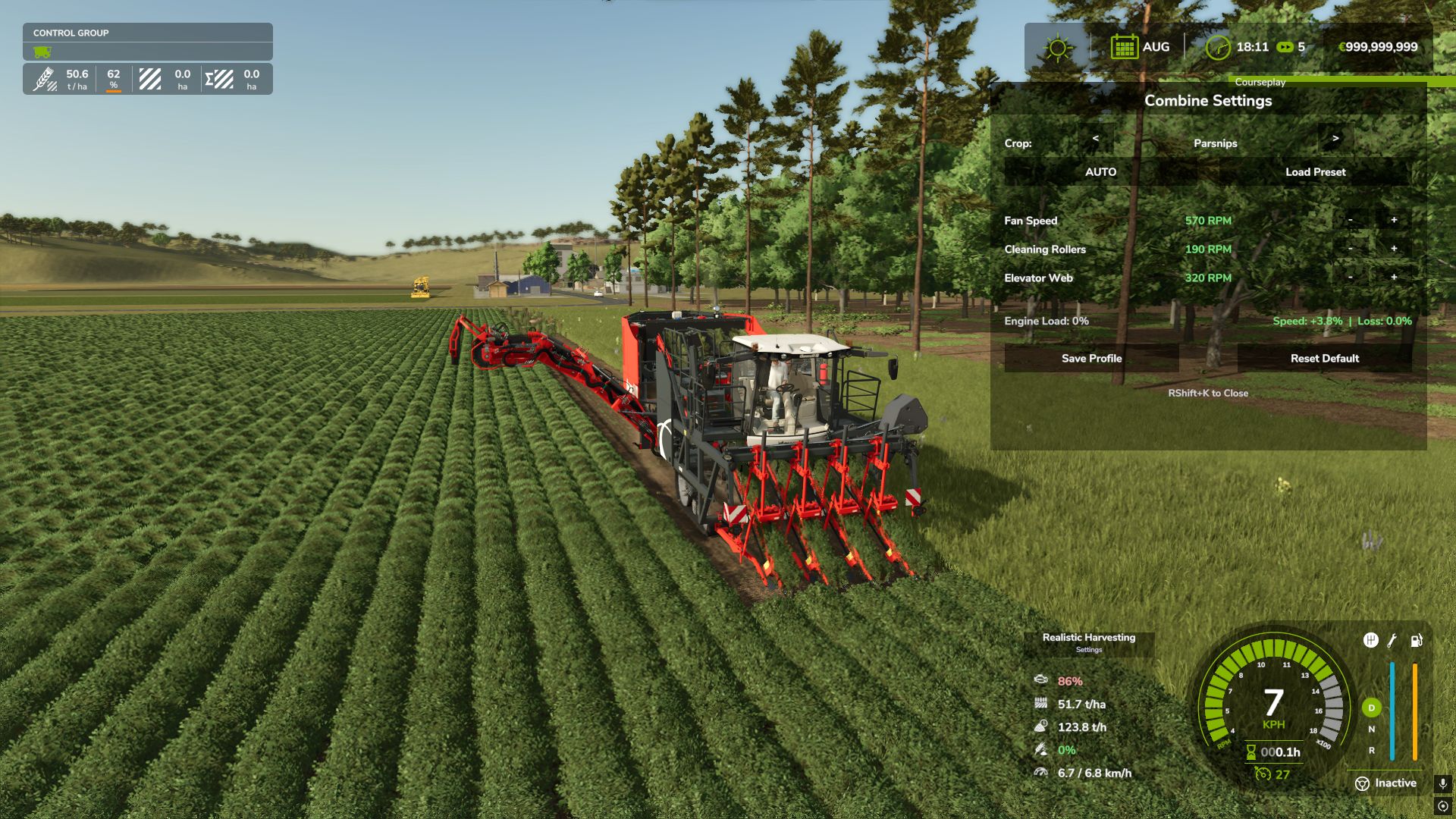
⚙️ Interactive Combine Calibration (NEW): Press `RShift + K` to open the Combine Settings menu! You must calibrate your Fan, Rotor, Sieves, and Feeder for each specific crop type. Poor settings will result in additional crop loss!
💾 Global Crop Profiles (NEW): Save your perfectly tuned calibration profiles globally. Switch combines or rejoin the server, and your favorite settings for Wheat, Corn, or Soybeans are instantly applied.
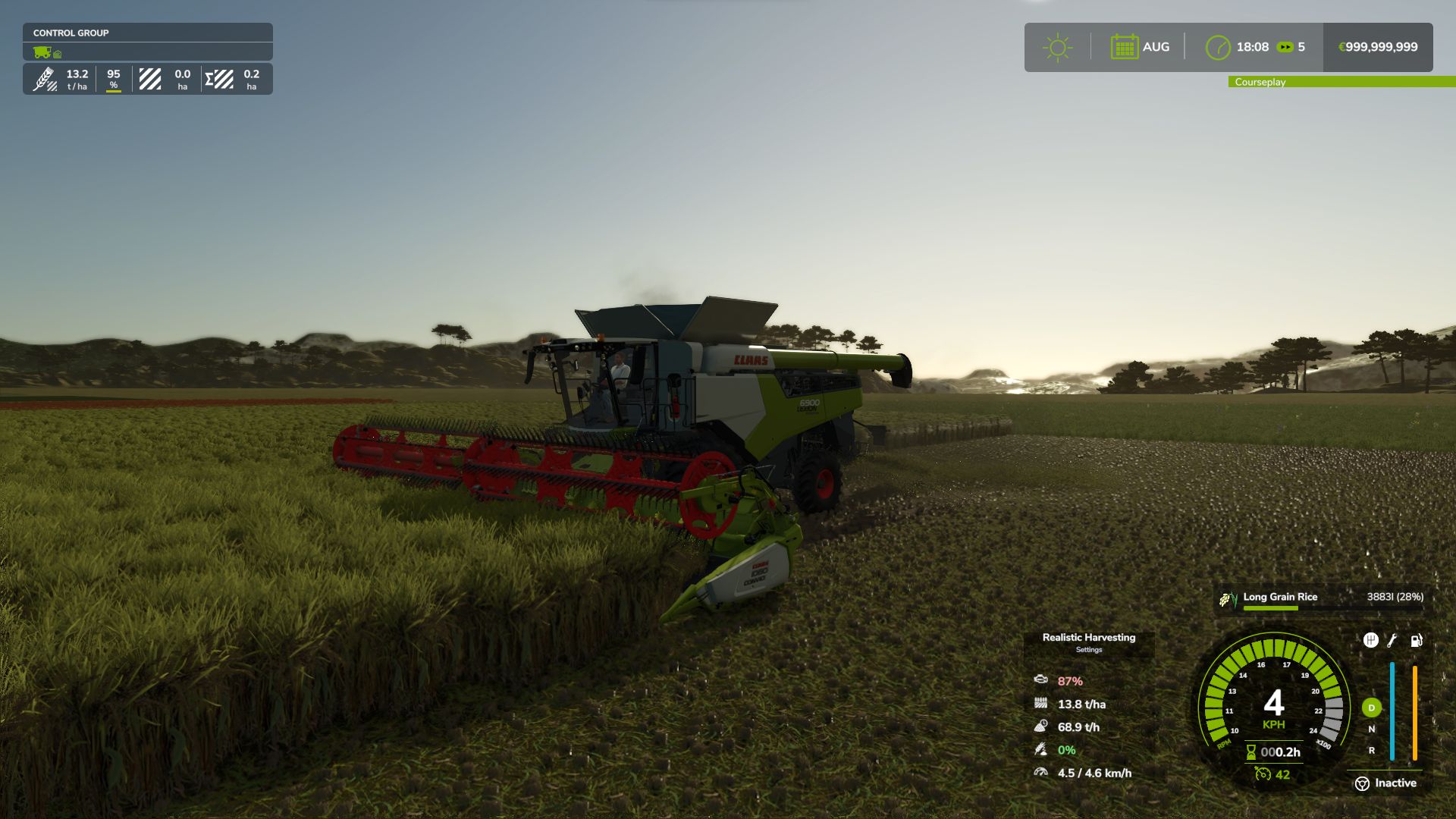
📊 Dynamic Yield & Info HUD: A customizable, draggable display showing real-time Engine Load, Productivity (T/h), Crop Loss %, and Yield (t/ha or bu/ac).
🚜 Physical Crop Loss System: Pushing the combine past 95% engine load or using suboptimal threshing settings will physically reduce the volume of grain entering your bunker. Drive smart, not fast!
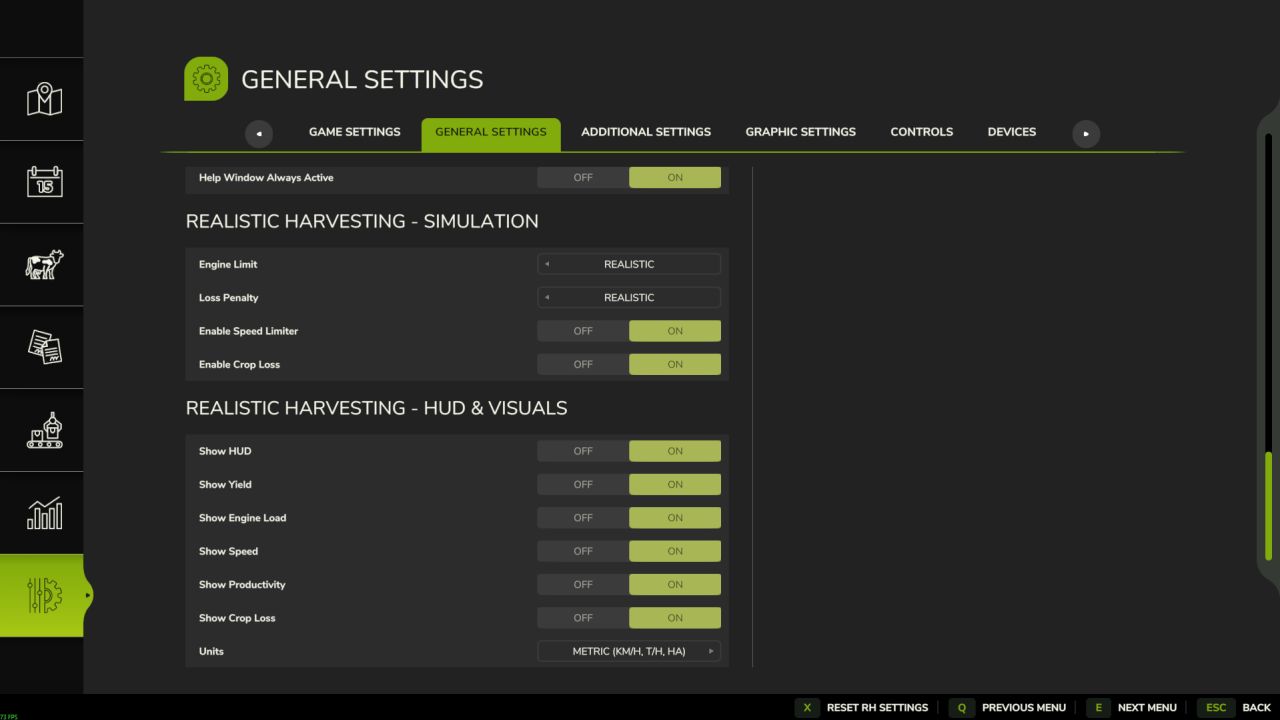
🎮 Difficulty Modes: Choose your playstyle in the game settings (ESC -> settings tab):
– Arcade: Minimal speed restrictions. For relaxed gameplay.
– Normal: Balanced experience. You will feel the weight of heavy crops like corn or wheat, with forgiving loss penalties.
– Realistic: For simulation fans. Speed and crop loss are strictly tied to the combine’s physical capacity and your manual calibration settings.
V1.4.2.0
– FIXED: Maximum harvesting speed is strictly limited by the base game’s header capabilities, preventing root crop harvesters from exceeding realistic speeds.
– FIXED: Addressed network desynchronization issues on dedicated servers where client settings could override server defaults.
– FIXED: Resolved an infinite recursion crash related to saving combine settings on multiplayer servers.
– FIXED: Corrected a memory leak in the engine load and productivity calculation buffers.
– FIXED: Prevented non-admin users from occasionally gaining temporary access to Server Settings.
– IMPROVED: Onion and Carrot throughput factors re-calibrated for more accurate engine load calculations.
– IMPROVED: Removed unnecessary debug output from server synchronization logs to keep console clean.
– FIXED: Server-side settings becoming unlocked for non-admin clients upon reopening the menu.
– FIXED: Menu ‘window_grass’ localization issue for Grass harvesting.
– IMPROVED: Removed spammy debug logs from engine load calculations.
– IMPROVED: Centralized debug log configuration (RHM_Debug.lua).
– ADDED: Spanish localization for all mod features and menus.
– NEW: Added setting to disable “High Load” HUD warnings.
– IMPROVED: Internal logic cleanup for warning system.
– FIXED: Complete overhaul of Yield Calculation math to perfectly synchronize with Precision Farming HUD and custom map scales.
– FIXED: Forage harvesters (Silage) showing 10x lower yield due to engine volume bugs.
– FIXED: Mathematical desyncs when grain enters the bunker asynchronously from the header cut.
– NEW: Combine settings physics separated into two independent categories: Efficiency (affects processing speed) and Crop Loss (affects wasted grain).
– NEW: Settings Menu HUD redesigned to always display both Speed and Loss impacts simultaneously.
– NEW: Added ‘Overload Shield’ mechanics – ideal settings now protect against sudden crop density spikes.
– FIXED: Critical bug where perfect combine settings could inadvertently reduce speed to vanilla limits.
– FIXED: Combine failing to accelerate properly when settings were improved mid-harvest.
– FIXED: Resolved duplicate registration of savegame XML paths causing server log errors and settings reset.
– IMPROVED: Forage Harvester throughput calibrated to real-world data (coefficient adjusted from 0.150 to 0.051).
– NEW: Added universal Pickup/Swath header detection with lower engine load multiplier (0.75x).
– NEW: Added automatic fallback mapping for ‘_WINDROW’ and ‘CUT_’ fillTypes to their base crops.
– IMPROVED: Precision calibration of crop factors and densities based on real-world yield targets (bu/hr).
– NEW: Every crop now uses individual technical presets derived from real-world manuals (20+ crops fine-tuned).
– IMPROVED: Forage harvester logic simplified with a universal 0.75x multiplier.
– IMPROVED: Pickup multiplier refined to 0.35x for balanced windrow harvesting.
– FIXED: Combines no longer accelerate past vanilla working speeds when header is idle (no crop).
– FIXED: Removed initial speed limit jump when lowering the header.
– IMPROVED: Robust detection system for forage harvesters and headers.
– IMPROVED: Speed limit strictly capped at vanilla game limits (removed artificial 1.5x bonus).
– IMPROVED: Recalibrated crop factors for Oat (+25%), Maize (-50%), Soybean (-20%), and Cotton (2x).
– IMPROVED: Significant load reduction for root crops (Potato, Carrot, Parsnip, Onion).
– FIXED: Speed limit “reset loop” at 9.9 km/h during continuous harvesting.
– FIXED: Broadened root crop pickup exception to ensure realistic load for Onion and Carrot.
– ADDED: Support for ONION_DIRTY and MEADOW fill types.
Author: exekx