Adjustable Fill Level Advanced V1.0
Adjustable Fill Level Advanced V1.0
SICK of trailers that give up before the field does?! Tired of the endless back-and-forth to the storage hall?! Then we’ve got exactly the thing for YOU!
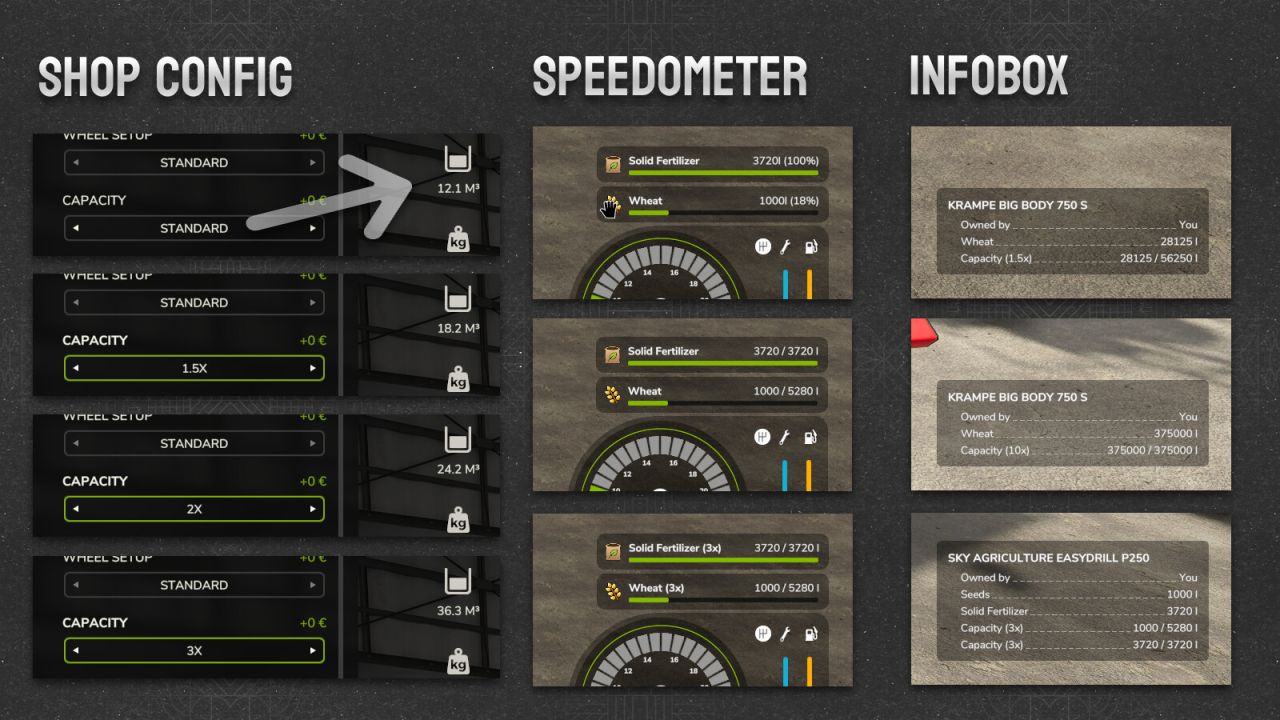
ADJUSTABLE FILL LEVEL ADVANCED — the SHOP UPGRADE for (almost) all vehicles/machines that your fill tanks have been desperately waiting for! Right at purchase, you choose your capacity multiplier: 1x, 1.5x, 2x, 3x, 4x, 6x, 8x, or believe it or not, 10x! That’s right, TEN TIMES the hauling capacity, for the UNBEATABLE price of… well, whatever the vehicle already costs! No hidden fees, no tricks, just BIGGER TANKS!
Mod and DLC vehicles/machines are automatically supported, no extra steps needed.
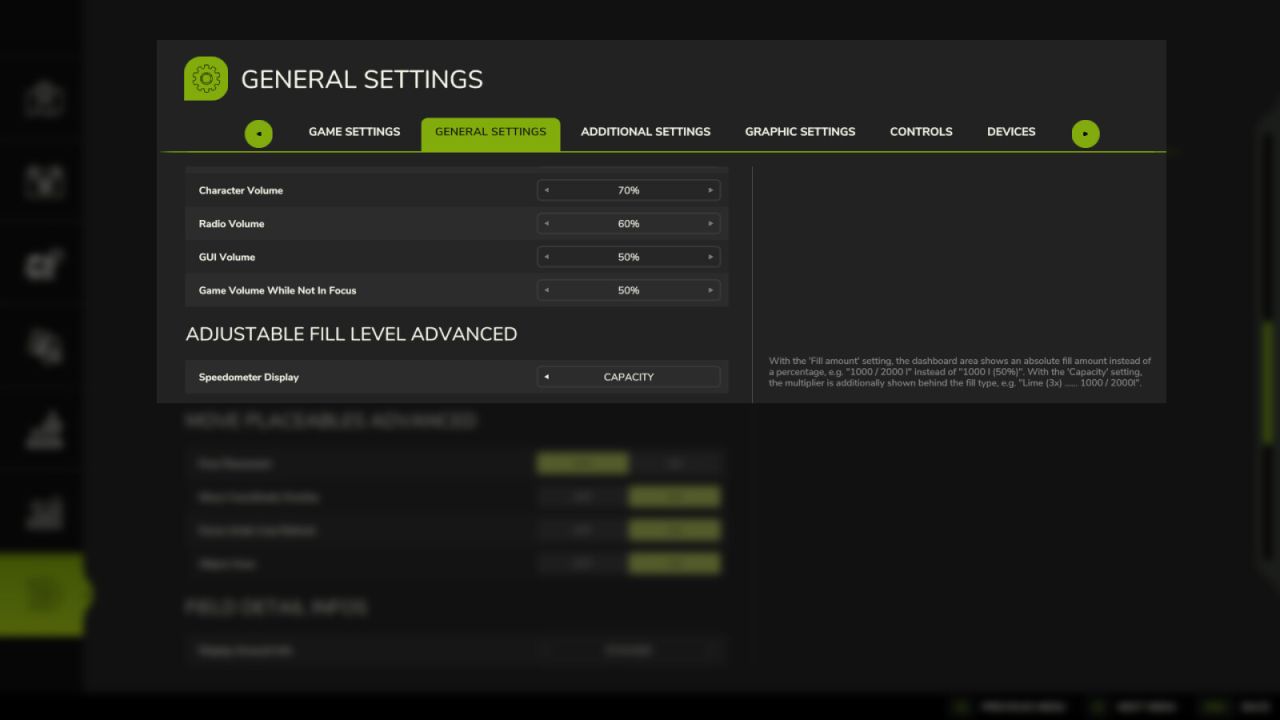
But WAIT, there’s more! Head into the General Settings and decide how your adjustments are displayed:
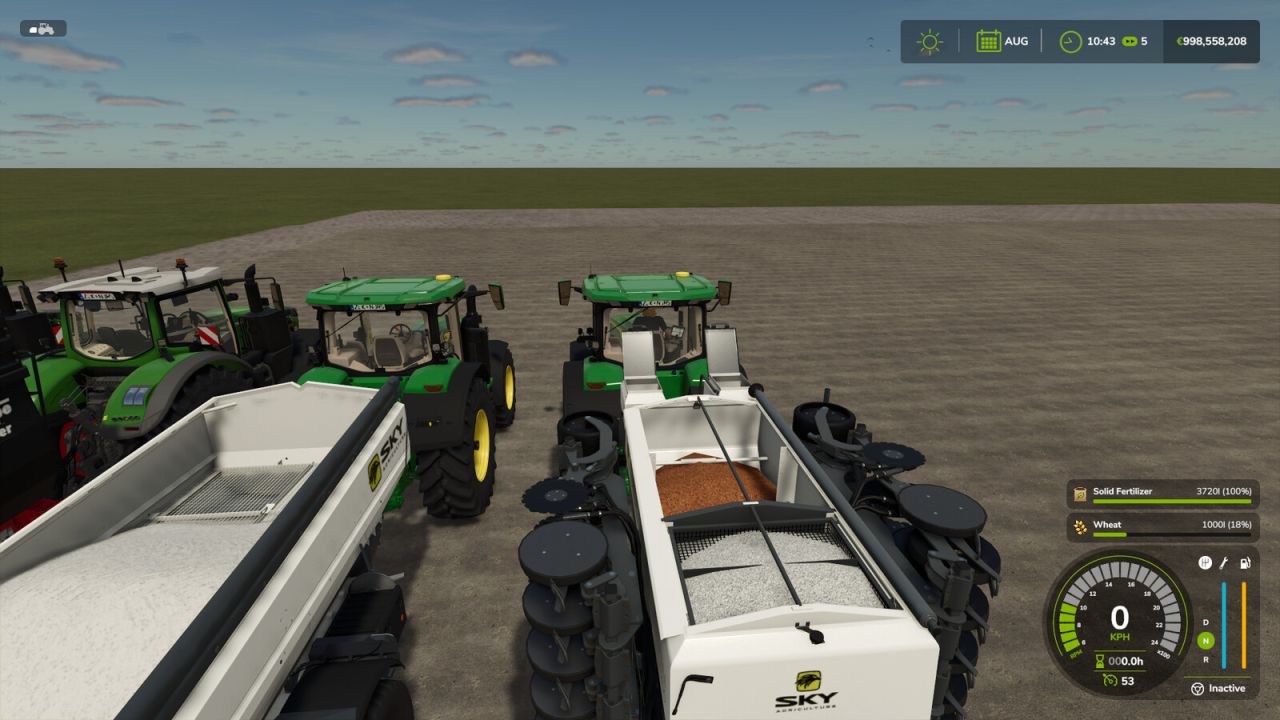
– STANDARD — the classic percentage display, for traditionalists: 1000l (50%)
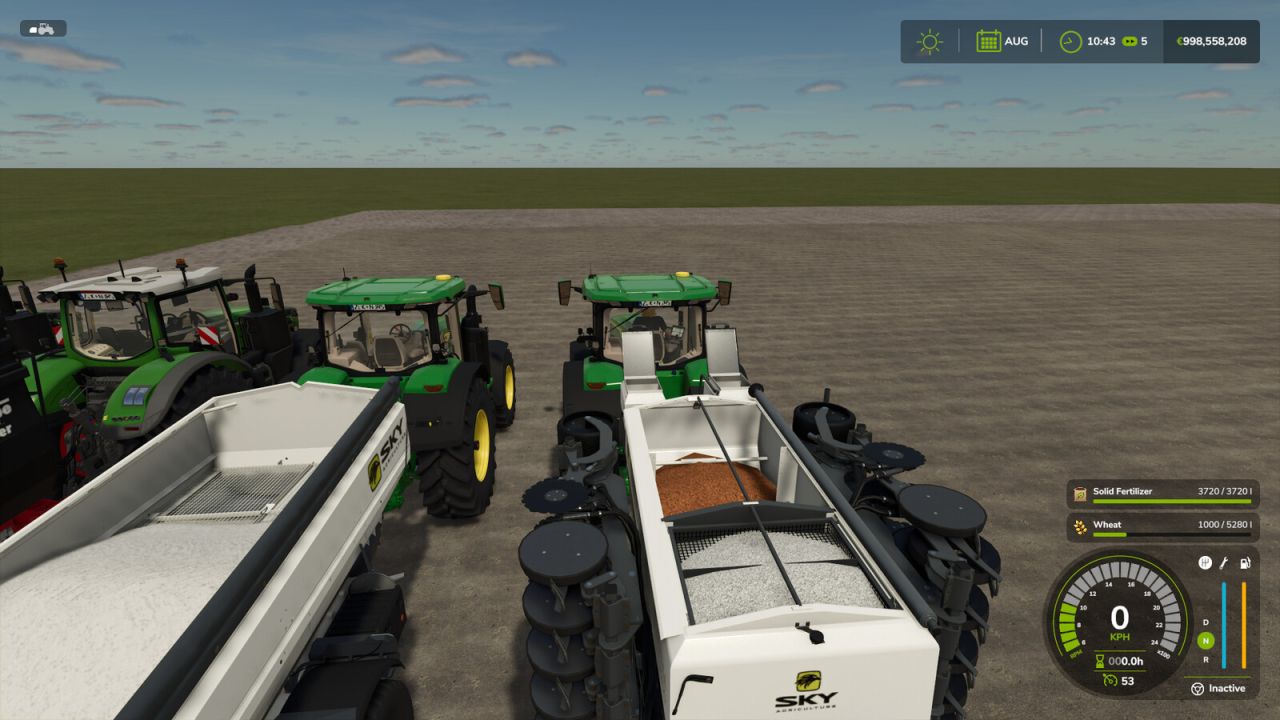
– FILL AMOUNT — exact liters or cubic meters, e.g. “1000 / 2000 l”, because mental math is for combines, not farmers.
– CAPACITY — all of the above PLUS your multiplier proudly displayed right next to the fill type, e.g. “WHEAT (3x) …….. 1000 / 2000l”, so the whole farm knows you mean business.
And as if that weren’t enough: just walk up to one of your upgraded vehicles, and the info box in the bottom right will happily show off its current and maximum capacity — bragging rights included at no extra charge, of course!
No keybinds to learn. No HUD clutter. Just bigger tanks and better displays that finally command respect for YOU. What are you waiting for — your harvest certainly isn’t getting any smaller! The mod hotlines are NOT overloaded, so just install it already!
(Note: not compatible with the broken predecessor mod ‘FS25_adjustableFillLevel’ — don’t worry, we’ll politely (and persistently) remind you if it sneaks back into your mods folder.)
Author: Helfer B.