SKY Agriculture Terminal Pack (Prefab) V1.0


SKY Agriculture Terminal Pack (Prefab) V1.0
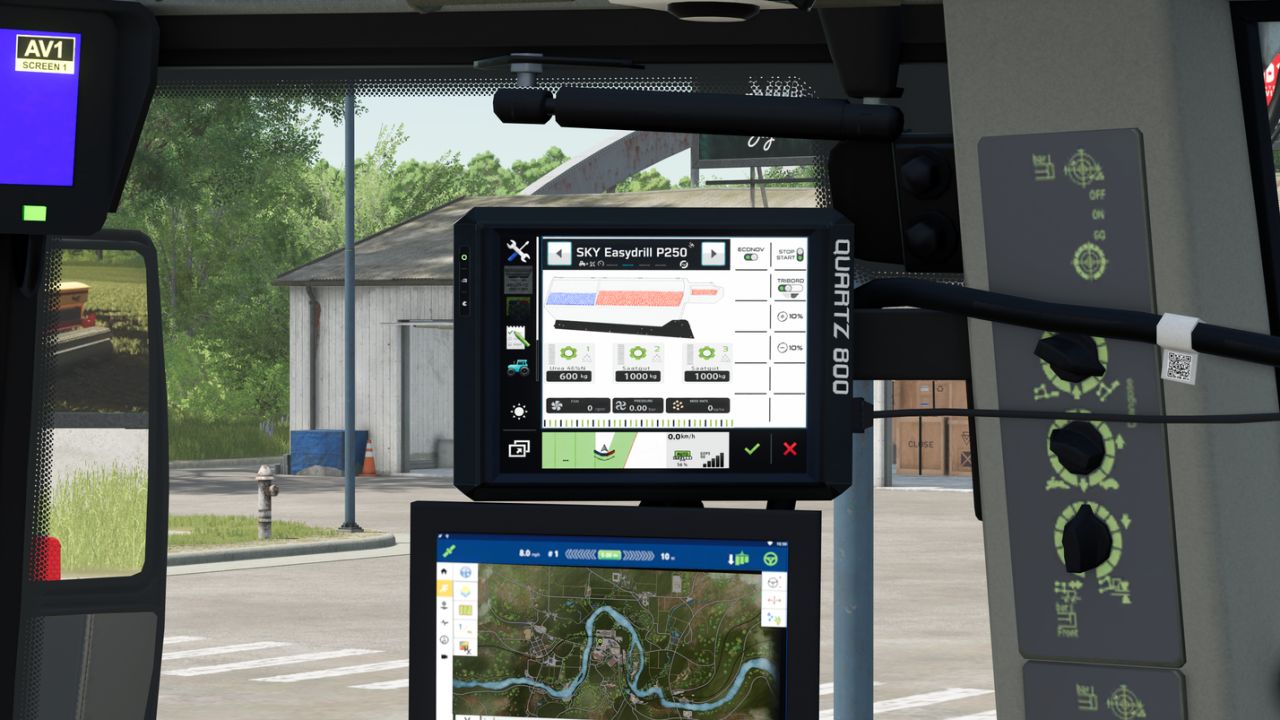
When I was playing with the SKY DLC and noticed that some of the machines have an IsoBus connector,
I thought to myself “SKY terminals would be great”.
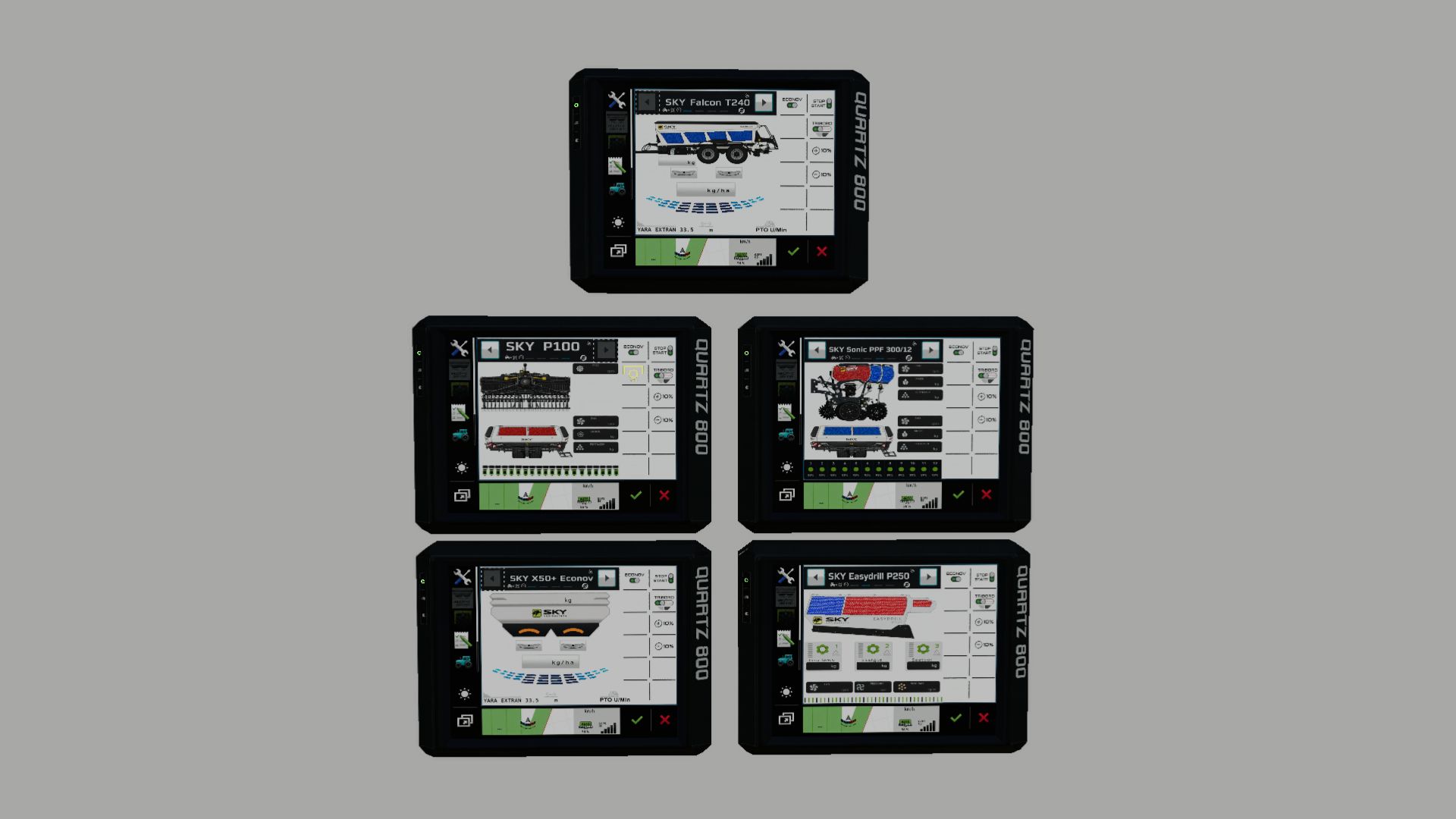
So I got to work, built a terminal and created a screen for five of the devices.
List of finished screens: “HRW 6000.36 + P100” “Sonic PPF 300/12” “Easydrill P250” “X50+ Econov” “Falcon T240”
The screens run via LS25 Vanilla Dashboards, DBL and Precision Farming.

Since there was a problem with the visualization of the terminal and the screens for the correct devices, I took the liberty
of writing a script that allows additional terminal screen entries for the groups in the dashboard segment.
These entries can be edited in an external XML file with the device names.
In short: The script no longer accesses the device type, but rather the device name, so that a terminal can be created specifically for each device. Thus, for example, the SKY P250 terminal will only be displayed for that specific device and not for other devices like lime or fertilizer spreaders.
Everything is described in detail in the accompanying instructions.

Otherwise, I would really appreciate feedback on whether everything is working.


Author: Guner348

Report bugs in the comments and help modders improve this mod. Always check the comments, you can find a solution.


Helpful Information: How to install FS25 mods | FS25 System Requiremnts | FS25 Modding Tutorial | Giants Editor for FS25 | How to Convert mods | FS25 Cheats

More Misc mods


About Farming Simulator 25 mods
Farming Simulator 25 supports game modding for PC, Xbox, or PS5. FS25 Mod may change your game from small to complete changes. You can create a Farming Simulator 25 mod file and share it with our community. When is a good time to try Farming Simulator 25 mods? We recommend playing a game with these FS25 mods after you finish the Farming Simulator 25 starting pack and are bored with the game basics. So it's time to try new machines, such as harvesters or tractors, which are not included in the basic game version.
As you already know, Farming Simulator 25 developers support mods installation, which will add more vehicles or lands to your game. Check our Best FS25 mods lists for PC, Mac, PS5 or Xbox Series. Just follow these simple steps: choose the LS25 mods category, download the mod for the Farming Simulator 2025 version, and install it into the mod folder. Remember, all Farming Simulator 25 Mods are free, and download as many as you want with no limits. We want to create one of the biggest Farming Simulator 25 Community and invite you to share FS25 mods with everyone.

Leave a Reply

Do you need help or to say thanks to the mod author? Just leave a comment below!