Farm Mechanic V1.0
Farm Mechanic V1.0
Turn vehicle maintenance into a real part of your Farming Simulator 25 experience.
Farm Mechanic introduces a deeper maintenance and repair system where your machines require regular servicing and can develop real mechanical problems if maintenance is ignored.
Mechanical failures
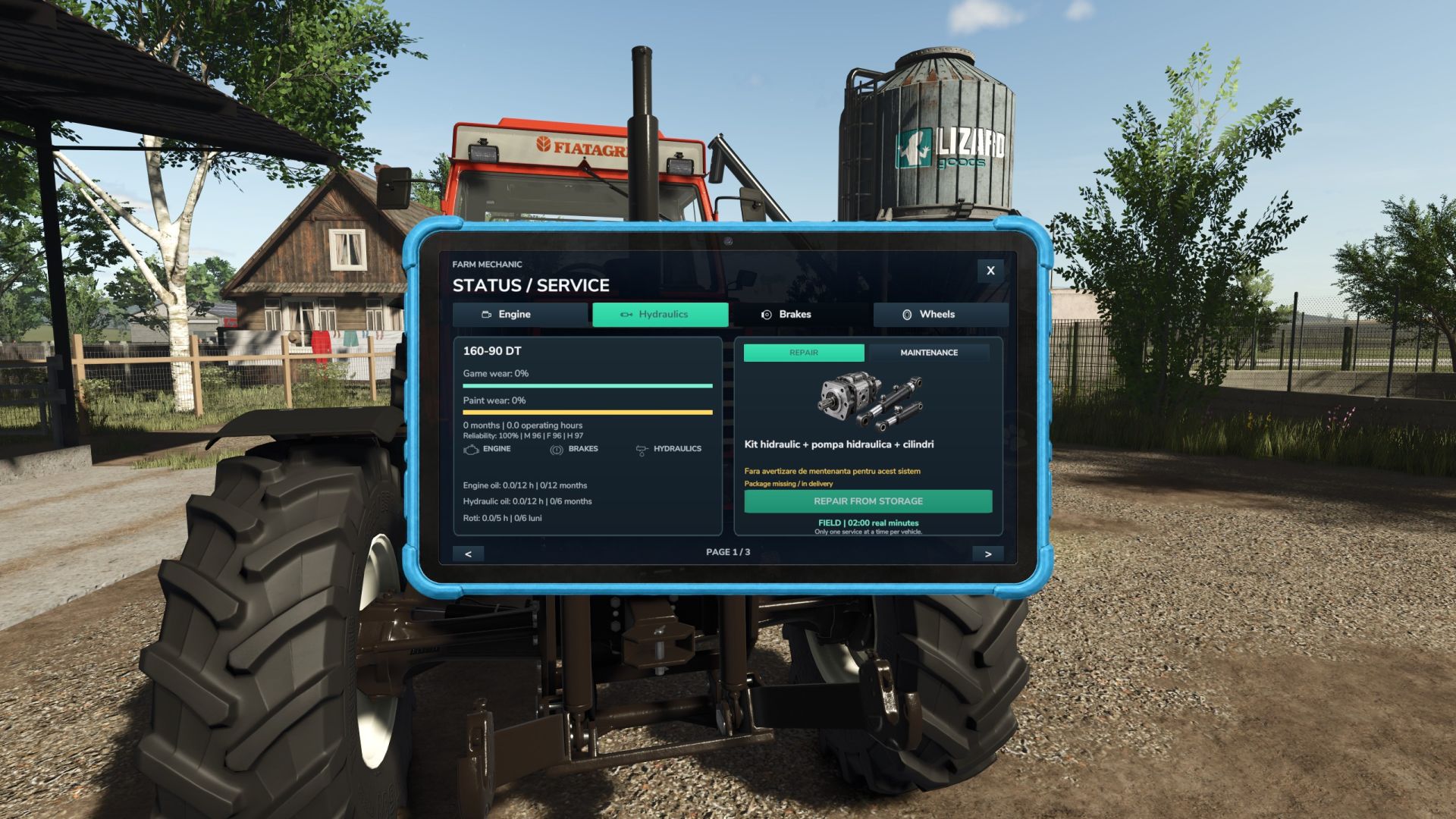
Engine, brakes, hydraulics and wheels have their own maintenance and failure systems.
Maintenance warnings
A yellow wrench warns you when maintenance is required. You then have 3 actual working hours to service the machine before the problem can become more serious.
Tire punctures
Vehicles, trailers and implements can develop punctures. Driving with a flat tire progressively reduces your speed and can eventually damage the rim.
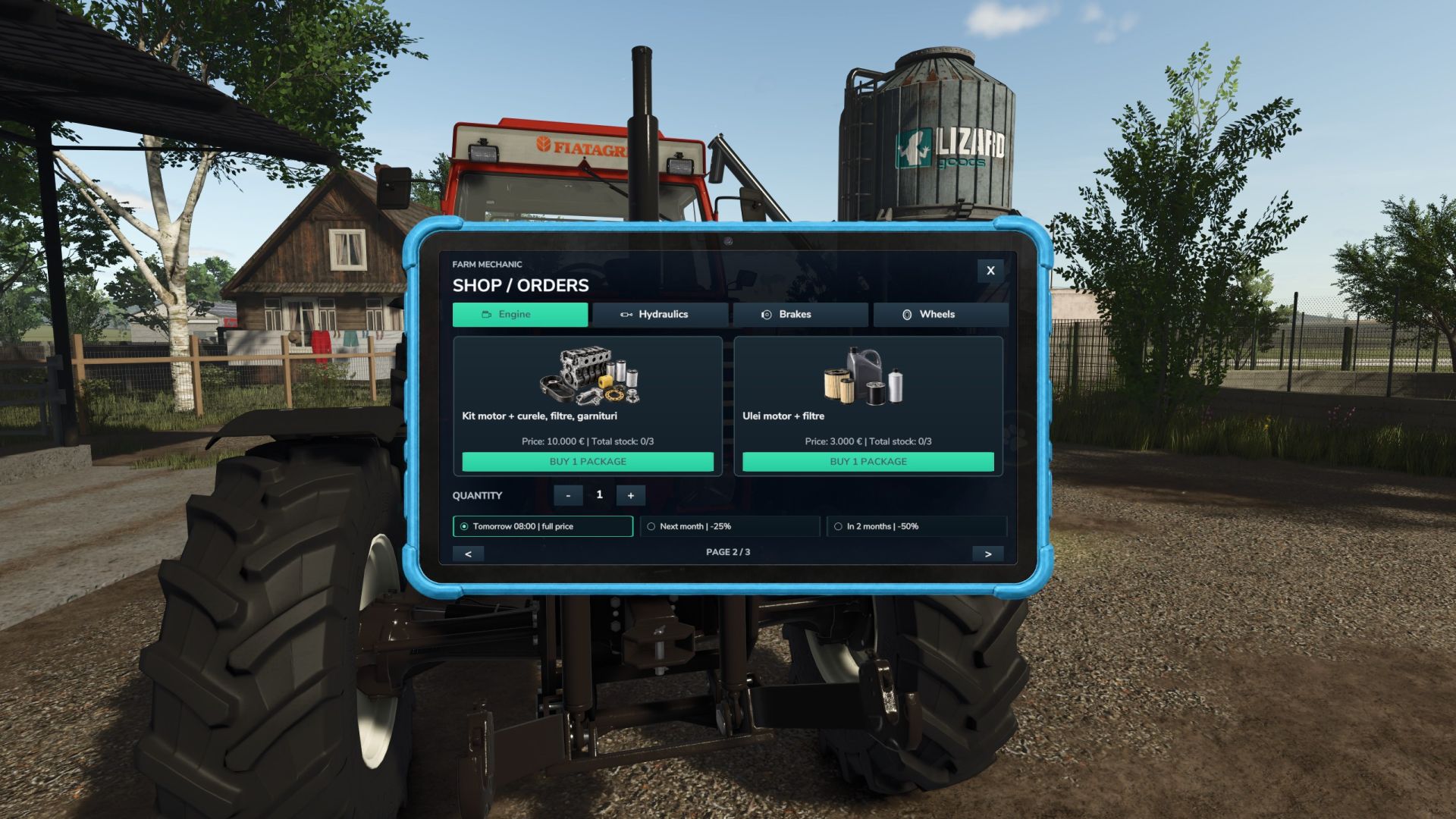
Interactive Mechanic Tablet
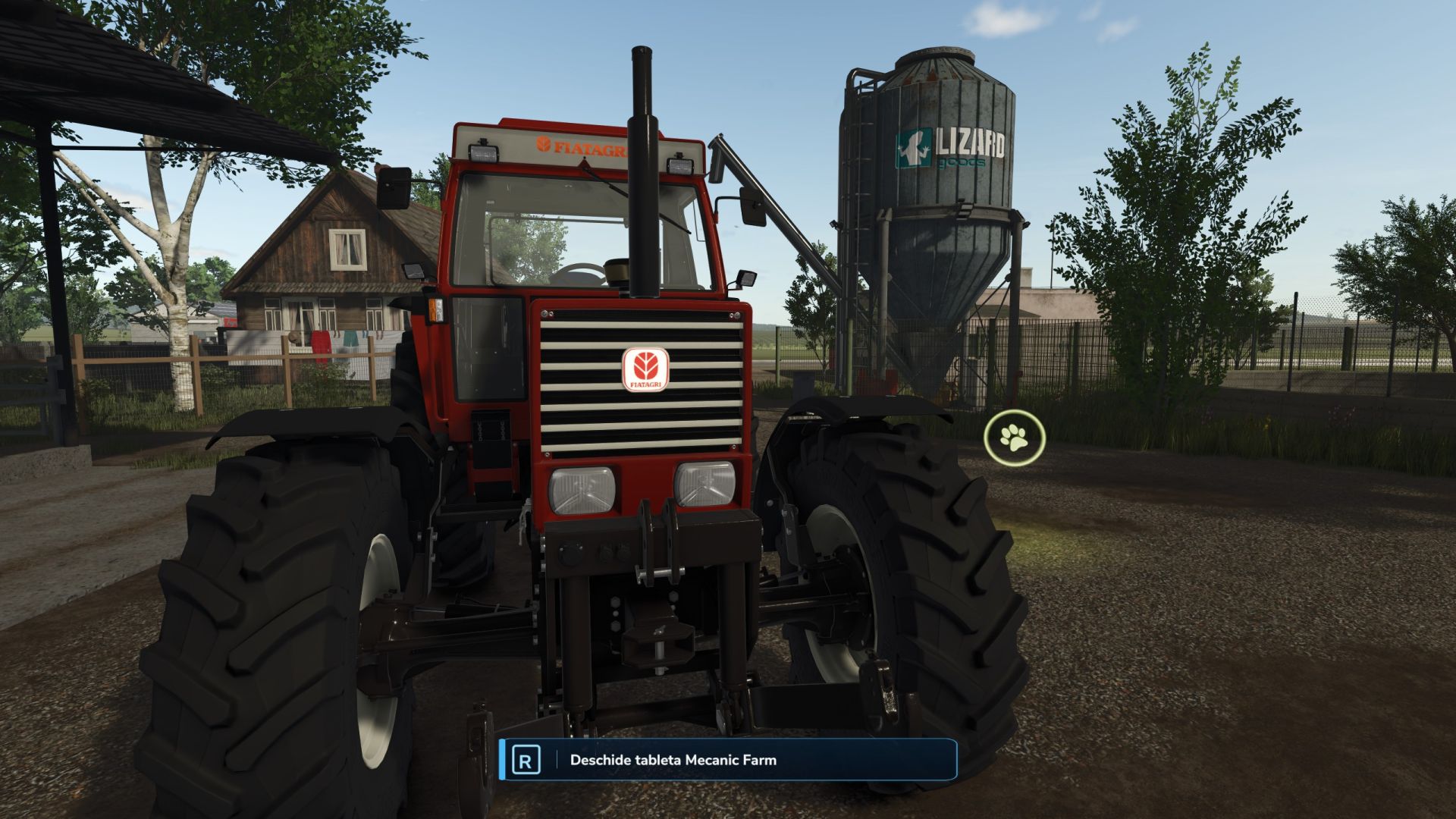
Walk to the front of a machine and press R to open the mechanic tablet. Check its condition, maintenance status, required parts and available repairs.
Parts Shop
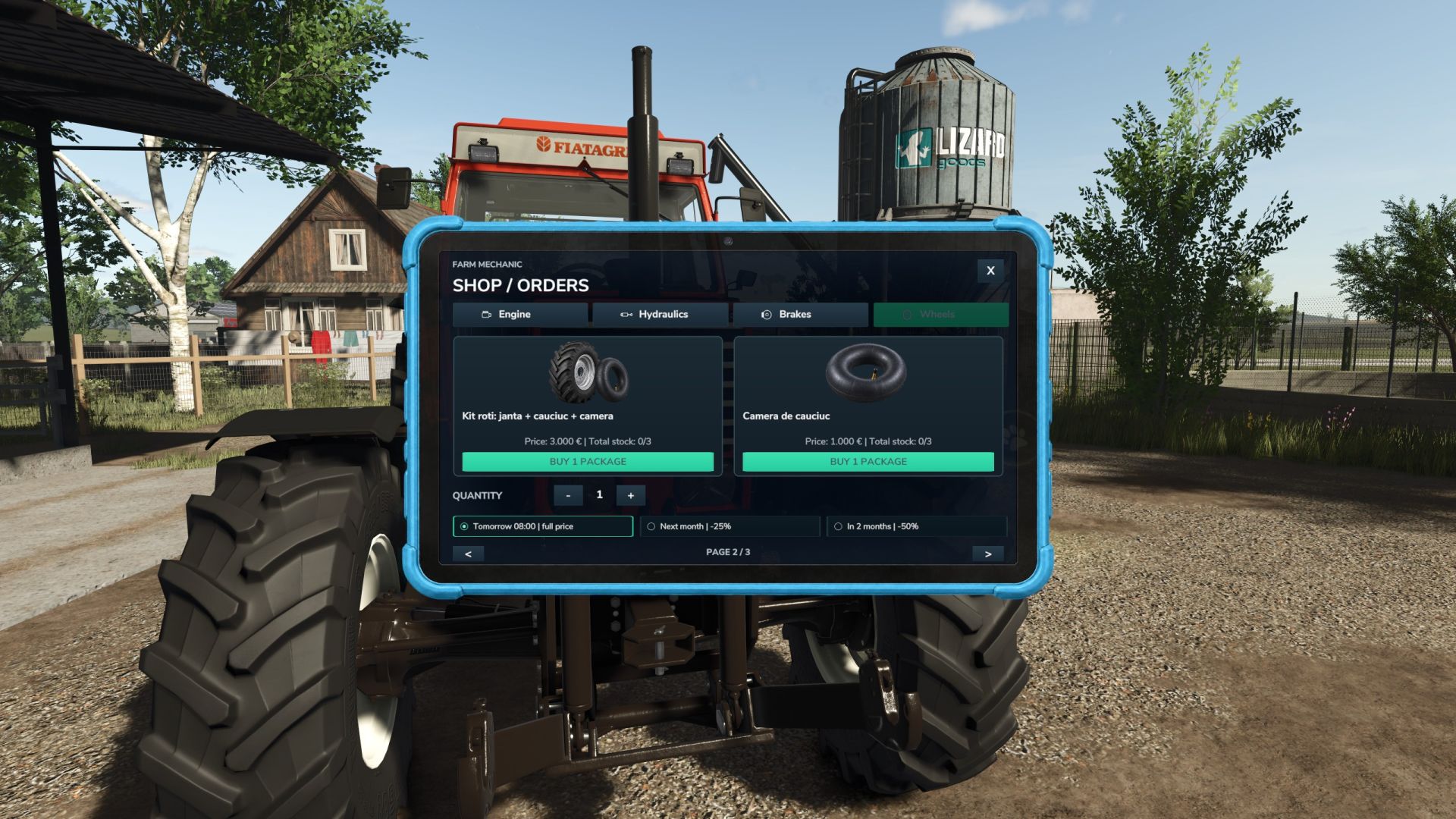
Purchase engine parts, oils, hydraulic components, brake parts, wheel kits and inner tubes directly through the tablet.
Orders & Storage
Choose between faster delivery or delayed orders with discounts. Parts are stored in your virtual workshop inventory and can lose quality when stored for too long.
Real Repair Times
Repairs take actual time. Field repairs are slower, while working near a compatible farm workshop reduces repair time.
Oil Changes
Engine and hydraulic oil have separate service intervals based on vehicle age and actual working hours.
Vehicle Reliability
Older and heavily used machines become less reliable. Farm Mechanic can also integrate with the AgroDeal reliability system when available.
Persistent System
Maintenance, failures, punctures, stored parts, orders and repairs are saved with your game.
Multi-Language Support
The Farm Mechanic interface automatically uses the supported language corresponding to your Farming Simulator 25 language setting.
Controls
R — Open Farm Mechanic while standing near the front of the machine
Mouse — Navigate and interact with the tablet
ESC / X — Close the tablet
Maintain your machines, keep spare parts ready and fix small problems before they become expensive breakdowns.
With Farm Mechanic, maintenance finally matters.
Author: Oaca Robert