Avatar Switcher v1.0
Avatar Switcher v1.0
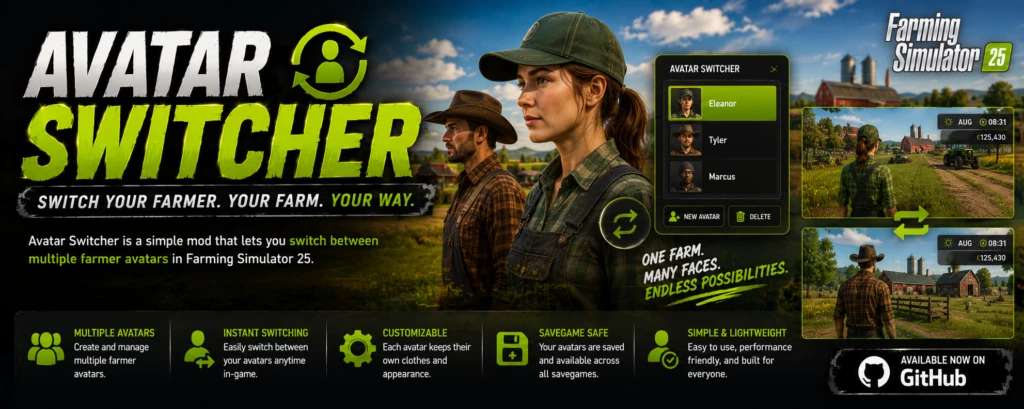
Avatar Switcher is a Farming Simulator 25 script mod that lets you save the current player appearance as a reusable preset and switch between saved avatars from an in-game selector.
Features
Save the current wardrobe appearance as an avatar preset.
Give each preset a unique ID, display name and category.
Select an existing category or create a new category while saving.
Contextual help explains the save fields with examples.
Filter saved appearances by category.
Apply or delete presets through an in-game selector.
Open Avatar Switcher while on foot or inside a vehicle.
Save directly from the player wardrobe through the Save to AvatarSwitcher control.
Store presets outside the mod ZIP so they survive mod updates.
Refresh preset data without restarting the game.
Provide a public API for integration with other mods, including Helper Profiles.
English, German and French localisation.
Compatibility
Farming Simulator 25
Version: 1.0.0.0
Script mod for PC and Mac
Single-player only
Multiplayer is not supported
No additional mods are required
Using Avatar Switcher
Saving an appearance
Open the Farming Simulator wardrobe and configure the player appearance.
Select Save to AvatarSwitcher.
Enter a unique Preset ID. This is the internal identifier used by Avatar Switcher and compatible mods; spaces are stored as underscores.
Enter an optional Display Name. This is the readable name shown in the selector. If left blank, the Preset ID is used.
Choose one of the existing categories shown in the list, or enter a value in New Category to create and use a new category.
Use the contextual Help panel for field explanations and examples, then select Save.
Applying an appearance
Press the mapped Open Avatar Switcher control.
Select a category.
Select a saved appearance.
Choose Apply.
The selected appearance is written to the player settings and Avatar Switcher attempts to refresh the active player immediately.
Deleting an appearance
Open the selector, choose the preset and select Delete. Deleting a preset does not change the appearance currently in use.
Preset Storage
Avatar presets are stored at:
Documents/My Games/FarmingSimulator2025/modSettings/FS25_AvatarSwitcher/avatarPresets.xml
On first use, Avatar Switcher creates a new empty preset file directly in the modSettings folder. Saved presets remain there when the mod ZIP is updated.
Before Avatar Switcher first writes an appearance to gameSettings.xml, it creates this backup when one does not already exist:
Documents/My Games/FarmingSimulator2025/gameSettings.avatarSwitcherBackup.xml
Known Limitations
Multiplayer is intentionally disabled and unsupported.
Live appearance refresh depends on the current player and wardrobe runtime state. When an immediate refresh is not possible, reopening the wardrobe or reloading the save applies the stored appearance.
Player configuration paths are validated before live refresh so an unknown or unavailable model configuration is not passed to the game loader.
Preset IDs must be unique.
Author: SimGamerJen