Crop Rotation Calendar BETA 3 v0.2.7
Crop Rotation Calendar BETA 3 v0.2.7
I created this mod to make planning field operations in Farming Simulator more logical and realistic. Each step of the process is presented with its specific purpose, the appropriate equipment, and a sensible sequence—including necessary waiting periods and various cultivation methods. For this reason, I have set a minimum of 7 in-game days per month, providing a playable compromise that allows for multiple work days. If you wish to have more time to manage several fields, I recommend setting the duration to 15–28 days.
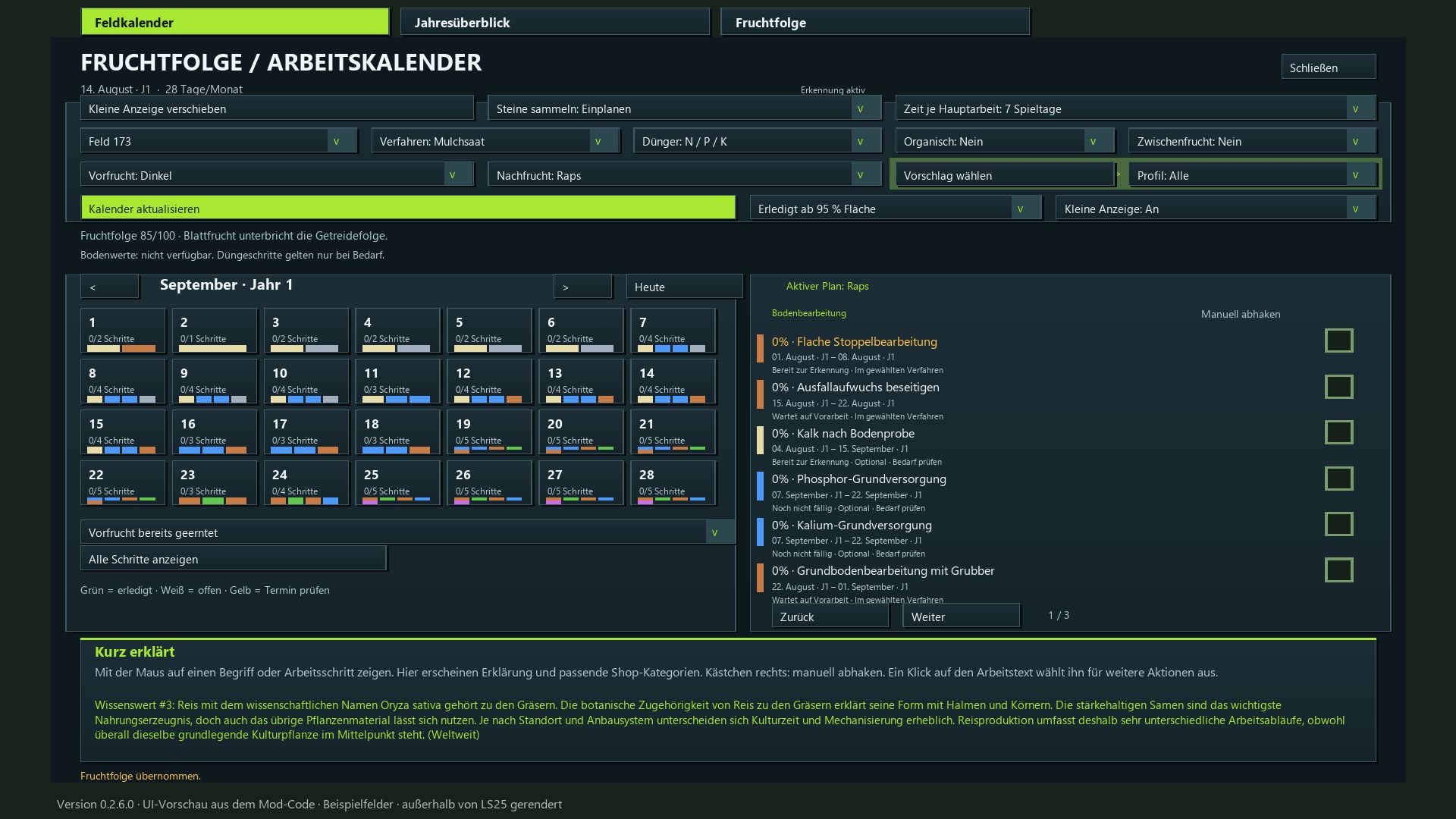
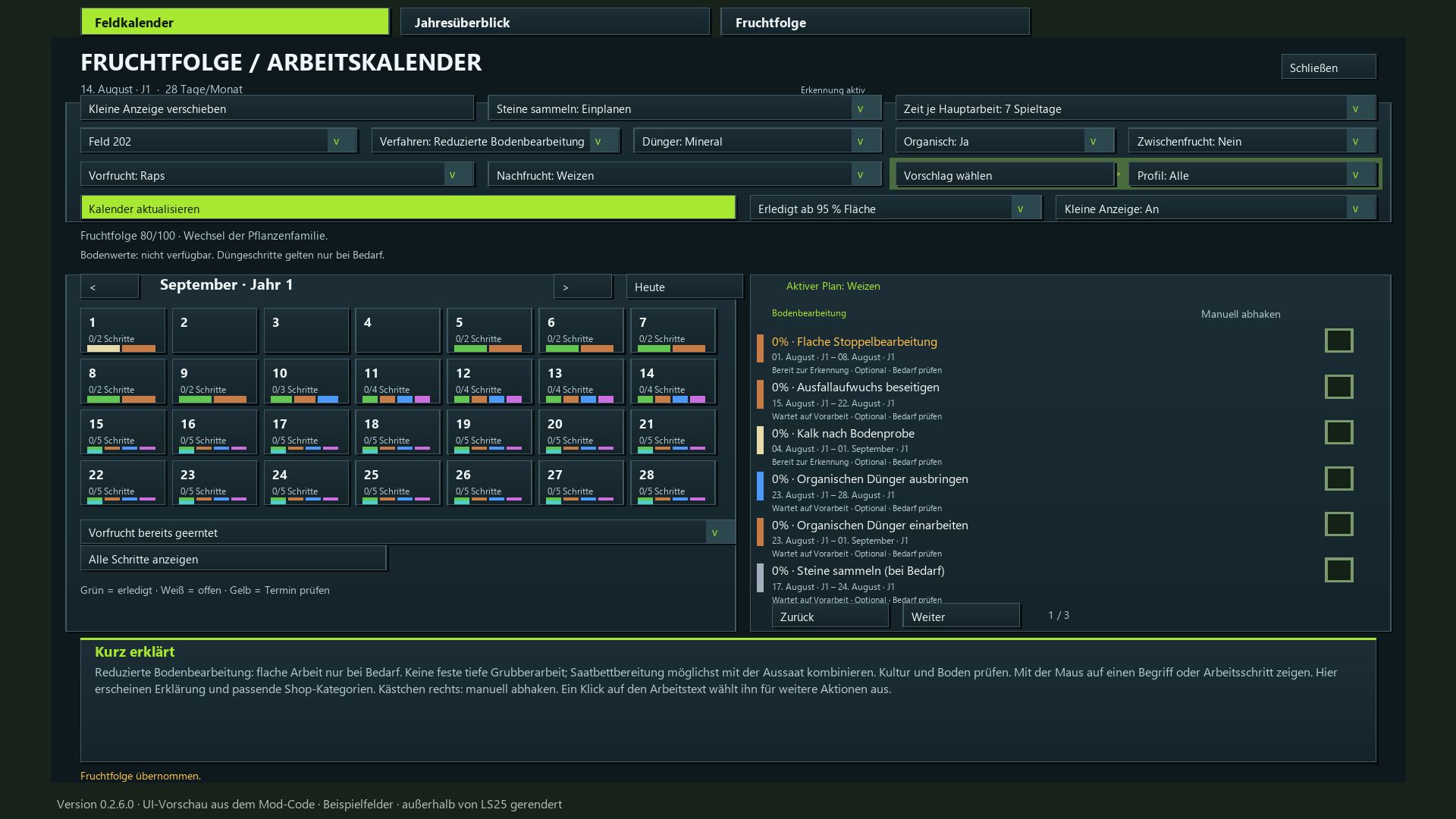
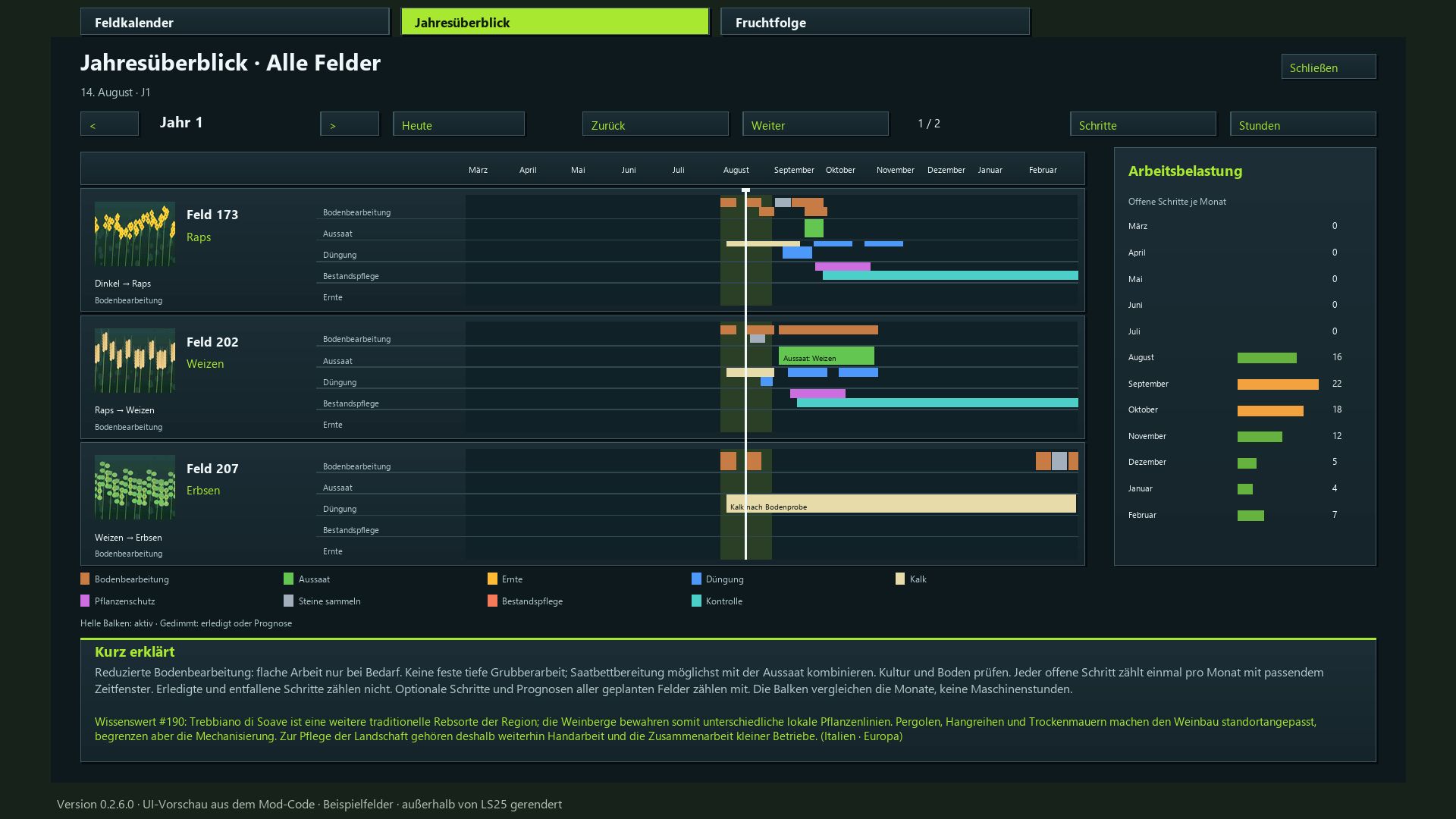
Plan the next crop and the corresponding tasks for each of your fields—from post-harvest stubble cultivation all the way to the final harvest. The mod integrates crop rotation assessment, a field calendar, an annual overview, equipment recommendations, and automatic progress tracking.
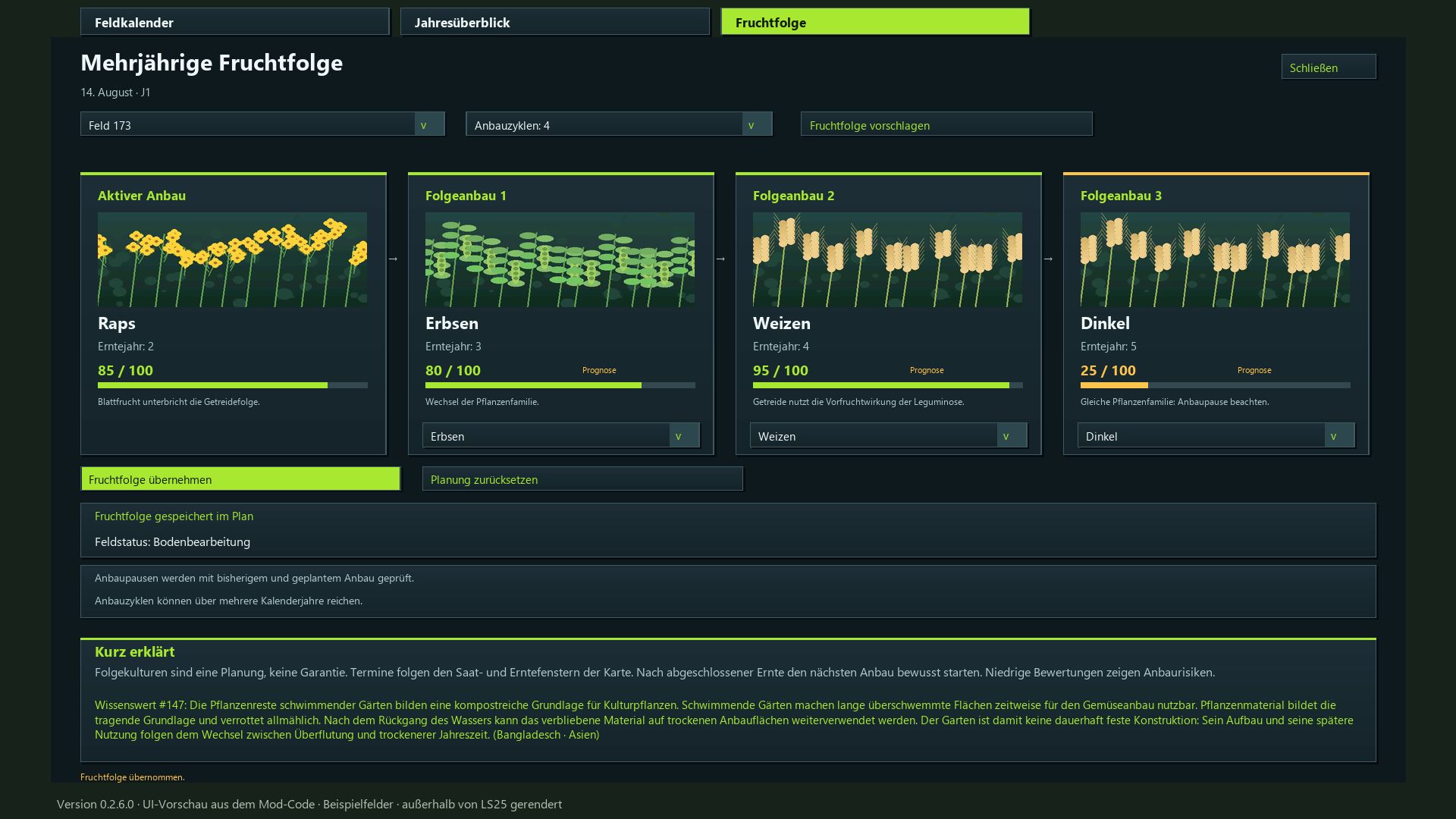
Evaluate crop rotation: Earn up to 100 points based on plant families, cultivation intervals, and the known harvest history of each field.
Utilize map-specific crops: The mod detects available crops, including supported winter and summer varieties.
Follow the cultivation calendar: Sowing and harvest windows are based on your active in-game calendar, including any adjustments made via the “Regional Crop Calendar” mod.
Select cultivation profiles: Filter for suitable follow-up crops or choose freely from the entire list.
Define cultivation methods: Choose between mulch tillage, plowing, direct seeding, or reduced tillage.
Account for periodic plowing: Automatic scheduling based on your game settings and detected requirements; specific, manually selected plowing methods remain available.
Plan field operations: Stubble cultivation, volunteer crop management, soil tillage, stone picking, sowing, fertilization, crop care, and harvesting.
Incorporate crop protection: Includes weed control and field monitoring (note: does not include a dedicated pest treatment system).
Recommended playstyle: A minimum of 7–28 days per month; 15–28 days are recommended for a more relaxed pace. Flexible work windows: 3, 5, 7, or 10 days, depending on the month length, with adjusted waiting periods and buffer times.
Track progress: Automatically detect completed field operations or mark them off manually. Optional steps can be flagged as “not applicable.”
Visualize volunteer crop growth: Small, randomly distributed patches of crops and weeds, with target coverage increasing from 10% to 40%. Progress is preserved even if the month length setting is changed.
Configure fertilization: Choose between combined mineral fertilizer or separate N/P/K applications, plus lime and optional organic fertilizer. No mandatory quantity calculations.
Equipment lookup: Access explanations for specific tasks and relevant shop categories directly from the calendar.
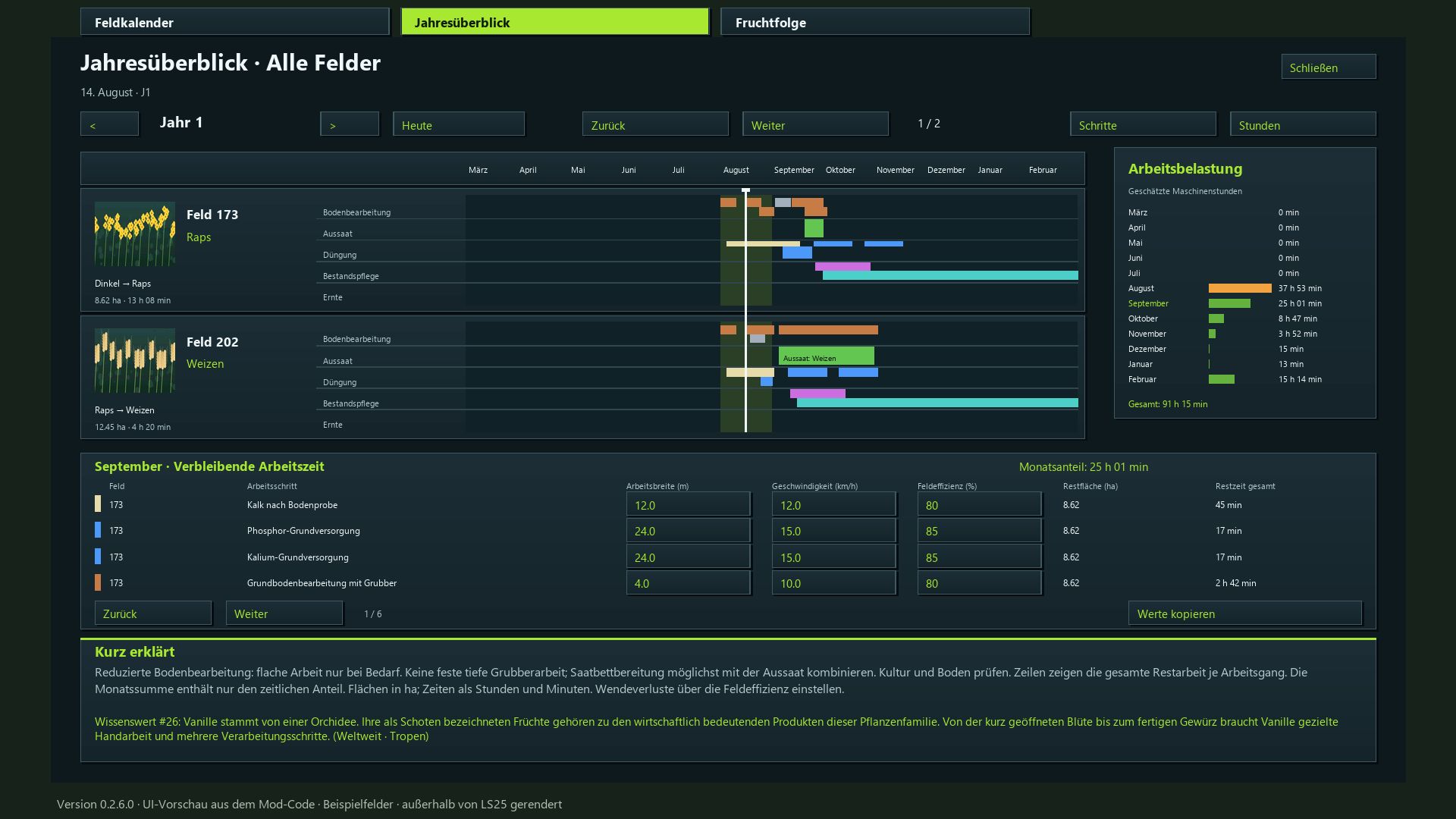
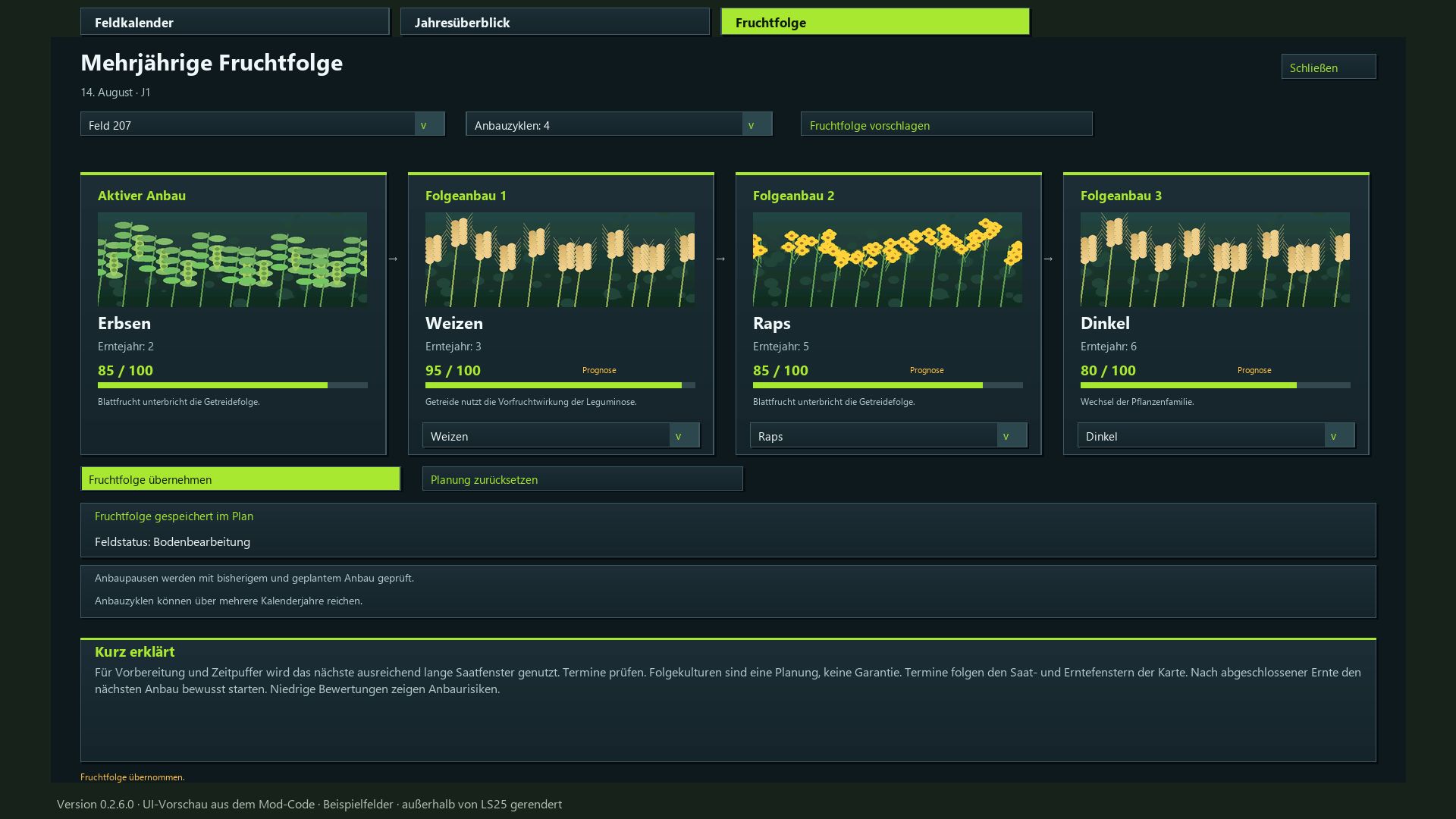
Comprehensive overviews: View field calendars, annual summaries, and multi-year crop rotations, all color-coded for clarity.
Estimate working time: Input field area (in hectares), working width, speed, and efficiency for each individual task.
Daily task display: A movable window showing pending tasks for all your planned fields.
Instant saving: Mod settings and planning progress are saved automatically. The game save itself is managed through the standard in-game save system.
Dedicated tab featuring a 15-step guide on how to use the mod.
Multiplayer support: Collaborative planning with server-side synchronization.
Available in 18 languages, featuring 350 randomly rotating agricultural facts.
Installation: Place the ZIP file into your mods folder and activate it within your save game.
This mod does not alter yield parameters or actual fertilization values. The visible volunteer crop growth places crops and weeds directly onto the field.
BETA 3
Update 0.2.7.0
Planning adjusted for all month lengths from 7 to 28 game days.
Work windows depending on the month length: 7–9 month days → 3 days; 10–14 → 3 or 5 days; 15–28 → 3, 5, 7 or 10 days.
Preparation buffer for short months adjusted. The waiting time for volunteer growth remains unchanged and is two game days for seven month days.
Changes to the active month length automatically adjust open plans and crop rotation forecasts. Started and completed work, as well as growth progress, are retained.
Sowing and harvesting months continue to follow the game calendar. The required machine hours per operation remain unchanged.
Manual, description and translations updated.
Required mods:
Realistic Soil &Fertilizer
Regional Crop Calendar
Author: Enton1991