CUMA – Shared equipment V1.0.0.3
CUMA – Shared equipment V1.0.0.3
V1.0.0.3
Added a button to adjust the delay between purchases
Fixed several small bugs
V1.0.0.2
Interface changes
Fixed bugs with the mouse wheel
Increased certain limits
Fixed several bugs
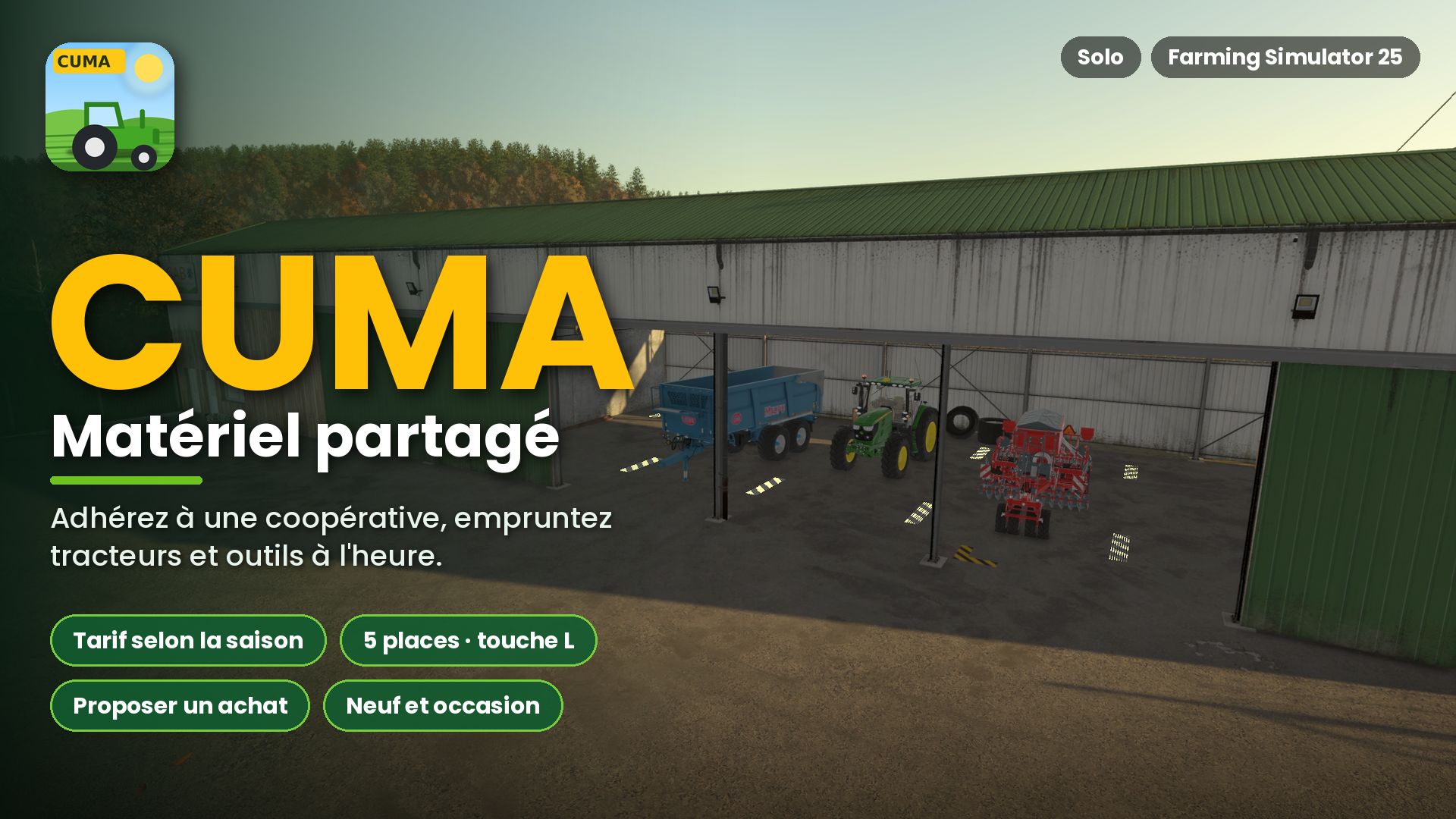
What if you no longer needed to buy all your own equipment? This mod introduces CUMAs (agricultural machinery cooperatives) to Farming Simulator 25. You join a cooperative, pay a membership fee, and borrow tractors, implements, and machinery by the hour—just like in real life.
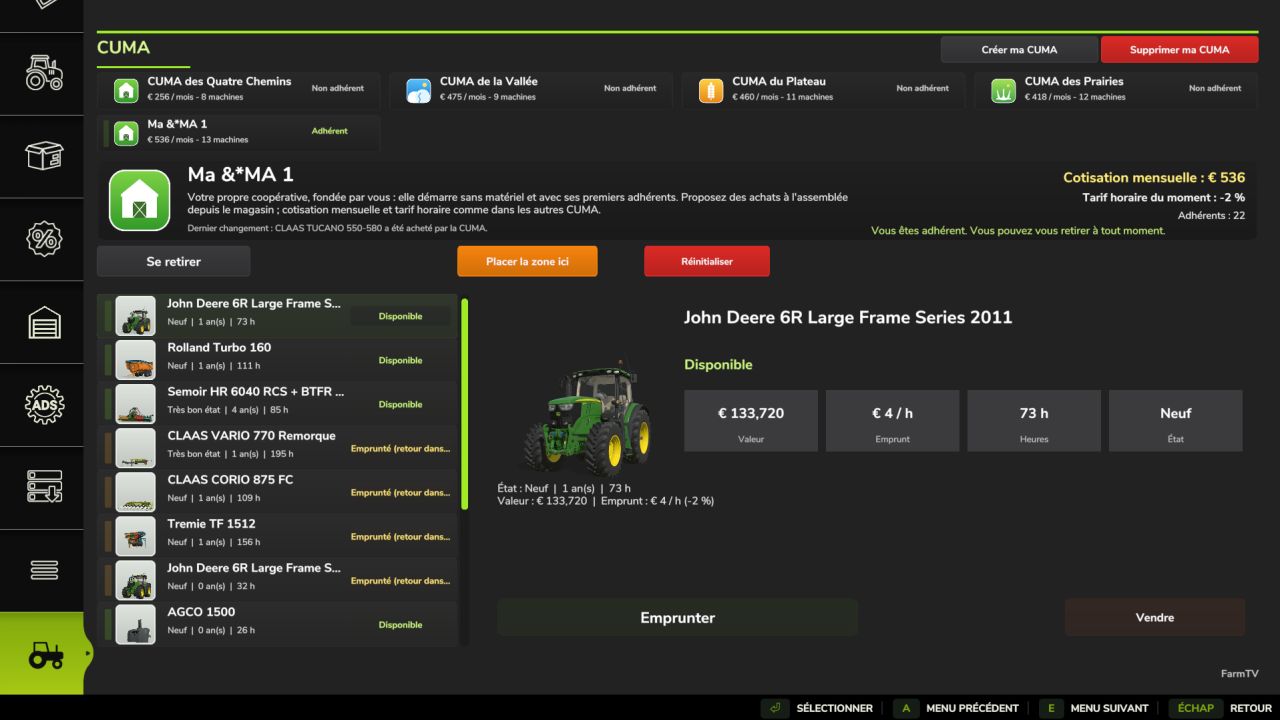
A new “CUMA” tab appears in the in-game shop menu.
The CUMA page: At the top, you’ll see the cooperatives available in your save game. In the middle, the one you’ve selected is displayed, showing its description, monthly membership fee, current hourly rate, and number of members, along with buttons to: Leave / Borrow / Move Zone Here / Reset.
Below that, you can view the entire fleet, including the condition, age, operating hours, value, hourly rental cost, and current status (available, under repair, borrowed by another member, etc.).
Equipment suggestions are based on the existing fleet. For example, a Kredo 3 power harrow (requiring 165 hp) is compatible with the CUMA’s tractors (95% match), whereas 330 hp and 440 hp models are marked as “Impossible”—they are simply too large for the tractors currently in the fleet.
Features
Membership and Rates
You may join one CUMA at a time; you can leave after a minimum of one year.
A monthly membership fee is charged based on the value of the fleet, and equipment rentals are billed by the hour.
Hourly rates fluctuate according to the in-game season (higher during sowing and harvest, lower in winter) rather than how frequently you borrow equipment.
Each CUMA displays its number of members, which changes gradually over time. Cooperatives with Character
Each game session features 2 to 4 CUMAs (agricultural cooperatives)—or more, if you choose to create them—each with its own unique profile and corresponding equipment. Examples include: a small village setup without a combine harvester; a valley-based cooperative with a combine and modern machinery; a large-scale cropping operation with high-horsepower tractors and plows; or a livestock-focused group equipped with telehandlers, forks, manure spreaders, and hay-making gear.
The machinery is sourced directly from the in-game shop, including modded equipment.
A Realistic Fleet
Factors such as age, operating hours, wear and tear, breakdowns, and repairs are all simulated. Machines may occasionally be loaned out to other members, and the fleet evolves over time.
Tools are matched to the power of the tractors (no oversized implements).
The Delivery Zone
Place the zone via the CUMA page (using the “Move zone here” option); its orientation will align with your current camera view.
Includes 5 designated spots, marked with yellow and black lines.
Proposing a Purchase
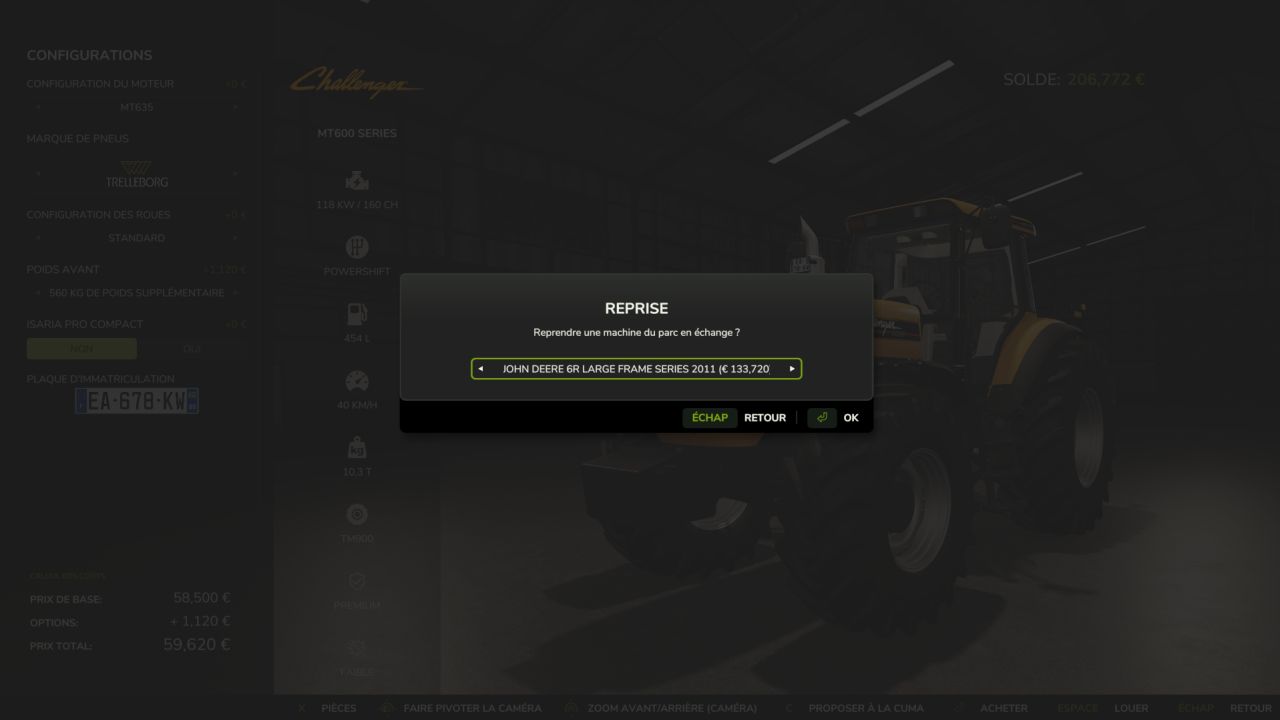
You can propose the acquisition of any machine available in the in-game shop, whether new or used (via the game’s “used” tab).
Trade-ins of existing fleet equipment are possible.
You can configure the machine (engine options, features, realistic color schemes, etc.).
The likelihood of a proposal being accepted depends on factors such as necessity, compatibility, the cooperative’s budget (based on the number of members), and potential revenue. After submitting a proposal, you must wait a few in-game days before making another.
Installation and Tips
Copy the .zip file into your mods folder and enable it in your save game. Then, open the in-game shop menu—the CUMA tab will appear at the end.
Use the “Place zone here” button to position the delivery area.
This mod is a work in progress, with further updates planned. Feedback is welcome!
Author: FarmTV