DGFarm Decal Studio BETA 2 v1.0
DGFarm Decal Studio BETA 2 v1.0
Discover DGFarm Decal Studio v0.4.0 for Farming Simulator 25!
In this video, I present the mod’s complete functionality, allowing you to add custom images and decals to FS25 vehicles. You will see how to install, configure and use the main tools available.
Add custom images
Adjust position, size and rotation
Customize different vehicles
Save your creations in the game
Developed for Farming Simulator 25
Version presented: 0.4.0
Compatibility: Farming Simulator 25 PC/Mac
BETA 2
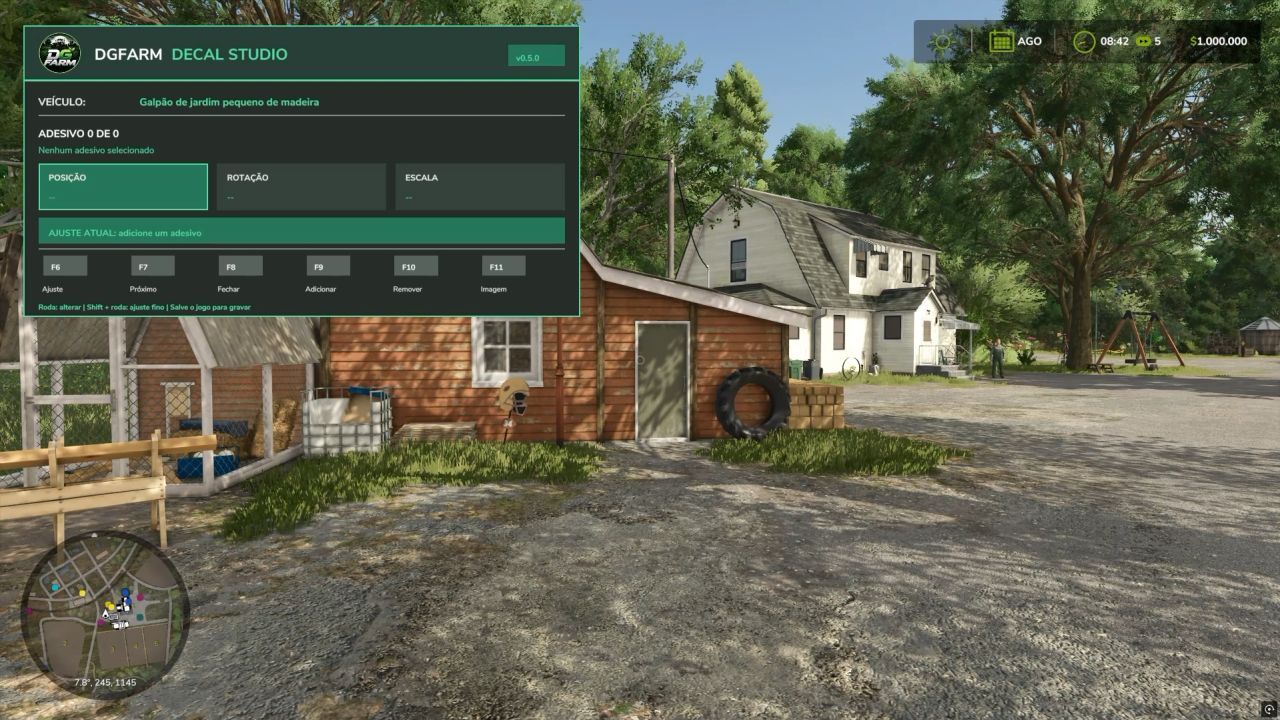
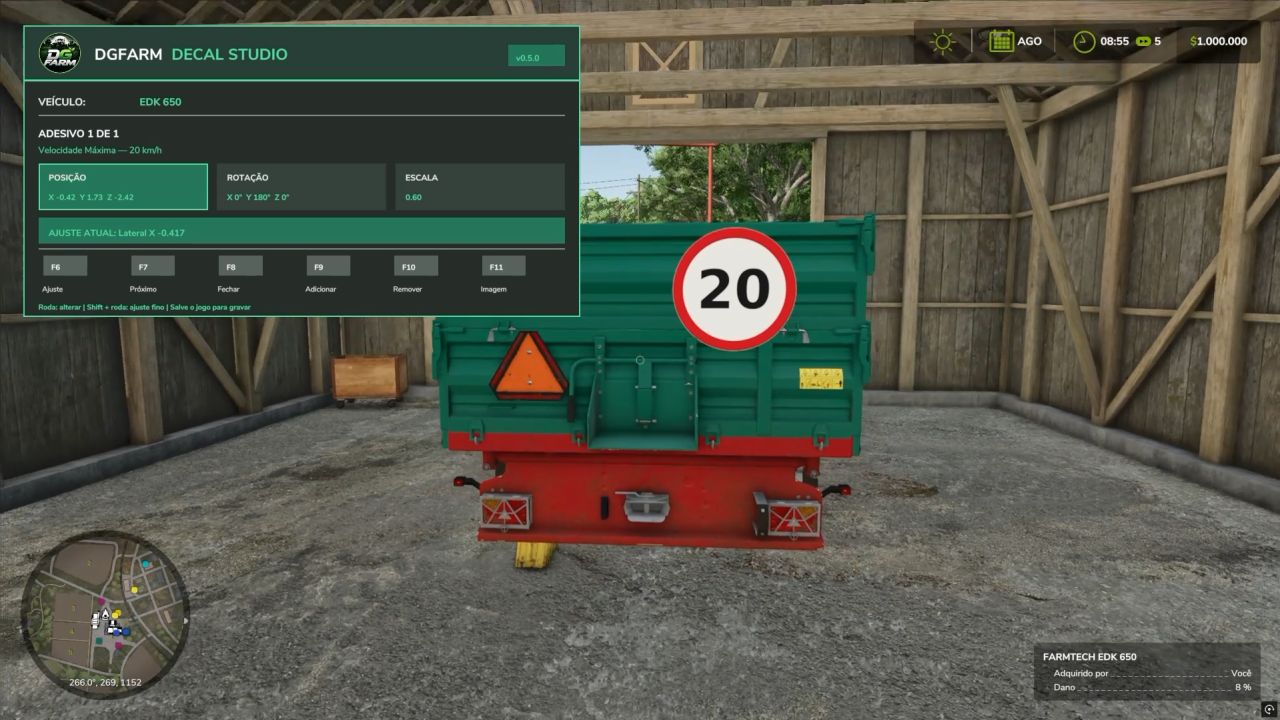
In this video, I present the main new features of version 0.5.0 of the mod that allows you to add custom images and stickers to vehicles, machines, trailers, and implements in Farming Simulator 25.
NEW FEATURES IN VERSION 0.5.0:
New layout inspired by DGFarms visual identity
Reorganized and easier-to-understand interface
Multilingual support in Brazilian Portuguese and English
Language selected automatically according to the game settings
Simplified controls during editing
Updated catalog with 17 images
Support for adding your own images
Position, size, proportion, and rotation adjustments
NEW CONTROLS:
Ctrl+F8: open or close the panel
F6: select the adjustment
F7: select the next applied sticker
F9: add a sticker
F10: remove the selected sticker
F11: change the image
On foot: use the mouse wheel to make adjustments
Inside the vehicle: use Ctrl + mouse wheel
Shift + mouse wheel: fine adjustment
Author: dgfarm