Enhanced Help Menu V1.0


Enhanced Help Menu V1.0
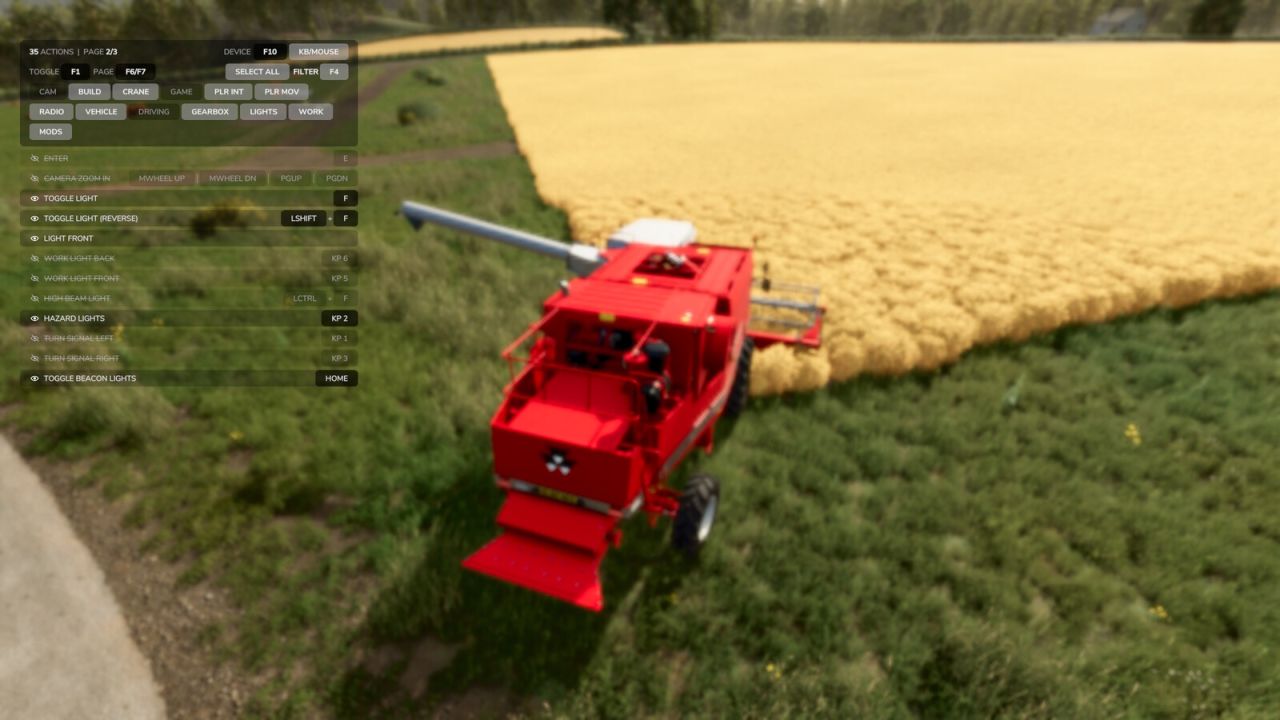
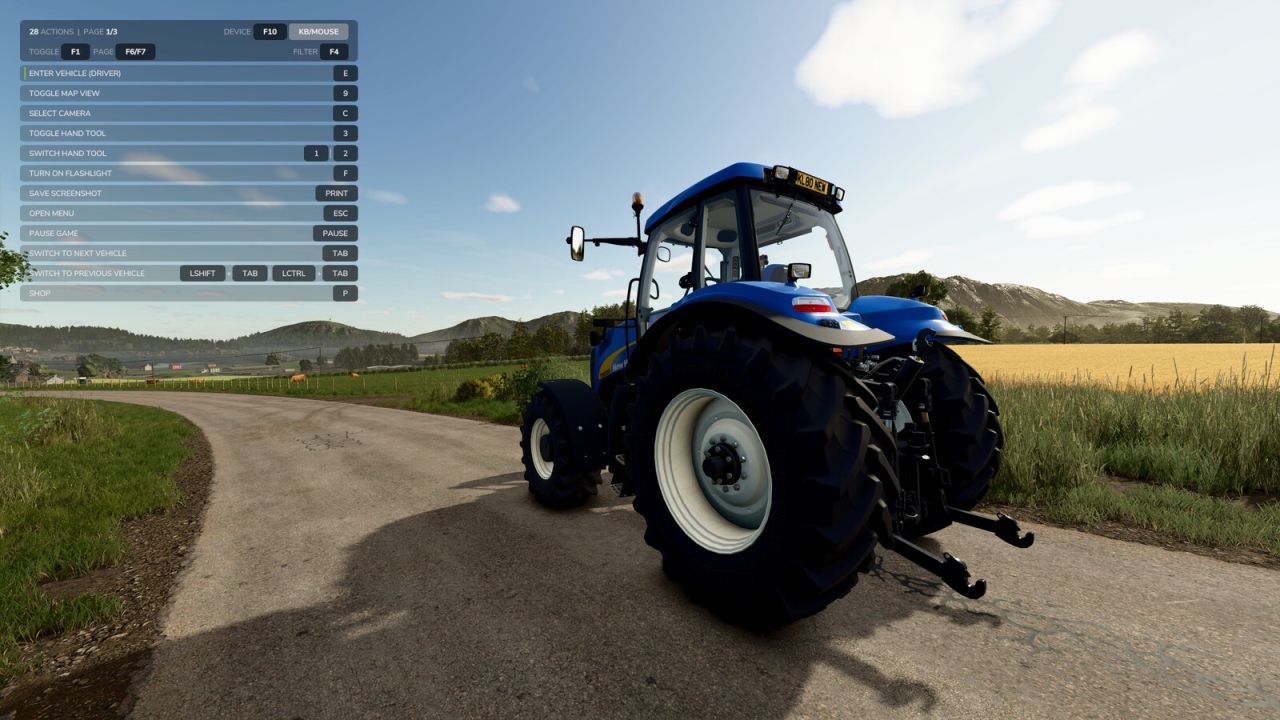
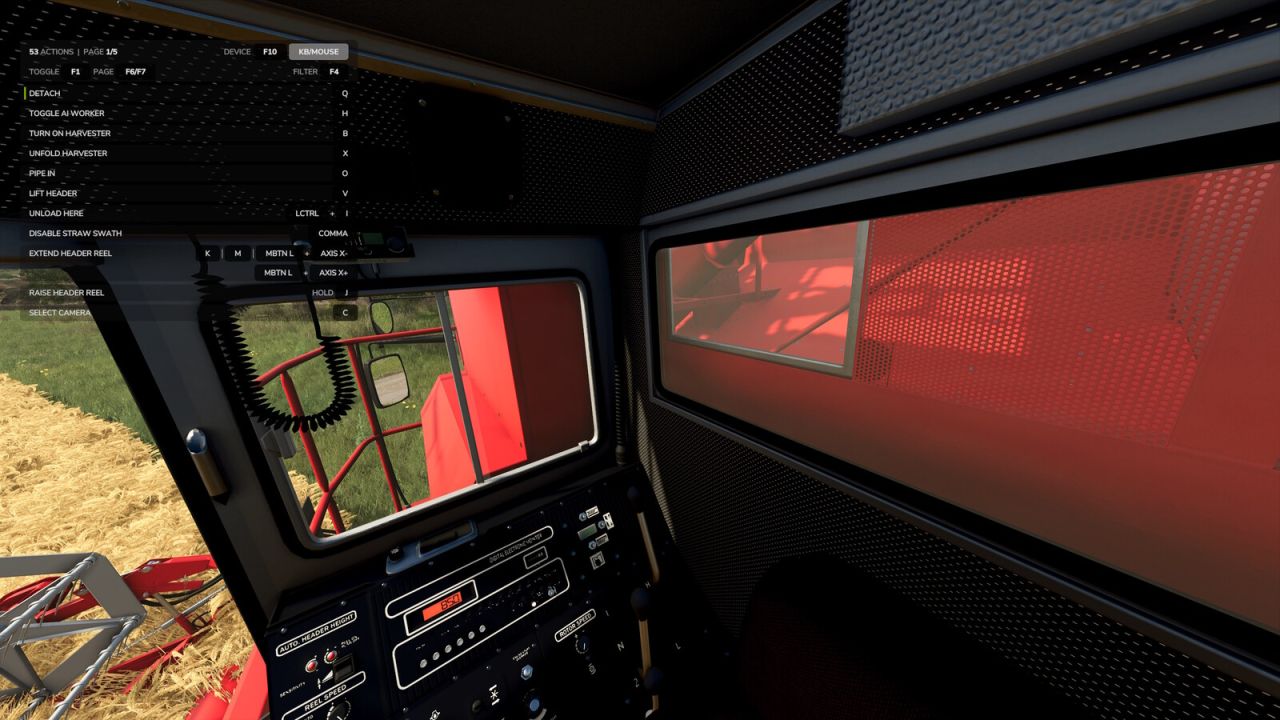
Replaces the built-in F1 help menu with a smarter, always-visible overlay that shows every active input action and its key binding, not just the handful the game chooses to highlight.

The list updates as your context changes: on foot, in a vehicle, near interactive objects, or using attachments. New actions get a subtle green accent bar and slide to the top of the list so you notice them straight away.

Features:
– Lists every active action across all connected input devices
– Real key bindings with proper formatting (keyboard, mouse, joystick, gamepad)
– New-action highlighting: smooth fade-in with green accent bar, auto-sorted to top
– Long bindings wrap to a second line automatically, so nothing hides behind an ellipsis
– Category filter (Camera, Vehicle, Driving, Lights, etc.) to narrow the list
– Hide individual rows you’ve memorized. Open filter mode and click a hidden row to bring it back
– Filter mode softly blurs the game world behind the panel for cleaner focus
– Cycle device filter to see bindings for a specific controller
– Pagination for long action lists
– Settings (filters, hidden rows, display state) persist between sessions

Controls (all remappable in the Controls menu):
F1 : Cycle display (overlay only / F1 only / both hidden)
F4 : Open or close filter (click categories to filter the list, click rows to hide them)
F6 : Previous page
F7 : Next page
F10 : Cycle device filter


Author: petvind


Report bugs in the comments and help modders improve this mod. Always check the comments, you can find a solution.


Helpful Information: How to install FS25 mods | FS25 System Requiremnts | FS25 Modding Tutorial | Giants Editor for FS25 | How to Convert mods | FS25 Cheats

More Misc mods


About Farming Simulator 25 mods
Farming Simulator 25 supports game modding for PC, Xbox, or PS5. FS25 Mod may change your game from small to complete changes. You can create a Farming Simulator 25 mod file and share it with our community. When is a good time to try Farming Simulator 25 mods? We recommend playing a game with these FS25 mods after you finish the Farming Simulator 25 starting pack and are bored with the game basics. So it's time to try new machines, such as harvesters or tractors, which are not included in the basic game version.
As you already know, Farming Simulator 25 developers support mods installation, which will add more vehicles or lands to your game. Check our Best FS25 mods lists for PC, Mac, PS5 or Xbox Series. Just follow these simple steps: choose the LS25 mods category, download the mod for the Farming Simulator 2025 version, and install it into the mod folder. Remember, all Farming Simulator 25 Mods are free, and download as many as you want with no limits. We want to create one of the biggest Farming Simulator 25 Community and invite you to share FS25 mods with everyone.

Leave a Reply

Do you need help or to say thanks to the mod author? Just leave a comment below!