Factory Profit Calculator V1.0.0.1


Factory Profit Calculator V1.0.0.1
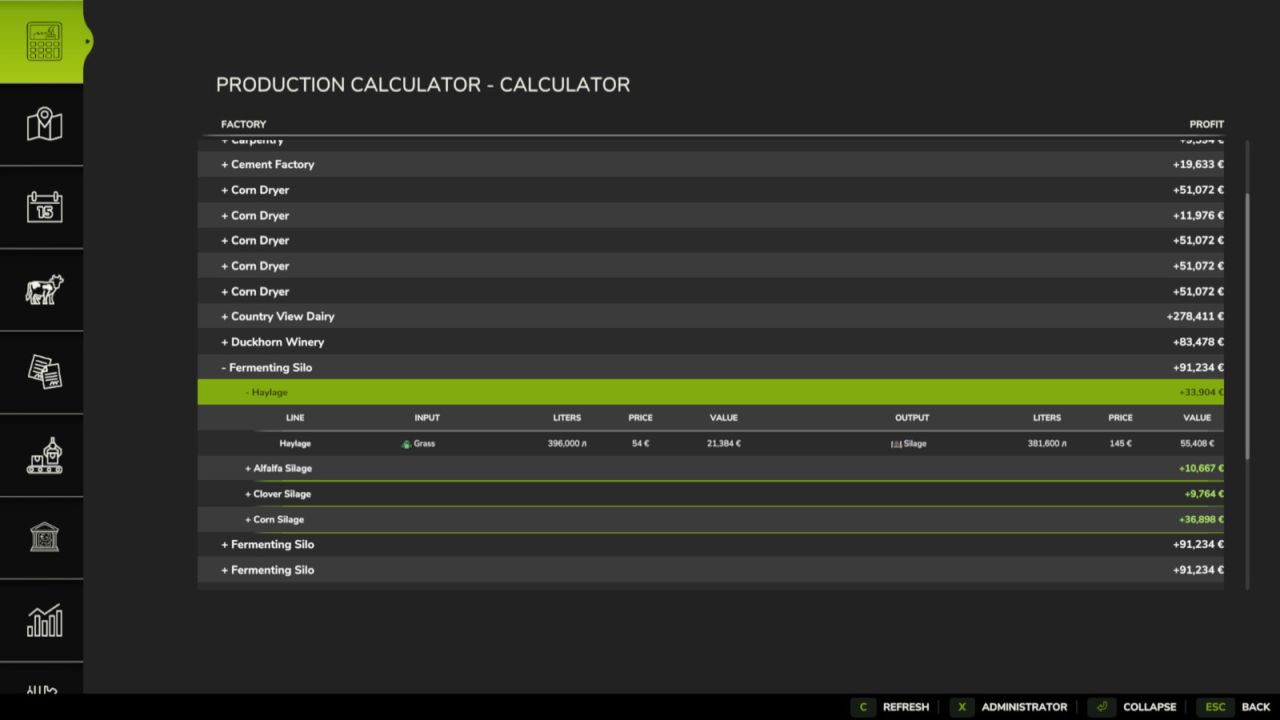
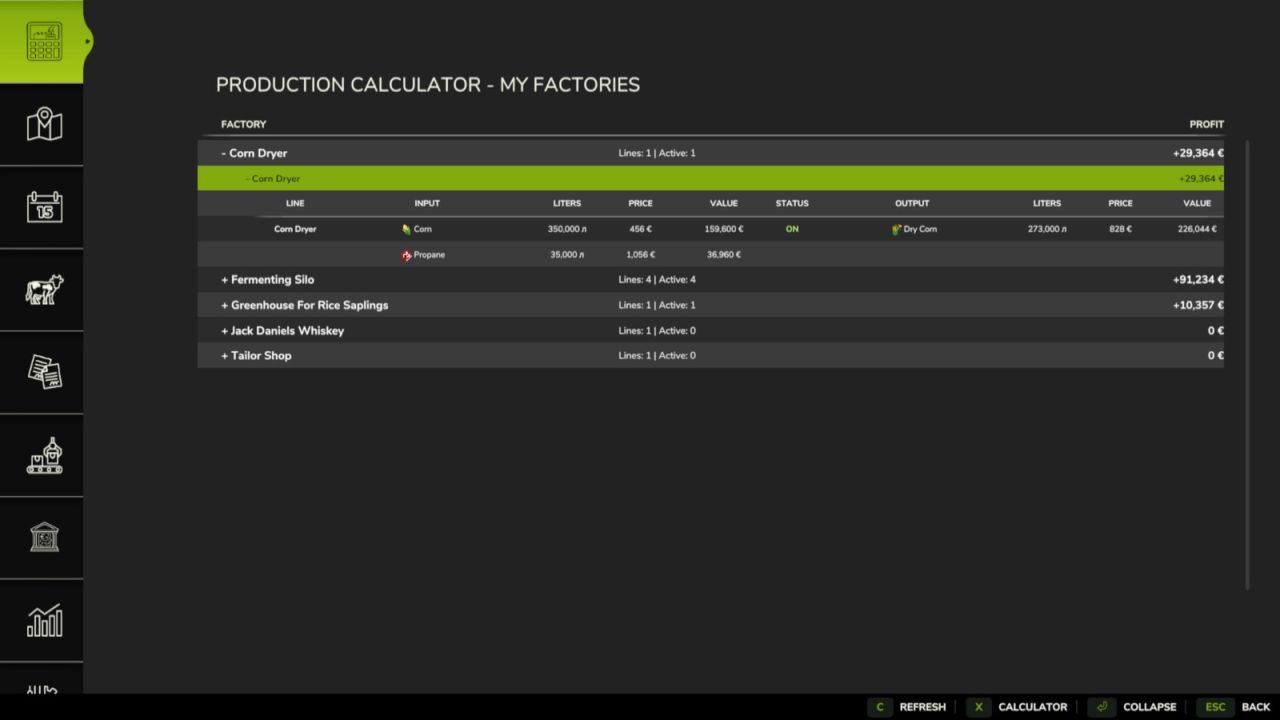
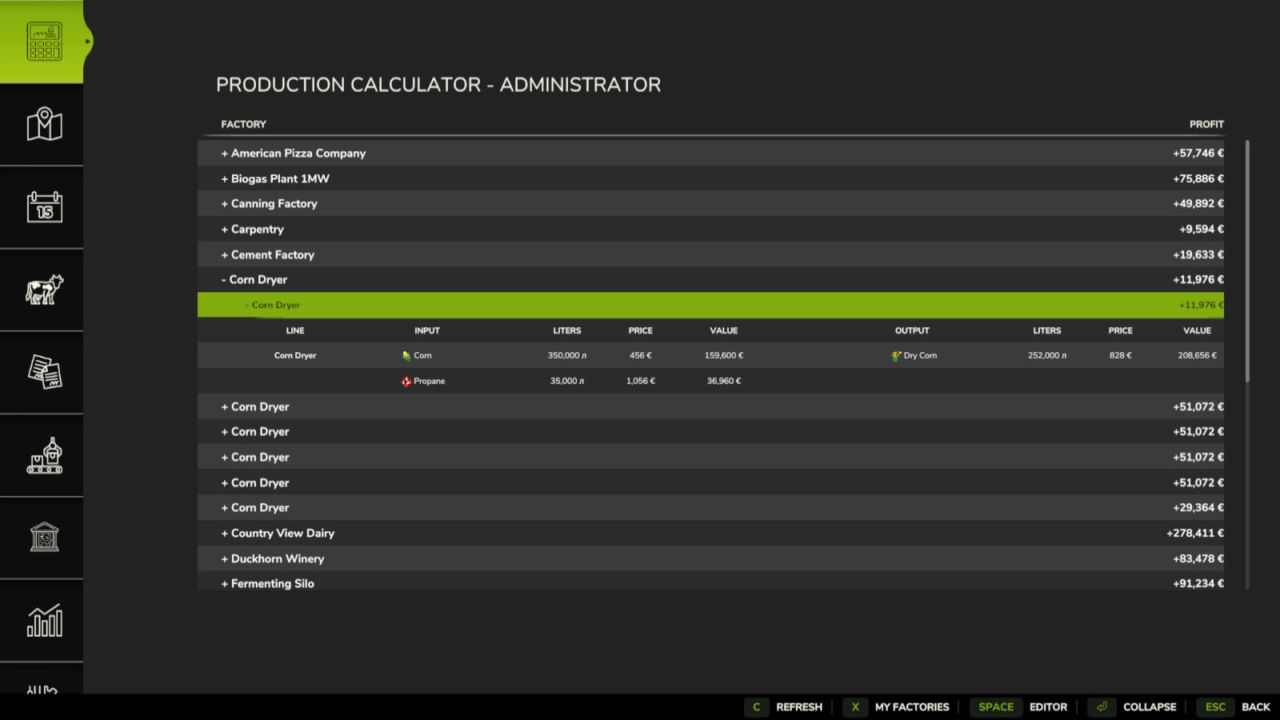
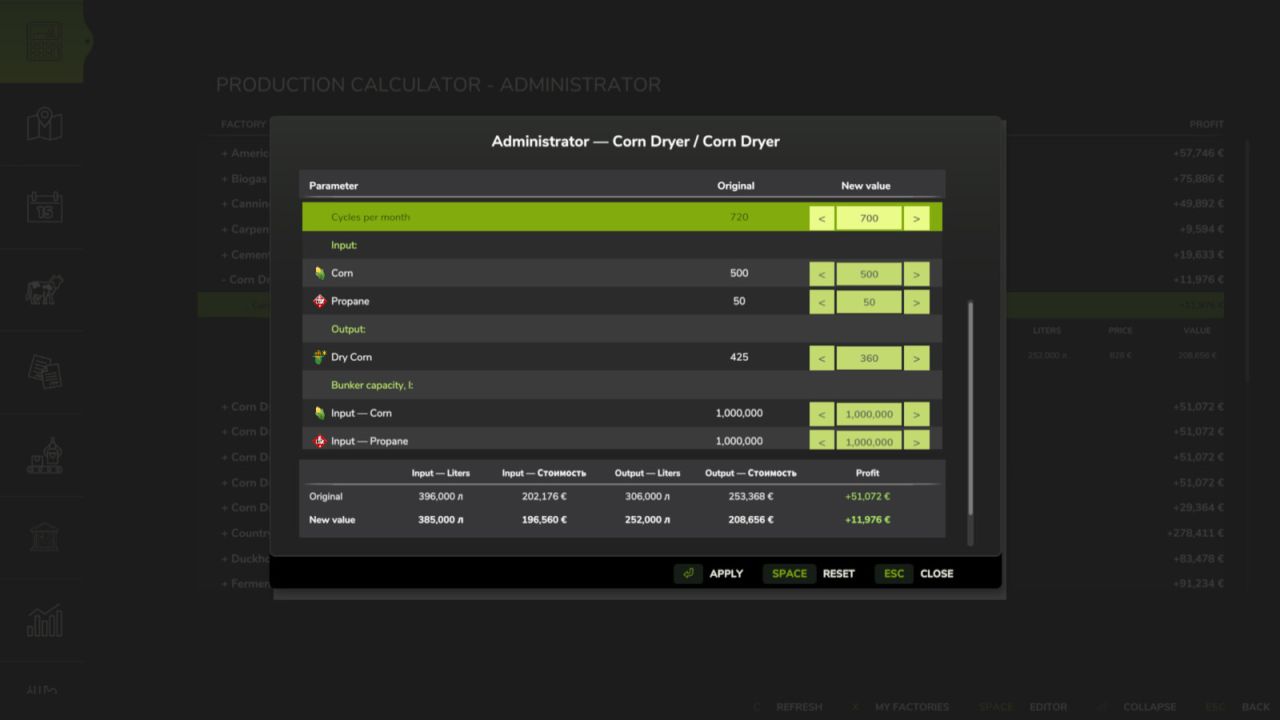
Factory Profit Calculator adds a production calculator and an administrator editor to the in-game menu.
The calculator shows every factory and production line, including inputs, outputs, monthly volumes, best sale prices, total costs and expected profit. Production lines can be expanded separately and use the game fill type icons.

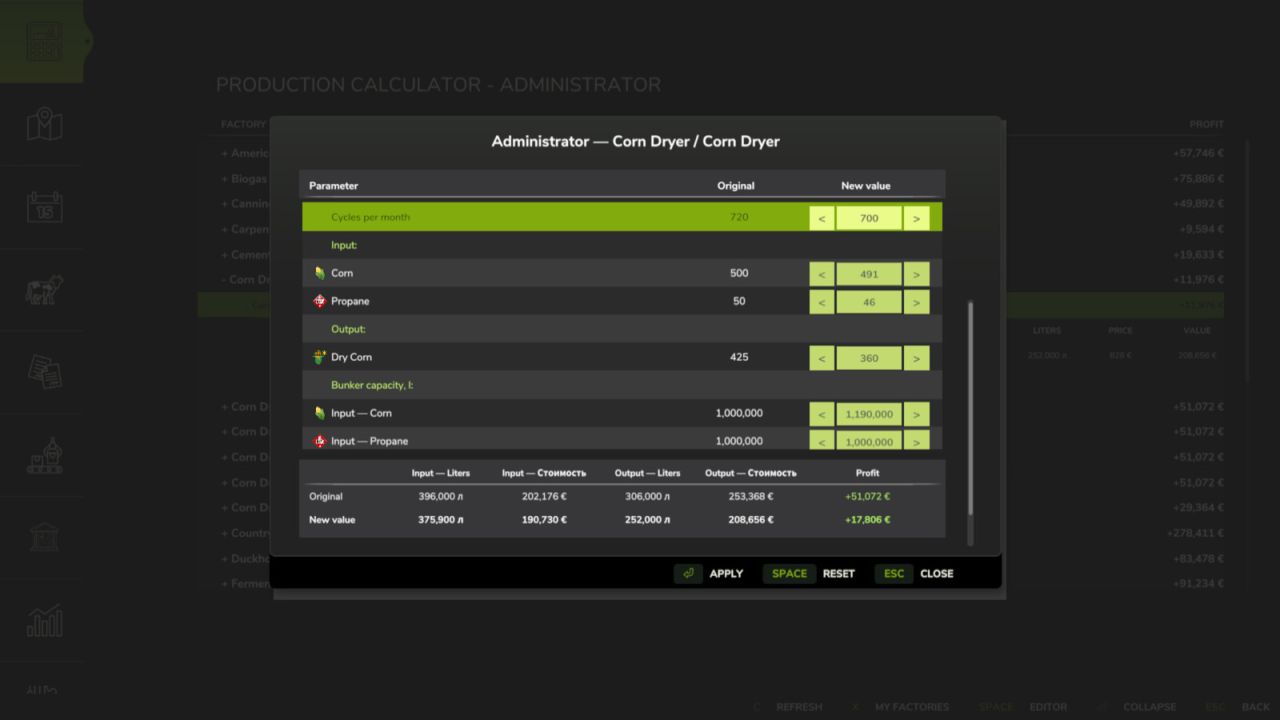
The administrator editor allows an authorized player to change:
– Production cycles per month.
– Input amounts for each recipe.
– Output amounts for each recipe.
– Exact input and output storage capacities.

Click a value field, enter the required number and press Enter to confirm it. Use Apply to save the edited recipe, Reset to restore the original recipe and Esc to close the window.

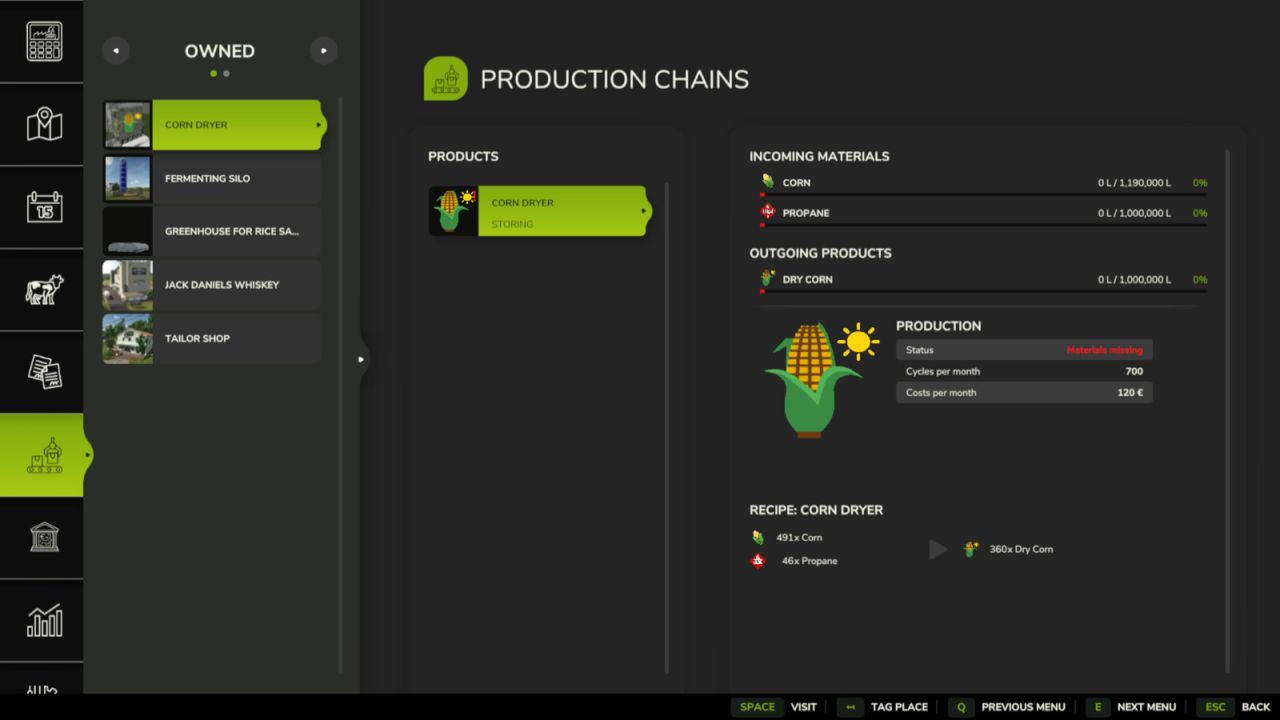
Changes are stored separately for each savegame and are restored automatically when the map is loaded. The original factory and map files are not modified. Modded production points and multiplayer synchronization are supported.

Changelog 1.0.0.1:
Input costs now use the lowest available purchase price from buying stations on the current map.
If an input product cannot be purchased on the map, the previous market-based estimate is used.
Changed the visual design of the administrator editor.


Author: KOCOYPOB

Report bugs in the comments and help modders improve this mod. Always check the comments, you can find a solution.


Helpful Information: How to install FS25 mods | FS25 System Requiremnts | FS25 Modding Tutorial | Giants Editor for FS25 | How to Convert mods | FS25 Cheats

More Misc mods


About Farming Simulator 25 mods
Farming Simulator 25 supports game modding for PC, Xbox, or PS5. FS25 Mod may change your game from small to complete changes. You can create a Farming Simulator 25 mod file and share it with our community. When is a good time to try Farming Simulator 25 mods? We recommend playing a game with these FS25 mods after you finish the Farming Simulator 25 starting pack and are bored with the game basics. So it's time to try new machines, such as harvesters or tractors, which are not included in the basic game version.
As you already know, Farming Simulator 25 developers support mods installation, which will add more vehicles or lands to your game. Check our Best FS25 mods lists for PC, Mac, PS5 or Xbox Series. Just follow these simple steps: choose the LS25 mods category, download the mod for the Farming Simulator 2025 version, and install it into the mod folder. Remember, all Farming Simulator 25 Mods are free, and download as many as you want with no limits. We want to create one of the biggest Farming Simulator 25 Community and invite you to share FS25 mods with everyone.

Leave a Reply

Do you need help or to say thanks to the mod author? Just leave a comment below!