Feed Mixer HUD V1.0
Feed Mixer HUD V1.0
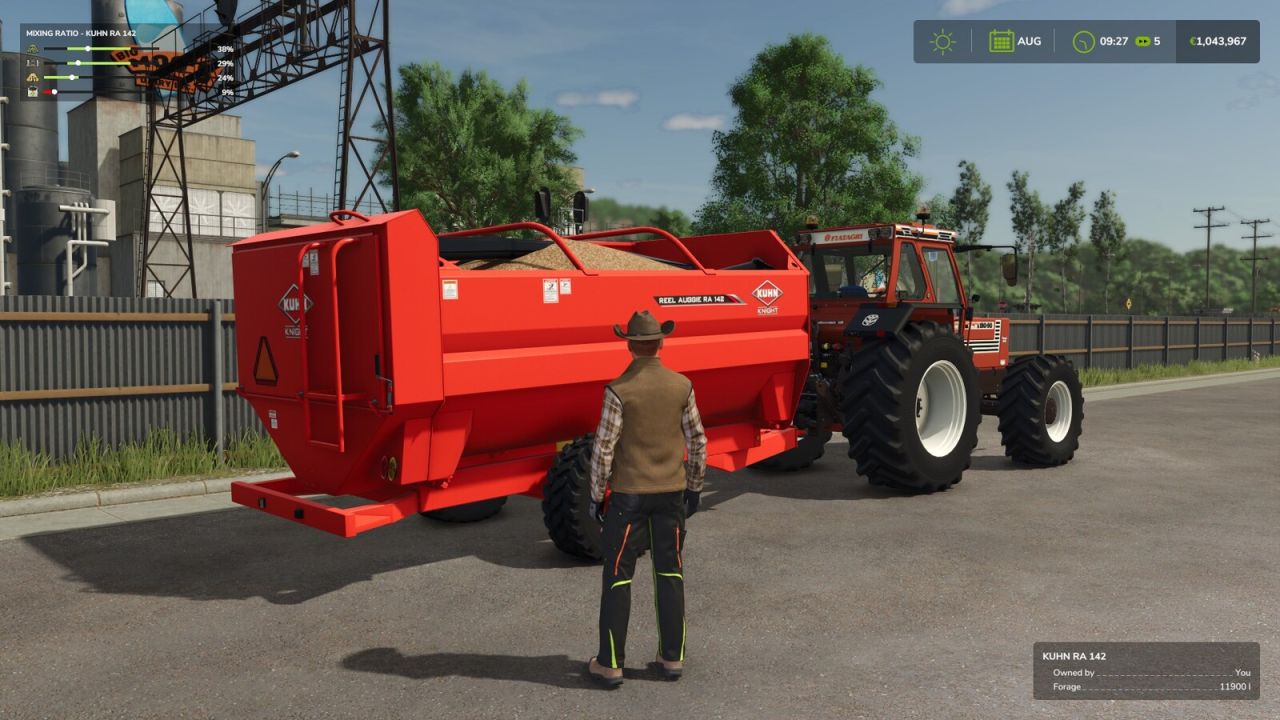
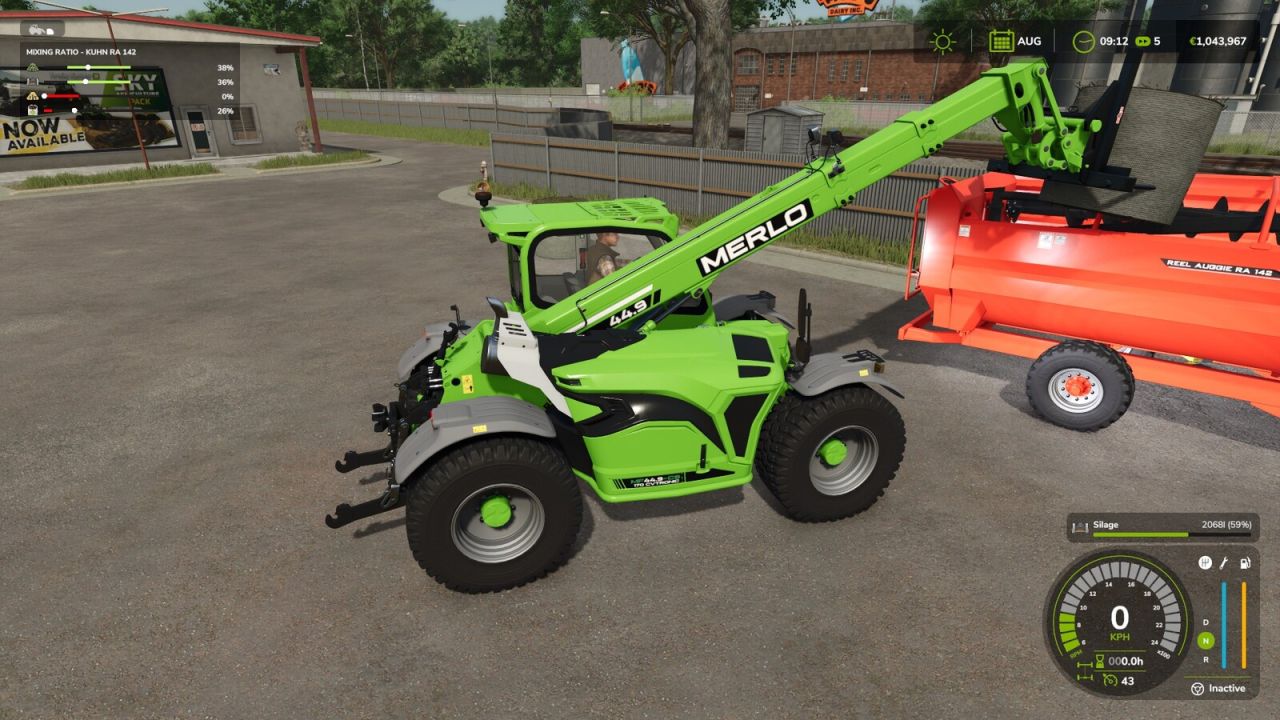
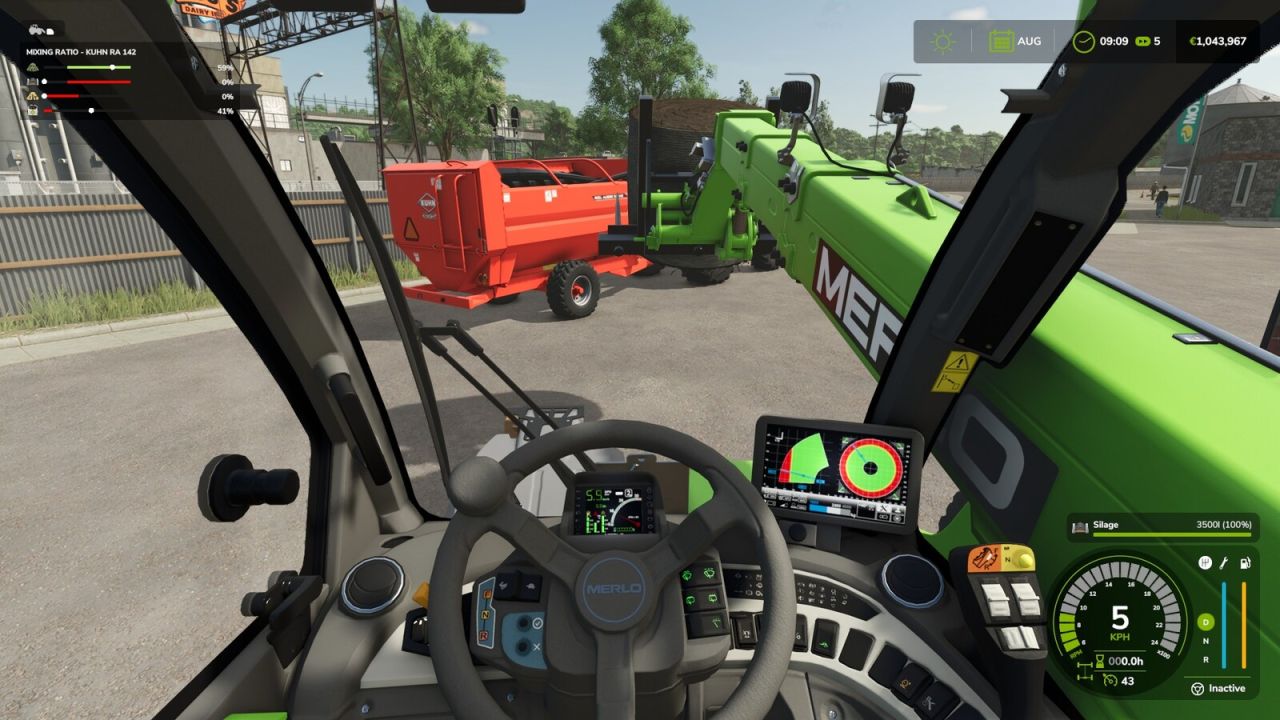
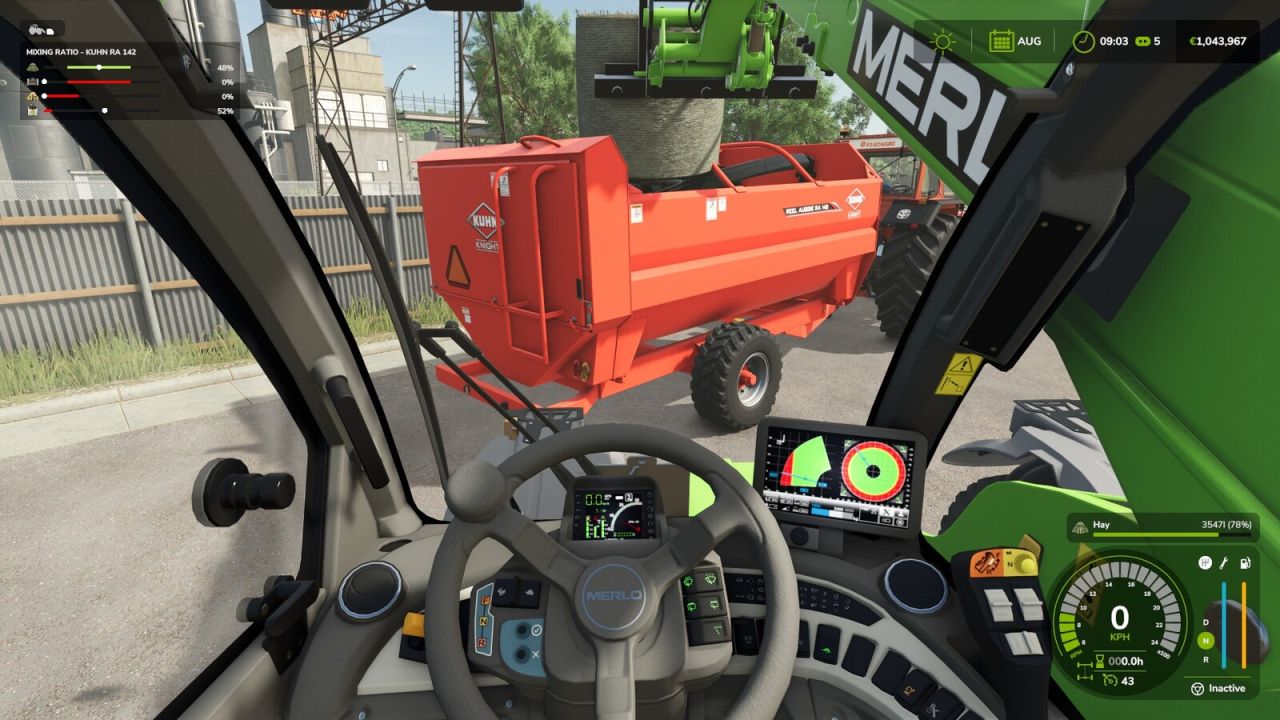
Feed Mixer HUD shows the mixing ratio of every feed mixer wagon within 12 m of you in a compact box in the top-left corner of the screen on foot or from any vehicle, e.g. while loading the mixer wagon with a telehandler or wheel loader.
For each ingredient in the feed recipe, one row shows:
the ingredient’s icon
a bar with the target range of the recipe
a marker for the current share of the ingredient
the current share in percent
The target range turns green when the share is within the recipe limits and red when it is outside them or the ingredient is missing. This way you can see at a glance what is still missing and what is over the limit before the ration is mixed.
Unlike the game’s own mixing ratio display in the F1 help, which only appears while you are driving a mixer wagon or are right next to one, Feed Mixer HUD works with the F1 help hidden and shows all mixer wagons around you. If several mixer wagons are nearby, they are listed one below the other.
Important:
The box is only shown while the F1 help is hidden, so it never overlaps the help window. The F1 help has its own mixing ratio display for the mixer wagon you are using.
The box is hidden while menus are open or the game HUD is hidden.
Works with all mixer wagons that use the game’s mixer wagon function (base game and mods).
The size follows the UI scale setting.
Display only: does not affect gameplay or savegames. Multiplayer compatible.
Hotkeys: none the display appears automatically while the F1 help is hidden.
Author: AgaApi