Field Contractors V1.5.3

Field Contractors V1.5.3
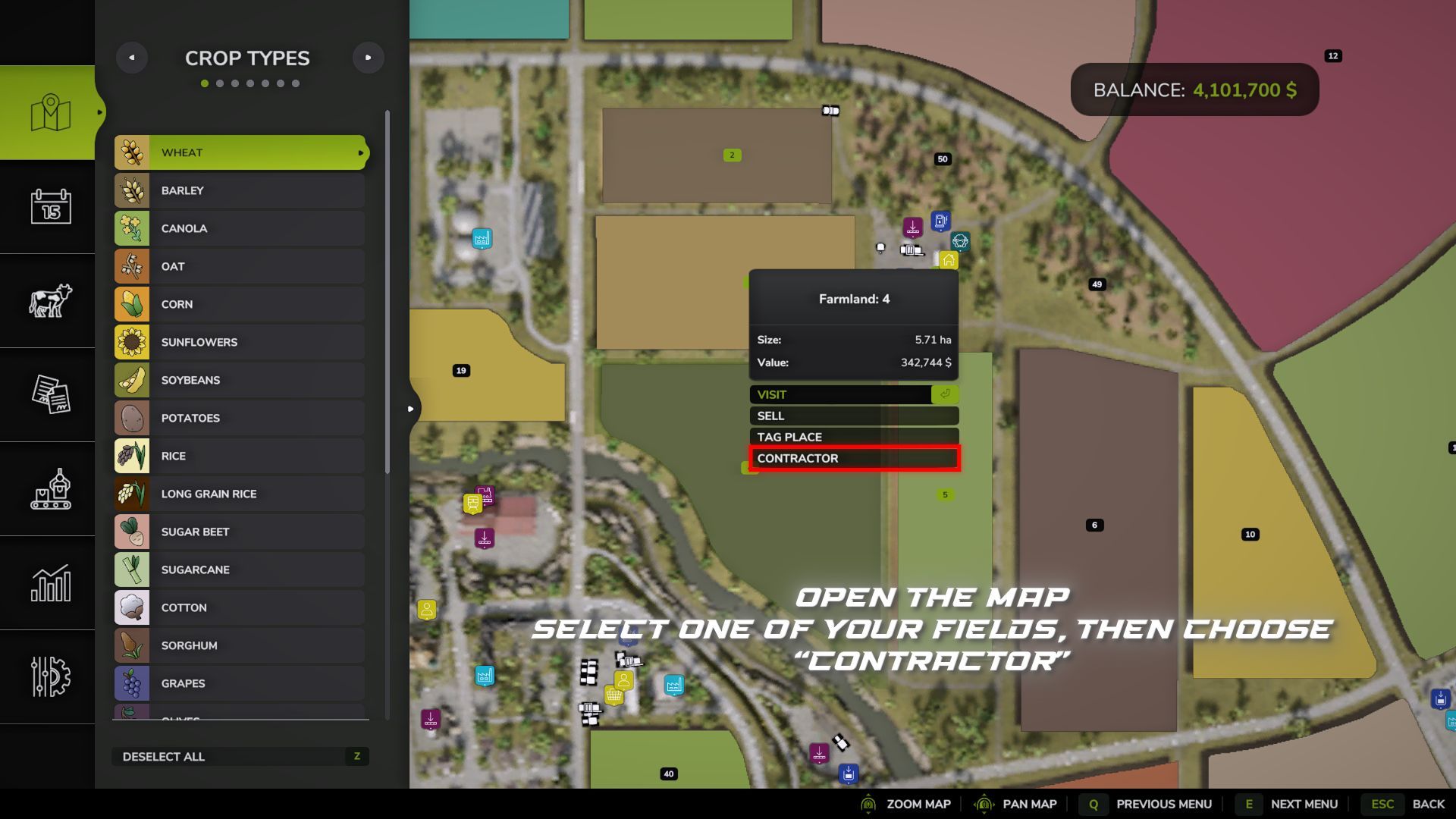
Field Contractors adds a system for hiring contractors to perform work on your fields.
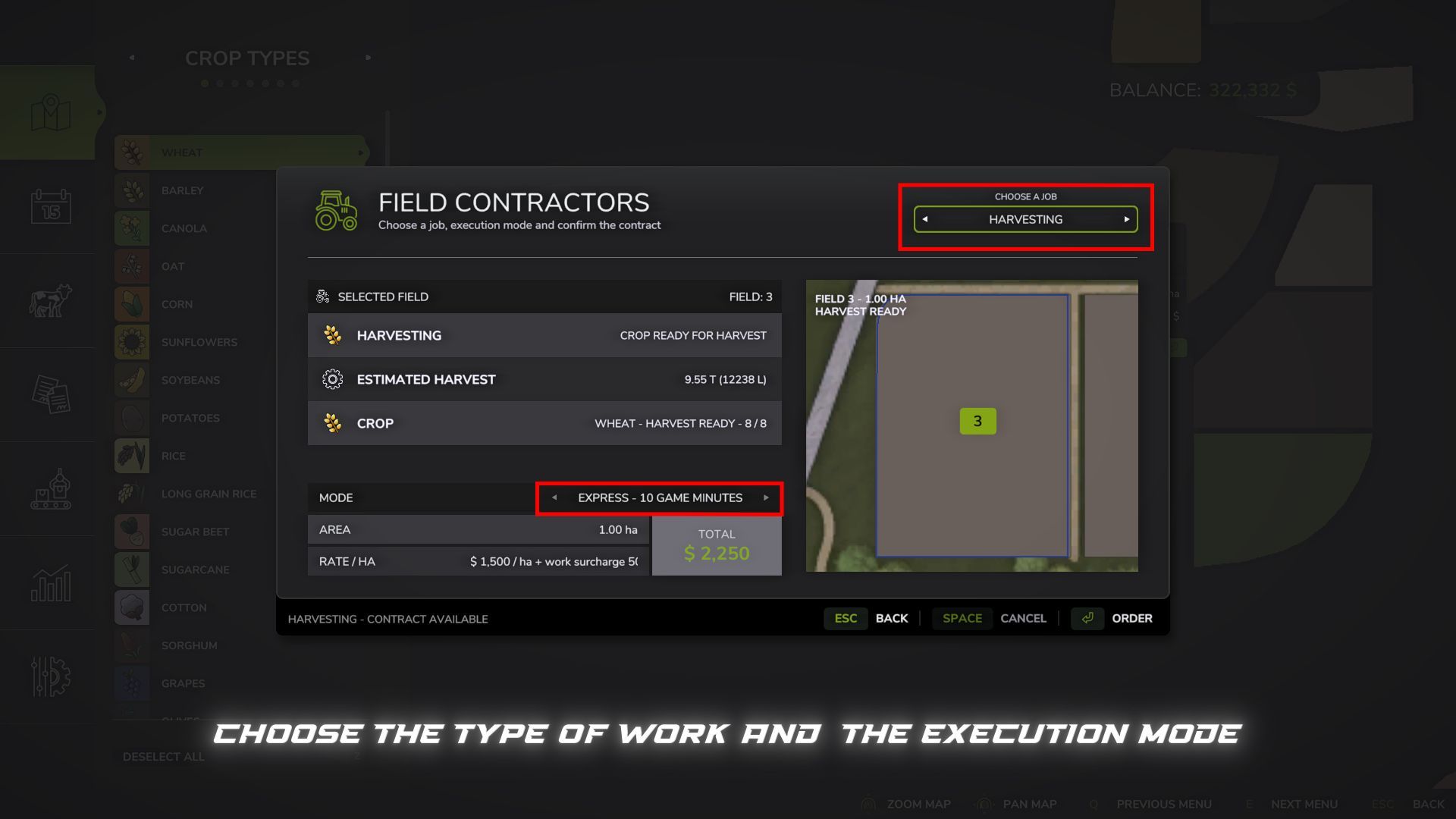
Instead of renting machinery, assembling your own equipment setup, and using standard in-game AI, you can select a field, the type of work, and the execution mode, then hand the task over to a contractor. The cost depends on the field area, the type of work, and the selected mode.
Work Modes:
Express — 10 in-game minutes — +50% surcharge
Fast — 30 in-game minutes — +40% surcharge
Medium — 1 in-game hour — +25% surcharge
Slow — 3 in-game hours — +10% surcharge
Real Contractor — work is performed using actual machinery on the field
In the first four modes, the work completes automatically after the specified in-game time.
The “Real Contractor” mode uses actual machinery and standard in-game AI. For standard tasks, the machinery spawns in the game world, travels to the selected field, performs the work, and returns.
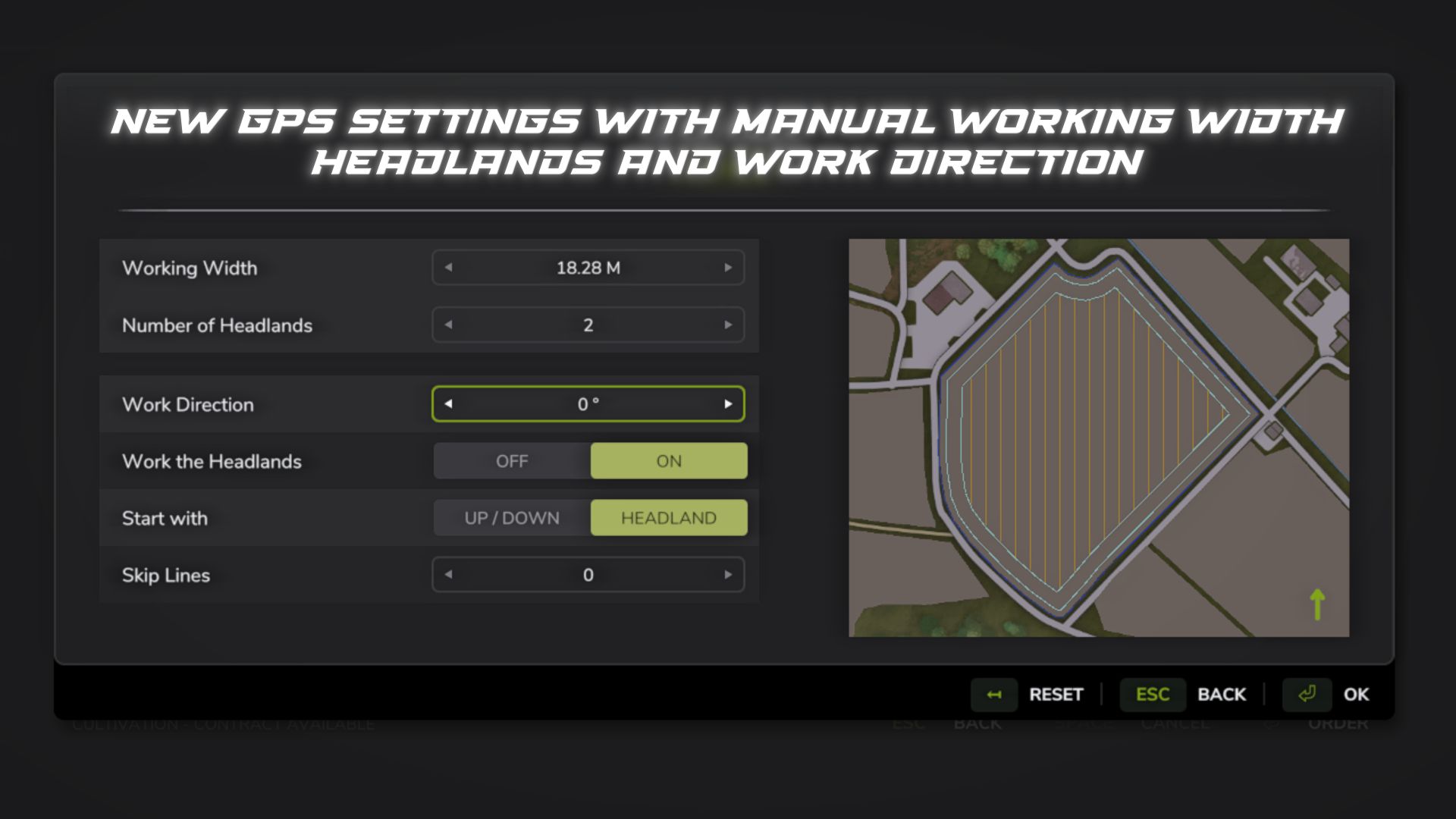
Before starting, a GPS configuration window opens where you can select the working width, number of headlands, work direction, and other parameters. A suitable machinery setup is automatically selected based on the chosen working width. On large or complex fields, route calculation may take a few seconds.
Large machinery may struggle on small fields, narrow roads, or difficult access points. If the equipment gets stuck or cannot start working, cancel the order and select a smaller working width. If necessary, traffic can be disabled in the game settings.
Fields:
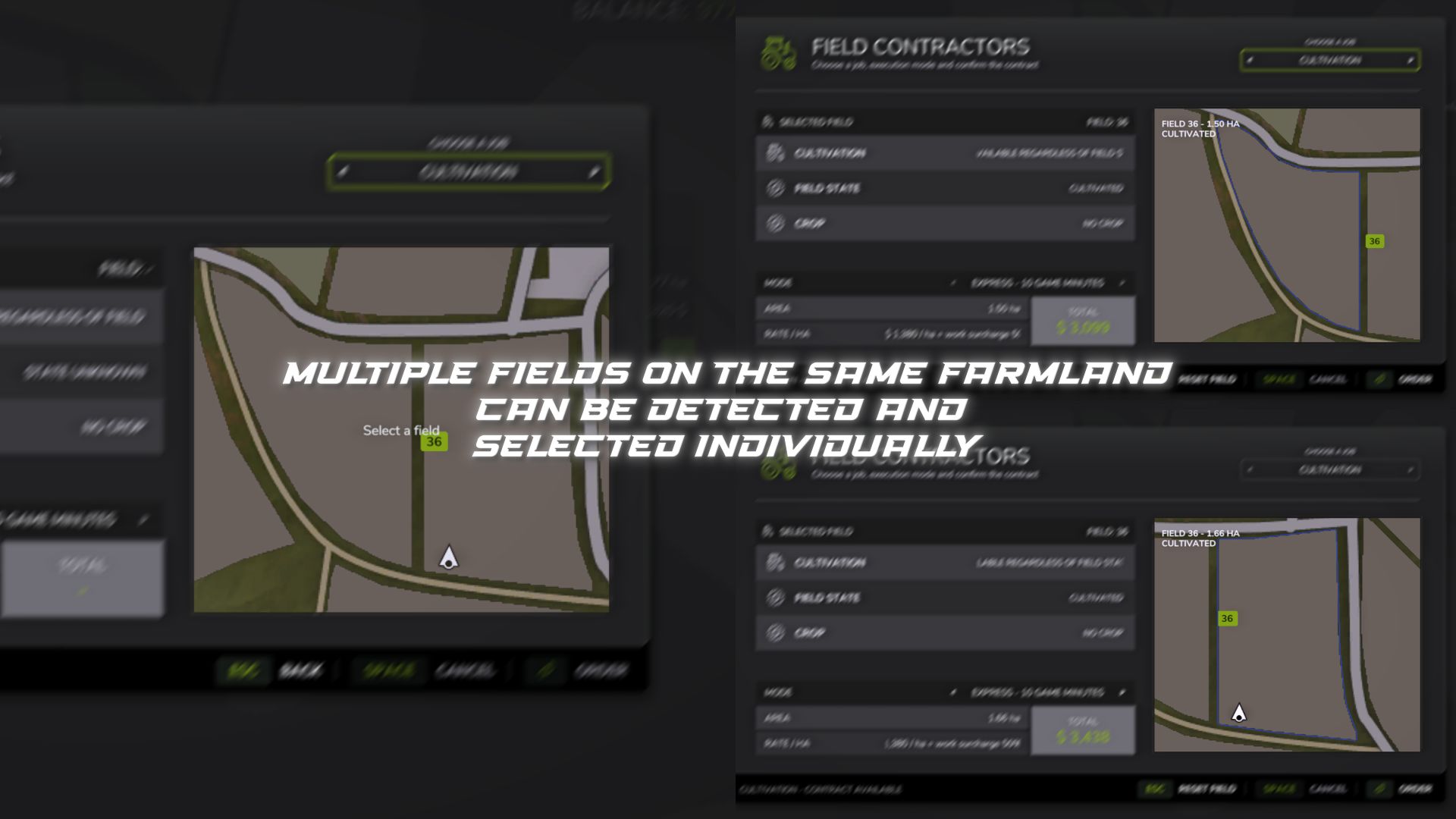
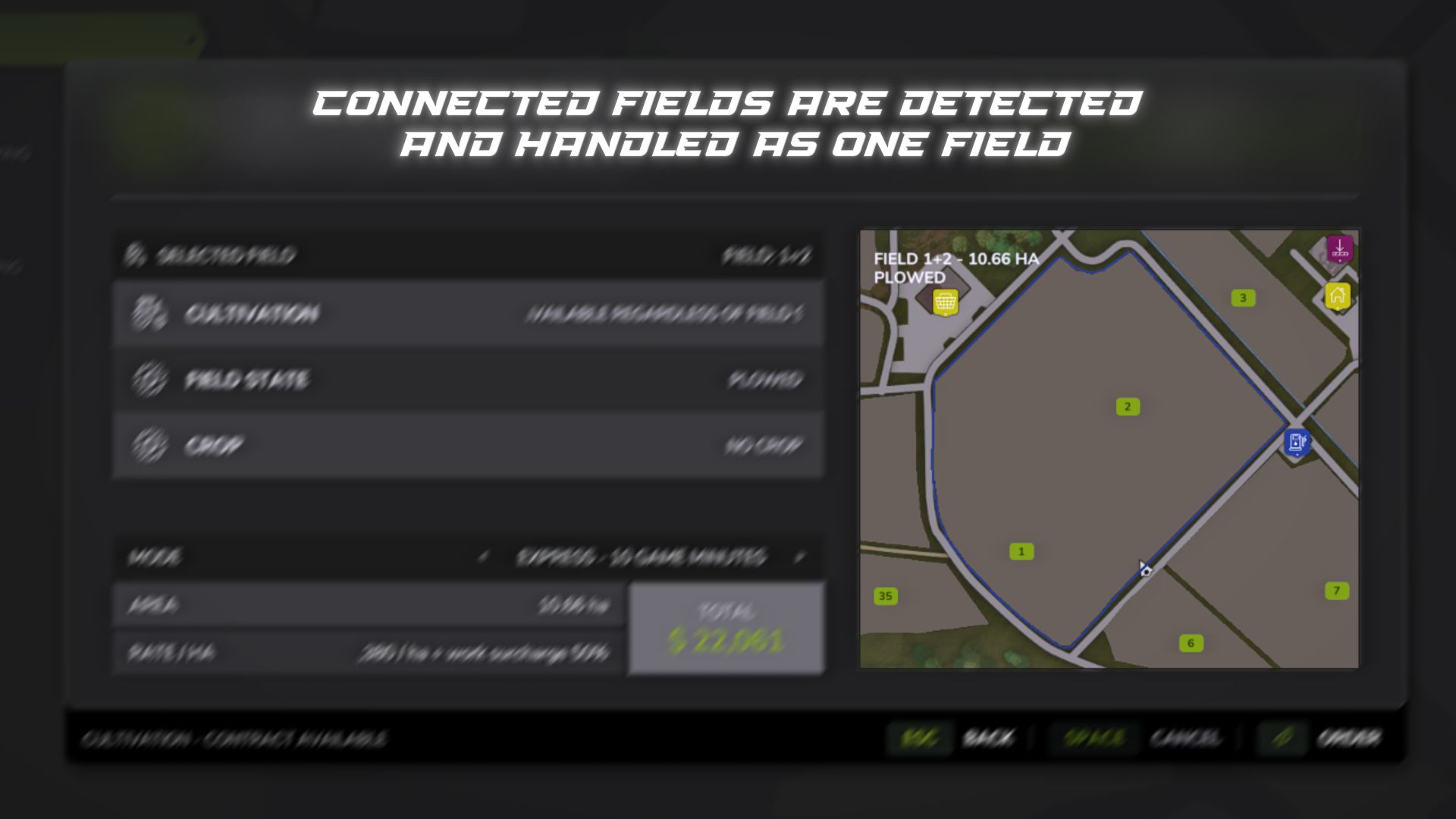
Standard, modified, expanded, and player-created fields are supported. Merged fields may be detected as a single work area, while multiple separate fields on the same plot can be selected independently. The mod detects the field’s state and displays available and required tasks.
Supported tasks:
Cultivation
Plowing
Sowing
Sowing with fertilizer
Solid and liquid fertilizer application
Herbicide application
Liming
Weeding
Hoeing
Rolling
Harvesting
Harvesting with straw collection
Cultivator plowing (requires “CultivatorPlowing” mod)
Harvesting:
Available in all modes. The mod calculates the estimated crop yield and prompts you to select a compatible storage facility on your farm with sufficient free space. Capacity is reserved for the active job and released if the job is cancelled.
In Express, Fast, Medium, and Slow modes, the harvested crop is transferred directly to the selected storage facility upon completion.
In “Real Contractor” mode, the combine harvester and header appear directly at the field. The harvested crop is automatically transferred to the selected storage facility, so no trailer or manual unloading is required. If there is a temporary lack of space, harvesting pauses until capacity becomes available.
“Harvesting with straw collection” is available for suitable crops, but only in “Real Contractor” mode.
Cultivator Plowing:
If the “CultivatorPlowing” mod is installed, a separate job using specific cultivator setups becomes available. This works only in “Real Contractor” mode, and the cost is calculated the same way as for standard plowing. Without the additional mod, the job is visible but cannot be ordered.
Saving:
Active jobs are saved along with the game and resume after loading. For “Real Contractor” mode, the necessary job, route, and harvesting data are restored.
If a job is cancelled before work begins, the full cost is refunded. Once started, the return path depends on the work already completed.
Compatibility and limitations:
Standard and modded maps
Additional crops on compatible maps
Modified, expanded, split, or merged fields
Compatible with “MultifruitSeeders” and “LimeSpreaders”
“CultivatorPlowing” supported as an optional additional mod
Multiplayer not supported
“Real Contractor” mode uses the standard in-game AI, so the outcome depends on the map, field shape, roads, obstacles, and machinery dimensions. Compound setups (e.g., tractor + implement + implement) are not supported.
The mod has been tested on standard and several modded maps; however, it is impossible to verify every combination of maps, machinery, and mods.
If you encounter an error, unusual AI behavior, or a compatibility issue, please report the map, field, selected task, mode, and machinery used.
V1.5.3.0
Added AutoDrive support for driving machinery between the shop and the field.
For AutoDrive to work, a route network must be laid out in advance, for example from the shop to the field, with existing AutoDrive points near the field and the shop. Field Contractors does not create or lay out the AutoDrive network itself.
Field Contractors only uses the existing AutoDrive network and points and does not change AutoDrive settings. If AutoDrive is installed but no working network is available, the option to use it will not be available.
On the way to the field, the machinery follows the predefined AutoDrive network to a suitable point near the field, then automatically continues to the work starting location. If there is no suitable point or route, the regular route is used.
After completing the work, the machinery can also return to the shop using the AutoDrive network. Near the shop, a short final drive to the return location is performed. If there is no suitable AutoDrive point, the regular return route is used.
When SPAWN FIELD is selected, AutoDrive is not used. The machinery appears directly on the field and returns to its spawn location after completing the work.
Important: before using AutoDrive for the first time, it is recommended to open its settings tab, set the field exit via the nearest point, set the cornering speed to 70–80%, and save these parameters as the default settings. Machinery created by Field Contractors for contracts using AutoDrive inherits the default AutoDrive settings.
Improved field entry when using AutoDrive: the number of unnecessary turns and loops has been reduced, and the contractor continues working without unnecessary AI switching.
Improved the GPS window: control functionality, focus return, «Back» and settings reset.
Improved harvesting contracts. The harvester header’s readiness and the actual harvesting are now checked, and a contract should not be completed successfully if the crop on the field has not actually been harvested.
Harvesting progress now corresponds to the work actually performed rather than simply the machinery moving across the field.
Added soil deformation during field work: contractor machinery leaves wheel tracks and deforms the soil.
Added compatibility with True AI Tracks. If this mod is active, Field Contractors does not interfere with its operation.
Added diagnostic debugging for finding problems in the operation of Field Contractors. It is disabled by default and is not saved between game sessions. Once enabled, log.txt records key stages of contract operation, the status of the machinery, AutoDrive, harvesting and compatibility features without constant spam. Debugging can be enabled even while a contract is already in progress.
Author: B L D W D