Finance Your Fleet V1.0
Finance Your Fleet V1.0
Finance Your Fleet: Equipment Financing System
Finance Your Fleet adds a complete equipment financing system to Farming Simulator 25, giving players another way to purchase vehicles and equipment without paying the full price up front.
Instead of buying every machine outright, Finance Your Fleet allows you to choose a down payment, select a financing term, manage monthly payments, pay off agreements early, and deal with late-payment consequences if your farm falls behind.
Whether you’re starting a new farm, expanding an existing operation, or simply want a more realistic financial challenge, Finance Your Fleet adds another layer of planning and risk to equipment ownership.
Important — Financing Mod Conflicts
Finance Your Fleet should not be used alongside other vehicle financing systems.
If another financing system is detected, Finance Your Fleet will automatically become dormant for that game session and display a warning.
This helps prevent duplicate payments, conflicting agreements, and possible savegame issues.
To use Finance Your Fleet, disable the other financing mod and reload your savegame.
Choose How You Finance
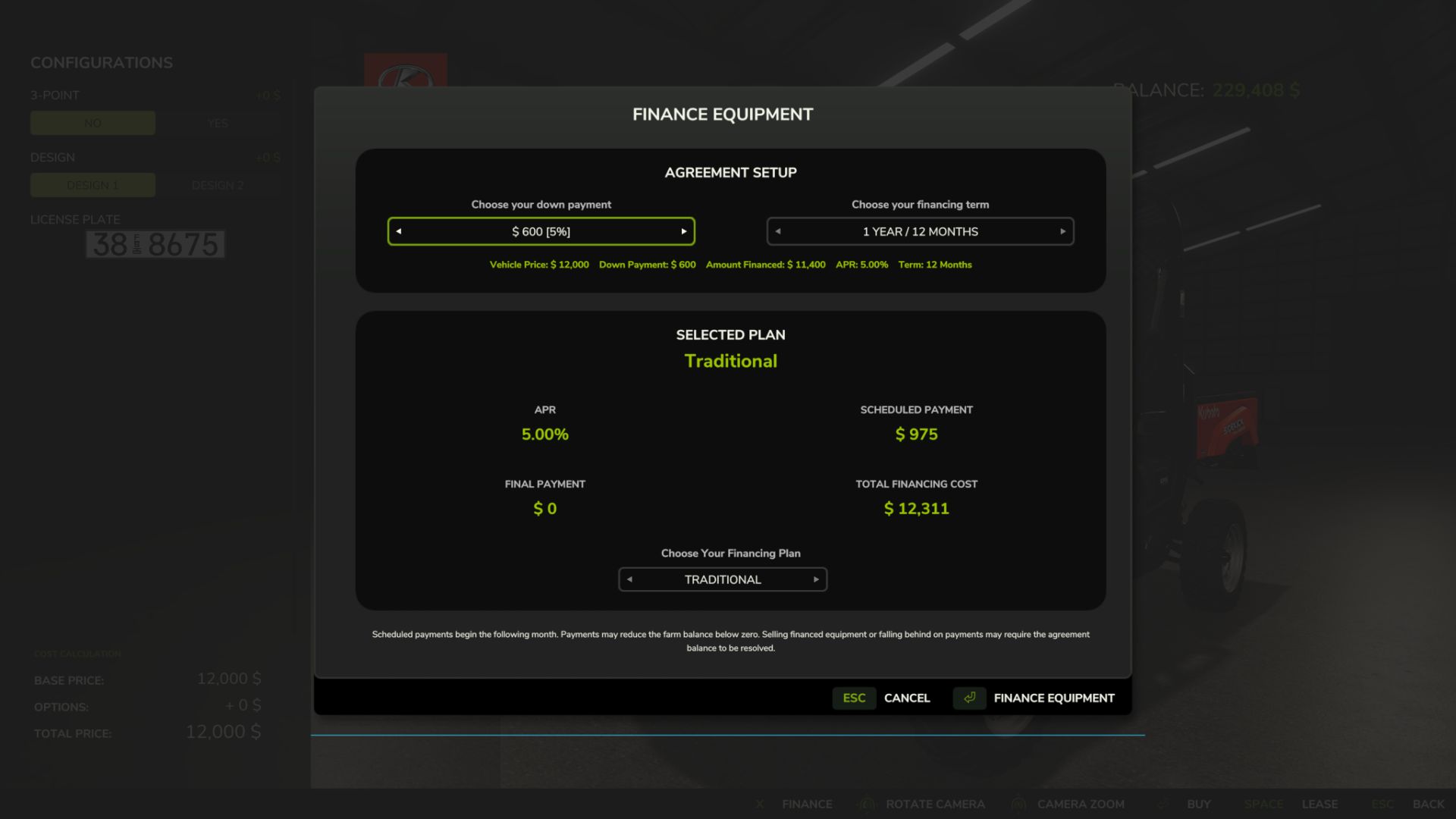
When purchasing eligible equipment, Finance Your Fleet allows you to configure the agreement before completing the purchase.
Available down payments include:
5%, 10%, 20%, 30%, 40%, or 50%
Your selected down payment affects the interest rate applied to the agreement. Larger deposits reduce the amount financed and provide lower interest rates.
Financing terms are available from 1 to 10 years, using 12-month increments.
You can also choose between several financing structures depending on how you want to balance monthly payments and the amount remaining at the end of the agreement.
Traditional
Higher monthly payments with no large final payment.
Balanced
Reduces monthly costs while leaving a manageable final payment.
Reduced Monthly
Further lowers regular payments in exchange for a larger final payment.
Minimum Monthly
Provides the lowest monthly payment while leaving the largest final payment at the end of the agreement.
Finance Management
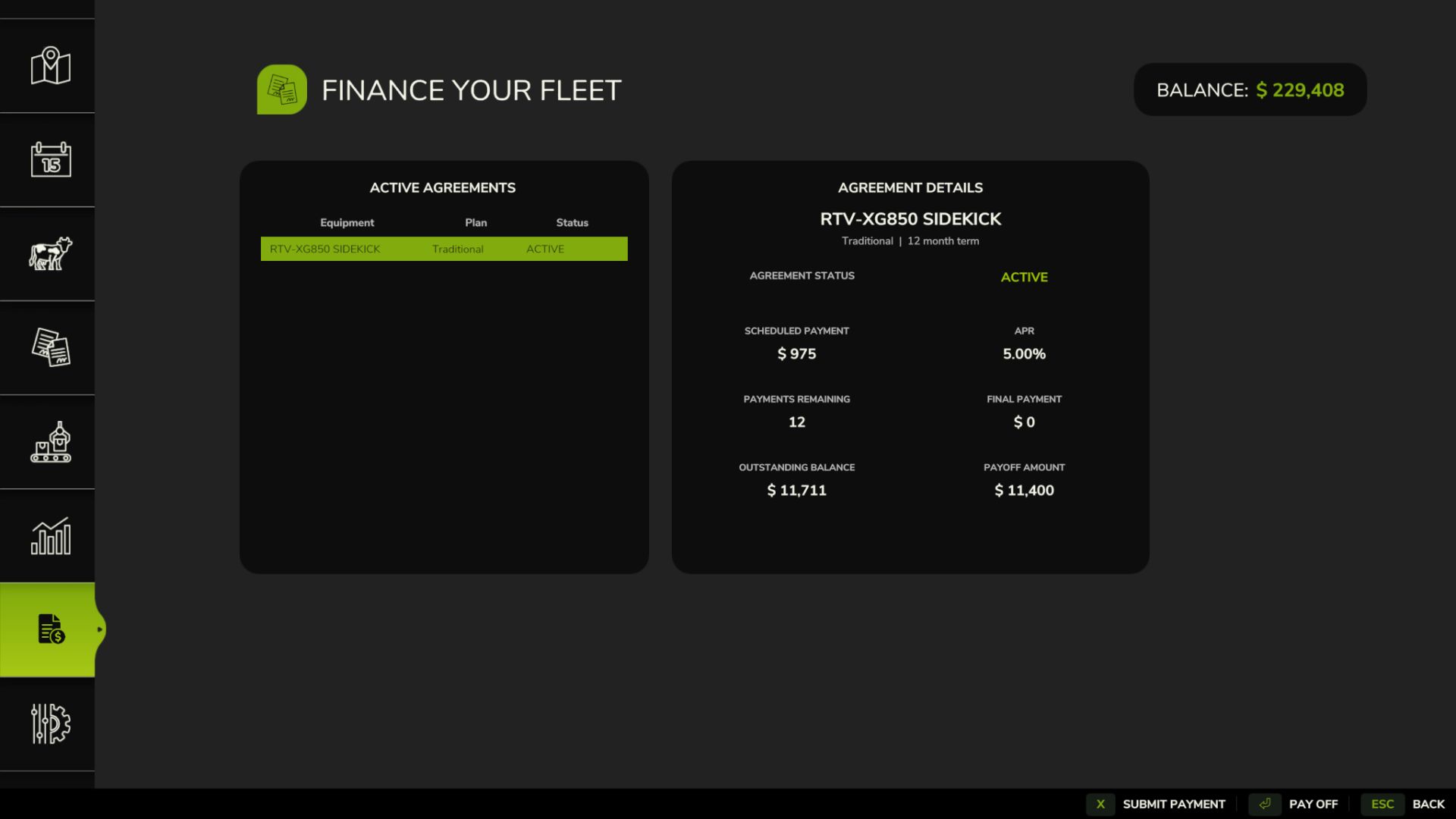
Once equipment has been financed, agreements can be managed directly through the Finance Your Fleet menu.
Each agreement displays important information including:
Financed balance
Scheduled payment
Payments remaining
Interest rate
Final payment
Agreement status
Early payoff amount
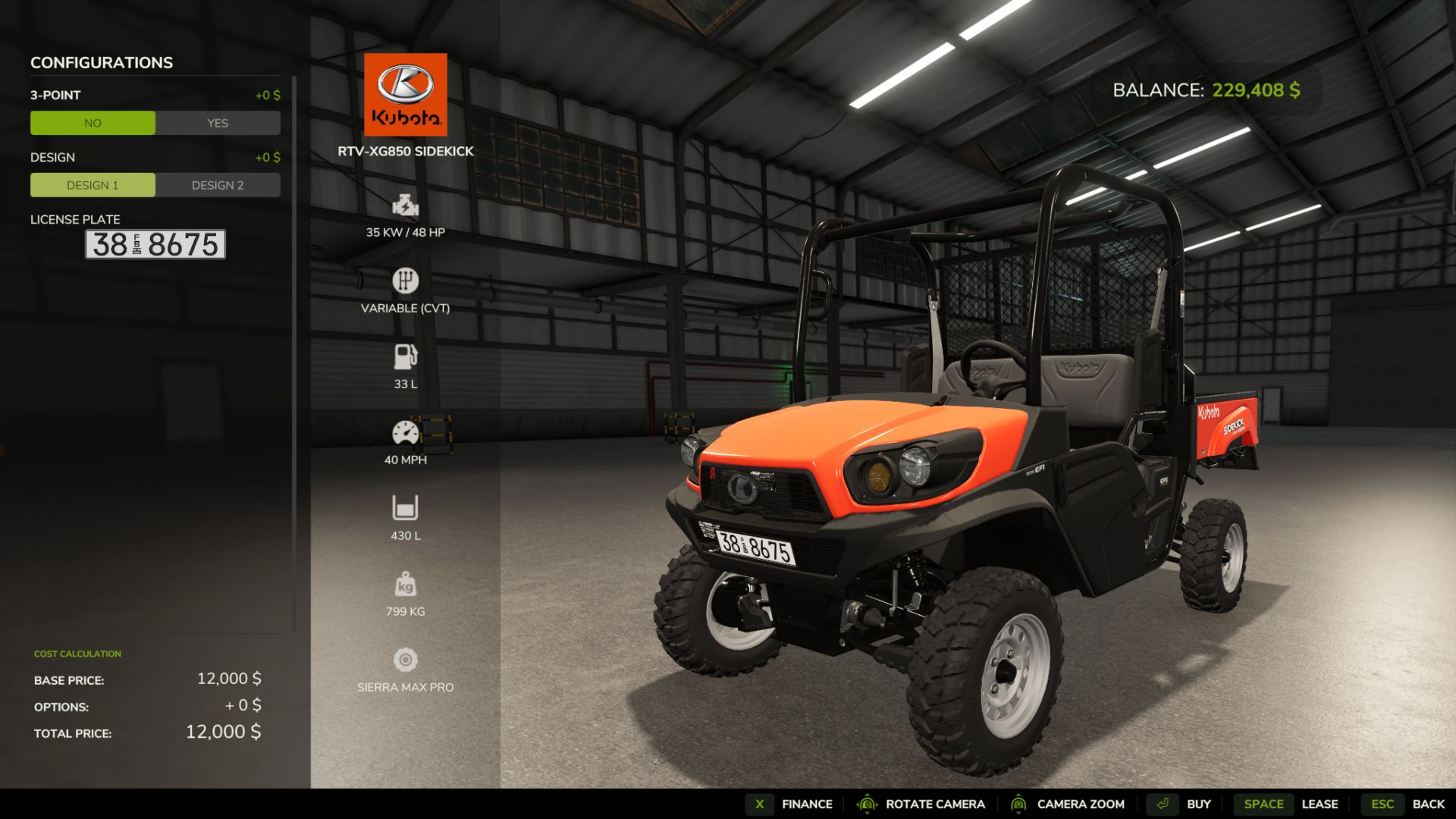
Finance information is also displayed directly in the vehicle information panel while viewing financed equipment.
Manual Payments
Finance Your Fleet allows you to make your next scheduled payment early.
Making a manual payment advances the agreement by one payment and updates the remaining balance and payment count.
Manual payments require enough available farm funds to cover the amount due.
Early Payoff
Financed equipment can be paid off before the end of the agreement.
Before completing an early payoff, Finance Your Fleet displays the total amount required to settle the agreement.
Once the payoff is completed, the finance agreement is removed and the equipment remains fully owned by the farm.
Final Payments
Depending on the financing plan selected, an agreement may include a final payment.
Agreements with no final payment complete automatically after the last scheduled installment.
Agreements with a remaining final payment stay active until that amount is paid.
Late Payments
Scheduled payments continue to process even when the farm does not have enough money available.
If a scheduled payment leaves the farm with a negative balance, the agreement becomes delinquent.
Consecutive late payments increase the next scheduled payment:
1st consecutive late payment — 5% surcharge
2nd consecutive late payment — 10% surcharge
3rd and later consecutive late payments — 15% maximum surcharge
The surcharge is capped at 15%.
If the farm returns to a positive balance after a scheduled payment, the late-payment streak is cleared and the agreement returns to normal status.
Recovery & Repossession
If an agreement reaches six consecutive late payment cycles, it enters Recovery.
During recovery:
Regular scheduled payments are paused.
The agreement status changes to:
RECOVERY – PAY OFF
The farm is then given a one-month grace period to pay off the remaining agreement balance.
If the agreement is not settled before the recovery period expires, the financed equipment is repossessed and removed from the farm.
The equipment’s forced-sale value is applied against the remaining finance obligation, including any resulting surplus or shortfall.
Savegame Persistence
Finance Your Fleet agreements are saved and restored with the game.
Agreement information such as payment progress, remaining balance, late-payment status, recovery state, final-payment information, and vehicle association is preserved across save and reload cycles.
Additional persistence protection is included to help recover finance information if the normal finance save data becomes unavailable.
Legacy Finance Data Import
Finance Your Fleet can detect compatible finance data from a previously used financing system and offer a one-time import.
When compatible legacy finance data is detected, the player can choose whether to import the existing agreements.
Imported information may include:
Vehicle association
Remaining balance
Payment progress
Financing term
Interest information
Final payment
Late-payment status
Recovery status
The original legacy finance data is treated as read-only during the import process.
After a successful import, Finance Your Fleet uses its own finance agreement system going forward.
Financing Mod Conflict Protection
Finance Your Fleet includes built-in protection against running alongside other vehicle financing systems.
If another financing system is detected, Finance Your Fleet automatically becomes dormant for that game session and displays a warning.
This helps prevent duplicate payments, conflicting agreements, and possible savegame problems.
To continue using Finance Your Fleet, disable the other financing system and reload the savegame.
Current Features
Equipment financing during vehicle purchase
5%–50% down-payment options
Deposit-based interest rates
1–10 year financing terms
Multiple financing structures
Scheduled monthly payments
Manual early installment payments
Early payoff system
Final-payment financing
Finance management menu
Vehicle information finance display
Consecutive late-payment tracking
5% / 10% / 15% late-payment surcharge system
Recovery grace period
Equipment repossession
Forced-sale balance settlement
Savegame persistence
Finance-data recovery protection
Compatible legacy finance-data import
Financing mod conflict protection
Testing
Finance Your Fleet has undergone extensive single-player testing, including:
Normal financing
Manual payments
Insufficient-funds handling
Multiple financed vehicles
Late-payment escalation
Late-payment reset
Save/reload during delinquency
Recovery-state persistence
Early payoff
Final-payment completion
Mass repossession
Missing vehicle handling
Finance-save recovery
Creating new agreements after previous agreements have been completed or repossessed
The current build has also passed the GIANTS Farming Simulator 25 TestRunner checks used during development.
Multiplayer and dedicated-server behavior are not currently part of the actively tested release scope.
Installation
Place the downloaded ZIP file directly into:
Documents/My Games/FarmingSimulator2025/mods
Do not extract the ZIP file.
Enable Finance Your Fleet: Equipment Financing System when loading your savegame.
If compatible legacy finance data is detected, follow the in-game prompt if you wish to import it.
Important
Always keep backups of important Farming Simulator savegames when testing new script mods.
Finance Your Fleet changes how financed equipment, payments, delinquency, recovery, and repossession are handled. Players using large mod collections should keep regular savegame backups, especially when testing new versions.
Finance Your Fleet: Equipment Financing System
Developed and maintained by JerseyShoreModding
Finance Your Fleet includes the changes, improvements, redesigned systems, additional features, user interface, persistence handling, migration tools, and gameplay mechanics developed for this version.
Short Tagline
Finance your equipment, manage monthly payments, survive late fees, and avoid repossession in this complete Farming Simulator 25 equipment financing system.
Author: JerseyShoreModding