Lizard BTR GAZ 4×4 V1.0.0.2
Lizard BTR GAZ 4×4 V1.0.0.2
MULTIFUNCTIONAL MILITARY AND SERVICE VEHICLE
The Lizard BTR GAZ 4×4 brings a versatile military-style vehicle to Farming Simulator 25.
Originally designed as an armoured off-road vehicle, this FS25 adaptation includes additional functions for agriculture, forestry, vehicle recovery, towing, snow clearing and airport support operations.
The vehicle features adjustable suspension, animated doors, a detailed interior, a functional front forestry winch, a separate vehicle recovery system and a detachable front hydraulic linkage.
MAIN FEATURES
4×4 all-wheel drive.
Front Ackermann steering.
Adjustable suspension from minus 40 cm to plus 40 cm.
Suspension adjustments in 5 cm increments.
Animated suspension components.
Animated side doors.
Animated rear ramp.
Opening roof hatch.
Functional front forestry winch.
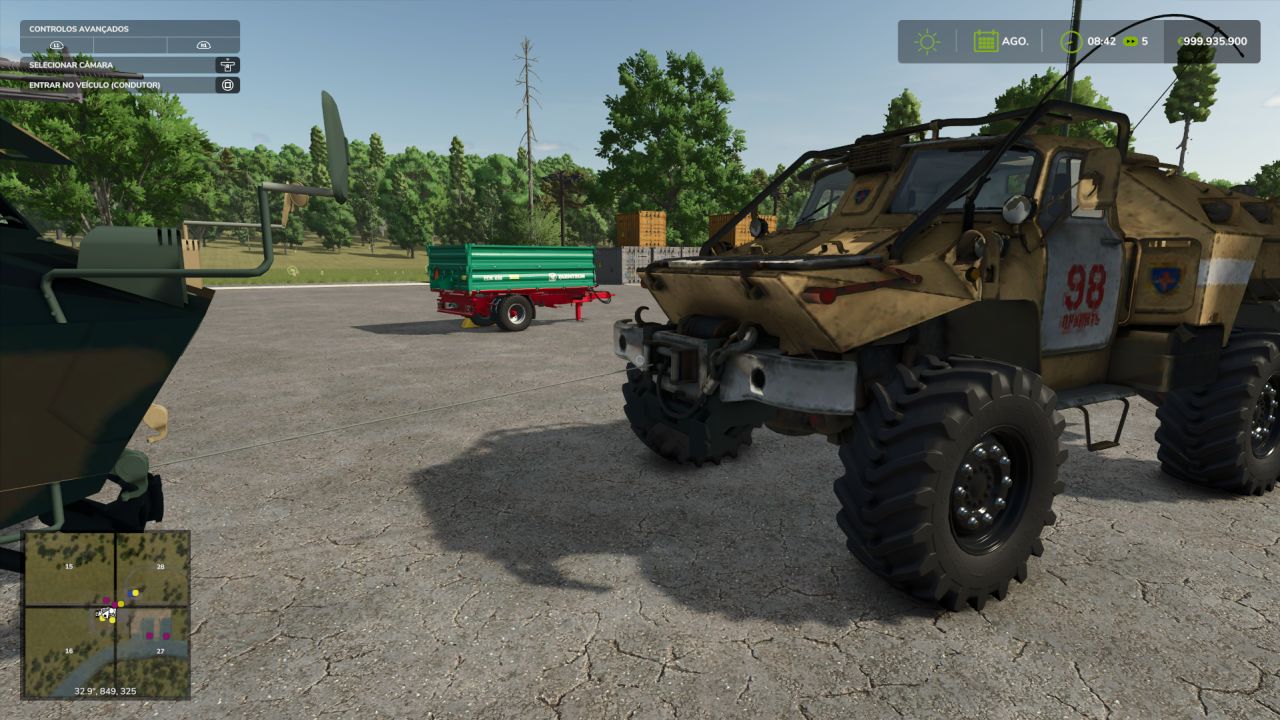
Vehicle recovery system using a cable.
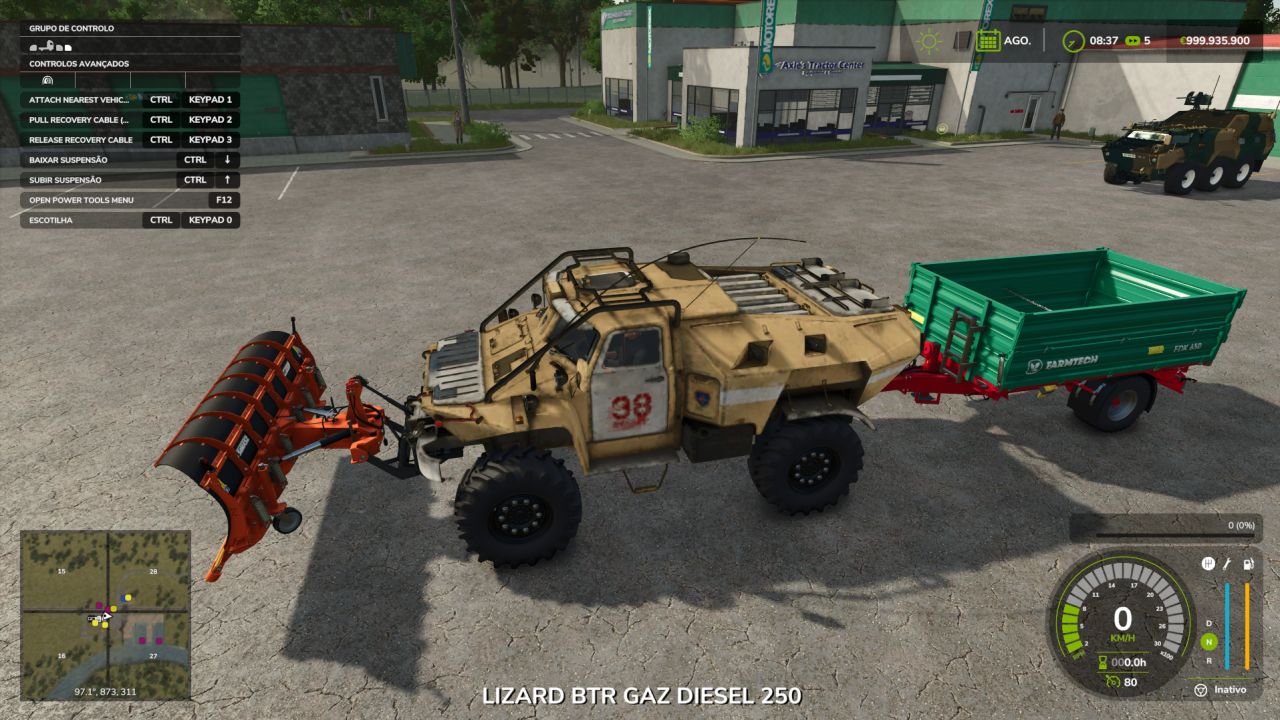
Rear trailer connections.
Compatible trailer towing for vehicle transport.
Compatible trailer towing for log transport.
Support for agricultural trailers.
Detachable front hydraulic linkage.
Support for compatible front-mounted implements.
Snow clearing with compatible snow ploughs.
Detailed military interior.
Driver and passenger positions.
Animated steering wheel and driver controls.
Functional dashboard instruments.
Exterior mirrors.
Automatic windscreen wipers during rain.
Functional vehicle lighting.
Custom Caterpillar C15 diesel engine sound.
Horn and air brake sounds.
Diesel consumption and refuelling.
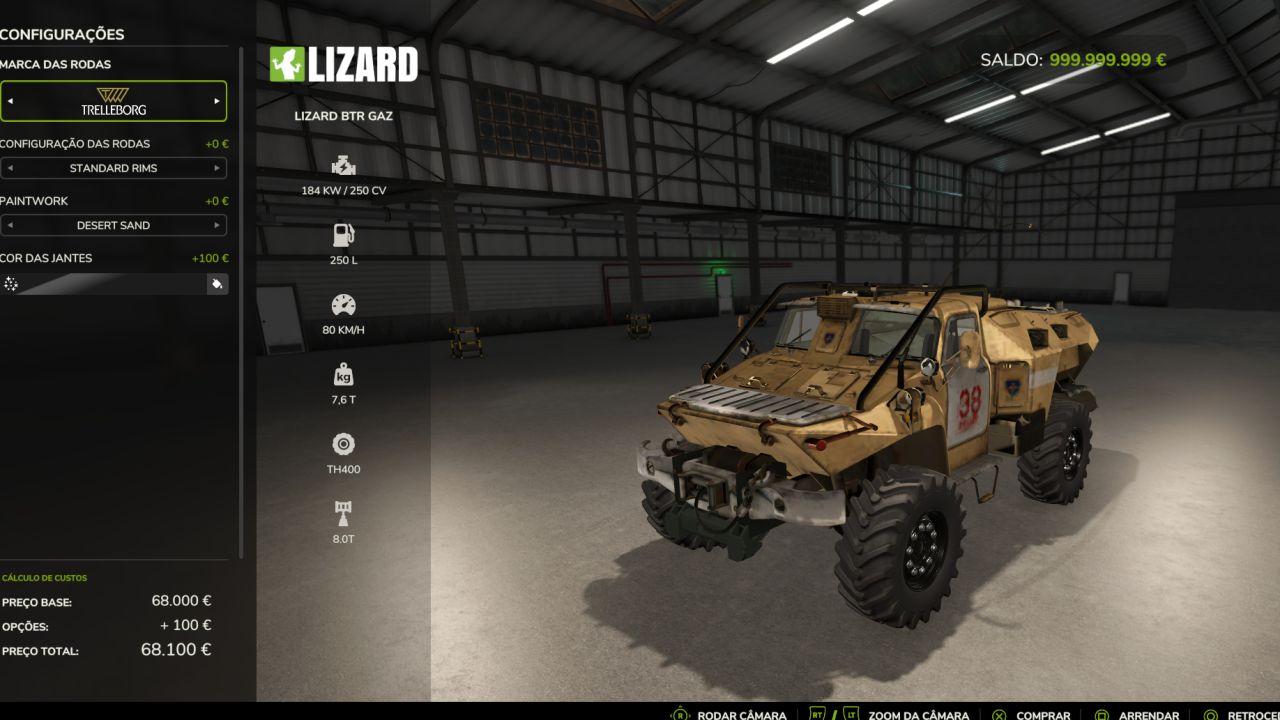
Selectable vehicle paint configurations.
VEHICLE AND LOG TRANSPORT
The BTR GAZ can tow compatible trailers for transporting vehicles, agricultural materials, equipment and logs.
Vehicle transport is possible using suitable transport trailers.
Log transport is possible using compatible forestry trailers.
The vehicle includes rear towing connections for different compatible trailer types.
FRONT WINCH AND VEHICLE RECOVERY
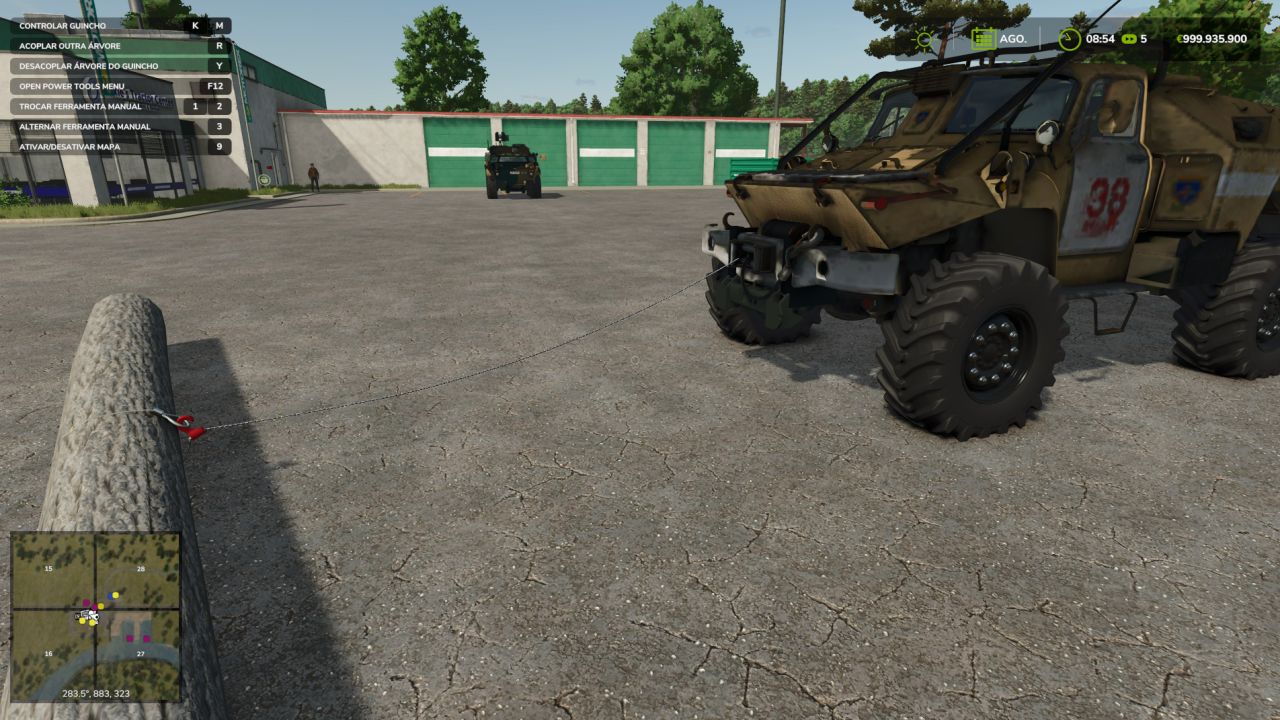
The BTR GAZ includes a functional front forestry winch.
Forestry winch cable length: 30 metres.
Maximum supported tree mass: 8 tonnes.
Maximum attached logs: 3.
A separate recovery system allows the driver to connect a cable to compatible vehicles.
Vehicle recovery range: Up to 30 metres.
The system can recover certain vehicles without a conventional trailer hitch.
The engine must be running during recovery operations.
SNOW CLEARING AND FRONT EQUIPMENT
A detachable front hydraulic linkage is available separately in the vehicle shop.
The front linkage allows the use of compatible front-mounted equipment.
This includes snow ploughs and other supported implements.
The hydraulic linkage is purchased separately and attached to the front of the BTR GAZ.
Front hydraulic linkage price: 1,500 EUR.
ADJUSTABLE SUSPENSION
The vehicle includes a custom suspension height adjustment system.
Maximum lowering: 40 cm.
Maximum raising: 40 cm.
Adjustment increments: 5 cm.
Suspension adjustments are available when travelling below 3 km/h.
The system also supports height adjustments with compatible equipment attached.
ANIMATED COMPONENTS
Left side door.
Right side door.
Rear access ramp.
Roof hatch.
Animated steering wheel.
Animated accelerator pedal.
Animated brake pedal.
Animated clutch pedal.
Animated gear selector.
Automatic windscreen wipers.
INTERIOR AND DASHBOARD
Detailed original interior.
Central dashboard instruments.
Functional steering wheel.
Animated driver controls.
Speed indication.
Engine RPM indication.
Fuel level indication.
Engine temperature indication.
Driver and passenger positions.
LIGHTING AND SOUND
Functional headlights.
Direction indicators.
Brake lights.
Reversing lights.
Horn.
Compressed-air brake sounds.
Custom Caterpillar C15 diesel engine sounds.
Automatic windscreen wipers during rain.
PAINT CONFIGURATIONS
Original paintwork.
Military green.
Desert sand.
Woodland camouflage.
CONTROLS
Left Ctrl + Numpad 7: Open or close left side door.
Left Ctrl + Numpad 9: Open or close right side door.
Left Ctrl + Numpad 8: Open or close rear ramp.
Left Ctrl + Numpad 0: Open or close roof hatch.
Left Ctrl + Numpad 1: Connect recovery cable to a compatible vehicle.
Left Ctrl + Numpad 2: Pull recovery cable.
Left Ctrl + Numpad 3: Release recovery cable.
Left Ctrl + Up Arrow: Raise suspension.
Left Ctrl + Down Arrow: Lower suspension.
Standard FS25 controls are used for driving, lighting, trailer connections, forestry winch operation and refuelling.
VEHICLE SPECIFICATIONS
Brand: Lizard
Model: BTR GAZ 4×4
Price: 68,000 EUR
Engine power: 250 HP
Maximum speed: 80 km/h
Fuel type: Diesel
Fuel capacity: 250 litres
Vehicle mass: 6,852 kg
Length: 6.12 metres
Width: 3.31 metres
Height: 3.31 metres
Drive configuration: 4×4
Suspension adjustment: Minus 40 cm to plus 40 cm
Forestry winch range: 30 metres
Vehicle recovery range: 30 metres
Version: 1.0.0.18
Game: Farming Simulator 25
Multiplayer: Configured as supported
INSTALLATION
Place the ZIP file in your Farming Simulator 25 mods folder.
Activate the Lizard BTR GAZ in the mod selection menu.
Purchase the vehicle from the in-game store.
The detachable front hydraulic linkage can be purchased separately.
IMPORTANT INFORMATION
Vehicle transport requires a compatible transport trailer.
Log transport requires a compatible forestry trailer.
Snow clearing requires a compatible front-mounted snow plough.
The vehicle recovery system works with supported vehicles and is separate from the forestry winch.
The vehicle is not configured for amphibious operation.
If you encounter errors or warnings, please report them in the comments and include the relevant log.txt messages.
Author: tiinguives81