Mod Settings Hub V1.0
Mod Settings Hub V1.0
ModSettingsHub (MODHUB) is a utility mod for Farming Simulator 25 that optimizes and declutters the pause menu’s user interface.
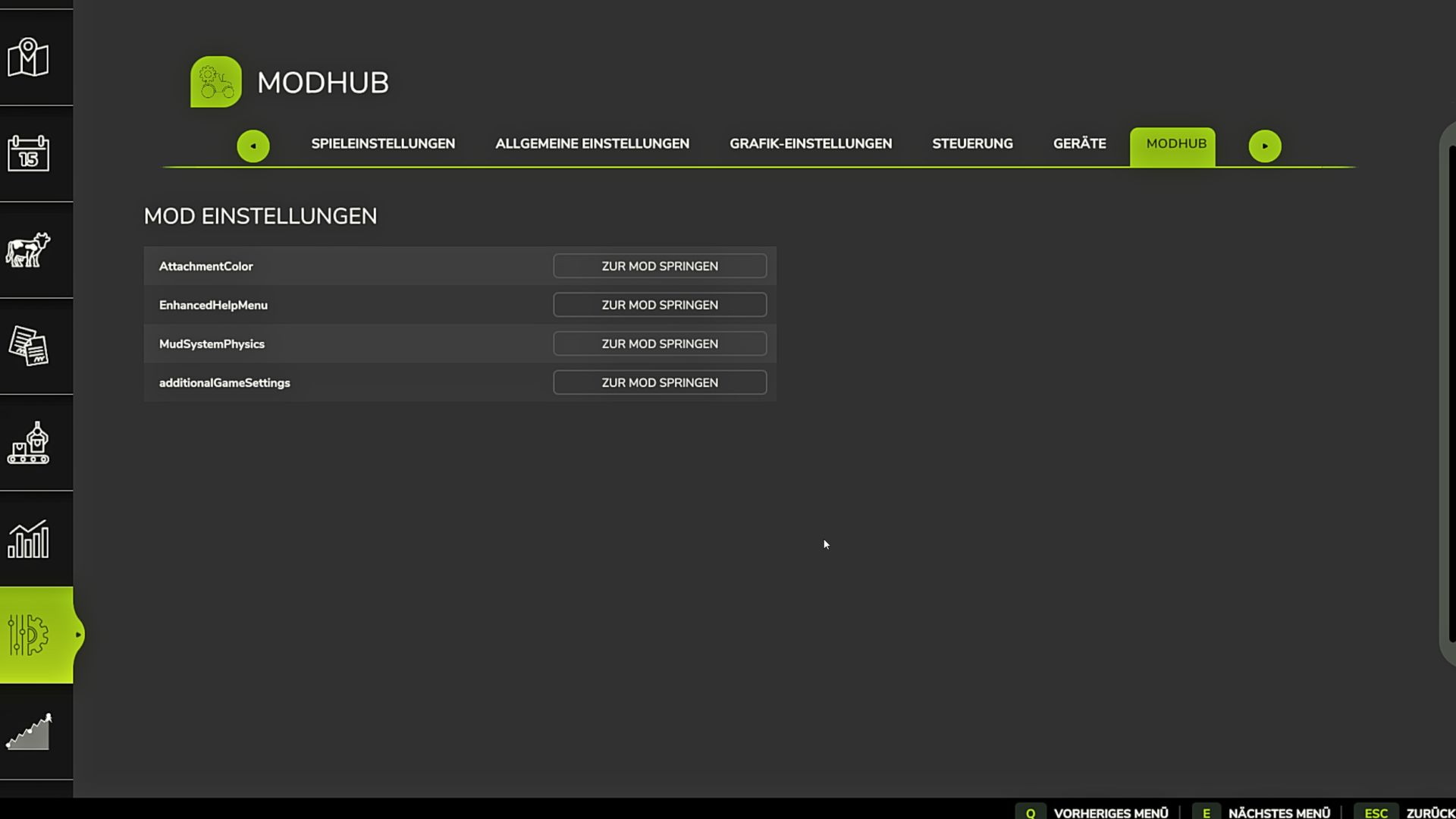
Many complex modifications add their own configuration pages to the game. With a large number of active mods, this quickly leads to an overcrowded and visually broken tab bar in the in-game menu. The ModSettingsHub solves this problem by automatically intercepting the menu pages of registered third-party mods and grouping them into a central, alphabetically sorted list. Access is cleanly provided via a single, newly added tab called “MODHUB”.
Main Features & Functionalities:
Centralized Management: Eliminates the chaos in the top tab bar by bundling all mod settings into one fixed, easy-to-find location.
Seamless UI Integration: The layout visually blends perfectly into the native design of the GIANTS Engine (FS25). The spacing of the menu tabs adapts dynamically to prevent display errors such as overlapping navigation elements.
Advanced Memory Feature: The script precisely remembers which mod settings page (e.g., AttachmentColor) the player was viewing when closing the menu. Upon reopening, exactly this page is restored without any visual flickering.
Integrated Anti-Phantom-Click Protection: A built-in security routine blocks incorrect mouse inputs during the menu’s loading phase, ensuring no options are unintentionally altered.
Multiplayer & Server Compatibility: The hub runs fully synchronized in multiplayer mode and perfectly supports dedicated server environments.
Full Localization: Fully automatic support for English and German, based on the user’s in-game language settings.
Author: firestorm96, FireStorm986