Persistent Tracks V1.0


Persistent Tracks V1.0
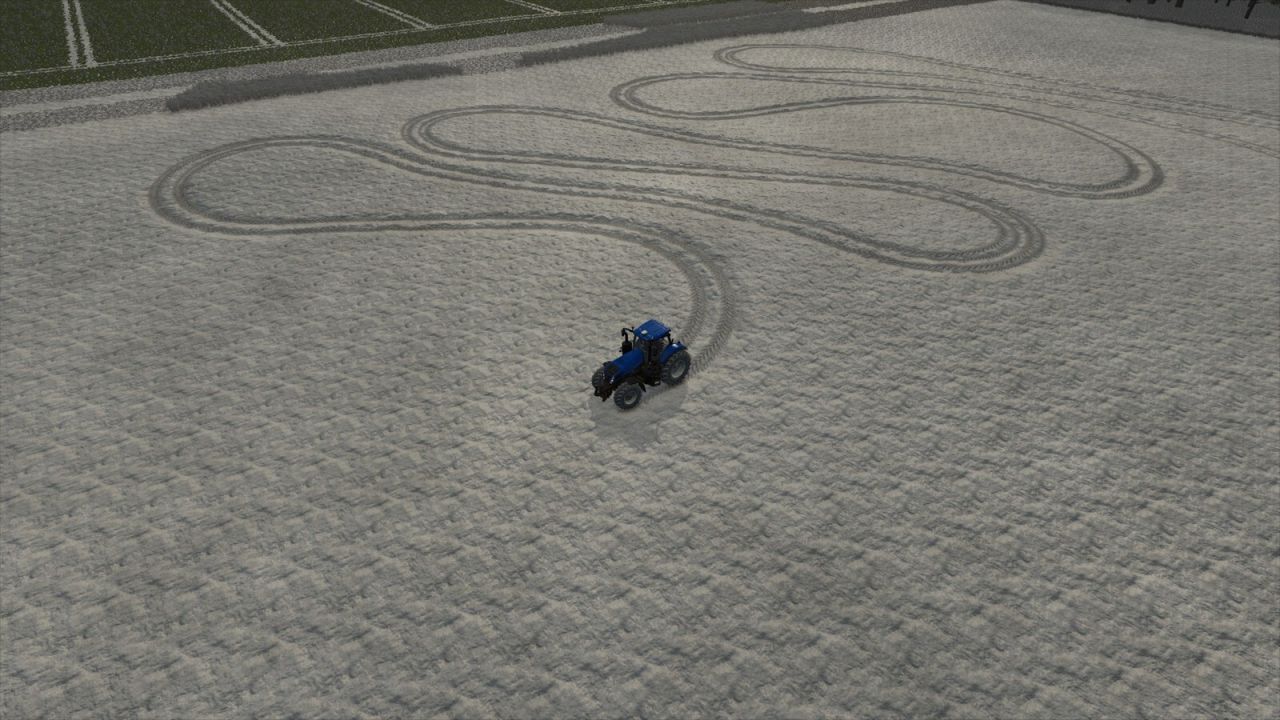
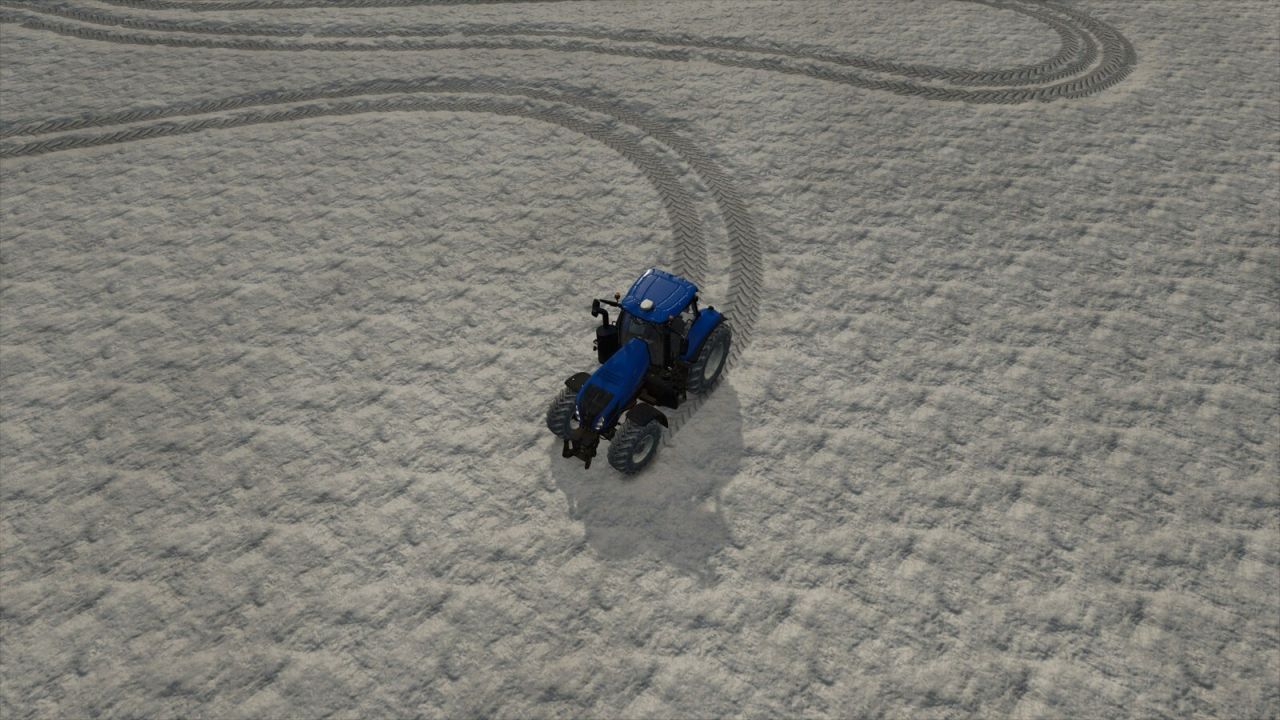
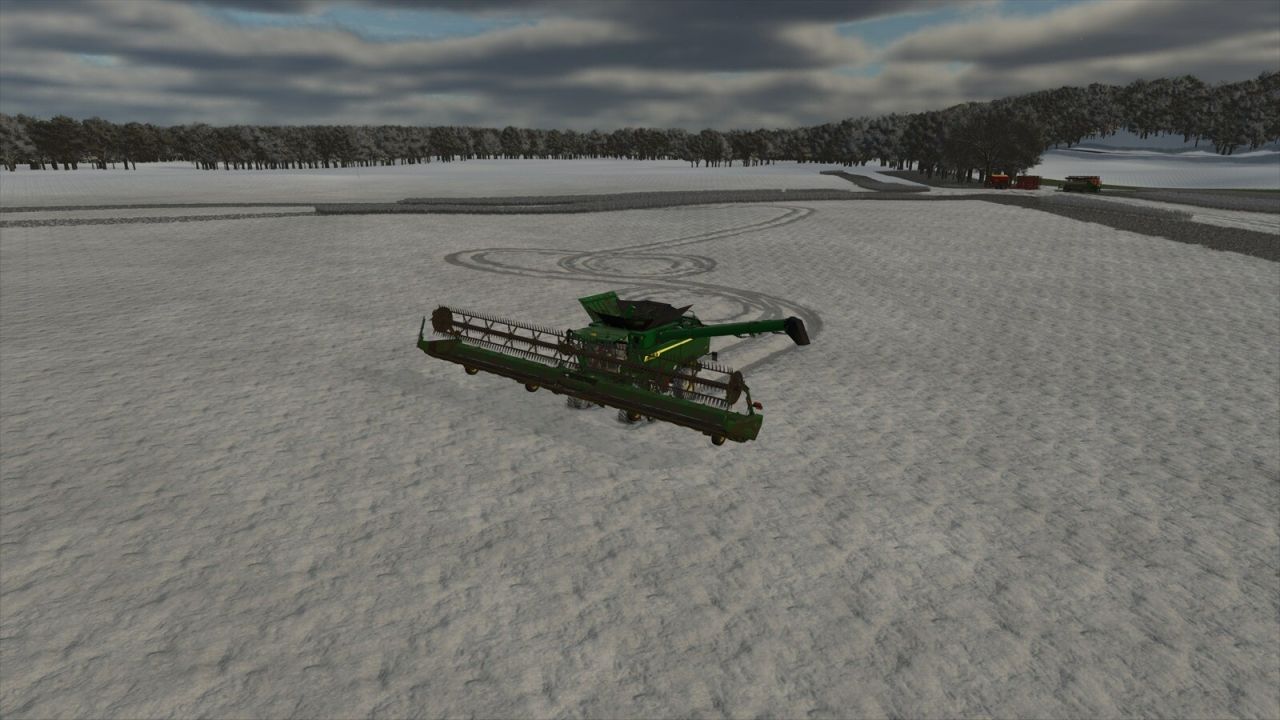
Keeps vehicle tire tracks between Farming Simulator 25 sessions and restores them automatically when the career loads.
– Separate track history for every career
– Nearby saved tracks stream in as the camera moves; distant history remains stored
– Current-session tracks return after distant vehicle switches and native recycling
– Vehicle-specific track widths and tread patterns are preserved when tracks return
– Restored distance, saved detail, and saved density under ESC > Settings > General Settings
– Adjustable density stores fewer redundant points so the same limit covers more driving
– Frame-budgeted restoration for smoother gameplay
– Compact saves with automatic legacy-file migration
– Oldest recorded detail is discarded first when the selected limit is reached

SETTINGS (ESC > Settings > General Settings > Persistent Tracks)
Restored Track Distance: Near 128 m; Medium 192 m (default); Far 256 m; Very Far 320 m.
Saved Track Detail (maximum retained points): Low 25,000; Medium 50,000; High 100,000 (default); Very High 250,000; Extreme 500,000; Maximum 1,000,000.
Saved Track Density: Off (every point); High detail (~0.35 m); Balanced (~0.60 m, default); Extended range (~1.00 m); Maximum range (~1.50 m).
Larger point limits preserve a longer history but use more memory, storage, save time, and load time. Larger spacing covers more driving with the same point limit.


Author: iwatkot

Report bugs in the comments and help modders improve this mod. Always check the comments, you can find a solution.


Helpful Information: How to install FS25 mods | FS25 System Requiremnts | FS25 Modding Tutorial | Giants Editor for FS25 | How to Convert mods | FS25 Cheats

More Misc mods


About Farming Simulator 25 mods
Farming Simulator 25 supports game modding for PC, Xbox, or PS5. FS25 Mod may change your game from small to complete changes. You can create a Farming Simulator 25 mod file and share it with our community. When is a good time to try Farming Simulator 25 mods? We recommend playing a game with these FS25 mods after you finish the Farming Simulator 25 starting pack and are bored with the game basics. So it's time to try new machines, such as harvesters or tractors, which are not included in the basic game version.
As you already know, Farming Simulator 25 developers support mods installation, which will add more vehicles or lands to your game. Check our Best FS25 mods lists for PC, Mac, PS5 or Xbox Series. Just follow these simple steps: choose the LS25 mods category, download the mod for the Farming Simulator 2025 version, and install it into the mod folder. Remember, all Farming Simulator 25 Mods are free, and download as many as you want with no limits. We want to create one of the biggest Farming Simulator 25 Community and invite you to share FS25 mods with everyone.

Leave a Reply

Do you need help or to say thanks to the mod author? Just leave a comment below!