Player fatigue V1.5.1




Player fatigue V1.5.1
Add a new dimension of realism to Farming Simulator 25 with a complete character fatigue system.
Fatigue gradually increases as long as the player remains awake. It also changes depending on the activity being carried out and increases more quickly during the night. Once fatigue reaches 75%, the first effects begin to be noticeable.
The more fatigue increases, the more visual effects appear: progressive vignette, reduced field of view, tunnel vision and micro-sleeps at very high fatigue levels.
Sleep allows the character to recover. A full 8-hour night completely restores the character, while a shorter sleep period only reduces part of the accumulated fatigue.
The mod does not use any permanent gauge on the screen. Important information is displayed only through the game’s native notifications in order to maintain a clean and immersive interface.
The settings are directly integrated into the game settings and allow you to enable or disable the fatigue system, adjust the rate at which fatigue increases, nighttime fatigue, visual effects and their intensity.
Main features:
Realistic character fatigue system
First effects starting at 75% fatigue
Increased fatigue during the night
Progressive visual effects based on fatigue level
Vignette and tunnel vision
Micro-sleeps at high fatigue levels
Native Farming Simulator 25 notifications
No permanent gauge on the screen
Recovery linked to sleep duration
8 hours of sleep = complete recovery
Settings directly integrated into the game settings
Multiplayer compatible
V1.5.1.0
New energy gauge
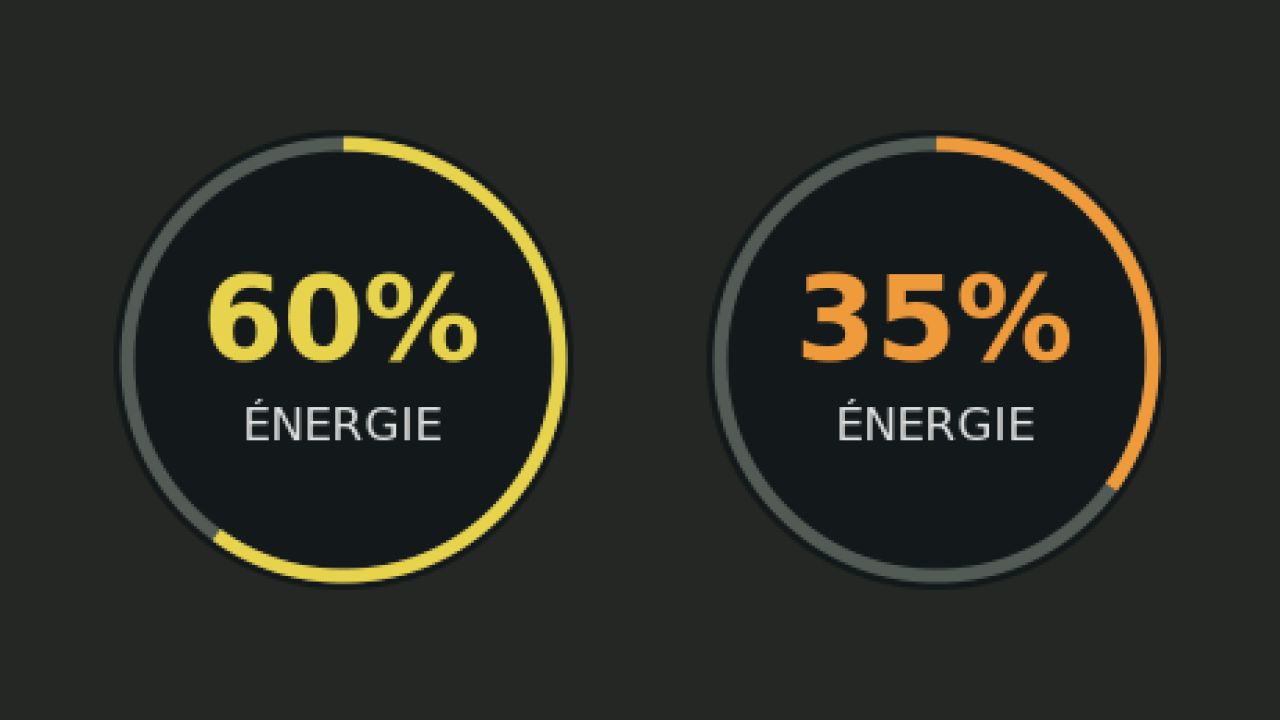
Added a discreet, semi-transparent circular gauge.
The gauge is full and green when the character is in peak condition.
Energy gradually decreases, with the color changing from green to yellow, orange and red.
Free mouse repositioning with Alt + I.
Automatic position saving.
Option to show or hide the gauge from the game’s general settings.
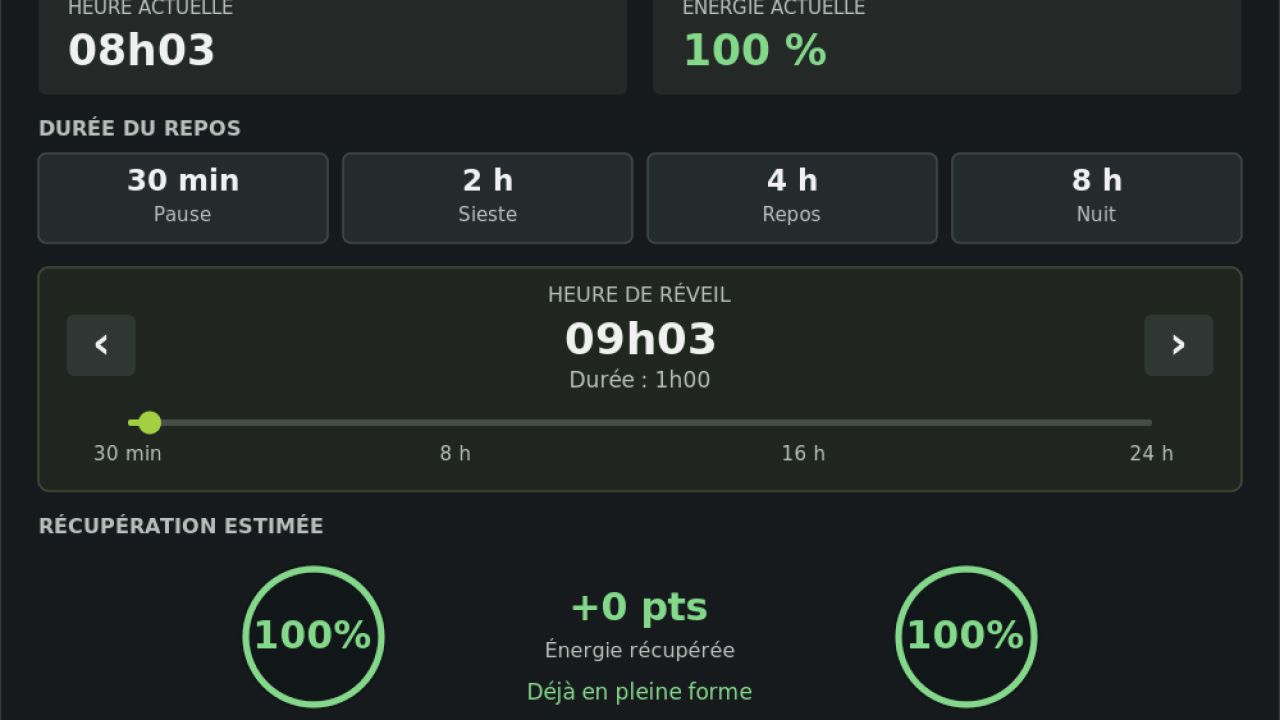
Complete sleep menu overhaul
New, modern and more intuitive interface.
Display of the current time and remaining energy.
Four rest shortcuts: 30 minutes, 2 hours, 4 hours and 8 hours.
Custom selection of sleep duration, from 30 minutes to 24 hours.
Automatic wake-up time calculation.
Two circular gauges showing energy before and after sleep.
Dynamic estimation of energy gain.
Recovery level indicator.
Improved textures, colors and alignment.
Realism improvements
More reliable fatigue calculation and accumulation.
Improved detection of the character’s activities.
Distinction between walking, driving on roads, agricultural work and periods of inactivity.
Improved detection of agricultural tools and AI-controlled vehicles.
More precise management of nighttime fatigue.
Improved handling of time acceleration.
Fixes and saves
Fixed energy recovery when sleep is interrupted.
Fixed day changes and abnormal clock variations.
Improved save management.
HUD settings are now saved independently.
Fixed all missing translations.
Performance optimization
Reduced unnecessary calculations.
Optimized detection of agricultural activities.
Caching of data and graphic elements.
Use of optimized DDS textures.
Reduced risk of mod-related micro-freezes.
Author: Zarthars